
Sita is at a tea shop in Bhaktapur, on the shop’s free Wi-Fi. She sends Ram a message and logs in to her wallet app. Think of the road her password travels. In Unit 5 you followed a message across a network: by radio to the Wi-Fi router, which every phone in the shop can hear, then to the internet provider, then from router to router, perhaps through India, to a server she has never seen. Any of those machines, and anyone who controls one of them, could copy what passes. So how can a password, or a secret, cross a network that anyone can listen to?
The answer is cryptography, the science of secret writing, and it is far older than computers. In this unit you will use the ciphers of Julius Caesar and break them the way a scholar in Baghdad did 1,200 years ago. You will work out why a longer key is so much stronger, see how a website checks your password without ever keeping it, and find out how two strangers can agree on a secret over a public network. Then you will see how attackers really get in (through people, through guessed passwords, through mistakes in programs), and how to choose defenses, each with its price. In Grades 6 to 8 you learned the habits: strong passwords, two-step login, stop and check. This unit explains the secrets behind them.
Secret writing
Long before computers, people wanted to send messages that only the right person could read: generals to their armies, merchants to their partners, friends to friends. Hiding the message (in a shoe, under a cake) works until someone looks. A better idea is to change the message itself, so that even someone who has it can’t understand it.
Some words for this, used the same way all through the unit:
- The plaintext is the message as it was written, which anyone could read.
- The ciphertext is the scrambled message.
- To encrypt is to turn plaintext into ciphertext; to decrypt is to turn it back. Doing it is encryption and decryption.
- A cipher is the method, the steps for encrypting and decrypting.
- A key is the secret that the cipher uses. The same cipher with a different key gives a completely different ciphertext.
- Cryptography is the science of making ciphers; cryptanalysis, or code breaking, is the science of breaking them.
In Grade 7 you met the three things that keeping data safe means: confidentiality (kept secret), integrity (kept correct) and availability (there when needed). Encryption protects confidentiality: a stolen ciphertext is useless without the key. Later in this unit you will see tools that protect integrity too.
In Figure 6.1, what does someone who copies the message at the internet provider see?
Pick an answer to see why.
Which word means the scrambled message, as it travels?
Pick an answer to see why.
The Caesar cipher
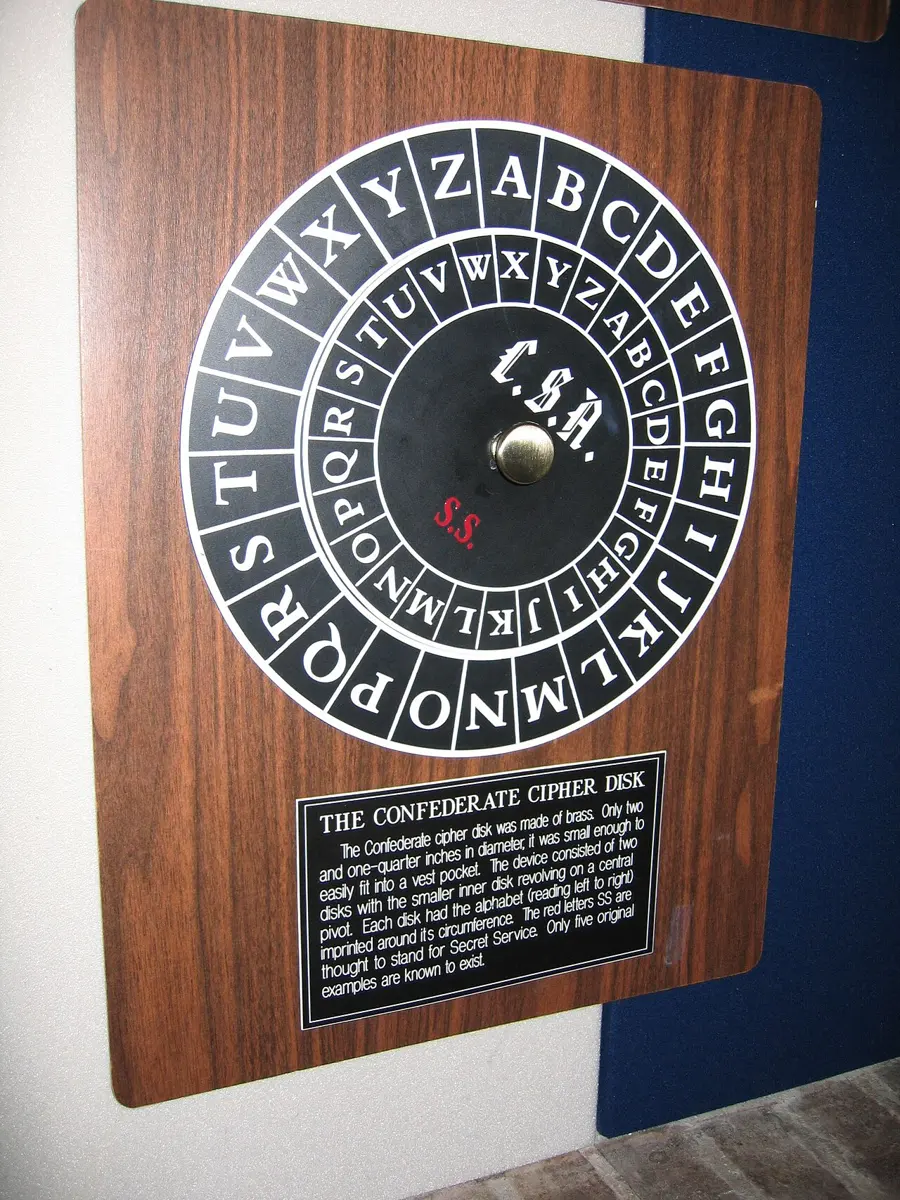
In a Caesar cipher, every letter moves the same number of places along the alphabet. That number, the shift, is the key. Near the end, the alphabet wraps round to the start: with a shift of 3, X becomes A, Y becomes B and Z becomes C. Spaces and punctuation stay as they are.
To decrypt, move every letter back by the same shift.
The Caesar cipher in Python
A cipher is an algorithm, so you can program it. This program uses what you know: a string of the alphabet, a loop over the characters of the message, and .index() to find a letter’s position (Unit 3). The % operator (Grade 8) gives the remainder after dividing by 26, which is exactly the wrap-around: position 25 (Z) plus 3 is 28, and 28 % 26 is 2, C.
ALPHABET = "ABCDEFGHIJKLMNOPQRSTUVWXYZ" def caesar(text, shift): result = "" for ch in text.upper(): if ch in ALPHABET: i = ALPHABET.index(ch) result = result + ALPHABET[(i + shift) % 26] else: result = result + ch return result secret = caesar("Meet at Nyatapola at five", 3)print(secret)print(caesar(secret, -3))Output
PHHW DW QBDWDSROD DW ILYHMEET AT NYATAPOLA AT FIVEDecrypting is just encrypting with the shift turned negative (line 16). Python’s % always gives a remainder from 0 to 25, even for a negative number: A (position 0) moved back 3 is −3, and -3 % 26 is 23, X.
With a shift of 5, what does the letter W become?
Pick an answer to see why.
Breaking a cipher
You have a ciphertext but not the key. How could you read it anyway? There are two ways in, and every code breaker in history has used both.
Try every key: brute force
A Caesar cipher has only 25 shifts that do anything. So just try them all, and look for the one that gives words. Trying every possible key is called a brute-force attack. The set of all possible keys is the key space; a cipher whose key space is small can always be broken this way.
ALPHABET = "ABCDEFGHIJKLMNOPQRSTUVWXYZ" def caesar(text, shift): result = "" for ch in text.upper(): if ch in ALPHABET: i = ALPHABET.index(ch) result = result + ALPHABET[(i + shift) % 26] else: result = result + ch return result secret = "XPPE XP LE ESP XZXZ DSZA"for shift in range(1, 26): print(shift, caesar(secret, -shift))Output
1 WOOD WO KD DRO WYWY CRYZ2 VNNC VN JC CQN VXVX BQXY3 UMMB UM IB BPM UWUW APWX4 TLLA TL HA AOL TVTV ZOVW5 SKKZ SK GZ ZNK SUSU YNUV6 RJJY RJ FY YMJ RTRT XMTU7 QIIX QI EX XLI QSQS WLST8 PHHW PH DW WKH PRPR VKRS9 OGGV OG CV VJG OQOQ UJQR10 NFFU NF BU UIF NPNP TIPQ11 MEET ME AT THE MOMO SHOP12 LDDS LD ZS SGD LNLN RGNO13 KCCR KC YR RFC KMKM QFMN14 JBBQ JB XQ QEB JLJL PELM15 IAAP IA WP PDA IKIK ODKL16 HZZO HZ VO OCZ HJHJ NCJK17 GYYN GY UN NBY GIGI MBIJ18 FXXM FX TM MAX FHFH LAHI19 EWWL EW SL LZW EGEG KZGH20 DVVK DV RK KYV DFDF JYFG21 CUUJ CU QJ JXU CECE IXEF22 BTTI BT PI IWT BDBD HWDE23 ASSH AS OH HVS ACAC GVCD24 ZRRG ZR NG GUR ZBZB FUBC25 YQQF YQ MF FTQ YAYA ETABOnly shift 11 gives English: MEET ME AT THE MOMO SHOP. A person can spot it in seconds, and a computer can try the 25 shifts in less than a millisecond.
Letters have a pattern: frequency analysis
There is a cleverer way, which doesn’t need to try keys at all. In any language, some letters are used far more than others. In English, about one letter in eight is E; T, A and O come next; J, Q, X and Z are rare. A cipher that swaps each letter for another one keeps this pattern: if E becomes H, then H will be about one letter in eight of the ciphertext.
| Letter | E | T | A | O | I | N | S | H | R | … | Q | Z |
|---|---|---|---|---|---|---|---|---|---|---|---|---|
| Share of English text | 12.7% | 9.1% | 8.2% | 7.5% | 7.0% | 6.7% | 6.3% | 6.1% | 6.0% | … | 0.1% | 0.07% |
Counting how often each letter comes in a ciphertext, and comparing it with the language’s usual pattern, is called frequency analysis. Nepali has a pattern of its own too, and so does every language.
Breaking it by program
A computer can do the comparison too. This program gives each try a score: how many of its letters are among the six commonest in English, E, T, A, O, I and N. Real English gets a high score; gibberish usually doesn’t. The program keeps the shift with the highest score.
ALPHABET = "ABCDEFGHIJKLMNOPQRSTUVWXYZ" def caesar(text, shift): result = "" for ch in text.upper(): if ch in ALPHABET: i = ALPHABET.index(ch) result = result + ALPHABET[(i + shift) % 26] else: result = result + ch return result def englishness(text): score = 0 for ch in text: if ch in "ETAOIN": score = score + 1 return score secret = "AOL LEHT YLZBSAZ DPSS IL WBA BW VU AOL UVAPJL IVHYK"best = 0for shift in range(26): if englishness(caesar(secret, -shift)) > englishness(caesar(secret, -best)): best = shiftprint("Best shift:", best)print(caesar(secret, -best))Output
Best shift: 7THE EXAM RESULTS WILL BE PUT UP ON THE NOTICE BOARDA much bigger key space
The Caesar cipher’s weakness looks like its tiny key space. So make the key space huge. In a substitution cipher, the key is a shuffle of the whole alphabet: A might become Q, B might become W, C might become E, any letter for any letter, as long as no two letters become the same one.
How many keys is that? A can become any of 26 letters; then B any of the 25 left; then C any of 24; and so on down to 1:
At a billion keys a second, trying them all would take about 13 billion years, roughly the age of the universe. Brute force is hopeless. But the substitution cipher was broken for centuries all the same, because each plain letter still always becomes the same secret letter, and the pattern of the language shows straight through.
Why does frequency analysis work on a substitution cipher?
Pick an answer to see why.
Keys and key length
Modern ciphers don’t work on letters. In Unit 2 you saw that everything in a computer, a message, a photo, a voice note, is bytes. A modern cipher takes the bytes of the plaintext and a key, which is a string of bits, and mixes them together in many rounds of steps, so thoroughly that no pattern of the plaintext is left. The most used today is the Advanced Encryption Standard (AES), designed by two Belgian cryptographers, Joan Daemen and Vincent Rijmen, and chosen in an open competition to become the United States’ standard in 2001. Its keys are 128 or 256 bits long. AES is a symmetric cipher: the same key encrypts and decrypts, as in a Caesar cipher.
Every bit doubles the work
If the method is known, an attacker’s last hope is brute force: try every key. A key of 1 bit can be 0 or 1, 2 keys. A key of 2 bits can be 00, 01, 10 or 11, 4 keys. Each bit added doubles the number of keys, so a key of n bits can be any of 2ⁿ keys. This is the key length, and it decides how long a brute-force attack takes.

Passwords are keys too
Your password is a kind of key, and guessing it is a brute-force attack (Grade 6). Four words picked at random from a list of 7,776 (the dice list of Grade 7) can make 7,776⁴ ≈ 3.7 × 10¹⁵ passwords. That is about 2⁵², as many as a 52-bit key: strong against someone guessing at a login page, but weak beside a 128-bit key. That is why a website must store passwords carefully (next section), and why a strong password is still worth more with two-step login beside it.
A cipher’s key is made 10 bits longer. How many times longer does a brute-force attack take?
Pick an answer to see why.
Why do experts trust ciphers whose method is published for everyone to read?
Pick an answer to see why.
Hashing: how a website keeps your password
When you sign up to a website, it must be able to check your password every time you log in. The simplest way would be to keep a list of every user’s password. But in Grade 7 you saw that websites are broken into and their lists stolen. A website that kept the passwords themselves would hand every one of them to the thief. A careful website keeps something else: a hash of each password.
A hash function takes any data, a word, a password, a whole film, and works out from it a short, fixed-size value called its hash (or digest). A good hash function has four properties:
- The same input always gives the same hash. Hash “momo” today, tomorrow, on any computer: the same result.
- The hash is always the same size, however big or small the input. The function called SHA-256 gives 256 bits, written as 64 hex digits (Unit 2), for a single letter or for a whole book.
- It is one-way. From the hash, there is no way to work back to the input except by guessing inputs and hashing them.
- A tiny change gives a completely different hash, so similar passwords get hashes that look nothing alike, and nobody can find two different inputs with the same hash.
A hash is like a fingerprint of the data: it is small, it identifies the data, and you can’t rebuild a person from a fingerprint. (The picture stops there: two people can never be checked by their fingerprints alone, but a hash of 256 bits has so many possible values that no two different inputs have ever been found to give the same SHA-256 hash.)
Logging in with a hash
Here is how a careful website uses a hash:
- When you sign up, it hashes your password and stores only the hash, with your username. The password itself is forgotten.
- When you log in, it hashes what you typed, and compares that hash with the stored one.
- If the two hashes are the same, the password was right. If you typed even one letter differently, the hashes are completely different, and you are refused.
The website never needs to keep your password: it can check it without knowing it. In Python, the hashlib module works out SHA-256:
import hashlib def sha256(text): return hashlib.sha256(text.encode()).hexdigest() print(sha256("momo"))print(sha256("Momo"))print(len(sha256("momo")), "hex digits")Output
3100486406b39efc3f3d3565bc97cc3b9e2d7b6e3427b194f4442ef4beb05b41dce88c29de615438681a0196eace3d34df3b1d37b17b7b1dade0801220589b5964 hex digits.encode() turns the text into bytes (UTF-8, Unit 2), because a hash function works on bytes, and .hexdigest() writes the 32 bytes of the hash as 64 hex digits.
When the list is stolen
Suppose a thief steals a website’s list of usernames and hashes. The thief can’t undo the hashes, but can guess: hash “123456”, compare it with every stored hash; hash “password”, compare again; and so on through millions of common passwords and words. This is a dictionary attack. A hash function like SHA-256 is fast (an ordinary gaming graphics card can work out billions of SHA-256 hashes a second), so weak passwords fall within minutes.
There is a worse problem. Everyone whose password is “123456” has the same hash, so one guess finds all of them at once, and thieves keep ready-made lists of the hashes of millions of common passwords. Careful websites stop both with two tricks:
- A salt is a few random characters, different for every user, added to the password before it is hashed. The salt is stored beside the hash; it isn’t secret. Two users with the same password now have different hashes, a ready-made list is useless, and every guess must be hashed again for each user.
- A slow hash is a hash function made deliberately slow: it repeats its work thousands of times, so each guess takes the attacker thousands of times longer. Logging in takes a fraction of a second longer, which nobody notices; guessing a million passwords takes far longer.
This is what Grade 6 meant by passwords “kept scrambled, but sometimes badly”: a fast hash without salt is the badly scrambled kind.
A salted login, in Python:
import hashlib def hash_password(salt, password): return hashlib.sha256((salt + password).encode()).hexdigest() # what the website stored when Sita signed up: her salt and the hashstored = {"sita": ("k7Qp2x", hash_password("k7Qp2x", "tiger rice window"))} def log_in(user, password): salt, saved = stored[user] return hash_password(salt, password) == saved print(log_in("sita", "tiger rice window"))print(log_in("sita", "tiger rice windows"))Output
TrueFalse(A real website would use a slow hash in place of one SHA-256; the steps are the same.)
Hashes keep things correct, too
A hash also protects integrity. A website that offers a program to download often shows its SHA-256 hash beside it. Hash the file you downloaded: if one bit was changed on the way, by a fault or by an attacker, the hash won’t match. You will see in the next section how hashes help to sign messages, too.
Why does a careful website store a hash of each password, not the password?
Pick an answer to see why.
Hari and Gita both use the password sunflower123 on a website that salts its hashes. What is true?
Pick an answer to see why.
Public-key encryption: secrets between strangers
Every cipher so far has one big problem. Sita and Ram must share the same key, and keep it secret. If they live in the same town, they can agree on it face to face. But you have never met the people who run the website of your bank, or an online shop in another country. And everything you send them crosses a network that anyone can listen to. If you send them a key, an eavesdropper copies it, and can then read everything. How can two strangers agree on a secret, when every word between them can be overheard?
For thousands of years it seemed impossible. Then, in the 1970s, it was solved, with an idea that is easiest to picture with padlocks.
Ram buys a box of identical padlocks, all opened by one key, which he keeps. He sends open padlocks to anyone who asks; he even leaves a pile of them on a table in the street. Sita takes one, puts her message in a box, and snaps the padlock shut: closing a padlock needs no key. She posts the box. Eve, watching the post, sees padlocks going out and a locked box coming back, but she has no key, and nobody ever sent one. Only Ram can open the box.
In public-key encryption (also called asymmetric encryption), every person or website has a key pair: two keys made together, which work only with each other.
- The public key is the open padlock. It is given to everyone. Anything encrypted with it can be decrypted only with the matching private key.
- The private key is the padlock’s key. It never leaves its owner’s phone or computer.
The mathematics behind the padlock
A public key works because some sums are easy one way and very hard the other way. Multiply two prime numbers: 61 × 53 = 3,233. Easy. Now go the other way: which two primes multiply to make 3,233? You have to try dividing by prime after prime until one goes exactly. With small numbers it takes a minute. With primes hundreds of digits long, multiplying takes a computer a moment, but finding the two primes from their product would take longer than the universe has existed. One of the first public-key methods, RSA, is built on exactly this: the public key contains the product, and the private key depends on knowing the two primes.
In practice, public-key encryption is slow, much slower than AES. So it is used for one short job: to agree on a fresh, random, shared key at the start of a conversation. Then the fast symmetric cipher, AES, encrypts everything else with that key. This is how almost every secure connection works.
Digital signatures
The key pair can also work the other way round, and that is just as useful. Something done with the private key can be checked by anyone with the public key. Only the owner could have done it; everyone can check it. This is a digital signature:
- Ram hashes his document (a letter, a certificate, an app update).
- With his private key, he makes a signature from the hash, and sends it with the document.
- Anyone can check it: hash the document they received, and use Ram’s public key to check that the signature matches that hash.
If the check passes, two things are proven: who signed it (only Ram’s private key could have made that signature) and that it wasn’t changed (any change, even one letter, would change the hash). A digital signature protects integrity, as a hash does, and also says who it came from. Your phone checks a digital signature before it installs an update, so that nobody can slip in a fake one. Nepal’s law accepts digital signatures on electronic documents; you will meet that law in Unit 10.
Ram wants anyone in the world to be able to send him secret messages that only he can read. What does he give out?
Pick an answer to see why.
A digital signature on an app update proves two things. Which two?
Pick an answer to see why.
HTTPS and certificates
In Unit 5 you followed a browser opening a page, and one step said only that, for https, the two machines agree on a secret key and the server proves who it is with a certificate. Now you can see what happens in that step. (Bhakari Pay, a wallet, and Lalupate Bank, a bank, are made up, as in Grade 7, and so are their addresses.)
- Your browser connects to bhakaripay.com.np and says hello.
- The server sends its certificate: a small file that says “this public key belongs to bhakaripay.com.np”, digitally signed by a certificate authority, a company that checks who owns a website’s name before it signs.
- Your browser checks the signature, with the certificate authority’s public key. A list of the authorities’ public keys came built into your phone or browser.
- It checks that the name in the certificate is the name in the address bar.
- Using public-key encryption, the browser and the server agree on a fresh shared key for this visit alone.
- Everything after that, the page, your password, your balance, is encrypted with that key, using a fast symmetric cipher like AES. Each message also carries a check, so a change on the way would be noticed.
The rules for these steps are TLS (Transport Layer Security; its older version was called SSL), and HTTPS, as Unit 5 said, is HTTP sent through TLS.
What HTTPS protects, and what it doesn’t
HTTPS stops anyone on the way, the Wi-Fi in the tea shop, the internet provider, any router, from reading or changing what you send and receive: your password, the pages, which page of the website you are on. That is why it matters most on public Wi-Fi.
But as Grade 6 warned, a padlock doesn’t mean honest. A certificate proves only that you are talking to the owner of the name in the address bar. A thief who buys the name bhakaripay-refund.com can get a certificate for it, and the browser will show the same padlock. HTTPS protects the road; it can’t tell you whether the place at the end of the road is a shop or a trap. Reading who owns the name (Grade 7) is still your job.
HTTPS also doesn’t hide which website you visit: the network can still see the name of the site, though not what you do there.
You open https://bhakaripay-reward.com from a message. The page has a padlock and a valid certificate. What does that tell you?
Pick an answer to see why.
End-to-end encryption
When you send a chat message, it usually goes from your phone to the chat company’s server, and from there to your friend’s phone. HTTPS-like encryption protects each leg of that journey. But on the server, in the middle, the message may be decrypted, and the company, or anyone who breaks into its server, or anyone who forces the company to hand it over, could read it.
In end-to-end encryption, the message is encrypted on the sender’s phone with a key that only the receiver’s phone has, and decrypted only there. The server passes on ciphertext it can’t read. Each phone has its own key pair, and the app swaps the public keys when two people first chat.
End-to-end encryption protects messages on the way and on the server. It doesn’t protect:
- the phones themselves: anyone who unlocks your phone, or a friend who takes a screenshot, can read the messages;
- backups, unless the backup is end-to-end encrypted too (in many apps that is a separate setting);
- who talked to whom, when, and how often: the server still needs to know where to deliver each message. That is the metadata of Grade 8, and it says a lot.
Sita’s chat app uses end-to-end encryption. Who can read her messages to Ram?
Pick an answer to see why.
How attacks work
Cybersecurity is protecting computers, networks, programs and data from being stolen, damaged, changed or reached by people who shouldn’t. Cybercrime is crime done with or against computers and networks: stealing money or data, breaking into accounts, spreading malware, blackmail. In Grade 7 you met the kinds of malware and how phishing works. Now look at attacks the way a security expert does, by asking: what weakness does the attacker use? There are five kinds.
1. People: social engineering
The easiest way past a lock is to be handed the key. Social engineering is getting people to give away secrets, money or access by tricking them, instead of breaking any technology. Phishing (Grade 7) is one kind. Others:
- Pretexting: a made-up story, told to the right person. “This is the IT section of your bank; we need your PIN to stop a fraud.” “Hello, I am your mother’s friend; your mother is in hospital, send money for the medicine to this number.”
- Baiting: leaving something tempting for the victim to pick up: a pen drive labeled “Exam results 2083” dropped in a school corridor, or a free film app.
- Tailgating: walking into a locked office or computer lab behind someone who has a key or card, chatting as if you belong.
Social engineering works by pressing on what people feel: urgency (“within 24 hours”), authority (the police, the bank, the boss), fear (“your account will be blocked”), greed (a prize, a job, double your money) and kindness (a friend in trouble). The defense is to slow down and check through a channel you choose yourself: call the bank on the number printed on your card, call your mother on her own number. Organizations add rules, such as “nobody changes a customer’s phone number without seeing them in person”.
2. Passwords: guessing and stuffing
- A brute-force attack on a password tries every combination; a dictionary attack tries common passwords and words first (Grade 6).
- Credential stuffing takes emails and passwords stolen from one website and tries them on others. (Credentials are a username and password together.) It works because people reuse passwords.
A login page can defend itself by locking an account after a few wrong tries, or by making each attempt wait longer, so a guesser at the page gets only a handful of guesses an hour. That is why a 4-digit PIN is safe enough on a phone that makes you wait longer and longer after wrong tries, but not in a stolen list of hashes, where nothing stops the guessing.
Proving to a computer who you are is called authentication. A password is one kind of proof, something you know; in Grade 7 you met the other two kinds, something you have (your phone) and something you are (your fingerprint or face). Asking for two or more different kinds is multi-factor authentication (MFA); with exactly two it is two-factor authentication (2FA), the two-step login of Grade 7. It stops a thief who has only the password.
3. Programs: flaws in the code
Every program has mistakes, and some of them let an attacker in. A mistake that can be used to attack a system is called a vulnerability. Two famous kinds come from one bad habit: trusting what the user types.
SQL injection
A website keeps its users in a database, and asks the database questions in a language called SQL (you will learn it in Grade 10). A careless login page builds its question by joining what you typed into a sentence of SQL, as Python joins strings:
def login_query(name, password): return "SELECT * FROM users WHERE name = '" + name + "' AND password = '" + password + "'" print(login_query("sita", "tiger rice window"))print(login_query("sita", "' OR '1'='1"))Output
SELECT * FROM users WHERE name = 'sita' AND password = 'tiger rice window'SELECT * FROM users WHERE name = 'sita' AND password = '' OR '1'='1'The first question asks for the user called sita with that password. In the second, the attacker typed a piece of SQL as the “password”. Its quote mark closes the password early, and the rest adds OR '1'='1', which is always true. The database now finds sita’s account whatever the password, and lets the attacker in. This is SQL injection: the attacker’s input is treated as part of the program’s own command.
The fix is never to build commands by joining in what users type. Every database lets a program send the command and the user’s input separately: the command has a placeholder, ?, where the input goes, and the input travels on its own, so it can only ever be data, never part of the command. Python comes with a small database, sqlite3, so you can see both versions side by side:
import sqlite3 db = sqlite3.connect(":memory:") # a database in memory, just for this testdb.execute("CREATE TABLE users (name TEXT, password TEXT)")db.execute("INSERT INTO users VALUES ('sita', 'tiger rice window')") def careless_login(name, password): query = "SELECT * FROM users WHERE name = '" + name + "' AND password = '" + password + "'" return db.execute(query).fetchone() is not None def careful_login(name, password): query = "SELECT * FROM users WHERE name = ? AND password = ?" return db.execute(query, (name, password)).fetchone() is not None typed = "' OR '1'='1"print("careless:", careless_login("sita", typed))print("careful:", careful_login("sita", typed))print("careful, right password:", careful_login("sita", "tiger rice window"))Output
careless: Truecareful: Falsecareful, right password: TrueThe careless login lets the trick in. The careful one (lines 12 and 13) looks for a user whose password is, letter for letter, ' OR '1'='1, finds none, and refuses. And this login page has a second flaw, which the test above copies on purpose: it stores the passwords themselves, not salted hashes.
The same mistake on a web page is called cross-site scripting (XSS): a page that shows what users type, such as comments, without checking it, can be made to show an attacker’s own program, which then runs in every visitor’s browser.
Buffer overflow
In Unit 1 you saw that a program’s data sits in numbered boxes of memory, one byte in each. Some programming languages let a program write into its memory without checking where its space ends. If it keeps 8 bytes for a name and is given 9 characters, the 9th goes into whatever comes next.
Spilling past the end of the space kept for some data is a buffer overflow (a buffer is a space in memory kept for data on its way in or out). In real attacks, what lies just past the buffer is often the address the program will jump back to when its function ends (Unit 1’s jumps). An attacker who overwrites it with an address of their own choosing can make the processor run instructions the attacker sent, inside the program’s own memory.
Two things limit the damage. Python, and many modern languages, check every position: writing past the end of a list stops the program with an IndexError instead of spilling. And the operating system’s user mode (Unit 1) means that a hijacked app still can’t touch the hardware or other apps’ memory directly; it can do only what that app was allowed to do. That is why attackers prize flaws in the kernel most of all, and why updates that fix them matter so much.
4. Old software: holes that were already fixed
When a vulnerability is found, the maker usually fixes it and sends out an update. From that moment, the hole is known to attackers too, and every device that hasn’t updated is easy to get into. WannaCry, in Grade 7, spread through a hole fixed two months before. A phone or laptop too old to get updates any more keeps all its holes for ever.
5. Availability: flooding
A denial-of-service (DoS) attack floods a server with so many requests that real users can’t get through. In a distributed denial-of-service (DDoS) attack, the requests come from thousands of computers at once, often a botnet: computers and cheap devices (cameras, routers) taken over by malware, whose owners don’t know. Nothing is stolen or changed; the loss is availability, as when Nepal’s government websites went dark in January 2023 (Grade 7).
Causes and impacts
A security breach is any time someone gets at data or systems they shouldn’t. When one happens, ask two questions: what caused it, and who was hurt, and how?
| What happened | Cause | Who was hurt, and how |
|---|---|---|
| March 2020: a hacker broke into Foodmandu, the food-delivery app of Grade 8, and posted its customers’ names, phone numbers, email addresses and delivery addresses online (about 30,000 customers by the company’s count; the hacker posted about 50,000 records) | a flaw in the website (the company didn’t publish exactly which) | individuals: strangers could now call, message or find them; a company: lost trust, and a police investigation |
| October 2017: attackers in NIC Asia Bank’s computers sent about Rs 460 million abroad over Tihar (Grade 7) | a break-in to the bank’s systems, timed for a holiday | an industry: banks across Nepal had to check their own systems; Nepal Rastra Bank stepped in; most of the money was stopped |
| January 2023: Nepal’s government websites and the airport’s immigration system stopped for hours (Grade 7) | a DDoS attack | a government and its citizens: services stopped, flights delayed |
| May 2017: WannaCry ransomware scrambled computers in about 150 countries (Grade 7) | an old, unpatched hole in Windows, used by a worm | communities: hospitals in England canceled appointments; businesses stopped work |
| any week: a caller talks someone into reading out a wallet code | social engineering | an individual and their family: savings gone, often for good |
The impacts are of a few kinds: money lost; privacy lost (and with it, the risk of more scams, since attackers now know your name and number); services stopped, from a shop to a hospital; trust lost, in a company or in going online at all; and the cost of repairing it all. Big breaches touch everyone: a stolen list of customers becomes the next month’s scam calls.
A website’s login form puts whatever is typed straight into its database command. What kind of attack does this allow?
Pick an answer to see why.
Someone walks into the school’s computer lab behind a teacher, carrying a box of paper as if they were delivering it. What is this?
Pick an answer to see why.
Defenses and their trade-offs
No single defense stops everything (Grade 7). So careful people and organizations put several in layers, the way a bank has a gate, a guard, a locked door and a safe: an attacker who gets past one still meets the next. This is called defense in depth.
Experts group the measures by what they protect:
- Physical security protects the devices and the rooms they are in: locks, ID cards, CCTV, a UPS against power cuts and surges, a cable lock on a laptop, shredding printed records.
- Network security protects the network and what passes through it: a strong Wi-Fi password, a firewall, a VPN.
- Application security protects the programs: checking every input, testing, installing updates.
- Information security protects the data itself, wherever it is: encryption, backups, deciding who may see what.
- Operational security is the people’s side: rules about who may do what, training, and habits such as checking on a known number before acting on a call.
Some defenses, and what they cost
Every defense has a price: money, time, convenience, or sometimes privacy. Choosing well means weighing the price against the risk.
| Defense | What it does | Its price, the trade-off |
|---|---|---|
| a different strong password for each account, kept in a password manager (Grade 8) | stops guessing and credential stuffing | effort to set up; the manager’s master password must be very strong |
| two-step login, or multi-factor authentication | stops a thief who has only the password | a moment longer each time; if the phone is lost, you need backup codes |
| locking an account after a few wrong tries | stops guessing at the login page | an attacker can lock the real user out on purpose |
| updates | close known holes | time and data; occasionally an update breaks something; old devices stop getting them |
| antivirus software | finds and removes known malware | must be kept updated; can miss brand-new malware; sometimes flags a harmless file |
| a firewall | blocks connections that aren’t allowed | a rule too strict blocks things you need |
| encrypting a phone or laptop | a thief gets only ciphertext | forget the PIN or key and your own data is gone too |
| backups (Grades 7 and 8) | bring data back after loss or ransomware | cost of the space; a backup is one more copy to protect |
| a VPN | encrypts everything to the VPN company’s server | the VPN company can now see what your provider used to; a free VPN app may sell your data |
| CCTV and ID cards | keep strangers away from the machines | cost; cameras also watch the staff, a privacy cost |
Two of these need a little more explanation, since they are often confused:
- Antivirus software checks the files and programs on a device. It knows the signatures of known malware (patterns of bytes, often the malware’s hash, like a fingerprint on a list of wanted criminals) and also watches for programs that behave like malware, such as one that suddenly starts scrambling hundreds of files. When it finds one, it deletes it or moves it to quarantine, a locked folder where it can do no harm. New malware appears every day, so it must update its list constantly.
- A firewall sits between a device or network and the internet, and checks every connection against rules: which addresses and which programs or ports (Unit 5) may connect, in which direction. It stops strangers reaching in, and can stop a program sending data out. A firewall controls what passes; antivirus checks what is on the device. They do different jobs, and a computer needs both.
Finding and fixing a flaw
A security expert reviewing a system works through it like this:
- What must be protected, and which matters most: confidentiality, integrity or availability?
- Who might attack, and how? Think of all five kinds: people, passwords, programs, old software, flooding. And of losses that aren’t attacks: a fire, a flood, a broken disk.
- What is there now, and where is the gap?
- A fix for each gap, and its price. Choose the fixes that remove the most risk for the least cost.
Breaking into computers and stealing data are crimes in Nepal, under the Electronic Transactions Act, 2063 (2006). You will study that law, and what it says about digital signatures and privacy, in Unit 10. If you or your family are ever attacked, the steps are those of Grade 7: act fast (call the bank or wallet, change passwords), tell a parent or teacher, keep the proof, and report it to Nepal Police’s Cyber Bureau or at any police office.
Project: a security review
Choose a real system you know (with permission from whoever runs it): your school’s computer lab, a family shop’s wallet app and laptop, a club’s social media account, or your own phone. Work in a pair or a small group.
- Describe it: what devices, accounts, programs and data are involved, and who uses them.
- What must be protected? For each kind of data, which matters most: confidentiality, integrity or availability? What would happen if it were lost?
- Threats: list at least six ways it could be attacked or lost, covering at least four of the five kinds (people, passwords, programs, old software, flooding) and one loss that isn’t an attack.
- What is there now? Note each measure, and its kind (physical, network, application, information, operational).
- Flaws and fixes: for the three biggest gaps, propose a fix and its price (money, time, convenience, privacy), in a table like the worked example.
- Break a cipher: encrypt a message of at least two sentences with a Caesar cipher and a shift of your choice, give it to another group, and break theirs with the programs in this unit, in Python, without being told the shift.
- Report in one or two pages, and present your three fixes to the class. Which was cheapest for the most protection?
In short
Exercise
What is the key in a Caesar cipher?
Pick an answer to see why.
How many different keys does a substitution cipher on the 26 letters have?
Pick an answer to see why.
Which of these is not true of a good hash function?
Pick an answer to see why.
Sita wants to send Ram a secret using public-key encryption. Which key does she use to encrypt it?
Pick an answer to see why.
What is the difference between a firewall and antivirus software?
Pick an answer to see why.
A bank’s staff are trained to call customers back on their registered number before changing any account details. What kind of security is this?
Pick an answer to see why.
Write the full forms of: a. MFA, b. 2FA, c. VPN, d. DDoS, e. XSS, f. AES, g. HTTPS, h. TLS.
Answer
Encrypt SCIENCE PLAYGROUND with a Caesar cipher of shift 4. Then decrypt XLMW MW E WIGVIX, which used the same shift.
Answer
Explain two ways to break a Caesar cipher without being told the key. Why does each work?
Answer
A cipher has keys 40 bits long. A computer tries 10⁹ keys a second.
- i.How many keys are there?
- ii.How long does it take to try them all?
- iii.How long would it take if the keys were 80 bits long?
Answer
What is a hash function? Explain why websites store a hash of each password and not the password, and how they check a password when someone logs in.
Answer
What is a salt? Explain two ways it protects a website’s users when the list of hashes is stolen.
Answer
Explain the idea of public-key encryption, using the padlock picture. Why does it let two people who have never met communicate securely over a network anyone can listen to? Say one way the padlock picture differs from the real thing.
Answer
What does a digital signature prove? Describe how it is made and checked.
Answer
What does HTTPS protect you from? What doesn’t it protect you from? Give one example of each.
Answer
What is social engineering? Describe three ways it is done, and how a person or an organization can defend against it.
Answer
Here is a login page’s Python:
query = "SELECT * FROM users WHERE name = '" + name + "' AND password = '" + password + "'"
- a.What is the attack this allows called? Show what an attacker could type as the password to get in, and explain why it works.
- b.Write two flaws in this login, and the fix for each.
Answer
What is a buffer overflow? Why are languages like Python safer from it, and how does the operating system limit the harm when it happens?
Answer
Classify each attack by the weakness it uses (people, passwords, a flaw in a program, old software, or flooding), and say who is harmed.
- i.A school’s website stops opening on results day because thousands of computers send it requests.
- ii.Thieves use the passwords stolen from a game website to log in to people’s email.
- iii.A man in a delivery company’s uniform walks into an office behind a staff member and takes a laptop.
- iv.A phone that hasn’t been updated for three years is taken over through a known hole in its browser.
Answer
A family shop in Hetauda takes payments by QR code on the owner’s phone. The phone has no screen lock, because “it is faster to sell”. The wallet app’s PIN is 1234. The owner’s son installs games from links friends send him on the same phone, and there is no backup of the shop’s accounts, kept in a notes app. Propose a fix for each flaw, and say what each fix costs the family.
Answer
“Every security measure has a trade-off.” Explain this with three examples.
Answer
Quiz yourself: Safety and society, Grades 6–12 →
Practice every question in the book, and keep track of the ones you miss →