
Sabina’s family runs a small shop in Banepa. One Monday, three things go wrong. A message from “the bank” asks her father to update his details at a link, and he nearly does. Her brother’s laptop shows a red screen: every file is scrambled, and a note asks for money to unscramble them. And her mother drops her phone in a bucket of water, with three years of family photos on it and no other copy.
None of these needed a genius hacker. Each one is common, each one can be stopped, and each one is about data: the messages, photos, files, passwords and money records that our lives now run on. In Grade 6 you learned to make a strong password, to keep personal information private, and to spot a scam. In this unit you go further. You will learn the three things that keeping data safe really means, how harmful programs get into a phone or laptop, how a fake login page works and how to read who owns a link, the tricks of fake payment and prize messages, how two-step login works and what it can’t stop, and how to plan a backup that survives a stolen phone, a flood or a scrambled laptop.
Three things to keep safe
What does it mean for data to be “safe”? Think of a student’s exam marks, kept on the school’s computer. Three different things can go wrong with them:
- A stranger could see them, before the results are out, or a classmate could look at everyone’s marks.
- Someone could change them: add 20 marks to one student, take 20 from another.
- Nobody could get at them when they are needed: the computer breaks on result day, or the results website is so busy that it won’t open.
These are the three parts of keeping data safe. Computer scientists give each one a name:
- Confidentiality: the data is kept secret. Only the people who should see it can see it.
- Integrity: the data is kept correct. Nobody can change it without permission, and if it is changed, the change can be noticed.
- Availability: the data is there when needed. The people who should use it can reach it, when they need it.
Together they are called the CIA triad (a triad is a group of three; it has nothing to do with spies). Every way of keeping data safe in this unit protects one or more of the three, and every attack breaks one or more of them.
| When this is lost | What happens | An example |
|---|---|---|
| confidentiality | people see what they shouldn’t | a thief reads your messages, or your photos go public |
| integrity | the data can’t be trusted any more | a changed account number sends a payment to a thief; changed marks make a whole result sheet doubtful |
| availability | the data is correct and secret, but useless for now | a phone with the only copy of the photos is stolen; a website is down on the day everyone needs it |
Losing any one of them can hurt as much as the others. A bank that keeps your money secret but lets someone change the amount has failed you. So has a hospital whose records are secret and correct, but can’t be opened when a patient arrives.
A hacker changes the price of a school trip on a school’s website from Rs 2,000 to Rs 20,000. Which part of the CIA triad has been broken?
Pick an answer to see why.
Rina’s phone, with the only copy of her project, is stolen. Her phone has a strong screen lock. Which part of the CIA triad has she lost?
Pick an answer to see why.
Malware: programs that do harm
In Unit 1 you saw that an operating system runs whatever programs it is given, and asks before an app uses the camera or the microphone. Most programs do what they say. Malware (from malicious software: software that means harm) is any program made to do harm: to steal, spy, damage, or demand money.
There are many kinds. Their names describe how they spread or what they do:
| Kind | How it works |
|---|---|
| virus | hides inside other files or programs, and copies itself into more of them whenever they are opened |
| worm | spreads by itself from computer to computer over a network, with nobody opening anything |
| trojan | pretends to be something useful (a game, a “cleaner”, a free film app), but does harm once installed; named after the wooden horse of the Greek story, which hid soldiers inside |
| spyware | watches you secretly: reads your messages and codes, records what you type, tracks where you go |
| ransomware | scrambles your files and demands money (a ransom) to unscramble them |
| adware | floods the phone with ads, often slowing it down and using up data |
People often call any malware a “virus”, but most malware on phones today is trojans, spyware and adware, which people install themselves.
How malware gets in
Malware can’t walk in on its own. It needs a way in, and nearly always it is one of these:
- An app or file from outside the app store. On Android phones, an APK file installs an app directly, without the store checking it. Thieves send APK files in chat groups and ads, with names like “watch the match free”, “wedding invitation”, “double your data”, or “bank app update”. Once installed, the app asks for permission to read messages, show itself over other apps, or control the phone, and uses it to read the codes your bank sends.
- A free copy of a paid program. A “cracked” game or program, with its lock removed, from a website or a pen drive. Whoever cracked it could add anything to it.
- A pen drive that has been in other computers, such as at a cyber café or a print shop.
- An attachment or link in a message from someone you don’t know, or from a friend’s account that has been taken over.
- A hole in old software. Every program has mistakes, and some of them let malware in without you doing anything. Makers fix them in updates (Unit 1). A phone or laptop that isn’t updated keeps its holes open.
- A fake warning. A website shows “Your phone has 5 viruses! Install this cleaner now!” A website can’t look inside your phone; the “cleaner” is the malware.
The signs, and what to do
A phone or laptop with malware may show some of these signs: the battery runs down much faster than before; data runs out with nothing to show for it; ads pop up everywhere, even outside apps; apps appear that you didn’t install; friends get messages you never sent; or codes arrive for logins and payments you didn’t make. None of these proves there is malware, but together they are a reason to check.
If you think a device has malware:
- Turn off the internet (Wi-Fi and mobile data), so it can’t send anything more.
- Tell an adult, and if the device has a banking or wallet app, call the bank or wallet company on its official number straight away.
- Remove the app you don’t recognize, in the phone’s settings, and run the phone’s built-in protection.
- Change your passwords from a different, clean device, and check that two-step login is on (below).
- If it still behaves strangely, a phone repair shop you trust, or a factory reset (wiping the phone back to how it came from the factory), will clear it. A reset deletes everything, so you need a backup first.
A friend sends you a file called class-photos.jpg.apk in a chat group. What is it?
Pick an answer to see why.
Why does installing updates protect a phone from malware?
Pick an answer to see why.
Phishing: the fake page
In Grade 6 you met phishing: a message that pretends to come from someone you trust, to get you to give away a password or a code. Now look at how it works, step by step, because knowing the trick is the best way not to fall for it.
- The bait. A message arrives: your wallet is “about to be blocked”, a parcel is waiting, you have a prize, a friend has sent a funny video. It has a link.
- The fake page. The link opens a page that looks exactly like the real login page of your bank, wallet or social media app. Copying a page’s look takes a few minutes: the logo, the colors, even the padlock.
- You type. You type your username and password on the fake page. They go straight to the thief.
- The thief logs in, at once. While you wait, the thief types your password into the real website. If the real website sends a code to your phone, the fake page asks you for that too, and the thief types it in seconds later.
- The damage. The thief changes your password, empties your wallet, or messages all your friends from your account with the same bait.
So the fake page looks right in every way but one: its address. The thief can copy the look of a website, but not its name. Only the real owner of bhakaripay.com.np can put pages at that name. (Bhakari Pay, a wallet, and Lalupate Bank, a bank, are made up for this unit; every address with their names in it is made up too.)
Reading who owns a link
A web address has a lot of parts, and thieves fill them with words like the bank’s name, “secure” and “login”. Only one part tells you who owns the website. To find it:
- Start after https://, and find the first single / (or the end, if there is none). The website’s name is everything before it. (If there is an @ before that /, the name starts after the @: everything before it is ignored.)
- Read the name from the right. First comes the ending: .com, .org, .np, .com.np, .gov.np, .edu.np and so on.
- The word just before the ending is the owner’s name. Everything to its left was chosen by that owner, and can say anything.
So help.bhakaripay.com.np belongs to bhakaripay.com.np, and is fine. But bhakaripay.com.np.secure-np-login.com ends in .com, and the name before the ending is secure-np-login: it belongs to someone else entirely, who has put “bhakaripay.com.np” at the front to fool you. Watch out too for names that are only nearly right (bhakarlpay, with an l for the i) or that just contain the real name (bhakaripay-reward.com).
QR codes are links too
A QR code is a link drawn as a square of dots. Scanning one opens an address or starts a payment, so all the rules for links apply to it. A thief can stick a new QR code over a shop’s or a poster’s, so check that the name your wallet app shows after scanning is the one you meant to pay. And remember: scanning a QR code and entering your PIN sends money; it never brings money in. Anyone who says “scan this to receive your money” is trying to take it.
A message says it is from Lalupate Bank, and has this link: https://lalupatebank.com.np.acct-verify.net/login. Who owns this website?
Pick an answer to see why.
Why does a phishing page ask for the code sent to your phone, as well as your password?
Pick an answer to see why.
Fake payments and prizes
Digital payments are quick and easy, and the scams around them are built to take advantage of that. In Grade 6 you met prize messages, “money sent by mistake” and fake shops. Here are the tricks behind them, and the one rule that beats them all.
- A fake “money received” message. A text says money has come into your account, with the bank’s name at the top. The name a text message shows can be faked, and so can its words. Then comes the catch: a link to “verify” it, or a request to send some of it back.
- A fake “payment successful” screen. A customer at a shop shows a phone with a green tick and “payment successful”, and walks off with the goods. The screen was an old payment, an edited screenshot, or made by a fake app. The shop’s own app never received anything.
- The “scan to receive” QR code. “Your refund is ready: scan this and enter your PIN.” Scanning and entering a PIN pays the thief.
- The KYC update. “Your wallet’s KYC has expired: update within 24 hours or your balance will be frozen.” (KYC means know your customer: the identity details a bank or wallet must keep.) The link leads to a fake page that asks for your login, your PIN and your code.
- The prize with a fee. You have won a phone, a car, a trip, in a draw you never entered. Pay a “delivery charge”, “tax” or “processing fee” first. Small fees are the trick: Rs 1,500 seems worth risking for a phone. Then comes a second fee, and a third.
- The task job. “Earn Rs 3,000 a day liking videos.” The first few tiny payments are real, to win your trust. Then you must “deposit” money to unlock bigger tasks, and it never comes back.
The rule that beats every one of them: money is real only when you see it in your own app. Not in a text, not in a screenshot, not on someone else’s phone. Open your own bank or wallet app, yourself, and look. And money never needs a fee, a PIN or a code to come in.
Your family’s shop sells a customer goods worth Rs 3,200. The customer shows you a phone screen saying “Payment successful, Rs 3,200”. What should you do before handing over the goods?
Pick an answer to see why.
Strong passwords, a step further
You already know the rule from Grade 6: random words, three at least, four or more for email and money, a different password for every account. Two things make it work, and both are worth knowing better.
People are bad at being random
Asked to pick “random” words, most people pick words that mean something to them: their village, their dog, their favorite cricketer, the first four words that come to mind. Guessing programs know this, and try words like those first. The same goes for numbers: asked for a random PIN, people choose birthdays, years and patterns like 1111 or 2580 (straight down the middle of the keypad).
So let chance pick, not you. A simple way with a thick book: close your eyes, open the book anywhere, and put your finger on the page. Take the nearest word that isn’t a name or a tiny word like the. Do it four times. (Dice and a numbered list of words are even better: see the box below.) The words will be strange together, which is exactly what makes them strong, and a silly picture of them together makes them easy to remember.
Where stolen passwords come from
Thieves don’t usually guess one person’s password. They break into a website and steal its whole list of accounts at once, a data breach. Well-run websites keep passwords scrambled in a way that can’t be undone (you will see how in Grade 9), but a guessing program can still try likely passwords against the scrambled list, very fast. Weak passwords fall within minutes; long random ones hold out. Then the thieves try each email and password they found on other websites. That is why every account needs its own password, and why it is worth knowing when a website you use has been breached, so you can change that password straight away.
Why is a password made of words picked from a book with your eyes closed stronger than four words you think up yourself?
Pick an answer to see why.
Two-step login
A password is something you know. Anyone who learns it, by guessing, by a breach, or by a fake page, can use it as well as you can. So many accounts ask for a second proof that it is really you, of a different kind:
- something you have: your phone, or a small key you carry;
- something you are: your fingerprint or your face, checked by your own phone.
Logging in with two different kinds of proof is called two-step login: in Grade 6 you met it as the one-time password (OTP) sent to your phone. You will also see it called two-step verification, two-factor authentication or 2FA (a factor is one kind of proof).
Why two different kinds? Because a thief who steals one kind rarely has the other. A thief in another country who bought your password from a breach doesn’t have your phone in their hand.
Kinds of second step
There are several ways to do the second step, and they are not all equally strong:
| The second step | How it works | Its weak point |
|---|---|---|
| a code by SMS | a code is texted to your phone number each time | a thief can trick you into telling it; a thief who talks the phone company into giving them a new SIM card with your number gets your texts |
| a code from an authenticator app | an app on your phone shows a new 6-digit code every 30 seconds, worked out from a secret shared with the website when you set it up; it works even with no signal | a thief can still trick you into telling it, within those 30 seconds |
| “Is it you?” on your phone | the app asks you to tap Yes on your phone, often matching a number shown on the screen | a thief may send request after request, hoping you tap Yes to make them stop; and a fake page can make the real site ask you, so a Yes lets the thief in |
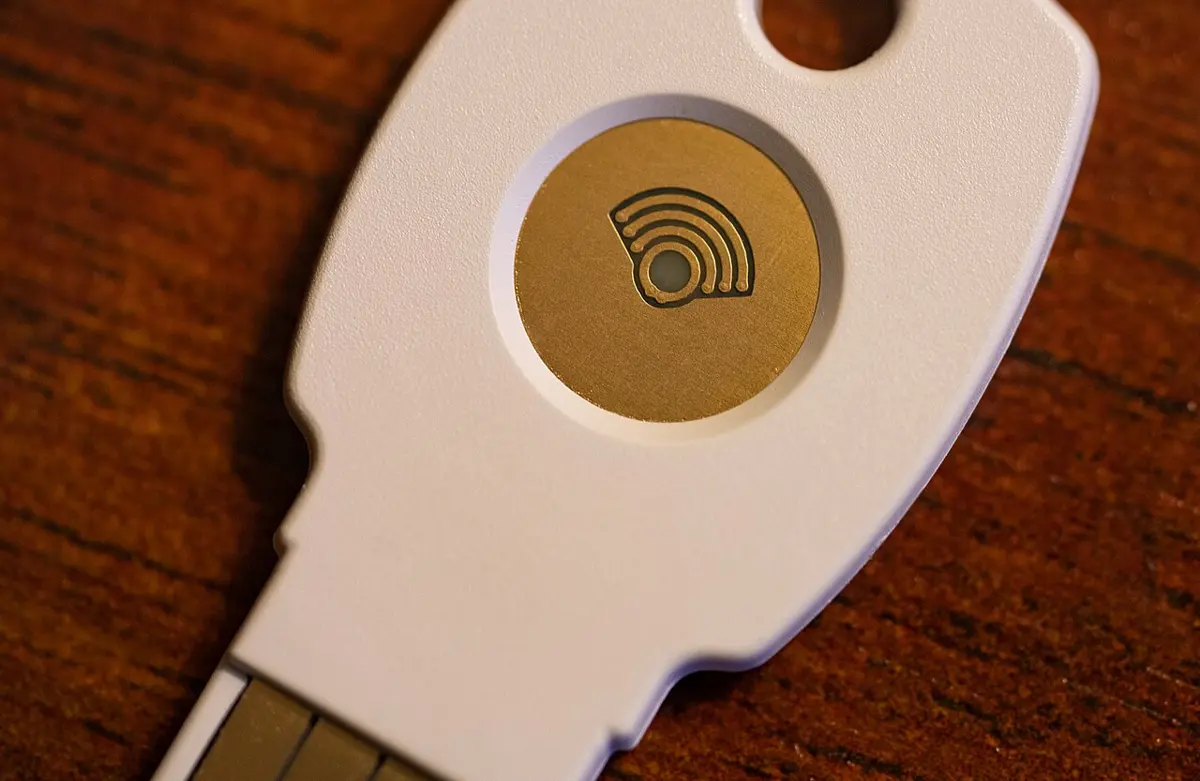
| a security key or a passkey | a small key you plug in or touch, or your phone’s own lock, proves it is you, and checks the website’s real address itself | almost none: it won’t work on a fake page at all; but if you lose it, you need another way in |
Any of them is far better than a password alone. An SMS code is much better than nothing; an app or a passkey is better still.
What two-step login can’t stop
Two-step login stops a thief who has only your password. It can’t stop a thief who gets the second step from you. So:
- A code is for you to type, never to tell: not to a caller, not into a page you reached from a link, not to someone who says they sent it by mistake.
- Never tap Yes to a login you didn’t start. If your phone asks “Is it you trying to sign in?” and you aren’t, tap No, and then change your password, because someone has it.
- A code you didn’t ask for is a warning. It means someone typed your password. Don’t share the code; change the password.
- If your phone suddenly shows no signal for a long time while others around you have it, call your phone company on its official number from another phone. Someone may have taken over your number.
And keep a way back in. When you switch on two-step login, the account usually gives you backup codes: one-time codes to use if you lose your phone. Write them on paper and keep them at home, with your notebook of passwords. (In Grade 8 you will set up an account’s recovery options in full.)
Dipesh’s email has two-step login with a code by SMS. A thief has bought his password from a data breach. What happens when the thief tries to log in?
Pick an answer to see why.
Which second step can a fake login page not trick you out of?
Pick an answer to see why.
Backups
Look again at the CIA triad. Passwords and two-step login protect confidentiality: they keep strangers out. But many losses have nothing to do with strangers: a phone falls in the river, a laptop’s disk wears out, ransomware scrambles every file, a brother deletes the wrong folder. For these, only one thing protects availability: a backup, a copy of your data kept somewhere else, from which you can get it back (restore it).
A backup only helps if it is not lost together with the original. A copy on the same phone is lost when the phone is stolen. A copy on a laptop in the same house is lost in the same flood. And a pen drive kept plugged into the laptop is scrambled by the same ransomware. So a good backup plan answers three questions:
- What must not be lost? For most families: photos and videos, school work, important documents (scans of certificates, citizenship, land papers), and the phone numbers in the phone.
- Where are the copies? At least two copies besides the original, and at least one of them in a different place: at a relative’s house, or online.
- How often? A backup from last year doesn’t have this year’s photos. A backup that happens by itself (automatic) is the best kind, because people forget.
Anjali’s phone backs up her photos to a laptop in the same room every night. Which of these would destroy her photos and her backup together?
Pick an answer to see why.
Attacks and defenses: which stops which?
In Grade 6 you saw a table of attacks and what stops them. Now you can judge them, the way a security expert does. For each attack, an expert asks: How likely is it? How much harm would it do? And what is the best defense, for the effort it takes?
Put together, what you have learned looks like this:
| Attack or loss | Breaks | How likely, for a family in Nepal | Best defenses |
|---|---|---|---|
| scam and phishing messages | confidentiality, then money | very likely: they arrive every week | stop and check; never tell a code or PIN; open the real app yourself; two-step login |
| a stolen or reused password | confidentiality | likely: many websites have been breached | a different random-word password for each account; two-step login |
| malware from apps and files | all three | fairly likely, through APKs and cracked programs | apps only from the store; updates; built-in protection |
| fake payments | money | likely for anyone who sells things | check in your own app before handing over goods |
| a lost, stolen or broken device | availability (and confidentiality, without a screen lock) | very likely over a few years | a screen lock; a backup away from the device |
| ransomware | availability | less likely at home, serious for shops, offices and hospitals | updates; a backup kept unplugged or online with old versions |
Three things stand out. First, no single defense stops everything: a strong password does nothing against a fire, and a backup does nothing against a scam. Second, the most common attacks target people, not computers: they work by fooling someone into giving away a code or paying a fee, so the most important defense is the habit of stopping and checking. Third, the cheapest defenses are the best value: two-step login, updates and an automatic backup take ten minutes to set up once, and work for years.
When something goes wrong
Even careful people get caught: scams are made by professionals, and they are good at it. What matters is acting fast, because money moved in the first hour can often be stopped, and a few hours later it is usually gone.
- If money or a code was given away: call the bank or wallet company at once, on the number printed on the card or in its app, and ask them to block the account or the payment.
- If an account was taken over: from a different, clean device, change its password and any account that used the same password; switch on two-step login; tell your friends not to trust messages from that account until it is fixed.
- Tell an adult you trust, straight away. You will not be in trouble for telling, even if you made a mistake.
- Keep the proof: screenshots of the messages, the numbers, links, dates and times, and any payment receipts.
- Report it to Nepal Police’s Cyber Bureau, or at any police office.
In short
Exercise
What does integrity mean, when we keep data safe?
Pick an answer to see why.
Which kind of malware scrambles your files and demands money to unscramble them?
Pick an answer to see why.
Who owns the website at https://www.np-kyc-update.com/bhakaripay.com.np/login?
Pick an answer to see why.
Which of these is not a second step of two-step login?
Pick an answer to see why.
Which backup plan survives a stolen phone, a house fire and ransomware on the family laptop?
Pick an answer to see why.
Name the three parts of the CIA triad. For each, say what it means and give an example of what happens when it is lost.
Answer
A hospital’s computers are hit by ransomware. The patients’ records are not stolen and not changed, only scrambled. Explain which part of the CIA triad is lost, and why this is dangerous even though nothing was stolen.
Answer
Write four ways malware can get onto a phone or a laptop, and one way to stop each.
Answer
What is the difference between a virus, a worm and a trojan?
Answer
Explain, step by step, how a thief uses a phishing page to get into someone’s wallet, even though the wallet uses a code sent to the phone.
Answer
For each address, write who owns the website, and whether it is really Lalupate Bank’s (lalupatebank.com.np):
Answer
A shopkeeper in Dharan sells a phone charger for Rs 1,200. The customer shows a screen saying “Payment successful” and leaves. That evening, no Rs 1,200 has arrived in the shop’s wallet. What happened, and what should the shopkeeper do next time?
Answer
Why is a code from an authenticator app safer than a code sent by SMS? Is there anything neither of them can stop?
Answer
Your phone shows a message: “Is it you trying to sign in from Lagos, Nigeria? Yes / No”. You are at home in Bhaktapur and weren’t signing in. What does this tell you, and what should you do?
Answer
Make a backup plan for the photos on your family’s phones. Say what you would back up, where the copies would be, how often, and how you would check that the backup works. Explain why at least one copy should be away from home.
Answer
A friend says: “I don’t need two-step login. My password is four random words, and nobody can guess it.” Is your friend right? Explain.
Answer
Choose three attacks or losses from this unit. For each, say which part of the CIA triad it breaks, how likely it is for a family in Nepal, and the best defense. Which of your three defenses would you set up first, and why?
Answer
Quiz yourself: Safety and society, Grades 6–12 →
Practice every question in the book, and keep track of the ones you miss →