
You lock your house when you go out, keep your savings out of sight, and don’t tell strangers when the family will be away. Online you have a house too: your phone, your accounts, your photos, your messages, a wallet app with real money in it. Its doors are passwords, its windows are the links you tap, and the strangers at the door may be on the other side of the world.
In this unit you will learn how people and businesses protect that house (cyber security), what crimes are done with computers and what Nepal’s law says about them, the habits that stop most attacks (strong passwords, a second step at login, updates, a firewall, safe browsing), and what it means to be a good digital citizen: polite online, careful with your privacy, and aware of the trail you leave behind.
6.1 Concept of cybersecurity
Every day, all over the world, people try to break into computers, steal passwords, cheat people of money and stop websites working. These attacks hit big companies and banks, but also small shops, schools and ordinary people, and they can come from anywhere.
Cybersecurity (or cyber security) is the practice of protecting computer systems, networks and digital information from theft, damage, unauthorized access and other kinds of cyberattack. A cyberattack is any attempt to steal, change, destroy or block data or systems, or to get into them without permission.
What exactly are we protecting? Security experts name three things, often called the CIA triad (nothing to do with spies):
- Confidentiality: only people with permission can see the data. Your messages, your marks, your bank balance.
- Integrity: the data stays correct, and nobody can change it secretly. Your marks aren’t changed; Rs 500 sent doesn’t arrive as Rs 50,000.
- Availability: the data and services are there when you need them. The results website opens on results day.
People and businesses use many tools and methods to protect these three. Experts group them into types of cybersecurity, by what they protect:
| Type | What it protects | Examples |
|---|---|---|
| Network security | the network and what travels on it | a strong Wi-Fi password, a firewall, a VPN |
| Application security | the programs (apps and websites) | apps tested for flaws, checking what users type, installing updates |
| Information security | the data itself, wherever it is | encryption, backups, deciding who may see what |
| Operational security | the people and their rules and habits | who may do what, training staff, checking a caller’s story before acting on it |
No one type is enough: a bank with perfect encryption still loses money if a staff member is tricked into giving away a password. So everyone, from a bank to a student with a phone, needs to use every method they can.
Which of the following is not a type of cybersecurity?
Pick an answer to see why.
A hacker changes a student’s marks in the school’s results database. Which of the three things to protect was broken?
Pick an answer to see why.
6.2 Concept of cybercrime
Cybercrime is crime carried out by means of computers, phones or the internet, or against them. When someone uses a computer to do harm, it can hurt people’s safety, money and privacy, just as a crime offline can.
Cybercrime comes in many forms. Here are the ones you should know.
- Hacking (unauthorized access): getting into a computer, an account or a network without permission. Even “only looking” is a crime in Nepal.
- Identity theft: stealing someone’s personal details (name, date of birth, citizenship number, photos, passwords) to pretend to be them: to open accounts, borrow money, or cheat their friends.
- Phishing: fake messages or emails, pretending to come from a bank, a wallet, a company or a friend, to trick you into typing your password or code into a fake page, or into sending money. (The word is “fishing” spelled differently: the attacker throws out bait and waits for a bite.)
- Malware: putting harmful software on someone’s computer or phone without permission (below).
- Denial of service: flooding a website with so many requests that it stops working for real users (below).
- Social media hacking: taking over someone’s account to post harmful things, cheat their friends, or ask for money to give it back.
- Online fraud: cheating people of money: fake shops, fake jobs abroad, fake prizes and lotteries, fake loans.
- Cyberbullying and harassment: threatening, insulting or shaming someone online, again and again; and sextortion, threatening to share someone’s private photos unless they pay or do what is asked.
- Sexual images of children: making, sharing or viewing them is a serious crime everywhere, Nepal included.
Malware
Malware, short for malicious software, is any program written to do harm: to damage, steal, spy or take control. The main kinds:
| Kind | What it does | How it spreads |
|---|---|---|
| Virus | attaches itself to a program or file, and runs when that is opened; may delete or damage files | copied with the files it is in: pen drives, downloads, attachments |
| Worm | copies itself from computer to computer by itself, through a network | through holes in software that isn’t updated |
| Trojan horse | pretends to be a useful program (a free game, a “PDF converter”) but does harm once installed, often letting an attacker in | the user installs it, believing it is useful |
| Ransomware | scrambles (encrypts) your files, and demands money for the key | attachments, fake downloads, worms |
| Spyware | secretly watches what you do and sends it to someone; a keylogger records every key you press, passwords included | hidden inside free apps and downloads |
| Adware | floods the device with ads, often slowing it down | bundled with free software |
The Trojan horse is named after an old Greek story: soldiers hid inside a giant wooden horse, left outside the city of Troy as a gift; the people of Troy pulled it inside their walls themselves, and at night the soldiers climbed out and opened the gates. A Trojan program works the same way: you let it in yourself.
Denial of service: DoS and DDoS
A website’s server can answer only so many requests at a time, like a shop counter that can serve only so many customers. In a denial-of-service (DoS) attack, one computer sends a flood of requests, so many that the server is too busy to answer real visitors. In a distributed denial-of-service (DDoS) attack, the flood comes from thousands of computers at once, which is far harder to stop. Those computers usually belong to ordinary people who don’t know they are part of it: their laptops, CCTV cameras and home routers have been taken over by malware and joined into a botnet, a network of hijacked devices that the attacker controls.
Nothing is stolen in a DDoS attack: what is lost is availability. On 28 January 2023, a DDoS attack on the government’s data center took hundreds of Nepal’s government websites offline for hours, and stopped the immigration computers at Kathmandu’s airport, delaying international flights by over an hour.
Two more attacks named in exams
- Brute-force attack: trying every possible password, one after another, until one works. A program can try millions a second against a stolen list, so a short password falls in moments; a long, random one would take longer than the age of the universe. A dictionary attack tries common passwords and words first.
- Cross-site scripting (XSS): a flaw in a website that shows what users type (comments, names) without checking it. An attacker types a small program instead of a comment; the website then shows it to every visitor, and their browsers run it, which can steal their logins. The fix is for the website to treat everything users type as plain text, never as a program. (It is written XSS, not CSS, because CSS already means the style sheets of Unit 4.)
A program on Pemba’s laptop has quietly scrambled all his photos, and a message asks for money to unscramble them. What is it?
Pick an answer to see why.
What makes a DDoS attack “distributed”?
Pick an answer to see why.
Cyber law in Nepal
Laws about the internet and computers are called cyber law, often called “the law of the internet”. They make crimes done with computers punishable, and make digital things (an email, an electronic record, a digital signature) count in law.
The Constitution of Nepal (2015), the law above every other, sets the rights that cyber laws must protect and respect:
- Article 17: freedom of opinion and expression, which the law may limit only for listed reasons, such as harmony between communities, decency, or defamation;
- Article 19: the right to communication: what is published, electronically too, may not be censored in advance;
- Article 27: the right to information;
- Article 28: the right to privacy: a person’s home, property, documents, data, letters and character may not be intruded on, except as the law allows.
Under it, these laws and rules deal with life online:
- The Electronic Transactions Act, 2063 (2006) is Nepal’s main cyber law. It was signed into law on 22 Mangsir 2063. It has two jobs. First, it makes electronic records and digital signatures count like papers and signatures in ink, and sets up an office, the Controller of Certification, to license those who issue digital certificates. Second, its Chapter 9 makes computer crimes punishable: stealing or destroying a program’s source code (Section 44), using a computer or data without permission (Section 45, up to 3 years in prison, a fine of up to Rs 2 lakh, or both), damaging data (Section 46), publishing banned material (Section 47), computer fraud (Section 52), and more.
- The Muluki Criminal Code, 2074 (2017) has a chapter on offenses against privacy (Sections 293 to 304). For example, nobody may listen to or record other people’s conversation with a device without their consent (Section 293); take someone’s photo without consent, or join parts of their photo with another’s to make a false picture and publish it (Section 295); or get, or pass on to others, someone’s messages or information from an electronic device without permission (Section 298). Sections 293 and 298, and making and publishing a false picture, carry up to 2 years in prison, a fine of up to Rs 20,000, or both; taking the photo without consent, up to 1 year, Rs 10,000, or both.
- The Individual Privacy Act, 2075 (2018), often called the Privacy Act, protects your messages, calls, photos and personal data: no one may read or forward your emails or messages without permission, collect your personal data without your consent, or use it for another purpose; for someone under 18, a parent or guardian must agree.
- The National Cyber Security Policy, 2080 (2023), approved by the Council of Ministers on 8 August 2023, is a policy, not a law: the government’s plan for a “reliable, secure and resilient cyberspace”. It plans a National Cyber Security Centre, working day and night, to watch for and answer attacks, plans training and awareness, and aims to protect the confidentiality, integrity, availability, authenticity and authorization of the country’s information systems. A policy punishes nobody by itself; it leads to new laws and offices.
Crimes online are investigated by Nepal Police’s Cyber Bureau, in Bhotahiti, Kathmandu. A complaint can be made there, by email, or at any police office; its contacts are in Unit 5.
6.3 Prevention methods from cybercrime
Cybercrime is a threat we meet every day, and even experts can’t fix every attack once it has happened. Money sent to a scammer is rarely seen again, and a leaked photo can’t be taken back. So the wise thing is to stop cybercrime before it starts. Most attacks on ordinary people succeed through a handful of weak points, and a handful of habits closes them.
a. Use a strong password
A password is a secret set of letters, numbers and symbols used to confirm a user’s identity. Just as a lock protects a house, a strong password protects your accounts and data. A username and a password together are called your credentials: they open your email, social media, wallet and bank. Keeping them secret stops others getting in and misusing your information.
How do attackers guess passwords? Not by sitting at your login page, but with programs that try billions of guesses, starting with the passwords people choose most: 123456, password, names, birthdays, words from a dictionary, and runs like abcd. So the tips for a strong password are all about not being guessable:
- a.No sequences such as 1234, abcd or qwerty: they are the first things tried.
- b.Mix numbers, symbols, and both uppercase and lowercase letters, where it doesn’t make the password hard for you to remember.
- c.No dictionary words on their own, and no names or dates: words such as admin and password are very weak passwords, and so are Bhaktapur2082 and your pet’s name.
- d.Make it long. Length matters more than anything else: every extra character multiplies the guesses needed. Use at least 8 characters for an account that also has a second step at login (below), and 15 or more for one that doesn’t.
- e.One account, one password. Never use the same password twice: when one website leaks its passwords, attackers try them on every other site. Never share it, and change it at once if you think someone may know it.
A good way to get a long password you can remember is a passphrase: three or four random words, such as tiger rice window lantern. Try it in the widget: see how a guessing program cuts each password into pieces it can guess.
Multi-factor authentication (MFA)
Authentication is proving to a computer who you are. Usually it is done with a username and a password; a strong authentication system makes it hard for anyone else to get into your account or computer without your permission.
But a password alone has a weakness: anyone who learns it, by guessing, by a leak, or by a fake page, is you as far as the computer can tell. Multi-factor authentication (MFA) adds an extra layer: to log in you must give two or more different kinds of proof. Even if someone knows your password, they still need your phone, or your fingerprint or face, to get in. With exactly two kinds it is called two-factor authentication (2FA), or two-step verification. It is one of the most important protections you can switch on.
The kinds of proof, called factors, are:
- Something you know: a password, a PIN.
- Something you have: a badge or ID card, your smartphone (a code sent to it by SMS, or made by an authenticator app), a security key.
- Something you are (biometrics): your fingerprint, your face, your voice, the pattern of the iris or retina of your eye.
Two passwords are still one factor: both are something you know. A thief who has your password list has both.
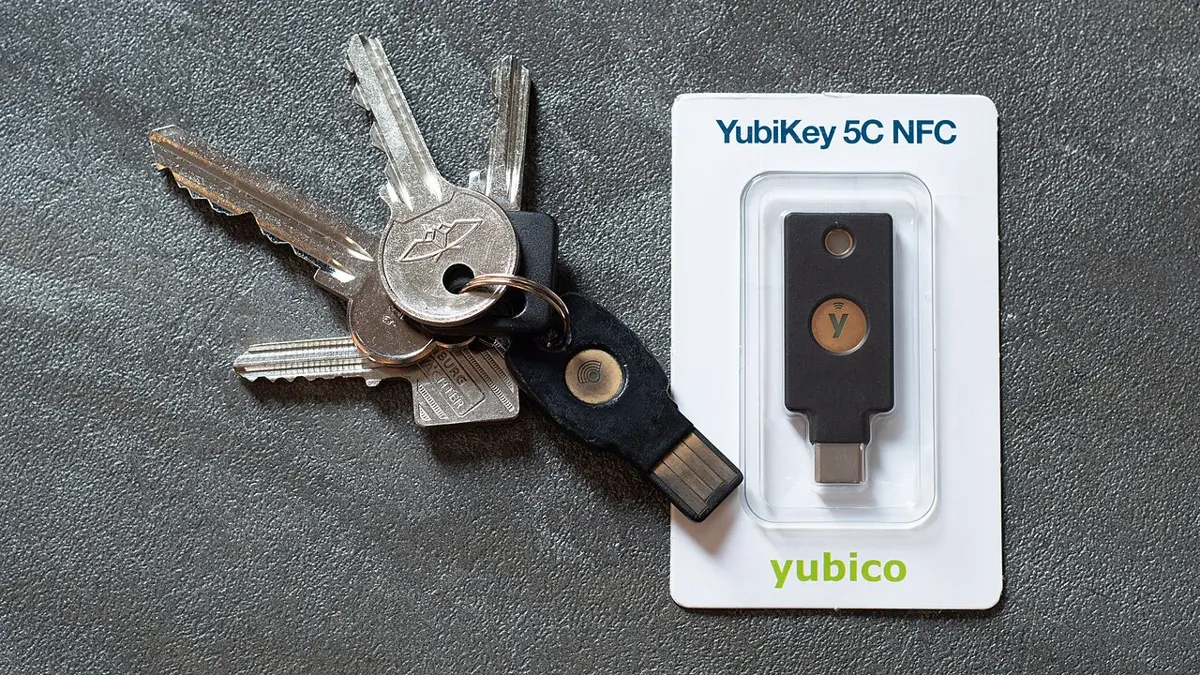
Binita logs in to her email with a password and then a code from an app on her phone. Why is this safer than a password alone?
Pick an answer to see why.
Software updates
Every program has mistakes, and some of them let attackers in. When the maker finds one, it sends out an update (a patch) that fixes it. From that moment attackers know about the hole too, and every device that hasn’t updated is easy to get into. In May 2017 the WannaCry ransomware spread to computers in about 150 countries through a hole in Windows that had been fixed two months earlier; the computers it hit were those that hadn’t installed the update.
So keep your operating system (Windows, Android, iOS, macOS, Linux) and your apps up to date, and switch on automatic updates. Update antivirus software too, so it knows the newest malware. A phone or laptop too old to get updates any more keeps all its holes forever: don’t use it for banking.
Use of firewall
A firewall is a security tool that checks every network connection to or from a device or network, and blocks those its rules don’t allow. It stops strangers on the internet reaching in to a device, a network or private data. It can be:
- hardware: a separate box between a network and the internet, as in an office or a bank, often built into the router;
- software: a program on a computer;
- built into the operating system, such as Windows Defender Firewall in Windows or the firewall in macOS. Switching it on protects a device from unwanted internet traffic, such as a worm trying to copy itself in from another computer on the same Wi-Fi.

A firewall works like a guard at a gate with a list of rules. Usually: incoming connections that nobody inside asked for are blocked, unless a rule allows them; outgoing connections are allowed, unless a rule blocks them; and the replies to connections you started (the page you asked for) are let back in. Try it:
Which of these is not antivirus software?
Pick an answer to see why.
6.4 Safe web browsing techniques
The internet is not a safe place by default. Websites are hacked every day, some are fakes made to steal, and ransomware and other attacks happen daily. Most of them reach people through a browser: a link tapped, a file downloaded, a password typed in the wrong place. Safe web browsing means the habits and tools that keep you out of these traps.
a. Use a secure connection
A secure connection is private communication between your device and a server, protected by encryption: the data is scrambled so that nobody on the way can read it or change it. You can see that a connection is secure when the address begins with https and the browser shows a padlock or a similar sign (Unit 5, HTTP and HTTPS). On a public Wi-Fi, a VPN (virtual private network) from a trusted provider, such as Proton VPN, NordVPN or Mozilla VPN, adds an encrypted tunnel for everything the device sends, which protects your privacy to some extent; some free VPN apps have been caught selling what their users do.
b. Use a secure browser
A secure browser protects the user’s privacy and security while surfing the web. Look for:
- updates that install themselves, closing holes quickly;
- warnings before a known fake or dangerous site, or a dangerous download;
- private browsing (6.7), tracking protection (blocking the hidden trackers that follow you from site to site), and ad blocking;
- a password manager that makes strong passwords and fills them in only on the real site.
Mozilla Firefox, Google Chrome, Safari, Microsoft Edge, Opera and Brave all have these features, though some only once you switch them on. Whichever you use, a browser is secure only if it is up to date.
c. Use a secure search engine
A secure search engine finds information while caring for your privacy and safety. It can filter out harmful or inappropriate websites (Google’s SafeSearch, for example), warn about sites known to spread malware, and, in privacy-focused search engines such as DuckDuckGo, avoid keeping a history of what you searched. Popular search engines include Google, Bing and DuckDuckGo. Remember that the first results may be ads, marked “Sponsored”: scammers sometimes pay for an ad that leads to a fake copy of a real site.
d. Use secure websites
A secure website protects its visitors’ privacy and security: it uses encryption (https), checks who is logging in, and proves who it is with a certificate. Before you trust a website, especially before you type a password or pay:
- Read its address from the right (Unit 5): the name just before the ending is the owner. esewa.com.np is eSewa; esewa.com.np.login-help.net is someone else’s.
- Look for https and the padlock, remembering that fake sites can have them too.
- Read its privacy policy and terms: what does it do with your data?
- Check its reviews and reputation on other sites, not on its own pages.
- Type important addresses yourself, or use the official app, rather than tapping a link in a message.
- Download only from official places: apps from the Play Store or App Store, programs from the maker’s own website.
Dawa gets an SMS: “Your Khalti account will be blocked today. Verify at khalti.com.np-verify.co”. What should he do?
Pick an answer to see why.
Which of these is not a safe browsing technique?
Pick an answer to see why.
6.5 Concept of digital citizen
You are a citizen of Nepal, with rights (to speak, to privacy, to education) and duties (to follow the law, to respect others). Online you belong to a society too.
A digital society is a society in which much of everyday life happens through digital technology: people talk on messaging apps, study from online lessons, pay with wallets and mobile banking, buy and sell online, and get government services such as the Nagarik App, the online passport form and online tax payment. Nepal is becoming one: more than half its people use the internet (Unit 5). A digital society brings speed and convenience, but also new crimes, new ways to hurt people, and a gap between those who are online and those who aren’t.
A digital citizen is someone who uses the internet and digital technology responsibly, safely and with respect for others, and who takes part in the digital society by creating, collaborating, and benefiting from digital content and resources. To be a good digital citizen:
- a.Think before you post on social media. Be careful what you share and what it could do: a post can be copied and shared forever, even after you delete it.
- b.Don’t overshare personal information (your phone number, address, school, birthday, citizenship or passport details, where you are right now), to reduce the risk of identity theft and of being found by the wrong people.
- c.Limit tracking: check the privacy settings of your apps and accounts, sign out of accounts you aren’t using, and consider a search engine that doesn’t keep a history of your searches.
- d.Protect your accounts: a different strong password for each, two-step login, and a new password at once if one may have leaked, so that cybercriminals can’t get in and steal your data.
- e.Report unlawful or inappropriate behavior (threats, harassment, fraud, hate) to the platform and to the authorities, the Cyber Bureau or any police office, to help keep the online world safe.
And, as with any citizen: respect others’ rights (their privacy, their work, their opinions), check before you share news, and follow the law online as you would offline.
What is the best description of a good digital citizen?
Pick an answer to see why.
6.6 Concept of netiquette and online behaviors
Netiquette, made from “network” and “etiquette” (good manners), is a set of guidelines for polite and appropriate behavior online. Internet ethics is the wider idea of using online resources rightly and fairly: not cheating, not stealing others’ work, not harming others. Netiquette applies everywhere online, personal and professional: in chat groups, on Facebook, Discord and online forums, in email and video meetings. Online manners matter just as much as manners in person, in the family, in society and at work. Online, people can’t see your face or hear your tone, so a joke can read as an insult, and a message sent in anger can’t be taken back. The basic rule stays the same: treat others with respect.
Good netiquette and online behavior:
- Communicate respectfully. No insults, shouting (writing in CAPITALS reads as shouting) or name-calling, even when you disagree.
- Avoid offensive content: nothing hateful, violent or obscene, and nothing that mocks someone’s caste, religion, gender, looks or community.
- Respect privacy. Don’t share other people’s personal information, photos or screenshots of their messages without asking.
- Don’t spam or flood a group with the same message, forwards, or dozens of messages in a row.
- Give credit when you share someone else’s work, photo or idea: name who made it.
- Think before posting: is it true, is it kind, is it necessary?
- Report abusive behavior to the group’s admin or the platform, rather than answering it.
- Be open to constructive criticism: reply to a fair point calmly, and thank people who correct you.
- Keep a positive presence online: help others, share useful things, and be the same decent person you are offline.
Which of these breaks netiquette?
Pick an answer to see why.
6.7 Concept of digital footprint and privacy in online
When you walk on sand or mud, each step leaves a print, showing where you have been. Online it is the same: every search, post, message, purchase and place your phone goes leaves a record. Your digital footprint is the trail you leave as you go through the internet. It shows where you have been and what you have done online.
A digital footprint is the record of information created by a person’s online activities: searches, social media visits and posts, online shopping, calls and emails sent, and more. It is also called a digital shadow or an electronic footprint. Every internet activity leaves some footprint, which can be used to trace a person’s activities and even their devices. There are two types:
- i.Active digital footprint: information a user leaves knowingly. Because you chose to share it, you know it is there. Examples: social media posts and comments, emails you send, forms you fill in, calls you make.
- ii.Passive digital footprint: information collected without the user knowing, or without them choosing to share it. It is hard to see and manage, since it may be collected without your permission. Examples: your web searches as the search engine keeps them, what you looked at while shopping online, your phone’s location history, data from fitness trackers, cookies that follow you from site to site.
Online privacy
Online privacy is the protection of a person’s personal information on the internet: the data on their devices and in the services they use, such as web searches and social networks. It is part of the right to privacy, which Nepal’s Constitution makes a fundamental right (Article 28): the right to keep your private life, home and communication to yourself.
Privacy online is a serious concern today, because digital footprints are the main way criminals find what they need: your birthday for guessing passwords, your school and friends’ names for a convincing scam, your location for knowing when your house is empty. Being connected has great advantages, better communication and access to information, but also disadvantages, such as privacy breaches and unauthorized access to personal data.
Srijana uses an incognito window in a cyber café. What does it protect her from?
Pick an answer to see why.
Advantages and disadvantages of digital footprints
A digital footprint isn’t only a danger. It has uses:
- a.Health monitoring: smart watches and health apps use the data they record to follow a person’s fitness, sleep and heartbeat, helping them manage their health.
- b.Social connections: footprints help people find and keep in touch with others, especially on social networks, and build relationships.
- c.Targeted advertising: companies show ads based on what customers browse, so the ads are more relevant, and sell more.
- d.Law enforcement: police use online records to investigate crimes and prevent illegal activities: a scammer’s messages and payments are evidence.
And risks:
- a.Security vulnerabilities: others can follow a person’s activities easily, which can lead to privacy breaches and identity theft.
- b.Legal and ethical concerns: who may collect sensitive information, and what may they do with it? These questions lead to debates about privacy rights and data protection laws.
- c.Exploitative business practices: companies may profit from selling users’ data without paying the people it came from, or telling them clearly.
- d.Cybercriminal exploitation: criminals use the data in footprints for fraud and other crimes, putting people’s money and safety at risk.
- e.Spying and online abuse: a detailed footprint can be used to spy on someone, stalk them or harass them.
Protecting yourself from the risks of digital footprints
- a.Know the rules: understand how the websites and apps you use handle your personal information (their privacy policies and settings).
- b.Update privacy settings: on social media, choose who can see your posts, photos and friends list; set accounts to private.
- c.Secure your devices and accounts: a strong, different password for each account, and multi-factor authentication.
- d.Remove old accounts: delete profiles you no longer use, so less of your information is out there.
- e.Update software: keep devices and apps up to date to fix security holes.
- f.Turn off location tracking: switch off location services for apps that don’t need them, so you aren’t followed all day.
- g.Search for yourself now and then, to see what others can find.
Project work
Exercise
1. Write full forms of the following abbreviations
a. MFA b. 2FA c. ETA d. VPN e. DDoS f. XSS
Answer
2. Choose the correct answer
The full form of ETA is ……
Pick an answer to see why.
Who registers complaints of cybercrime in Nepal?
Pick an answer to see why.
…… is not an example of antivirus software.
Pick an answer to see why.
Which of the following is not a cybercrime?
Pick an answer to see why.
Cyber law is commonly known as ……
Pick an answer to see why.
The Electronic Transactions Act of Nepal also consists of ……
Pick an answer to see why.
The combination of username and …… is known as a user credential.
Pick an answer to see why.
When was the Electronic Transactions Act published?
Pick an answer to see why.
3. Write short answers to these questions
What is cybersecurity?
Answer
Explain cyber law by relating it with the constitution.
Answer
What is a firewall? Why is it different from antivirus software?
Answer
You use digital devices daily. What do you know about the digital society?
Answer
What is malware? Write down the different types of malware.
Answer
4. Write long answers to these questions
Define malware and describe its types.
Answer
Explain digital footprint, and write its advantages and disadvantages.
Answer
Explain the safe browsing techniques.
Answer
Define cybercrime. Explain the methods of preventing cybercrime.
Answer
Explain netiquette guidelines.
Answer
Practice every question in the book, and keep track of the ones you miss →
A companion to your textbook, not a replacement for it: study from the book your school uses, and where the two differ, follow your teacher. Found a mistake? Please tell us.