
Ask a friend to make you a cup of tea and they will simply do it. Now ask a robot. It doesn’t know that water must boil before the tea leaves go in, that a cup must be under the strainer, or what to do when the milk has run out. Every step must be said, in the right order, with nothing left out and nothing left to guess. That is what giving instructions to a computer is like.
A computer is fast and never gets bored, but it can’t think for itself: it only follows instructions, exactly. In this unit you will learn to plan those instructions as an algorithm and draw them as a flowchart, see how a program written by a person is translated into the 0s and 1s a processor understands, and then write real programs in Python: programs that ask questions, do sums, make decisions, repeat jobs and keep lists. Every program here can be run on this page: press Run under it, and Edit to change it.
Just as people talk to each other in Nepali, Newari, Maithili, Bhojpuri, English or French, we talk to computers in programming languages. Everything a computer does is written in one: operating systems such as Windows and Linux, application software such as an office package, web browsers, games and apps.
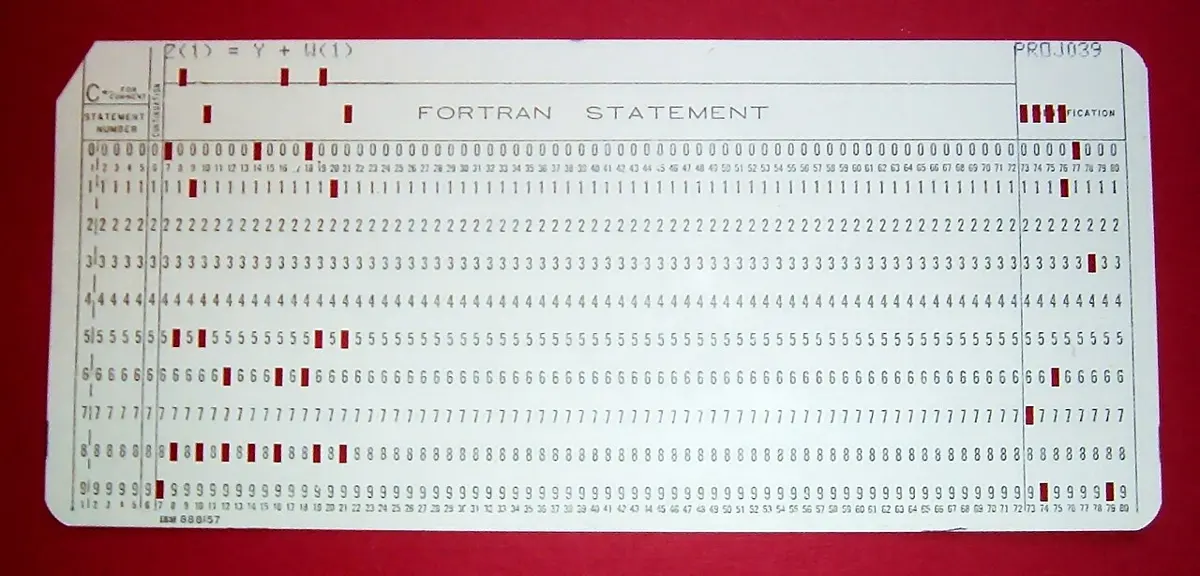
7.1 Introduction to programming languages
A programming language is a language, with its own words and rules, in which we write instructions that tell a computer what to do and how to do it. Python, Java, C++, JavaScript and PHP are popular programming languages.
- Programming is the process of writing those instructions, step by step, so that a computer does a particular job. The instructions together are a program, and the text of a program is its code.
- A programmer is a person who writes programs.
- Syntax is the set of rules for writing the instructions of a language correctly: which words to use, in what order, with which brackets, colons and quotes. Just as “rice eat I” breaks the grammar of English,
print "Hello"breaks Python’s syntax: Python needs brackets,print("Hello"). A computer is far stricter than a reader: one wrong symbol, and the program won’t run.
Which is not a programming language?
Pick an answer to see why.
High-level and low-level languages
There are two main types of programming language, depending on how close they are to people or to the machine.
| Low-level language | High-level language | |
|---|---|---|
| What it looks like | machine code: 0s and 1s (or, in assembly language, short codes such as ADD) |
words and symbols close to English and maths: if marks >= 40: print("Pass") |
| Who understands it | the processor, directly | people; the processor needs it translated first |
| Easy to write and read? | very hard; one mistake is hard to find | much easier |
| Works on | one kind of processor only | any computer that has a translator for it |
| Examples | machine language, assembly language | Python, Java, C, C++, JavaScript |
A program written in a high-level language is called source code: people can read it, but a processor can’t. Before it can run (be executed), it must be converted into low-level machine code. Programs called language translators do this: compilers, interpreters and assemblers, which you meet below.
A processor can carry out, directly, a program written in …
Pick an answer to see why.
Programming tools: algorithm and flowchart
Before a builder in Bhaktapur lays a single brick, someone draws the house on paper. Before writing a program, a programmer plans it too. Two tools help: an algorithm, the steps written in words, and a flowchart, the same steps drawn as a diagram. Both help you work out the logic of a solution before you worry about any language’s syntax, and a plan in either can be turned into a program in any language.
Algorithm
An algorithm is a set of step-by-step instructions for solving a particular problem or doing a particular task. It is like a recipe: a recipe lists the steps for making a dish, in order; an algorithm lists the steps a computer must follow.
- It begins with Start and ends with Stop.
- Its steps are numbered, in the order they are done, and each step is clear and does one thing.
- It is written in simple, everyday language, not in any programming language.
- It must end after a limited number of steps, and give the right result.
Here is an algorithm to find the area of a rectangle:
Step 1: StartStep 2: Read the length (l) and the breadth (b)Step 3: area = l × bStep 4: Display areaStep 5: StopFlowchart
A flowchart is a pictorial (graphical) representation of an algorithm. Each kind of step has its own shape, and flow lines (arrows) show which step comes next. A flowchart shows the whole logic at a glance: where the program decides between two ways, and where it goes back to repeat.
| Shape | Name | Used for |
|---|---|---|
| Oval (rounded rectangle) | Terminal | Start and Stop: where the flowchart begins and ends |
| Parallelogram | Input/Output | reading a value from the user, or displaying a result |
| Rectangle | Process | a calculation or other step that does something: sum = a + b |
| Diamond | Decision | a question with two ways out, Yes and No (or True and False) |
| Arrow | Flow line | the direction of flow: which step comes next |
| Small circle | Connector | joins two parts of a flowchart, for example where it goes on to another page, instead of a long line |
A few rules make a flowchart easy to follow: it has exactly one Start and at least one Stop; flow goes from top to bottom (or left to right); every shape except Stop has an arrow out; a decision has two arrows out, labeled Yes and No; and lines should not cross.
Which flowchart symbol would you use for the step “Display the total”?
Pick an answer to see why.
How many arrows leave a decision (diamond) box?
Pick an answer to see why.
Coding, testing and debugging
Once the plan is ready, a program is made in three steps, again and again until it works:
- Coding: writing the instructions in a programming language. The instructions are called code, and they tell the computer exactly what to do.
- Testing: running the program to check that it does what it should, with different inputs, including unusual ones (a zero, a negative number, a very big number, letters where a number is expected), to find any bugs (mistakes).
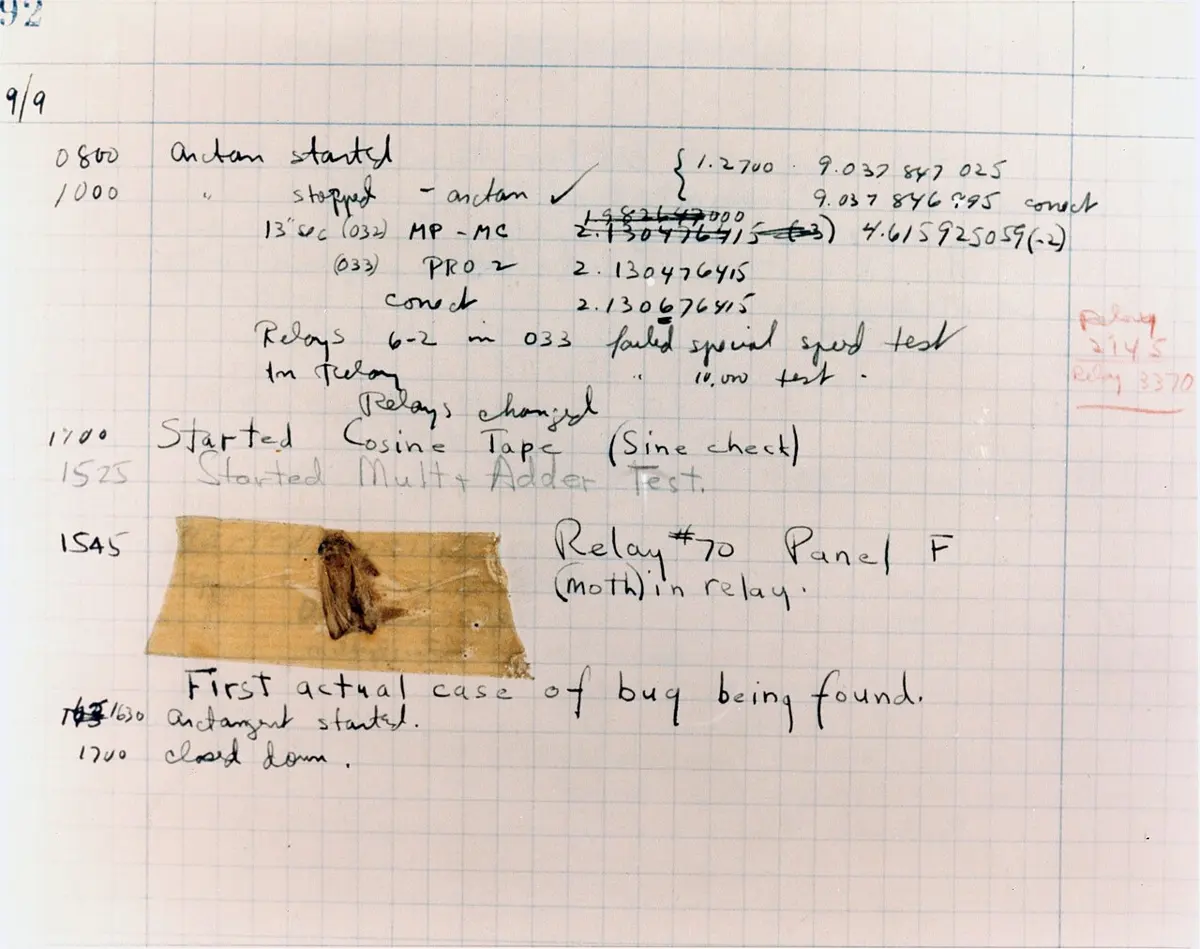
- Debugging: finding where a bug is in the code, understanding why it happens, and correcting it. Then test again.
These three steps make software that is reliable and runs smoothly. Programmers often spend more time testing and debugging than writing new code.
Bugs come in three kinds:
| Kind of error | What it is | Example in Python |
|---|---|---|
| Syntax error | the code breaks the language’s rules, so it can’t be translated at all | print("Hello" (a bracket missing) |
| Runtime error | the code is correct but something goes wrong while it runs, and it stops | print(10 / 0): you can’t divide by zero |
| Logical error | the program runs and finishes, but gives the wrong answer, because the plan or a formula is wrong | average = a + b / 2 (it should be (a + b) / 2) |
A logical error is the hardest to find, because nothing warns you: only testing with numbers whose answer you already know shows it up. Try the last one: the average of 4 and 8 should be 6.
a = 4b = 8average = a + b / 2print(average)Output
8.0Python divides before it adds, so this works out 4 + 8 ÷ 2 = 4 + 4 = 8. Press Edit, put brackets round a + b, and run it again.
A program to work out the area of a circle runs without any error message, but gives the wrong answer. What kind of error is this?
Pick an answer to see why.
Compiler and interpreter
Imagine two friends: one speaks only Nepali, the other only Sanskrit. To chat, they need someone who knows both languages to translate. A programmer speaks Python or C; the processor speaks only machine code. Compilers and interpreters are the translators between them.
Compiler
A compiler is a translator program that converts the whole of a high-level program into machine code in one go, before any of it runs. If the program has errors, the compiler reports the errors it finds together, after reading the whole program, and no machine code is made. If there are none, it writes a separate file of machine code (on Windows, an .exe file), which then runs by itself, as many times as you like, with no more translating; it doesn’t even need the compiler or the source code any more.
Languages that are usually compiled include C, C++, C#, FORTRAN, COBOL and Go. Examples of compilers are the GNU Compiler Collection (GCC), which compiles C, C++ and FORTRAN, and Microsoft Visual C++, the compiler inside the Microsoft Visual Studio programming tool. (Java is compiled too, by javac, into a code of its own, which the Java Virtual Machine then runs.)
Interpreter
Imagine telling a friend how to cook a dish in a language they only partly know. You explain one step, they do it; you explain the next, they do that. An interpreter works the same way: it takes one line (instruction) of the program, translates it, runs it at once, and then moves on to the next line. It makes no separate machine-code file, so the program is translated again every time it runs.
This is slower than running a compiled program, but it is handy while writing and testing: you can change a line and run it again at once, and when the interpreter meets an error it stops right at that line and tells you, after the lines before it have already run. An interpreted program is also portable: the same program runs on any kind of computer that has the interpreter, without being compiled again for each kind of processor.
Languages that are usually interpreted include Python, JavaScript, Ruby, LISP and MATLAB. Their interpreters are programs too: the standard Python interpreter (called CPython) from python.org, and the JavaScript engine inside every web browser. QBASIC, which many Nepali schools used to teach, was an interpreted language; today Python and JavaScript are the most widely used ones.
Both translate a high-level language (friendly to people) into a low-level one (the 0s and 1s a processor understands), so that a computer can carry out a program written by a person. They differ in how they do it:
| Compiler | Interpreter |
|---|---|
| translates the whole program at once, then it runs | translates and runs the program line by line |
| shows the errors it finds together, after reading the whole program, and nothing runs until they are fixed | stops at the first error it meets, while the program runs; the lines before it have already run |
| the compiled program runs faster, since translating is already done | the program runs slower, since each line is translated every time it runs |
makes a separate machine-code file (such as an .exe) |
makes no separate file of machine code |
| e.g. GCC for C and C++ | e.g. the Python interpreter |
Which translator stops at the first error it meets, after running the lines before it?
Pick an answer to see why.
Which of these is made by a compiler but not by an interpreter?
Pick an answer to see why.
Introduction to Python
Python is a high-level programming language created by Guido van Rossum and first released in 1991. It has become one of the most popular languages in the world because it is simple and can do so much: with Python you can solve maths problems, sort data, control robots and even make your own games. Its code reads almost like English, which makes it a good first language, and it comes with a large set of ready-made tools (libraries), so a programmer doesn’t have to start from scratch every time.
Python is used in web development, data science and data analysis, machine learning and artificial intelligence, automating everyday jobs (scripts), game development, collecting data from websites (web scraping) and cyber security. Instagram, Spotify and Netflix use it, and NASA’s scientists use it to study pictures from space.

Python’s code is easy to read partly because it uses indentation (spaces at the start of a line) instead of curly braces { } to group lines together. The lines that belong to a loop or an if are indented, usually by four spaces, and the indentation itself shows where the group (the block) begins and ends:
if marks >= 40: print("Pass") # indented: inside the if print("Well done!") # indented: inside the ifprint("Result checked") # not indented: after the if, always runsMany languages ask programmers to indent neatly; Python makes it a rule, so every Python program is laid out the same clear way.
Features of Python
- Easy to read and write: its simple syntax, close to English, makes code easy to write and to understand later.
- Versatile: one language for many jobs, from small scripts that automate a task to websites, data analysis and artificial intelligence.
- Beginner-friendly: short programs do useful things, and its error messages point to the line that went wrong.
- Extensive standard library: it comes with a large library of ready-made code (for maths, dates, files, random numbers and much more), so you don’t write everything from the ground up.
- Rich ecosystem: beyond the standard library there are hundreds of thousands of free packages and frameworks (ready-made structures for building something bigger, such as a website), made by Python’s community.
- Free and open source: anyone may download, use and share it, on Windows, macOS, Linux and even phones.
- Interpreted: a program runs as soon as you write it, with no separate compiling step.
How does Python mark which lines belong to an if or a loop?
Pick an answer to see why.
Installing Python
You can write Python on a computer of your own, or with no installing at all, on this page or on an online Python site.
- Download the installer. Visit the official website, python.org/downloads. It detects your operating system and offers the right installer (for Windows, the 64-bit one on almost every computer today). Download the latest Python 3.
- Run the installer. Find the downloaded file (usually in your Downloads folder) and double-click it. On Windows, tick Add python.exe to PATH on the first screen, so that other programs can find Python.
- Install. Click Install Now (or choose your own settings under Customize installation). It takes a few minutes.
- Get an editor (IDE). Python comes with a simple one, IDLE. Many programmers use a bigger integrated development environment (IDE), a program for writing, running and debugging code in one window, such as Thonny (made for beginners) or Visual Studio Code.
In IDLE, the window with the >>> prompt is the Python shell: type one line, press Enter, and it runs at once. For a whole program, choose File → New File, type the program, save it with a name ending in .py, and press F5 (Run → Run Module). The output appears in the shell.
>>> 2 + 35>>> print("Namaste")NamasteComments in Python
A comment is a note that a programmer writes in the code to explain what it does, like a helpful hint for whoever reads it next (often yourself, months later). The Python interpreter ignores comments: they don’t change what the program does.
Single-line comments. A comment starts with the # sign and goes on to the end of the line. It can have a line to itself, or come after code on the same line. A longer note simply takes several lines, each starting with #. Programmers usually put one space after the #, which makes it easier to read.
# This is an example of a single-line comment.print("Nepal has great cultural diversity.")Output
Nepal has great cultural diversity.# This program prints what is special about Nepal.# Each line of a longer note starts with its own # sign.print("Nepal is famous for adventure tourism.") # a comment after codeOutput
Nepal is famous for adventure tourism.Multi-line comments. For a long note, typing # on every line is tiresome. Python lets you put the note between three quotes, ''' (or """), at its beginning and end, and it may run over many lines:
'''This is an example of a multi-line comment.This program prints what is special about Nepal.'''print("Nepal is home to many ethnic groups, languages and traditions.")Output
Nepal is home to many ethnic groups, languages and traditions.Keywords
In programming, keywords are words that are reserved: the language has given each one a fixed meaning. if, else, for, while, True and import are keywords in Python. Because they already mean something, a keyword can’t be used as an identifier, the name of a variable or function: if = 5 is a syntax error.
Python 3 has 35 keywords. You will meet the ones in bold in this unit:
False |
None |
True |
and |
as |
assert |
async |
await |
break |
class |
continue |
def |
del |
elif |
else |
except |
finally |
for |
from |
global |
if |
import |
in |
is |
lambda |
nonlocal |
not |
or |
pass |
raise |
return |
try |
while |
with |
yield |
Keywords are written in small letters, except True, False and None, and spelling matters: True is a keyword, but true is not. Python can list them for you:
import keywordprint(len(keyword.kwlist))print(keyword.kwlist)Output
35['False', 'None', 'True', 'and', 'as', 'assert', 'async', 'await', 'break', 'class', 'continue', 'def', 'del', 'elif', 'else', 'except', 'finally', 'for', 'from', 'global', 'if', 'import', 'in', 'is', 'lambda', 'nonlocal', 'not', 'or', 'pass', 'raise', 'return', 'try', 'while', 'with', 'yield']print, input and int are not keywords but the names of built-in functions; it is allowed, but a bad idea, to use them as variable names, since the function is then lost for the rest of the program.
What are keywords in Python?
Pick an answer to see why.
Input, output and string formatting
Input/output (I/O) statements let a program talk with its user: input gives the program data and instructions, and output shows the results on the screen. In Python, input() takes input and print() gives output. String formatting puts values neatly into the text a program prints.
The print() function
print() displays on the screen whatever you put inside its brackets: text in quotes, numbers, variables or calculations. Things separated by commas are printed with one space between them, and each print() ends by moving to a new line.
print("Hello, Python!")print("The answer is", 6 * 7)Output
Hello, Python!The answer is 42Two optional settings change this: sep sets what goes between the things, and end sets what comes at the end instead of a new line.
print("2082", "06", "15", sep="-")print("Kathmandu", end=" → ")print("Pokhara")Output
2082-06-15Kathmandu → PokharaThe input() function
input() shows a message (the prompt), waits for the user to type something and press Enter, and gives back what was typed. Store it in a variable to use it later:
name = input("What is your name? ")print("Namaste,", name)Output
What is your name? TashiNamaste, Tashi(Press Run, and the page asks you for your own answer.)
String formatting
String formatting is like filling in a form: you write a message with blanks, and Python fills each blank with a value, such as a name or a number. Python has three ways to do it.
1. Old-style formatting, with %. Python’s oldest way: %s is a blank for a string and %d for a whole number (%f for a decimal), and the values come after a % sign, in brackets, in order.
name = "Phulmaya"age = 15print("My name is %s and I am %d years old." % (name, age))Output
My name is Phulmaya and I am 15 years old.2. New-style formatting, with str.format(). Each blank is a pair of curly braces {}, and the values go in .format() after the string, in order. ({0}, {1}… pick a value by its position.)
name = "Abdul"age = 16print("My name is {} and I am {} years old.".format(name, age))Output
My name is Abdul and I am 16 years old.3. Formatted string literals (f-strings). The newest way, and the one most used today: put an f before the opening quote, and write the variables, or any expression, straight inside the curly braces.
name = "Lhamu"age = 14print(f"My name is {name} and I am {age} years old.")print(f"Next year I will be {age + 1}.")Output
My name is Lhamu and I am 14 years old.Next year I will be 15.f-strings are easiest to read, because each value sits where it will appear. Use them in your own programs.
What does this line print? print(f"{3} + {4} = {3 + 4}")
Pick an answer to see why.
Data types and variables
In your kitchen, rice goes in one jar, oil in a bottle and salt in a small tin: each kind of thing is kept in its own kind of container, because you use it differently. A program sorts its data the same way. A number can be added to another number; a name can’t be. The kind of a piece of data is its data type: data classified by its nature.
| Data type | What it holds | Examples |
|---|---|---|
Integer (int) |
a whole number: positive, negative or zero, as large as you like | -3, 0, 42, 8848 |
Float (float) |
a number with a decimal point | 3.14, -0.5, 1.567, 36.6 |
String (str) |
text: letters, digits, spaces and symbols, between quotes (double "…" or single '…') |
"hello", "Python@", "Mahendranagar1", '@#@#kathmandu' |
Boolean (bool) |
only one of two values, True or False |
is_student = True, has_mobile = False |
A few things to notice:
"42"in quotes is a string, not a number: Python treats it as two characters, 4 and 2.TrueandFalsestart with capital letters and have no quotes. A comparison such as5 > 3gives a Boolean:True.type()tells you the type of any value:
print(type(42))print(type(3.14))print(type("Namaste"))print(type(True))Output
<class 'int'><class 'float'><class 'str'><class 'bool'>Identifiers
An identifier is a name a programmer gives to something in a program: a variable, a function, a class or another item. Identifiers aren’t built into the language; programmers make them up. But they must follow these rules:
- An identifier must start with a letter or the underscore character
_. - It can’t start with a digit (number).
- It may contain only letters, digits and underscores (A–Z, a–z, 0–9 and
_): no spaces, and no other symbols such as-,@or.. - It is case-sensitive:
age,AgeandAGEare three different identifiers. - It can’t be a Python keyword.
| Valid identifiers | Invalid identifiers, and why |
|---|---|
A1 |
1A: starts with a digit |
B34 |
34BA: starts with a digit |
First_Name |
first-name: - is not allowed (Python reads it as a minus) |
x_1 |
def: a keyword |
_total |
my marks: a space is not allowed |
int and print are not keywords, so Python will accept them as names, but they are names Python already uses for its own functions; using them hides those functions, so treat them as forbidden too. Good identifiers say what they hold: total_marks is better than tm or x.
Why is 3Number an invalid identifier?
Pick an answer to see why.
Variables
A variable is a named place in the computer’s memory that holds a value, like a labeled box: the label is the variable’s name, and what is inside is its value. Python has no command for declaring a variable: a variable is created the moment a value is assigned (given) to it with =.
a = 15print(a)a = 20 # the box now holds 20; 15 is goneprint(a)Output
1520The value can change while the program runs, which is why it is called a variable. A variable gets its type from the value put in it:
| Variable | Data type | In Python |
|---|---|---|
age |
integer: holds the whole number 15 | age = 15 |
height |
float: holds the decimal number 5.7 (feet) | height = 5.7 |
fname |
string: holds the text "Sanjog" |
fname = "Sanjog" |
is_student |
Boolean: holds the value True | is_student = True |
city = "Birgunj". What is the data type of city?
Pick an answer to see why.
Type casting
Imagine a bakery in Butwal that takes cake orders through a website. Every order arrives as text: “3” cakes, “2.5” kilograms. To add up the orders and work out the bill, the program must turn that text into numbers. Changing a value from one data type into another is type casting (or type conversion). There are two kinds.
Implicit type casting (automatic type conversion): Python converts a value automatically, by itself, when an expression needs it. Add a whole number to a decimal number, and Python first turns the integer into a float, so no information is lost:
x = 10 # integery = 5.5 # floatz = x + y # x is converted to the float 10.0 for the additionprint(z)print(type(z))Output
15.5<class 'float'>Explicit type casting: the programmer converts a value on purpose, with a function named after the type it should become:
int(x)convertsxto an integer. From a float it drops the decimal part (it doesn’t round):int(4.9)is 4. From a string, the string must be a whole number:int("25")is 25, butint("2.5")andint("twenty")are errors.float(x)convertsxto a float:float(4)is 4.0,float("3.14")is 3.14.str(x)convertsxto a string:str(11)is"11".
A conversion makes a new value; it doesn’t change the variable unless you store the new value in it:
x = 4.5x = int(x) # cast x to int, and store it back in xprint(x) y = 4y = float(y) # cast y to floatprint(y) z = 11z = str(z) # cast z to stringprint(z + "1") # joining strings: "11" + "1"Output
44.0111The last line shows why the type matters: 11 + 1 would be 12, but "11" + "1" joins two strings into "111".
What is the result of float("3.14")?
Pick an answer to see why.
Operators and expressions
Operators are special symbols that do something with values: add them, compare them, combine conditions or store a result. They are the tools in a programmer’s toolbox. The values an operator works on are its operands. Python’s main kinds are arithmetic, relational (comparison), logical and assignment operators.
Arithmetic operators
Arithmetic operators do mathematics.
| Operator | Meaning | Example | Result |
|---|---|---|---|
+ |
addition | print(5 + 3) |
8 |
- |
subtraction | print(7 - 2) |
5 |
* |
multiplication | print(4 * 6) |
24 |
/ |
division (always gives a float) | print(10 / 2) |
5.0 |
// |
floor division: divide and drop the decimal part | print(17 // 5) |
3 |
% |
modulus: the remainder after dividing | print(17 % 5) |
2 |
** |
exponent: the power | print(3 ** 2) |
9 |
% and // are more useful than they look: n % 2 is 0 exactly when n is even, n % 10 is the last digit of n, and n // 10 is n with its last digit removed. You will use all three in the practice programs.
Python works out ** first, then *, /, // and %, then + and -, as in maths; brackets come before everything.
print(17 / 5, 17 // 5, 17 % 5)print(2 ** 10)print(2 + 3 * 4, (2 + 3) * 4)Output
3.4 3 2102414 20Relational operators
Relational operators (comparison operators) compare two values and give a Boolean: True if the relationship holds, False if it doesn’t.
| Operator | Name | Asks | Example | Result |
|---|---|---|---|---|
== |
equal to | are the two the same? | 5 == 5 |
True |
!= |
not equal to | are they different? | 3 != 5 |
True |
> |
greater than | is the left one bigger? | 7 > 5 |
True |
< |
less than | is the left one smaller? | 3 < 9 |
True |
>= |
greater than or equal to | bigger, or the same? | 8 >= 8 |
True |
<= |
less than or equal to | smaller, or the same? | 4 <= 6 |
True |
Logical operators
Logical operators combine conditions, so a program can decide on more than one thing at once. Python has three: and, or and not.
- and: the result is True only if both conditions are True.
(5 < 2) and (5 > 3)isFalse, because 5 < 2 is False. - or: the result is True if at least one condition is True.
(5 < 2) or (5 > 3)isTrue, because 5 > 3 is True. - not: gives the opposite of a condition.
not (5 < 2)isTrue.
A truth table lists every combination; 1 stands for True and 0 for False.
| A | B | A and B | A or B |
|---|---|---|---|
| 0 | 0 | 0 | 0 |
| 0 | 1 | 0 | 1 |
| 1 | 0 | 0 | 1 |
| 1 | 1 | 1 | 1 |
| A | not A |
|---|---|
| 0 | 1 |
| 1 | 0 |
(In books, not A is also written Ā, with a bar over the A.)
print((5 < 2) and (5 > 3))print((5 < 2) or (5 > 3))print(not (5 < 2))age = 15print(age >= 13 and age <= 19) # a teenager?Output
FalseTrueTrueTrueAssignment operators
Assignment operators store a value in a variable. = is the plain one; the others do a calculation with the variable’s own value and store the result back, a short way of writing it.
| Operator | Name | Example | Means |
|---|---|---|---|
= |
assignment | a = 7 |
put 7 in a |
+= |
addition assignment | a += 1 |
a = a + 1 |
-= |
subtraction assignment | a -= 3 |
a = a - 3 |
*= |
multiplication assignment | a *= 4 |
a = a * 4 |
/= |
division assignment | a /= 3 |
a = a / 3 |
//= |
floor division assignment | a //= 10 |
a = a // 10 |
%= |
remainder assignment | a %= 10 |
a = a % 10 |
**= |
exponent assignment | a **= 10 |
a = a ** 10 |
In a kitchen we put salt, sugar, spices and turmeric in different containers and label each one, so we know what is inside. The assignment operator = is the labeling machine: in my_age = 15 it puts 15 in the box named my_age, and whenever the program uses my_age it opens the box and finds 15.
a = 10 # assign 10 to ab = 5 # assign 5 to ba += b # a = a + b, so a becomes 15print(a)Output
15Expressions and operands
An expression is a combination of values, variables and operators that Python works out to produce a value, like a formula. 5 + 3 is an expression (its value is 8); so is marks >= 40 (its value is True or False).
result = 5 + 3 # a maths expression: 8greeting = "Namaste" + " Nepal" # a text expression: joins two stringscombined = str(5 * 3) + " Python" # 5 * 3 is 15; str() makes it text so it can joinprint(result)print(greeting)print(combined)Output
8Namaste Nepal15 PythonA number and a string can’t be added directly: (5 * 3) + "Python" is an error (a TypeError), which is why the number is converted with str() first.
Formulas from maths are written in Python with its own operators:
| Algebraic expression | Python expression |
|---|---|
| A + B − C | A + B - C |
| A × B ÷ C | A * B / C |
| (a + b)(a − b) | (a + b) * (a - b) |
| I = PTR ÷ 100 | I = (P * T * R) / 100 |
| a² + 2ab + b² | a ** 2 + 2 * a * b + b ** 2 |
Notice that Python always needs the *: in maths, ab means a × b, but in Python ab is just a variable’s name.
Operands are the values or variables that an operator works on. In add = 5 + 3, the operator is + and the operands are 5 and 3.
In the Python statement x = a + 5 - b, what are a and b?
Pick an answer to see why.
Which of the following is an arithmetic operator?
Pick an answer to see why.
What is the value of 17 % 5 + 17 // 5?
Pick an answer to see why.
Conditional statements
Every morning you decide: if it is raining, take an umbrella; otherwise, don’t. A program decides the same way. A conditional statement is a decision-making statement: it checks a condition (something True or False) and chooses which code to run. Python has three forms: if, if-else and if-elif-else, and one if can sit inside another (a nested if).
The condition ends with a colon :, and the code to run when it is True is indented under it. Python’s indentation rule decides which lines belong to the if.
if statement
The if statement runs its block only when the condition is True; when it is False, the block is skipped and the program carries on after it.
if condition: # statements run when the condition is True# Check whether a number is positivenumber = int(input("Enter a number: "))if number > 0: print("The number is positive.")Output
Enter a number: 25The number is positive.Run it again with −4: the condition is False, line 4 is skipped, and the program prints nothing at all.
if-else statement
The if-else statement chooses between two blocks: the if block when the condition is True, the else block when it is False. Exactly one of them runs, every time. else has no condition of its own.
if condition: # statements run when the condition is Trueelse: # statements run when the condition is False# Ask the user's age and give the resultuser_age = int(input("How old are you? "))if user_age >= 18: print("You are an adult!")else: print("You are a teenager or a kid.")Output
How old are you? 14You are a teenager or a kid.if-elif-else statement
For more than two choices, add elif (short for “else if”) branches between the if and the else. Python checks the conditions from the top, one by one, runs the block of the first one that is True, and skips all the rest. If none is True, the else block runs. There can be as many elifs as you need; the else is optional.
if condition1: # run if condition1 is Trueelif condition2: # run if condition1 is False and condition2 is Trueelse: # run if condition1 and condition2 are both False# Is the number positive, negative or zero?user_number = int(input("Enter a number: "))if user_number > 0: print("The number is positive.")elif user_number == 0: print("The number is zero.")else: print("The number is negative.")Output
Enter a number: 0The number is zero.Nested if
A nested if is an if statement inside another if (or else) block. The inner condition is checked only when the outer one has let the program in. It is used to test several conditions one after another, and gives more possible outcomes.
if condition1: # run if condition1 is True if condition2: # run if condition1 and condition2 are both True else: # run if condition1 is True but condition2 is Falseelse: # run if condition1 is FalseIn Nepal you can get your citizenship certificate at 16 and vote at 18. The program checks age 16 first; only for someone 16 or over does it go on to ask about 18:
age = int(input("Enter your age: "))if age >= 16: print("You are eligible for citizenship.") if age >= 18: print("You are eligible to cast a vote.") else: print("You are not eligible to cast a vote yet.")else: print("You are a minor.")Output
Enter your age: 17You are eligible for citizenship.You are not eligible to cast a vote yet.x = 7. What does this print?
if x > 10: print("A")elif x > 5: print("B")elif x > 0: print("C")else: print("D")Pick an answer to see why.
Iteration: for and while loops
Iteration means doing something again and again: repeating a set of instructions a given number of times, or until a condition is met. Without it, printing the numbers 1 to 100 would need 100 print lines; with a loop it needs two. Loops make programs shorter and save the programmer from writing the same code repeatedly. Python has two loops: the for loop and the while loop.
for loop
A for loop repeats a block once for each item in a sequence (it iterates over the sequence): each number in a range, each letter of a string, each item of a list. It is used when we know how many times to repeat. The for keyword names a variable that takes each item in turn:
for item in sequence: # code that does something with each itemfor x in range(5): print("Jump!")Output
Jump!Jump!Jump!Jump!Jump!range() gives a sequence of whole numbers. By default it counts from 0 and goes up by 1, and it always stops before the number it is given:
| You write | It gives |
|---|---|
range(5) |
0, 1, 2, 3, 4 |
range(1, 6) |
1, 2, 3, 4, 5 (start at 1, stop before 6) |
range(2, 11, 2) |
2, 4, 6, 8, 10 (the third number is the step) |
range(10, 0, -1) |
10, 9, 8, … 1 (a negative step counts down) |
So range(5) gives five numbers, and the loop above runs five times. The variable x takes the values 0 to 4; this loop doesn’t use it, but it could: print(x).
A for loop can go over a string, one character at a time, too:
for letter in "Nepal": print(letter)Output
NepalHow many times does print("Hi") run in for i in range(2, 8):?
Pick an answer to see why.
pass, continue and break
pass is a statement that does nothing. Python needs at least one statement in every block; pass holds the place where code is required but no action is wanted (or where you will write the code later).
marks = 75if marks >= 40: print("Pass")else: pass # nothing happens in the else case, for nowOutput
Passcontinue skips the rest of the loop’s body for this time round only, and goes straight on to the next item. The loop doesn’t end.
for number in range(1, 6): if number == 3: continue # skip the rest of the loop for 3 print(number)Output
1245break ends the loop at once, even though items are left, and the program carries on after the loop.
for number in range(1, 6): if number == 3: break # leave the loop when number is 3 print(number)Output
12while loop
A while loop repeats its block as long as its condition is True. Before each time round, it checks the condition; when the condition becomes False, the loop ends. It is used when we don’t know in advance how many times to repeat: until the user types the right password, until a number has no digits left.
while condition: # code run again and again while the condition is True # (it must change something, so the condition becomes False one day)# Print the numbers from 1 to 5 with a while loopcount = 1while count <= 5: print(count) count += 1Output
12345count += 1 brings it nearer to False. Three things make a while loop work: the variable is set before the loop (count = 1), the condition checks it (count <= 5), and the body changes it (the increment count += 1). Leave out the last one and count stays 1 for ever: the condition is always True, and the loop never ends. This is an infinite loop (stop it with Ctrl + C, or the page’s Stop button).
for loop and while loop compared
| for loop | while loop |
|---|---|
| used when the number of repetitions is known (or there is a sequence to go through) | used when the number of repetitions is not known in advance |
| repeats once for each item of a sequence (a range, a string, a list) | repeats as long as a condition is True |
| the loop variable is set and moved on by the loop itself | the variable must be set before the loop and changed inside it by the programmer |
| ends by itself when the sequence runs out | can run for ever if the condition never becomes False |
e.g. for i in range(1, 11): |
e.g. while password != "nepal123": |
Which loop is used when the number of iterations is known beforehand?
Pick an answer to see why.
What is printed by this program?
n = 1while n < 20: n = n * 3print(n)Pick an answer to see why.
Python list
To store the marks of one student you need one variable; for forty students, forty variables would be silly. A list stores many values in a single variable. It is one of Python’s built-in data types. Its items (elements) are written inside square brackets [ ], separated by commas, and they can be of different types, heterogeneous: integers, strings, floats and Booleans in the same list.
thislist = ["Computer", "Science", 20, True]print(thislist)Output
['Computer', 'Science', 20, True]Lists support the operations that all of Python’s sequence types (lists, tuples, strings and ranges) share: indexing, finding the length, going through them with a for loop, and checking whether an item is in them. Strings, ranges and lists all behave alike in these ways.
Features of a list
List elements are indexed. Each element has a position number, its index, and the index always begins at 0: the first element is at index 0, the second at index 1, and so on. The index is how you reach an element: write it in square brackets after the list’s name. A negative index counts from the end: [-1] is the last element.
thislist = ["Computer", "Science", 20, True]print(thislist[0])print(thislist[2])print(thislist[-1])Output
Computer20TrueThe output of thislist[2] is 20 because 20 is the element at index 2, the third element. Asking for an index the list doesn’t have, such as thislist[4] here, is an IndexError.
A list can have duplicate elements: the same value may appear more than once.
thislist = ["Computer", "Science", 20, True, "Computer"]print(thislist)Output
['Computer', 'Science', 20, True, 'Computer']A list is ordered. Its elements keep their places, and a new element added with the append() method always goes at the end. A method is a function that belongs to a value; it is joined to the list’s name with a dot, .
thislist = ["Computer", "Science", 20, True]thislist.append("Social") # add a new element at the endprint(thislist)Output
['Computer', 'Science', 20, True, 'Social']A list is changeable (in Python’s word, mutable). Elements can be added, changed and removed after the list is made. To remove an element, write the keyword del before the list’s name with the element’s index:
thislist = ["Computer", "Science", 20, True, "Social"]del thislist[4] # removes the element at index 4, "Social"thislist[2] = 25 # changes the element at index 2print(thislist)Output
['Computer', 'Science', 25, True]List length
The len() function gives the number of elements in a list:
thislist = ["Computer", "Science", 20, True]a = len(thislist)print(a)Output
4The last element’s index is always one less than the length: here 3.
Looping through a list
A for loop goes through a list’s elements one by one, in order:
thislist = ["Computer", "Science", 20, True]for x in thislist: print(x)Output
ComputerScience20Truesubjects = ["Nepali", "English", "Maths", "Science"]. What is subjects[1]?
Pick an answer to see why.
Python dictionary
Picture a real dictionary: you look up a word and find its meaning. A Python dictionary works the same way, but instead of words and meanings it stores pairs of keys and values. You look up a key, and get the value that goes with it, quickly. A dictionary is a collection of data in key:value pairs, written inside curly braces { }, a colon between each key and its value, and commas between the pairs.
mydict = { "student": "pen", "teacher": "marker", "tailor": "needle", "marks": 30, "is_present": True}print(mydict)Output
{'student': 'pen', 'teacher': 'marker', 'tailor': 'needle', 'marks': 30, 'is_present': True}Here the key "student" has the value "pen", "teacher" has "marker" and "tailor" has "needle". You can add as many key:value pairs as you like. The values can be of any data type (here strings, an integer and a Boolean); the keys are usually strings or numbers.
Features of a dictionary
Duplicate keys are not allowed. Each key appears only once. If the same key is given two values, the newer value replaces the older one:
mydict = { "student": "pen", "teacher": "marker", "tailor": "needle", "marks": 30, "is_present": True, "teacher": "duster"}print(mydict)Output
{'student': 'pen', 'teacher': 'duster', 'tailor': 'needle', 'marks': 30, 'is_present': True}The older value of the key "teacher", "marker", has been replaced by "duster". (Values may repeat; only keys can’t.)
A dictionary is changeable (mutable): pairs can be added and removed after it is made. A new pair is added by writing the new key in square brackets and assigning its value:
mydict = {"student": "pen", "teacher": "marker", "tailor": "needle", "marks": 30, "is_present": True}mydict["mechanic"] = "tools"print(mydict)Output
{'student': 'pen', 'teacher': 'marker', 'tailor': 'needle', 'marks': 30, 'is_present': True, 'mechanic': 'tools'}(Assigning to a key that already exists changes its value instead: mydict["marks"] = 35.)
The keyword del removes a pair, named by its key:
mydict = {"student": "pen", "teacher": "marker", "tailor": "needle", "marks": 30, "is_present": True, "mechanic": "tools"}del mydict["mechanic"]print(mydict)Output
{'student': 'pen', 'teacher': 'marker', 'tailor': 'needle', 'marks': 30, 'is_present': True}Accessing a value
A value is found by its key, written in square brackets after the dictionary’s name:
mydict = {"student": "pen", "teacher": "marker", "tailor": "needle", "marks": 30, "is_present": True}a = mydict["teacher"]print(a)Output
markerAsking for a key that isn’t there, such as mydict["doctor"], is a KeyError. To check first, use in: "doctor" in mydict is False.
Dictionary length
len() gives the number of key:value pairs:
mydict = {"student": "pen", "teacher": "marker", "tailor": "needle", "marks": 30, "is_present": True}b = len(mydict)print(b)Output
5Looping through a dictionary
A for loop over a dictionary goes through its keys, one by one:
mydict = {"student": "pen", "teacher": "marker", "tailor": "needle", "marks": 30, "is_present": True}for x in mydict: print(x)Output
studentteachertailormarksis_presentTo print the values too, use each key to look up its value: print(x, mydict[x]).
List and dictionary compared
| List | Dictionary |
|---|---|
stores elements in a sequence, written in square brackets [ ] |
stores data in key:value pairs, written in curly braces { } |
an element is reached by its index (position): marks[0] |
a value is reached by its key: marks["Nepali"] |
| elements have a position, and the same value may appear twice | keys are unique; a value is found by its key, not by a position |
elements are added with append() and removed by index with del |
pairs are added as d[key] = value and removed by key with del d[key] |
prices = {"momo": 150, "chowmein": 120, "tea": 30}. What does print(prices["tea"]) show?
Pick an answer to see why.
Which statement about lists and dictionaries is true?
Pick an answer to see why.
Uses of library functions
A function is a named, ready-made group of instructions that does one particular job, such as a calculation or a check, and usually gives back a result. Python’s library functions (built-in functions, and those in its standard library’s modules) are written for you: you just call a function by its name, with the values it needs in brackets. Grouping a job that is done often into a function means it is written once and used many times. You have already used several: print(), input(), int(), len(), type().
String functions
Strings have many built-in methods (functions that belong to them, called with a dot) to work on text. Each gives back a new string; the original is unchanged.
center() returns the string padded on both sides, to the given width, so that it sits in the middle.
string.center(width, fillchar)width: the length of the new string, padding included;fillchar(optional): the padding character; a space if none is given.
string = "Python is awesome"new_string = string.center(24)print("[" + new_string + "]")print(string.center(24, "*"))Output
[ Python is awesome ]***Python is awesome****The string has 17 characters, so 7 are added to make 24: 3 before and 4 after. (The square brackets are printed only to show the spaces.)
upper() returns a copy of the string with every letter in capitals (uppercase); lower() returns a copy with every letter small (lowercase). Characters that aren’t letters stay as they are.
text = "this is a string example....wow!!!"print(text.upper())shout = "THIS IS A STRING EXAMPLE....WOW!!!"print(shout.lower())Output
THIS IS A STRING EXAMPLE....WOW!!!this is a string example....wow!!!They are handy for comparing what a user types: answer.lower() == "yes" is True whether the user typed yes, Yes or YES.
len() returns the length of a string, the number of characters in it, spaces and symbols included:
text = "this is string example....wow!!!"print("Length of the string:", len(text))Output
Length of the string: 32Numeric functions
Some built-in functions work on numbers:
| Function | What it gives | Example | Result |
|---|---|---|---|
sum() |
the total of the items in a list (or another sequence) | sum([1, 2, 3, 4, 5]) |
15 |
abs() |
the absolute value: the number without its minus sign | abs(-10) |
10 |
round() |
the number rounded to the given number of decimal places | round(3.14159, 2) |
3.14 |
max() |
the largest of the items, or of the values given | max(1, 2, 3, 4, 5) |
5 |
min() |
the smallest | min(1, 2, 3, 4, 5) |
1 |
total = sum([1, 2, 3, 4, 5])absolute = abs(-10)rounded = round(3.14159, 2)maximum = max(1, 2, 3, 4, 5)minimum = min(1, 2, 3, 4, 5)print("total is", total)print("absolute is", absolute)print("rounded is", rounded)print("maximum is", maximum, "and minimum is", minimum)Output
total is 15absolute is 10rounded is 3.14maximum is 5 and minimum is 1Mathematical functions
More maths functions are in Python’s math module, a part of its standard library. A module must be imported before its functions are used: write import math once, at the top, then call each function as math.name(). They work with integers and floats (not with complex numbers, which you will meet in higher classes).
| Function | What it gives | Example | Result |
|---|---|---|---|
math.sqrt(x) |
the square root of x | math.sqrt(16) |
4.0 |
math.ceil(x) |
x rounded up to a whole number | math.ceil(3.14) |
4 |
math.floor(x) |
x rounded down to a whole number | math.floor(3.14) |
3 |
math.factorial(n) |
n! = 1 × 2 × … × n | math.factorial(5) |
120 |
math.pow(x, y) |
x to the power y, as a float | math.pow(2, 3) |
8.0 |
math.sin(x), math.cos(x), math.tan(x) |
the sine, cosine and tangent of an angle x in radians | math.sin(math.pi / 2) |
1.0 |
math.log(x) |
the natural logarithm of x (to the base e) | math.log(10) |
2.302585092994046 |
import mathprint("root is", math.sqrt(16))print("ceiling is", math.ceil(3.14), "and floor is", math.floor(3.14))print("factorial is", math.factorial(5))print("power is", math.pow(2, 3))print("sine is", math.sin(math.pi / 2))print("cosine is", math.cos(0))print("tangent is", math.tan(math.pi / 4))print("natural_log is", math.log(10))Output
root is 4.0ceiling is 4 and floor is 3factorial is 120power is 8.0sine is 1.0cosine is 1.0tangent is 0.9999999999999999natural_log is 2.302585092994046The tangent of 45° (π/4 radians) is exactly 1 in maths, but the computer prints 0.9999999999999999. A float holds only about 16 digits, so π itself is stored a tiny bit wrong, and the error shows in the last digit. round(math.tan(math.pi / 4), 10) gives 1.0.
What does math.ceil(7.01) give?
Pick an answer to see why.
Practice tasks
Each task below is a short program of the kind the exam asks you to write or to read. Try writing it yourself first, on paper or with Edit on any program on this page; then open the program, run it, and change the input to test it.
Input, output and operators
Decisions with if
Loops
Exam practice
The final exam’s short and long questions on this unit read a program, dry-run it, or ask you to write one. Here is one of each kind, written like the exam’s.
Project work
Exercise
1. Answer these questions
Explain programming languages with their types.
Answer
Differentiate between compiler and interpreter.
Answer
Define algorithm and flowchart.
Answer
Write five symbols used in a flowchart, with their functions.
Answer
Create an algorithm to find whether a given number is odd or even. Also make a flowchart from the algorithm.
Answer
Explain Python programming with its features.
Answer
Describe the use of input/output statements in Python.
Answer
Define formatted string literals. Demonstrate their use in a simple program where the user inputs their name and the output is displayed as “Hello (user_name)! Welcome to our program”.
Answer
Explain the data types with examples.
Answer
Describe typecasting with its types.
Answer
List the types of operators. Explain any one of them in detail with examples.
Answer
Explain a conditional statement with an example.
Answer
Define iteration. Differentiate between the for loop and the while loop.
Answer
Differentiate between list and dictionary.
Answer
Here are the elements of a list:
[Kathmandu, Biratnagar, Nepalgunj, Pokhara, Butwal, Birendranagar, Mahendranagar, Balefi]
- a.Add the list item Malangawa.
- b.Remove the list item Balefi.
- c.Print the list items one by one using a loop.
Answer
2. Write the technical terms
- a.A set of instructions to perform a specific task.
- b.The set of rules for writing a program.
- c.A language translator that reads and translates program code into machine code line by line.
- d.The graphical or pictorial representation of a program’s steps.
- e.Text added to source code to give information or an explanation, which the Python interpreter ignores.
- f.A data type that has only the values True and False.
- g.A special symbol used to check the relationship between two variables.
- h.The values or entities that operators act on in programming.
- i.A decision-making control structure that helps a program choose what to do.
- j.The process of repeating a task until a specified condition is met.
Answer
3. Write true or false
Programming languages are used to give commands to the computer.
Pick an answer to see why.
Computers understand high-level programming languages easily.
Pick an answer to see why.
Compilers and interpreters translate program code into machine code.
Pick an answer to see why.
Algorithms are a graphical representation of instructions.
Pick an answer to see why.
Python is a machine-understandable programming language.
Pick an answer to see why.
The print statement is used to display output in Python.
Pick an answer to see why.
In Python, the data type “int” stands for alphabetical characters such as hello.
Pick an answer to see why.
Type casting is the conversion of one data type into another.
Pick an answer to see why.
With the AND operator, all the conditions must be True for the result to be True.
Pick an answer to see why.
In Python, an if statement runs its block of code when its condition is False.
Pick an answer to see why.
A for loop in Python repeats a process until a time given by the user.
Pick an answer to see why.
Dictionaries have key:value pairs.
Pick an answer to see why.
List items can’t be changed.
Pick an answer to see why.
In a dictionary, data is deleted by its value.
Pick an answer to see why.
4. Write the full forms
- i.LLL
- ii.HLL
- iii.I/O
- iv.IDE
Answer
5. Choose the correct answer
In programming, what does the term “syntax” refer to?
Pick an answer to see why.
A computer understands …
Pick an answer to see why.
How does a flowchart represent a process in a program?
Pick an answer to see why.
How does an algorithm differ from a flowchart?
Pick an answer to see why.
Python is a … programming language.
Pick an answer to see why.
What are keywords in Python?
Pick an answer to see why.
The input function is used in Python to …
Pick an answer to see why.
Which data type in Python is suitable for text and characters?
Pick an answer to see why.
What is the result of the expression float("3.14")?
Pick an answer to see why.
What does the NOT operator do in Python?
Pick an answer to see why.
What does the flowchart above represent?
Pick an answer to see why.
How are elements accessed in a Python list?
Pick an answer to see why.
Which statement correctly describes the mutability of Python lists and dictionaries?
Pick an answer to see why.
What is the main purpose of a Python list?
Pick an answer to see why.
6. Practical questions
Input and output
Write a program that asks the user for their name and greets them by name.
Answer
Write a program that reads the three sides of a triangle and prints its area.
Answer
Write a program that reads a radius and prints the area and the circumference of the circle.
Answer
Write a program that reads three integers and prints their sum and average.
Answer
Write a program that reads the diameter of a circle and prints its area and circumference.
Answer
Constant values and operators
Write a program that reads a radius and finds the area and the circumference of the circle, keeping π as a constant.
Answer
Write a program to show the use of arithmetic operators: add, subtract, multiply, divide, square and find the remainder (modulus) of two numbers.
Answer
Write a program to show the use of comparison operators between two variables, with ==, <=, >= and !=.
Answer
if…else statements
Write a program that uses an if statement to check whether a given number is positive.
Answer
Write a program that takes a person’s age as input and checks whether they are eligible to vote. (The voting age is 18 and above.)
Answer
Write a program to check whether a given number is even or odd, using an if-else statement.
Answer
Write a program that reads two numbers and finds the smaller.
Answer
Write a program that takes a student’s marks as input and says whether the student passed or failed. (40 or more is a pass.)
Answer
Write a program that takes three numbers as input and displays the smallest.
Answer
Make a program like a traffic light, using an if-elif-else statement. Ask the user for a color: green means “Go”, red means “Stop”, orange means “Be ready”, and any other color is “Invalid color”.
Answer
Write a program that reads the practical and the theory marks of Computer and says whether the student passed or failed. Also check that the user has entered valid marks, for both theory and practical.
Answer
for loops
Write a program to print the numbers from 1 to 15.
Answer
Write a program that reads a name and prints it 20 times.
Answer
Write a program to print the squares of the numbers from 1 to 5 using a for loop.
Answer
Write a program to print the first 20 odd numbers.
Answer
Write a program that takes an integer as input and prints its multiplication table.
Answer
while loops
Write a program to print the numbers from 1 to 20 using a while loop.
Answer
Write a program to print the first 30 even numbers using a while loop.
Answer
Write a program to calculate the factorial of a given number using a while loop.
Answer
Write a program to print the sum of the first 20 odd numbers using a while loop.
Answer
Write a program that reads a number with several digits and displays the sum of its digits.
Answer
Lists
Write a Python program to create a list of 5 integers and print the list.
Answer
Write a Python program to print the second and fourth elements of a list.
Answer
Write a Python program to append a new element to the end of a list and print the updated list.
Answer
Write a Python program to print the first three elements of a list using slicing.
Answer
Write a Python program to print the length of a list.
Answer
Write a Python program to go through a list and print each element.
Answer
Write a Python program to create a list of the squares of the numbers from 1 to 10 using a list comprehension.
Answer
Write a Python program to remove the third element from a list and print the updated list.
Answer
Dictionaries
Write a Python program to create a dictionary with 3 key:value pairs and print it.
Answer
Write a Python program to print the value of a particular key in a dictionary.
Answer
Write a Python program to add a new key:value pair to a dictionary and print the updated dictionary.
Answer
Write a Python program to remove a key:value pair from a dictionary using the del statement and print the updated dictionary.
Answer
Write a Python program to go through a dictionary and print all its keys.
Answer
Write a Python program to create a dictionary whose keys are the numbers 1 to 5 and whose values are their squares, using a dictionary comprehension.
Answer
Write a Python program to check whether a particular key exists in a dictionary.
Answer
Write a Python program to merge two dictionaries and print the result.
Answer
Practice every question in the book, and keep track of the ones you miss →
A companion to your textbook, not a replacement for it: study from the book your school uses, and where the two differ, follow your teacher. Found a mistake? Please tell us.