
Pemba opens the calculator on his phone and taps 25 + 17 =. The answer, 42, appears before his finger has left the glass. It feels like nothing happened at all. In fact, in that blink, the phone’s processor carried out millions of tiny instructions: it noticed the tap, worked out which button it was, added two numbers in binary, drew the digits 4 and 2 pixel by pixel, and went on playing his music and checking for messages at the same time.
In Grade 7 you opened the box and met the parts: the processor, memory, storage, and the operating system that runs them. You were told that the processor follows instructions “billions a second”, and that in Grade 9 you would see how. This is that unit. You will start from the logic gates of Grade 7 and build, step by step, a circuit that adds; then a whole processor from adders, memory and a little control; you will watch a model processor run a program one step at a time and find what it can’t do; you will see why a computer needs several kinds of memory; and you will see what the operating system really manages, and why it is unlike any other program.
From switches to gates
Everything in this unit is built from one thing: a switch. In Grade 6 you met the transistor, a tiny switch turned on and off by electricity, billions of them on one chip. In Grade 7 you joined a few transistors into logic gates: AND, OR and NOT, then XOR (one or the other, but not both), NAND and NOR. Each gate takes 1s and 0s in and gives a 1 or a 0 out, by a fixed rule you can write as a truth table.
Here is the big idea of this unit. Gates are like the bricks of a house. A single brick is simple. But with enough bricks, put together in the right pattern, you can build a wall, then a room, then a whole house. With enough gates, joined in the right pattern, you can build a circuit that adds, then a circuit that remembers, then a whole processor. Nothing new is added on the way: a processor is gates all the way down.
| Level | Built from | What it can do |
|---|---|---|
| transistor | silicon | switch on or off |
| logic gate | a few transistors | AND, OR, NOT, XOR… on two bits |
| adder | a few gates | add two numbers |
| arithmetic logic unit | adders and other circuits | add, subtract, compare, AND, OR… |
| processor | ALU, registers, control unit | follow a program |
| computer | processor, memory, storage, input, output | run every app |
Which list is in order from the simplest part to the most complex?
Pick an answer to see why.
A circuit that adds
You already know how to add in binary (Grade 7): column by column, from the right, with carries. Only four things can happen in a column of two bits:
| A | B | A + B | in binary |
|---|---|---|---|
| 0 | 0 | 0 | 00 |
| 0 | 1 | 1 | 01 |
| 1 | 0 | 1 | 01 |
| 1 | 1 | 2 | 10 |
The answer always has two bits. The right one is the bit written in the column, the sum. The left one is the bit carried to the next column, the carry. Look at each one as a column of its own. Do they remind you of two gates you know?
The half adder
The carry column is 0, 0, 0, 1: it is 1 only when A AND B are both 1. That is an AND gate. The sum column is 0, 1, 1, 0: it is 1 when one of A and B is 1, but not both. That is an XOR gate.
So two gates side by side, fed the same two bits, add them. This circuit is called a half adder. (Why only “half”? You will see in a moment.)
The full adder
A half adder adds two bits. But look again at a sum in columns. Every column except the first has three bits to add: the two bits of the numbers, and the carry from the column on its right. A half adder has no input for that carry. That is why it is only half an adder.
The fix is to use two half adders. The first adds A and B. The second adds the carry coming in, C, to the first one’s sum. If either half adder made a carry, there is a carry out of the column: an OR gate joins them. (They can never both make one: the most three bits can add up to is 1 + 1 + 1 = 3, which is 11.) This circuit, which adds three bits, is a full adder.
You can check the full adder in Python, too. Each gate becomes a function that returns 1 or 0, just as grade_for() returned a grade in Grade 8, and three loops, one inside another, try every row:
def AND(a, b): if a == 1 and b == 1: return 1 return 0 def OR(a, b): if a == 1 or b == 1: return 1 return 0 def XOR(a, b): if a != b: return 1 return 0 def sum_bit(a, b, c): return XOR(XOR(a, b), c) def carry_bit(a, b, c): return OR(AND(a, b), AND(XOR(a, b), c)) print("A B C carry sum")for a in range(2): for b in range(2): for c in range(2): print(a, b, c, " ", carry_bit(a, b, c), " ", sum_bit(a, b, c))Output
A B C carry sum0 0 0 0 00 0 1 0 10 1 0 0 10 1 1 1 01 0 0 0 11 0 1 1 01 1 0 1 01 1 1 1 1Read the carry and sum together as a two-bit number, and each row is A + B + C: the last row, 1 + 1 + 1, gives 11, which is 3.
Adding whole numbers
To add two 4-bit numbers, put four full adders in a row, one for each column. Each one adds its column’s two bits and the carry from the column on its right, and passes its own carry to the column on its left. The 1s column has no carry coming in, so its carry in is 0.
This is called a ripple-carry adder, because the carries ripple along from right to left like a wave. For two bytes you need 8 full adders; for the 64-bit numbers a phone’s processor adds, 64. And the carry out of the leftmost adder is exactly the bit that is lost in an overflow (Grade 7): the adder has nowhere to put it.
A full adder is five gates, so an 8-bit adder is 40 gates, and each gate a handful of transistors. It adds in one go, without a program: the moment you set the input bits, the answer appears at the outputs, as fast as the electricity can ripple through. Real processors use cleverer adders that work out the carries ahead instead of waiting for the ripple, but the idea is the same.
In a half adder, which gate gives the carry?
Pick an answer to see why.
A full adder’s inputs are A = 1, B = 0 and a carry in of 1. What are its outputs?
Pick an answer to see why.
From an adder to a processor
An adder is a big step, but it does only one thing. A processor must add, subtract, compare, choose, remember, and do it all in an order set by a program. Three more ideas take us there.
The ALU
Next to the adder, put other circuits made of gates: one that ANDs two numbers bit by bit, one that ORs them, one that compares them, one that subtracts (Unit 2 shows how subtracting can be done with the adder itself). Most processors also have circuits that multiply and divide. All of them work on the same two numbers at once. A circuit of gates called a multiplexer then picks which answer to pass on, as a few control bits tell it, like a railway point choosing a track.
Together these make the arithmetic logic unit (ALU): the part of the processor that does arithmetic (add, subtract) and logic (AND, OR, NOT, compare). It also gives a few one-bit signals about its answer, called flags: whether the answer was zero, whether it was negative, whether there was an overflow. The rest of the processor uses them to make choices.
Memory that remembers
Every circuit so far forgets. Change its inputs and its outputs change at once; take the inputs away and the answer is gone. But a computer must keep numbers: your score, the total so far, the next instruction to run.
The trick is a loop. Wire the output of a gate back round into the input of another gate that feeds it. Two NOR gates wired into each other this way, each one’s output going into the other’s input, form a latch: a circuit that holds a 1 or a 0 for as long as the power is on, even after the input that set it has gone. One latch remembers one bit. (The logic-gate widget in Grade 7 wouldn’t let you wire a gate’s output back into itself, because that makes a loop. Here a loop is exactly what we want.)
Put 8 such circuits side by side and they hold a byte; 64 hold a 64-bit number. A small group of them inside the processor, holding one number it is working on, is a register. A huge grid of tiny one-bit cells, each group of them numbered, is memory. The number of a memory cell is its address, like a house number on a street: the processor asks for “the byte at address 5,000” and gets it.
Instructions are numbers too
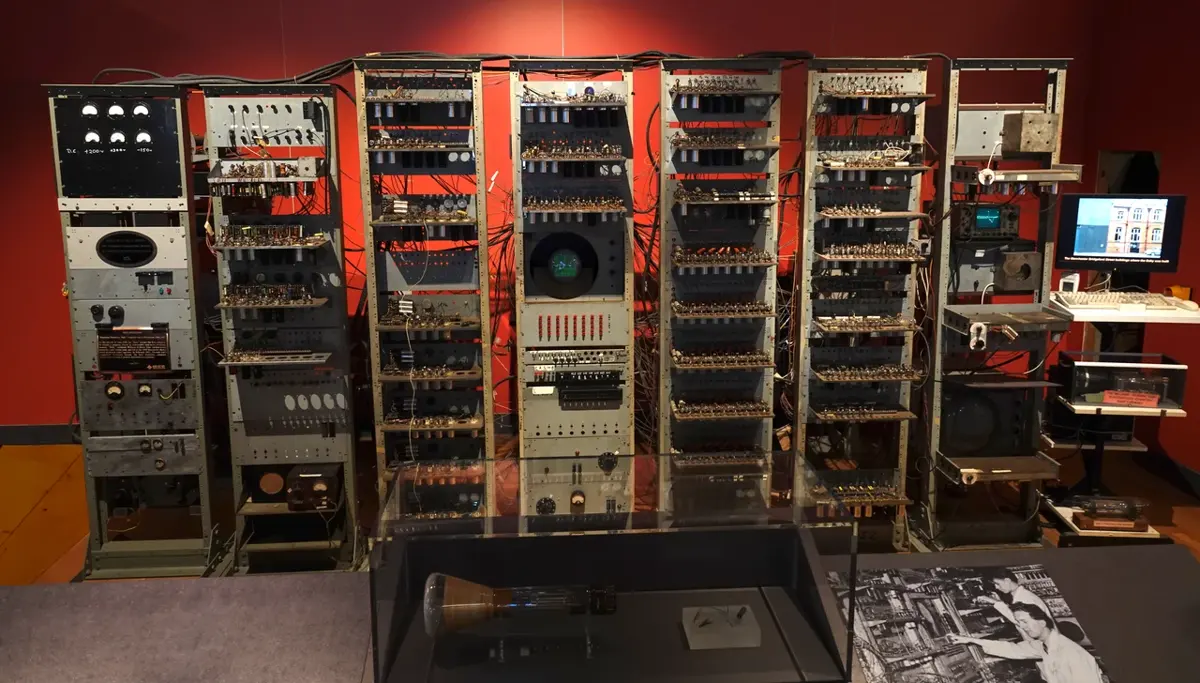
Here is the most important idea in this unit. In Grade 6 you met ENIAC, whose program was set by plugging cables and turning switches by hand: changing the program took days. The better idea, worked out in the 1940s, was to put the program in memory, as numbers, beside the data. Each instruction is a number: one part says what to do (add, copy, jump), another says where (which address).
A computer whose program is kept in its memory, as numbers, like data, is called a stored-program computer. To change what it does, you only change numbers in memory. That is why one phone can be a calculator, a camera and a game, one after another: installing an app only puts new numbers in its storage. Every computer you will ever use is a stored-program computer.
Inside the processor
Now put the parts together. A processor (CPU, central processing unit) has three main parts:
- the control unit (CU), which fetches each instruction from memory, works out what it means, and sends signals that make the other parts carry it out: it directs everything, like a conductor;
- the arithmetic logic unit (ALU), which does the arithmetic and logic;
- the registers, a few tiny, very fast memories inside the processor, each holding one number it is working on. Three of them matter most to us: the program counter (PC), which holds the address of the next instruction; the instruction register (IR), which holds the instruction being carried out; and the accumulator (ACC), which holds the number being worked on and the ALU’s answers.
A clock, a circuit that ticks billions of times a second (Grade 7), keeps every step in time.
The processor is joined to memory and to the input and output devices by sets of parallel wires called buses, so named because, like a bus, they carry things from place to place. There are three:
- the address bus carries an address from the processor: which memory cell, or which device;
- the data bus carries the data itself, both ways: into the processor when it reads, out of it when it writes;
- the control bus carries signals that say what to do: “read”, “write”, “wait”, and the interrupts you will meet later.
The more wires a data bus has, the more bits it carries at once: a 64-bit bus carries 8 bytes at a time.
Which part of the processor holds the address of the next instruction?
Pick an answer to see why.
Why is a computer whose program is kept in memory, as numbers, so much more useful than ENIAC?
Pick an answer to see why.
Fetch, decode, execute
A processor is a simple machine at heart. Once switched on, it does only one thing, again and again, as long as it has power:
- Fetch. The control unit sends the address in the program counter along the address bus, and a “read” on the control bus. Memory sends back the instruction at that address along the data bus, into the instruction register. The program counter goes up by one, ready for the next instruction.
- Decode. The control unit works out what the instruction means: which operation, and which address or register it uses.
- Execute. The processor carries it out: the ALU adds, a number is copied from memory or stored back into it, or the program counter is changed to make a jump.
Then it fetches again. This is the fetch–decode–execute cycle (also called the instruction cycle). Between instructions, the processor also checks whether a device has signaled for attention with an interrupt (later in this unit).
A model processor
The widget below is a tiny processor of our own. It is far simpler than a real one, but it works the same way. It has 16 memory cells, numbered 0 to 15, each holding one byte. It knows 8 instructions. Each instruction is one byte: the left 4 bits say what to do, the right 4 bits say which cell.
| Instruction | Bits | What it does |
|---|---|---|
| LOAD a | 0001 aaaa | copy the number in cell a into the ACC |
| ADD a | 0010 aaaa | add the number in cell a to the ACC |
| SUB a | 0011 aaaa | take the number in cell a away from the ACC |
| STORE a | 0100 aaaa | copy the ACC into cell a |
| OUT | 0101 0000 | send the ACC to the output |
| JUMP a | 0110 aaaa | take the next instruction from cell a |
| JUMPZ a | 0111 aaaa | jump to cell a if the ACC is 0, else carry on |
| HALT | 0000 0000 | stop |
Instructions written as words like these, one word for each machine instruction, are called assembly language. The same instructions as the bits the processor reads are machine code. So LOAD 14 is 0001 1110: 1 means LOAD, and 1110 is 14.
This program works out total = a + b and shows it. The first five cells are the program; cells 14 and 15 hold the numbers a and b.
Jumps make loops and choices
A program that only goes from one cell to the next can’t repeat anything. The JUMP instructions change that. JUMP puts a new address in the program counter, so the next fetch comes from somewhere else: jump back, and you have a loop. JUMPZ jumps only if the ACC is 0: that is a choice, an if. Every while loop and every if you wrote in Python in Grade 8 becomes jumps like these.
In Python, the same program is:
n = 5while n != 0: print(n) n = n - 1print(n)Output
543210From Python to machine code
A processor understands only its own machine code. So how does it run a Python program? A program called a language processor (or translator) turns the program into machine code. There are three kinds:
- an assembler turns assembly language into machine code, one instruction for one instruction;
- a compiler translates a whole program in a high-level language (such as C) into machine code before it runs, and the machine code can then be run again and again;
- an interpreter translates and runs a program a line at a time, every time it runs. Python is usually run this way: when you press Run under a program in this book, a Python interpreter does it.
A single line of Python, such as total = a + b, becomes several machine instructions, much like LOAD a, ADD b, STORE total. Languages such as Python, which are written for people and don’t depend on one kind of processor, are called high-level languages; machine code and assembly are low-level languages.
What does a compiler do?
Pick an answer to see why.
How fast?
Our model takes three steps for each instruction. At one step a second it would take 15 seconds to add two numbers. A real processor’s clock ticks billions of times a second (Grade 7), and real processors are cleverer: while one instruction is being executed, the next is already being decoded and the one after fetched, like a line of workers passing bricks. This overlapping is called pipelining. A modern core even works on several instructions in the same tick. And a phone has several cores, each running its own fetch–decode–execute loop.
In the fetch step, where does the processor find out which memory cell to read?
Pick an answer to see why.
What a computer can and can’t do
A computer can do anything that can be broken down into steps it knows, as long as it has enough memory and time. But every real device has limits, and a good programmer knows them. Our model processor has very clear ones. Find them yourself.
The model shows four kinds of limit that every real computer has, only bigger:
- The size of a number. Our ACC holds 8 bits, so 0 to 255. A real processor’s registers hold 64 bits, up to about 18 million million million (1.8 × 10¹⁹). Programs that need bigger numbers must join several registers together, which is slower.
- The amount of memory. Our 16 cells must hold the program and its data. A phone has billions of bytes, but a video editor or a game can still fill them, and then apps are closed (Grade 7).
- Time. Our multiply took 58 instructions where a real chip has a multiply circuit. Some jobs take so many steps that even billions a second aren’t enough; you will count steps as data grows in Unit 4.
- Only what it is told. The processor did exactly what the program said, even when that was wrong (the 6 × 0 bug). It has no idea what the numbers mean.
Real computers also have limits our model doesn’t: a battery that runs out, heat (a phone slows its processor down when it is too hot, Grade 7), the speed of its network, and numbers with a decimal point, which are kept to about 16 digits:
print(0.1 + 0.2)print(2 ** 100)print(2.0 ** 100)Output
0.3000000000000000412676506002282294014967032053761.2676506002282294e+300.1 and 0.2 can’t be written exactly in binary, just as 1 ÷ 3 can’t be written exactly in decimal (0.3333…), so a tiny error creeps in. Whole numbers in Python have no limit: Python joins as many 64-bit pieces as it needs, so 2 ** 100 is exact. But 2.0 ** 100, a number with a decimal point, keeps only about its first 16 digits; the rest are rounded away. (The e+30 means “× 10³⁰”.)
An 8-bit register holds 200, and the processor adds 100. What happens?
Pick an answer to see why.
Memory from registers to disk
A processor needs memory that is fast, big, cheap and keeps its data when the power goes. No kind of memory is all four. So a computer has several kinds, from tiny and very fast to huge and slow, and moves data between them. This line-up is called the memory hierarchy.
How big are the differences? A register is read in about one tick of the clock, about 0.3 ns at 3 GHz. Imagine that this took one second. Then, at the times in the figure, cache would take a few seconds; RAM about five minutes; an SSD about four days; and a hard disk about a year. That is why the processor works from registers, why programs are loaded into RAM before they run (Grade 7), and why a computer with an SSD feels so much quicker than one with a hard disk.
| Registers | Cache | RAM | Storage (SSD, hard disk) | |
|---|---|---|---|---|
| where | inside each core | on the processor chip | sticks or chips beside it | a drive |
| size | a few dozen numbers | kilobytes to megabytes | gigabytes | hundreds of GB to terabytes |
| speed | fastest | very fast | fast | slow |
| cost for each byte | highest | very high | medium | lowest |
| when the power goes | forgets | forgets | forgets | keeps |
Cache memory
Between the registers and RAM is the cache (said like “cash”): a small, very fast memory on the processor chip itself. When the processor needs something from memory, it looks in the cache first. If it is there, a cache hit, it gets it at once. If not, a cache miss, it fetches it from RAM, which takes much longer, and keeps a copy in the cache in case it is needed again soon, usually in place of what was used longest ago.
This works because programs use the same few things again and again: the instructions of a loop, the total being added to, the next numbers in a list. Think of a tea shop. The sugar, tea and milk are on the counter beside the stove, where the cook reaches them in a moment; the big sacks are in the store room at the back. Most cups need only what is on the counter.
Real processors have two or three levels of cache: a tiny, fastest level 1 (L1) cache in each core, a bigger L2, and often a bigger, slower L3 shared by all the cores.
RAM: SRAM and DRAM
There are two kinds of RAM. Both forget when the power goes.
- SRAM (static RAM) keeps each bit in a latch of about six transistors, like the latch above. It is very fast and needs no refreshing, but it takes a lot of space and is costly. Caches are made of SRAM.
- DRAM (dynamic RAM) keeps each bit as a tiny electric charge in a capacitor, a tiny store of charge, with one transistor to reach it. One transistor and one capacitor take far less space than six transistors, so DRAM packs many more bits into a chip, for less money. But the charge leaks away, so every cell must be read and written again, refreshed, many times a second (about every 64 thousandths of a second). It is slower than SRAM. The RAM sticks and chips in computers and phones, the main memory, are DRAM.
| SRAM | DRAM |
|---|---|
| a bit is a latch of transistors | a bit is a charge in a capacitor |
| needs no refreshing | must be refreshed many times a second |
| faster | slower |
| costs more for each bit, holds less | costs less, holds more in the same space |
| used for cache | used for main memory |
Memory that keeps: ROM and firmware
ROM (read-only memory), from Grade 7, keeps its contents with no power at all. It holds the firmware, the program that runs first when a computer is switched on: on a PC it is called the BIOS (basic input/output system) or, on newer ones, UEFI. Over the years ROM has come in several kinds:
- ROM proper: written when the chip is made, never changed.
- PROM (programmable ROM): made blank, written once by the buyer with a machine called a PROM programmer, then never changed.
- EPROM (erasable PROM): can be wiped by shining ultraviolet light through a little window on the chip, then written again.
- EEPROM (electrically erasable PROM): can be wiped and rewritten by electricity, inside the device. Flash memory, in every phone, pen drive and SSD, grew out of it: it wipes a whole block at once, which makes it fast and cheap.
Today a computer’s firmware is kept in flash, so that it can be updated.
Primary and secondary memory
Many books divide memory into two groups:
- primary memory (main memory): the memory the processor reaches directly, by address: RAM, ROM and cache (and registers, inside the processor).
- secondary memory (secondary storage, or auxiliary memory): storage the processor can’t reach by address. Its data must first be copied into RAM, in blocks, by the drive: SSDs, hard disks, pen drives, memory cards, CDs and DVDs. It keeps data with no power and holds far more, but is much slower.
Why does a processor have cache memory?
Pick an answer to see why.
Why is main memory made of DRAM and not SRAM?
Pick an answer to see why.
The operating system
You know from Grades 6 and 7 that the operating system starts the device, shares the processor, manages memory, keeps files and works the hardware. Now that you have seen the processor, memory and storage from inside, you can see why every computer needs one, and why it is a different kind of program from all the others.
A special kind of software
Software comes in two big groups:
- application software (apps): programs that do a job for the user, such as a browser, a game, a word processor, a billing program for a shop, or a school’s results program. Some are packaged (general-purpose) software, made ready for anyone to use, like a word processor; others are tailored (customized) software, written for one organization’s own needs, like that school’s results program;
- system software: programs that run the computer itself, so that the apps can run.
System software includes the operating system; device drivers, small programs that let the operating system work one kind of device (Grade 7); utility software, tools that look after the computer and its data, such as an antivirus, a backup program, a disk cleaner or a program that compresses files; and the language processors you met above. The firmware in ROM or flash is software too, kept in the hardware itself.
The operating system is special in four ways:
- It runs first and stays. The firmware loads it when the computer starts, and it runs until the computer is shut down. Apps come and go.
- It has full control. A processor has two modes. In kernel mode (or supervisor mode) every instruction is allowed; in user mode, instructions that touch the hardware directly, or other programs’ memory, are refused. The heart of the operating system, the kernel, runs in kernel mode. Every app runs in user mode.
- Apps must ask it. Because an app can’t touch the hardware, it asks the kernel to do it: “save this file”, “send this over the network”, “show this on the screen”, “give me more memory”. Such a request is a system call.
- It manages the other programs. It decides which programs run, when, and with how much memory. No app can do that.
What it manages
Programs. A program that is running is called a process. A phone may have a hundred processes at once: your apps, and many small ones the system runs out of sight. Each core can run only one at a time, so the operating system gives each a turn of a few thousandths of a second (scheduling, Grade 7), saving a process’s registers when its turn ends and putting them back when its turn comes again.
Memory. The operating system gives each process its own part of RAM and, with help from the processor’s hardware, stops any process from reading or writing another’s, or the kernel’s. Each process sees its memory as if it started at address 0 and had the computer to itself; the hardware quietly translates its addresses into real places in RAM, in blocks called pages. When RAM is full, the operating system can move pages not used lately out to storage, and bring them back when they are needed. This is virtual memory: it lets programs use more memory than there is RAM, but storage is so much slower that a computer doing a lot of it slows to a crawl.
Files. Storage is only billions of numbered blocks. The operating system’s file system turns them into the files and folders you see: it keeps a record of which blocks belong to which file, what the file is called, its size, its date, and who may open it.
Devices. The operating system works each device through its driver. Devices are far slower than the processor, so the processor doesn’t wait for them. A device that needs attention (a key pressed, a network packet arrived, a printer out of paper) sends an interrupt: a signal on the control bus. The processor finishes its current instruction, saves what it was doing, runs the operating system’s code for that interrupt, and then carries on where it left off. Several apps may want the same printer, so the operating system also keeps a queue and sends the documents one at a time.
Users and security. It keeps separate accounts, asks before an app may use the camera, and installs updates that close holes (Grade 7). Now you can see why this works: since every app must ask the kernel for the hardware with a system call, the kernel can check each request first.
The user interface. It gives you a way to work the computer: the home screen, windows, icons and menus you tap or click (a graphical user interface, GUI), or commands typed in a terminal (a command-line interface).
Starting up
Now you can follow the whole start-up, called booting:
- Power on. RAM is empty, and the processor starts at a fixed address, in the firmware.
- The firmware checks the hardware (on a PC this is called the POST, power-on self test), finds the storage, and loads a small program called the boot loader from it into RAM.
- The boot loader loads the operating system’s kernel into RAM and starts it.
- The kernel sets up memory, starts the drivers, mounts the file system, and starts the first processes, then the screen where you sign in.
Why can’t a game write straight to the phone’s storage, without asking the operating system?
Pick an answer to see why.
A key is pressed while the processor is busy running a game. How does the processor find out?
Pick an answer to see why.
Project
In short
Exercise
Which gate gives the sum in a half adder?
Pick an answer to see why.
Which register holds the instruction being carried out?
Pick an answer to see why.
Which bus carries the number of the memory cell the processor wants?
Pick an answer to see why.
Put these in order from fastest to slowest: RAM, hard disk, cache, registers.
Pick an answer to see why.
Which of these is system software?
Pick an answer to see why.
Which kind of memory must be refreshed many times a second?
Pick an answer to see why.
Draw a half adder with its gates, and write its truth table. Why is it called a half adder?
Answer
Add 0110 and 0111 with a 4-bit ripple-carry adder. Write the sum bit and the carry out of each full adder, from the 1s column to the 8s column. What is the answer, and does it overflow 4 bits?
Answer
Name the three main parts of a CPU, and say what each one does.
Answer
Describe the fetch–decode–execute cycle. Say what happens to the program counter, and which buses are used.
Answer
For the model processor, trace this program. Cell 14 holds 9 and cell 15 holds 4. Write the ACC after each instruction and the output.0: LOAD 14, 1: SUB 15, 2: STORE 13, 3: ADD 13, 4: OUT, 5: HALT
Answer
What is the difference between machine code and assembly language? What does an assembler do? How is a compiler different from an interpreter?
Answer
The program that multiplied by adding again and again gave 50 × 7 = 94. Explain why. Give two other limits that a real computer or phone has.
Answer
What is cache memory? Explain how it makes a computer faster, using the words hit and miss.
Answer
Give four differences between primary memory and secondary memory, with two examples of each.
Answer
Compare SRAM and DRAM. Where is each used, and why?
Answer
Write the full forms: CPU, ALU, CU, MU, PC, RAM, ROM, SRAM, DRAM, PROM, EPROM, EEPROM, BIOS, OS.
Answer
Why is the operating system called a special kind of software? Explain how it manages memory and devices, with an example of each from a phone.
Answer
Differentiate between system software and application software, with two examples of each.
Answer
Describe what happens when a computer boots, from pressing the power button to the sign-in screen.
Answer
Quiz yourself: Computer systems, Grades 6–12 →
Practice every question in the book, and keep track of the ones you miss →