
Think about one morning. A phone’s alarm rings at six. Someone presses a button on a rice cooker and the display starts counting down. On the way to school, a traffic light turns red. In the market, a customer pays by scanning the shop’s QR code with a phone, and a man takes money out of an ATM.
Five machines, and every one of them has a computer inside. Some look like computers, with a screen. Others don’t look like computers at all. In this unit you will find out what makes a machine a computer, the four jobs every computer does, the difference between the parts you can touch and the instructions you can’t, where computers hide, and how people turned a frame of beads into the phone in your pocket.
What a computer does
Open the calculator on a phone. Tap 7, then +, then 5, then =. The screen shows 12.
Three things happened. You put numbers in. The phone worked out the answer. The answer came out on the screen. Every computer, big or small, works like this.
A computer is a machine that takes in information, works on it by following a list of instructions, and gives out the results. It can also keep information to use later. The information a computer works with is called data: numbers, words, pictures, sounds, a tap on a screen, the temperature of a pot.
The list of instructions a computer follows is called a program. A computer can do only what its program tells it, but it does it very fast and never gets bored. You will write your own instructions in Unit 3 and your first programs in Unit 4.
The four jobs
Everything a computer does is made of four jobs:
- Input: data going into the computer. Your taps on the calculator are input.
- Processing: the computer working on the data, following its program. Adding 7 and 5 is processing.
- Output: results coming out of the computer, for people or for other machines. The 12 on the screen is output.
- Storage: keeping programs and data so they can be used again later, even after the machine is switched off. The calculator app itself is kept in the phone’s storage, and so is a list of your last sums, if your calculator keeps one.
Take a photo with a phone. The camera takes in light: input. The phone turns the light into a picture and makes it brighter: processing. The picture appears on the screen: output. It is saved, so you can show it to your grandmother next week: storage.
You type a message to a friend and press Send. Which part is input?
Pick an answer to see why.
Which of these is storage?
Pick an answer to see why.
The parts that do the jobs
Each job has its own parts. The parts that bring data in are called input devices: a keyboard, a mouse, a touchscreen, a microphone, a camera, buttons. Machines also have sensors, input devices that measure something in the world by themselves: a thermometer inside a rice cooker, a fingerprint reader on a phone, a light sensor that makes a screen dimmer at night.
The parts that send results out are called output devices: a screen, a speaker, a printer, lamps, and in machines, motors and heaters that make things move or get hot.
Processing is done by the processor, a small chip, often no bigger than your thumbnail. It carries out the program’s instructions one tiny step at a time, but billions of steps every second. A phone’s processor is under its screen, on a board packed with other chips (Figure 1.2).
Storage keeps everything you want to keep: apps, photos, songs, documents. In a phone it is a chip on the same board. Some phones can also take a memory card, and a computer can save to a pen drive (a USB flash drive) to carry files to another computer. In Unit 5 you will see how storage keeps everything as zeros and ones, and how to measure how much it holds.
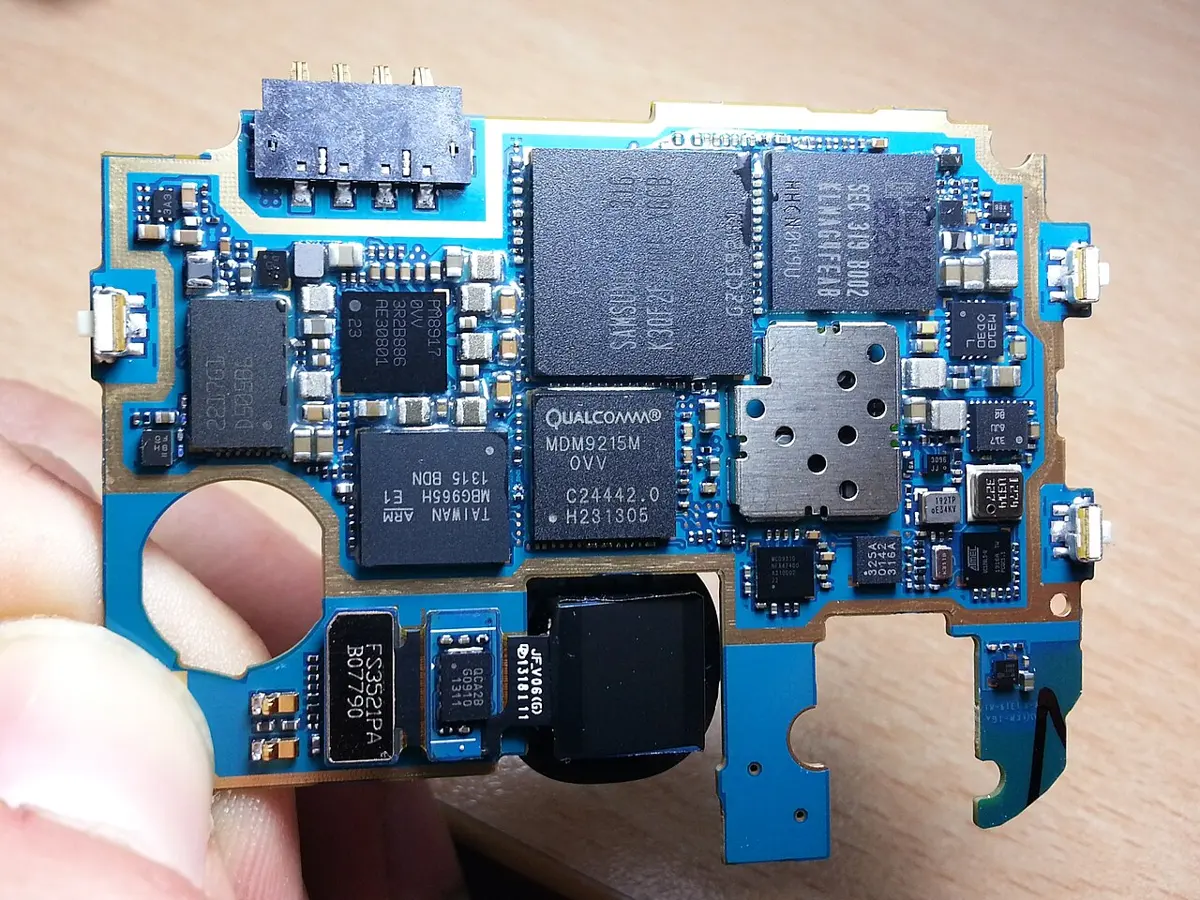
In a phone, all these parts are packed into one small case. A desktop computer, the kind in most school computer rooms, has them as separate pieces (Figure 1.3). You type on its keyboard and point with its mouse: input. You see the results on its monitor (its screen) and hear them from its speakers: output. The processor and the storage are inside a box beside the monitor, the system unit.
Monitor, keyboard and mouse traced from a photo by Kwangmo, CC0
System unit traced from a photo by Paowee, CC BY 4.0
Speakers traced from a photo by Evan-Amos, public domain
UPS traced from a photo by MSDN.WhiteKnight, CC0
A rice cooker has a sensor that measures how hot the pot is. Which job does the sensor do?
Pick an answer to see why.
Hardware and software
A phone you can hold in your hand. You can drop it and crack its screen. But you can’t hold the calculator app, or a game, or the alarm that wakes you up. Those are instructions, not objects.
The parts of a computer you can touch are called hardware: the screen, the buttons, the battery, the processor, the board, the cables. The programs that tell the hardware what to do are called software. Software is made of instructions, written by people called programmers.
A program you open on a phone or computer to do one job is called an app (short for application): a calculator, a camera app, a game, a browser for the web, a dictionary. Underneath them all runs one big program that starts when you switch the device on, looks after the hardware and opens the other apps. It is called the operating system, and you will meet it properly in Unit 2.
Hardware without software can do nothing at all: a phone with no programs in it is a dark piece of glass and metal. Software without hardware has nothing to run on. A computer needs both, the way a madal needs a drummer: the drum is the hardware, the rhythm the drummer plays is like the software.
The same hardware can do many jobs, just by changing the software. With one app, a phone is a calculator. With another, a torch, a map, a dictionary, a camera, a radio. Nothing in its hardware changed. This is what makes a computer different from most other machines: a fan can only blow, but a computer can do any job someone writes a program for.
Which list has only software in it?
Pick an answer to see why.
Computers hiding everywhere
Most computers in the world don’t look like computers. They have no keyboard and often no screen. They are built inside other machines, and each does one job for that machine. A small computer like this, built into a machine, is called an embedded computer. A digital rice cooker, a washing machine, a television, a car, a lift and an ATM all have one or more inside.
The rice cooker
A plain electric rice cooker has no computer. It has one switch with a thermostat: while there is water in the pot, the pot stays near 100 °C. When the water has all soaked into the rice, the bottom of the pot gets hotter than that, and the switch clicks over to “warm”. The rule is built into the switch’s parts, and it can never do anything else.
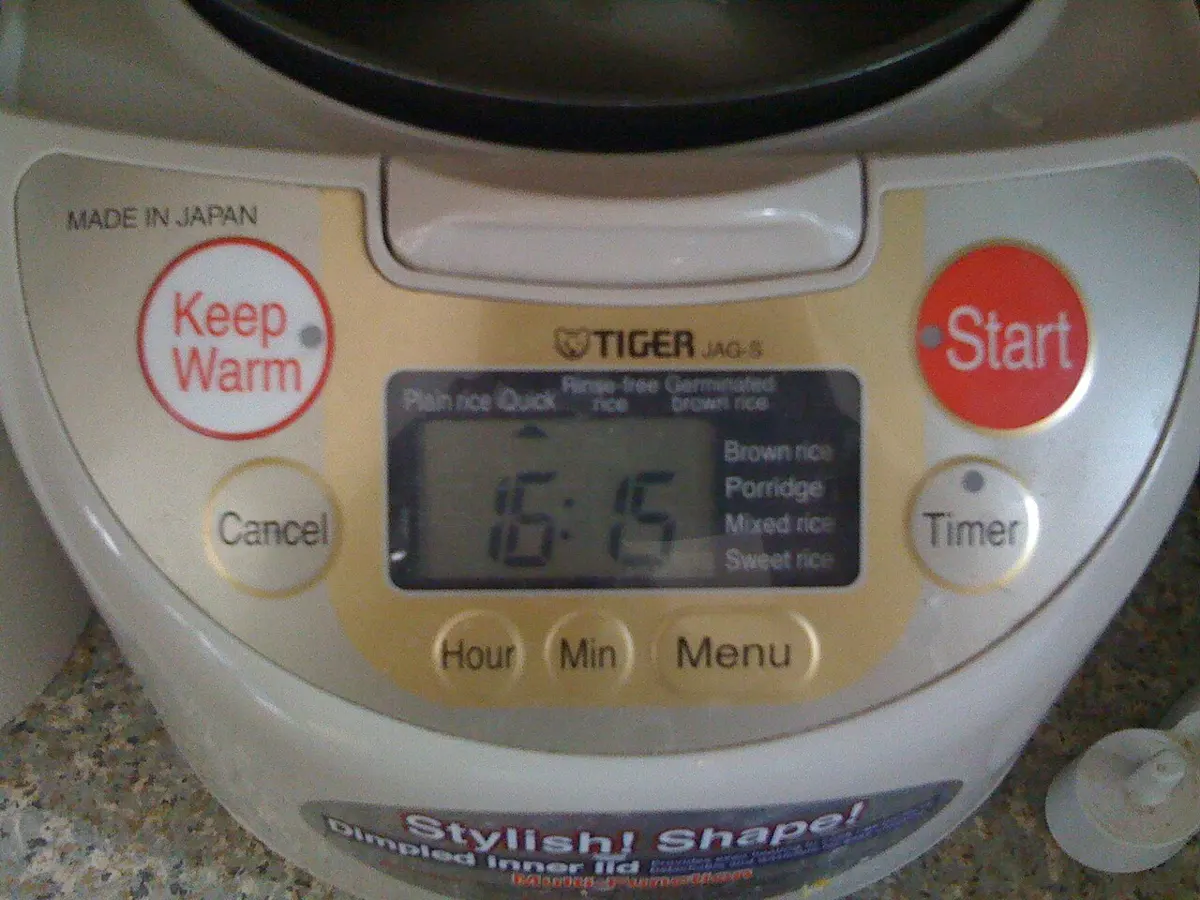
A rice cooker with buttons and a display is different. Inside it, a tiny computer follows a program. Its inputs are the buttons and a temperature sensor under the pot. It processes them by following its program: soak the rice for a while, heat hard, then gently, check the temperature again and again. Its outputs are the heater and the display. It stores the programs for white rice, brown rice and porridge, and the time you set for the rice to be ready.
The traffic light
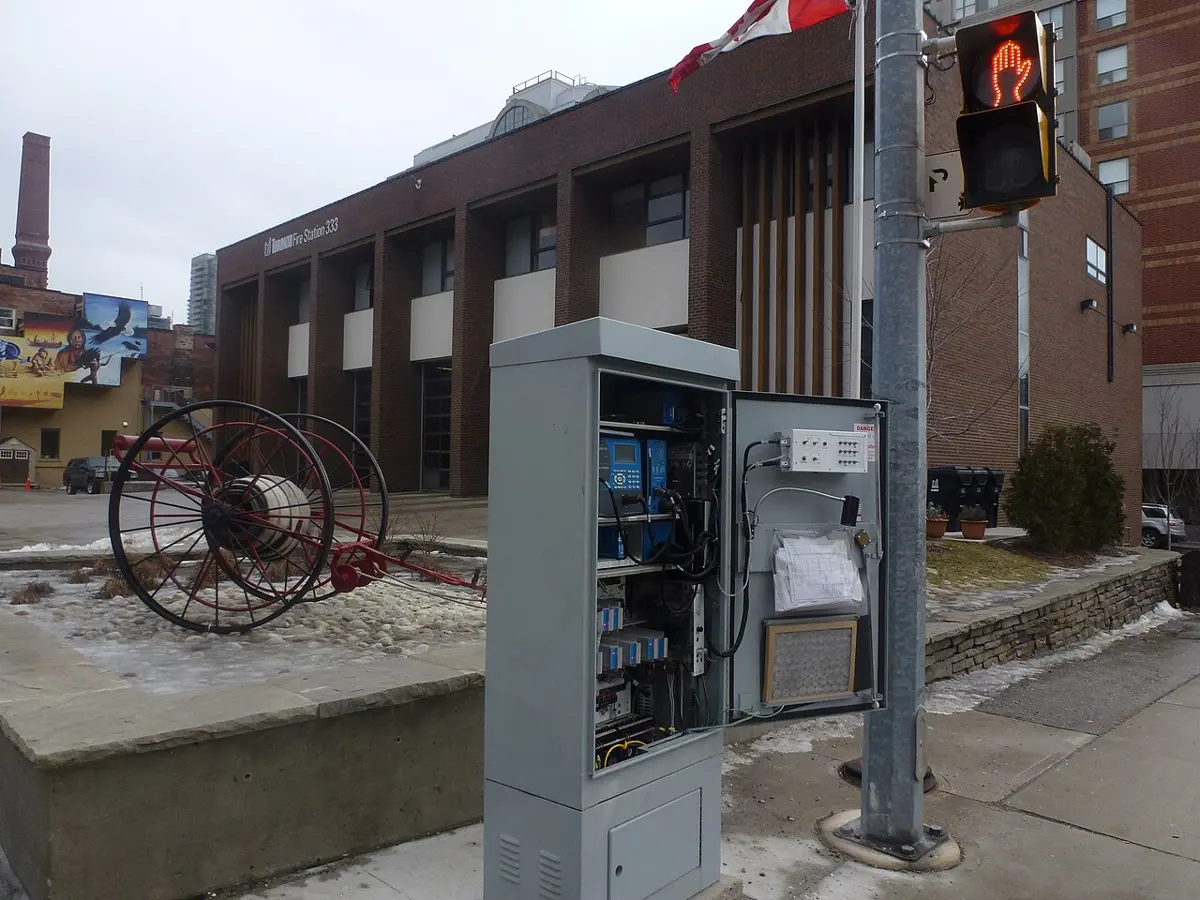
At a crossing with a button for people on foot, a computer called a controller runs the lights. It sits in a metal box at the side of the road. Its input is the button, and at many junctions, sensors that feel cars waiting. Its output is the lamps. It stores its program and its settings: how long the green lasts, how long people get to cross.
The ATM
An ATM (automated teller machine) is a computer that gives out money. Look at one next time you pass: the card slot, keypad and screen are input; the screen, the cash slot, the receipt printer and the speaker are output. When you type your PIN, the ATM’s computer doesn’t decide by itself whether it is right. It sends a message to the bank’s computers, which check your PIN and how much money is in the account and send back an answer. Both store a record of every withdrawal. So taking out a thousand rupees uses at least two computers, often far apart, talking to each other. You will see how they talk in Unit 8.
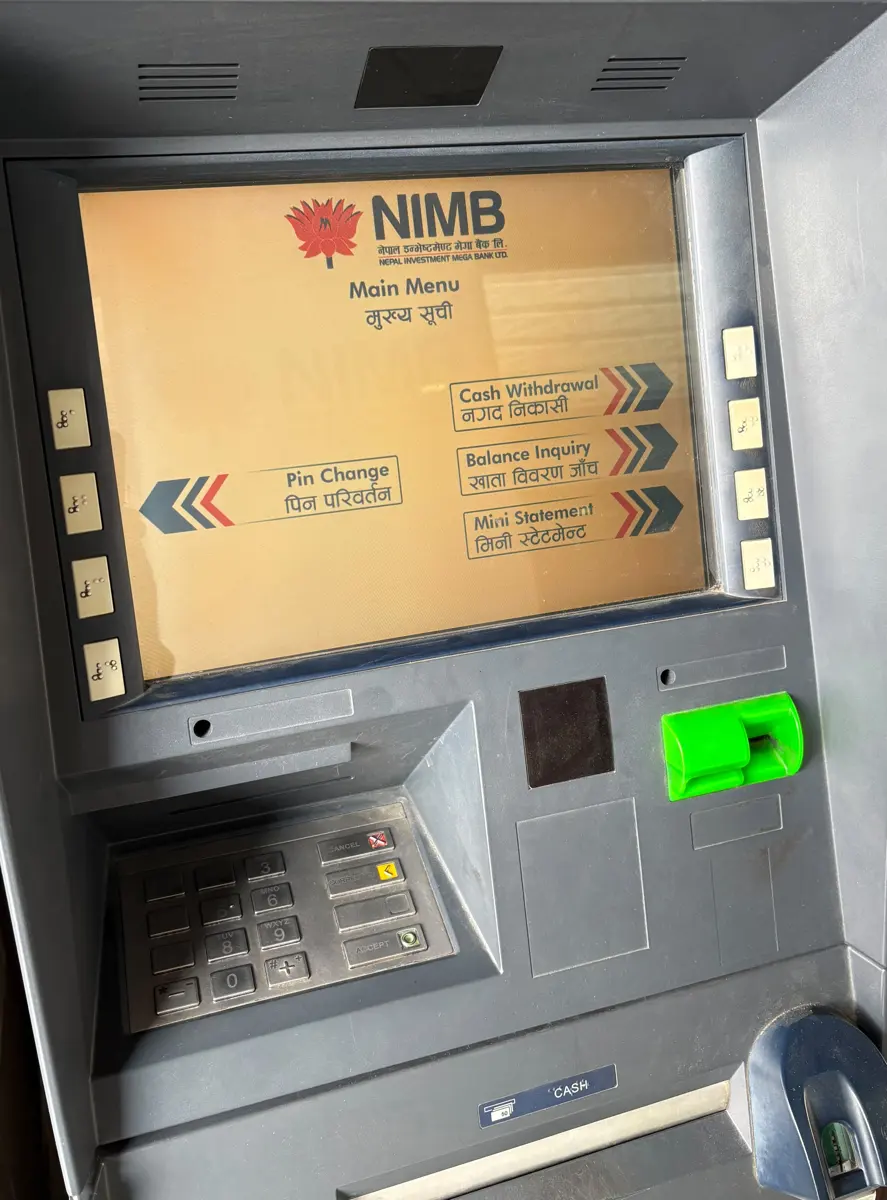
An ATM sends your PIN and the amount to the bank’s computers and waits for their answer. Why doesn’t it decide by itself?
Pick an answer to see why.
Computers at work in Nepal
Almost every kind of work in Nepal now uses computers, often several kinds at once. Each one takes a job that is slow, hard or impossible by hand and does it faster or more exactly.
| Where | A computing device used there | What it does | The problem it solves |
|---|---|---|---|
| a bank | ATMs, and the bank’s own computers | keep every account; let people take out money and pay at any hour | no queues for cash; a record of every rupee that can’t be lost |
| a hospital | X-ray and ultrasound machines, patient records | turn signals from inside the body into pictures; keep each patient’s history | doctors see inside without cutting; any doctor can see what was done before |
| a farm | a phone with weather and market-price apps | brings the weather forecast and the day’s prices for vegetables | when to plant, spray or harvest; selling at a fair price |
| a shop | a barcode scanner and a billing computer | reads each item’s price and adds the bill; counts what is left | fast, correct bills; knowing what to order |
| a hydropower plant | control computers with sensors on the turbines and the river | measure the water and the power, open and close gates | steady electricity, and safety when the river floods |
| an airport | check-in computers, radar and air traffic control | track every plane in the sky and every seat booked | planes kept safely apart; no seat sold twice |
| the government | the census computers, ID and land records | count the people and keep records for the whole country | planning schools, roads and health posts where people really live |
How does a barcode scanner help a shopkeeper?
Pick an answer to see why.
From the abacus to the phone
For most of history, a computer was not a machine. It was a person: someone whose job was to do long sums by hand, all day, for tax collectors, merchants, sailors and astronomers. The machines took over the name, and the job, much later.
Tools that store numbers
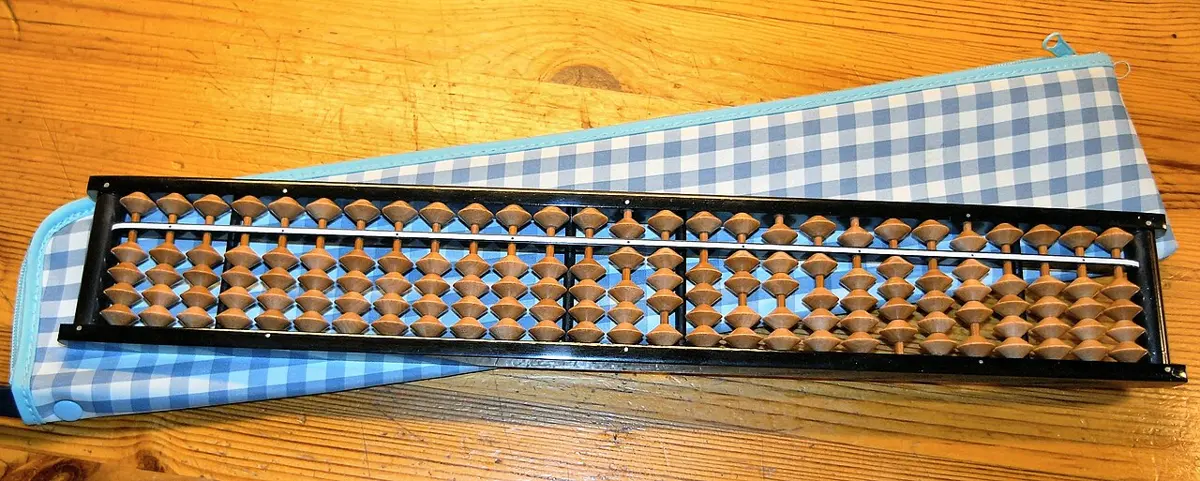
People have used counting boards, with pebbles or rods moved across lines, to help with sums for thousands of years. Later came the bead abacus, beads that slide on rods in a frame. The best known is China’s suanpan, which spread to Japan, where a smaller version became the soroban. Some children in Nepal learn mental arithmetic on a soroban-style abacus in classes after school.
An abacus is a great tool, but it is not a computer. It stores numbers, but it can’t process anything by itself: every move is decided by the person using it. Whatever follows the rules of adding is in that person’s head, not in the beads.
Machines with gears and cards
In 1642, in France, a young man of about 19, Blaise Pascal, built a machine with gears to help his father, a tax official, add up columns of numbers. Turn the wheels and the answer showed in little windows. It could do one kind of job only: its “program” was the shape of its gears.
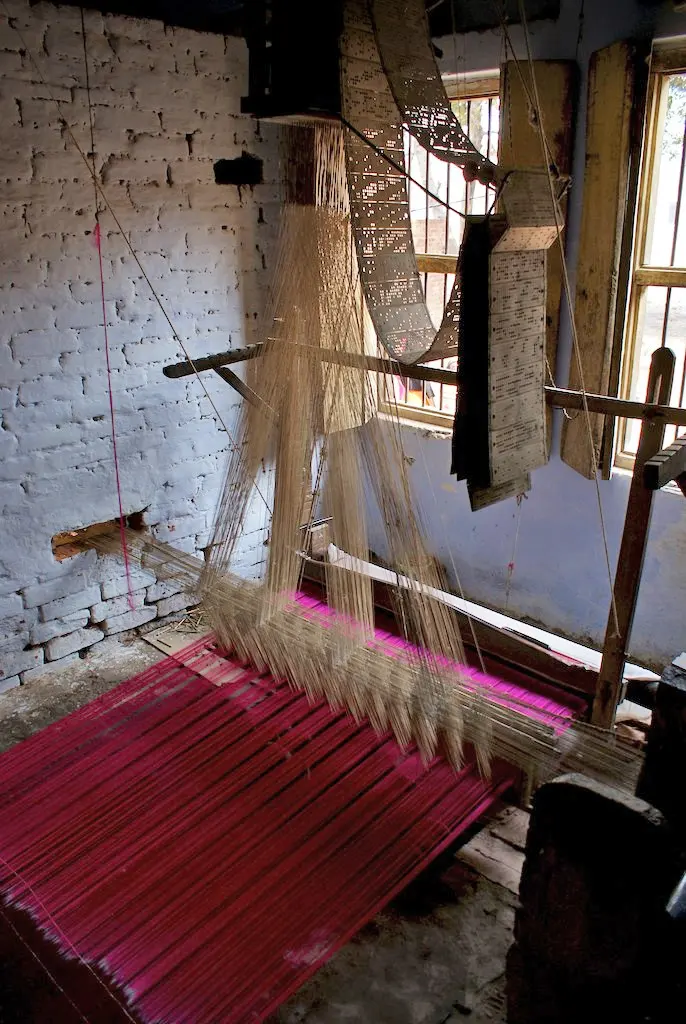
In 1804, also in France, Joseph Marie Jacquard made a loom that wove patterns by itself, following holes punched in a long chain of cards. Change the cards, and the same loom wove a different pattern. That was a new idea: the machine stayed the same, and only the instructions changed. In other words, software.
Electronic giants
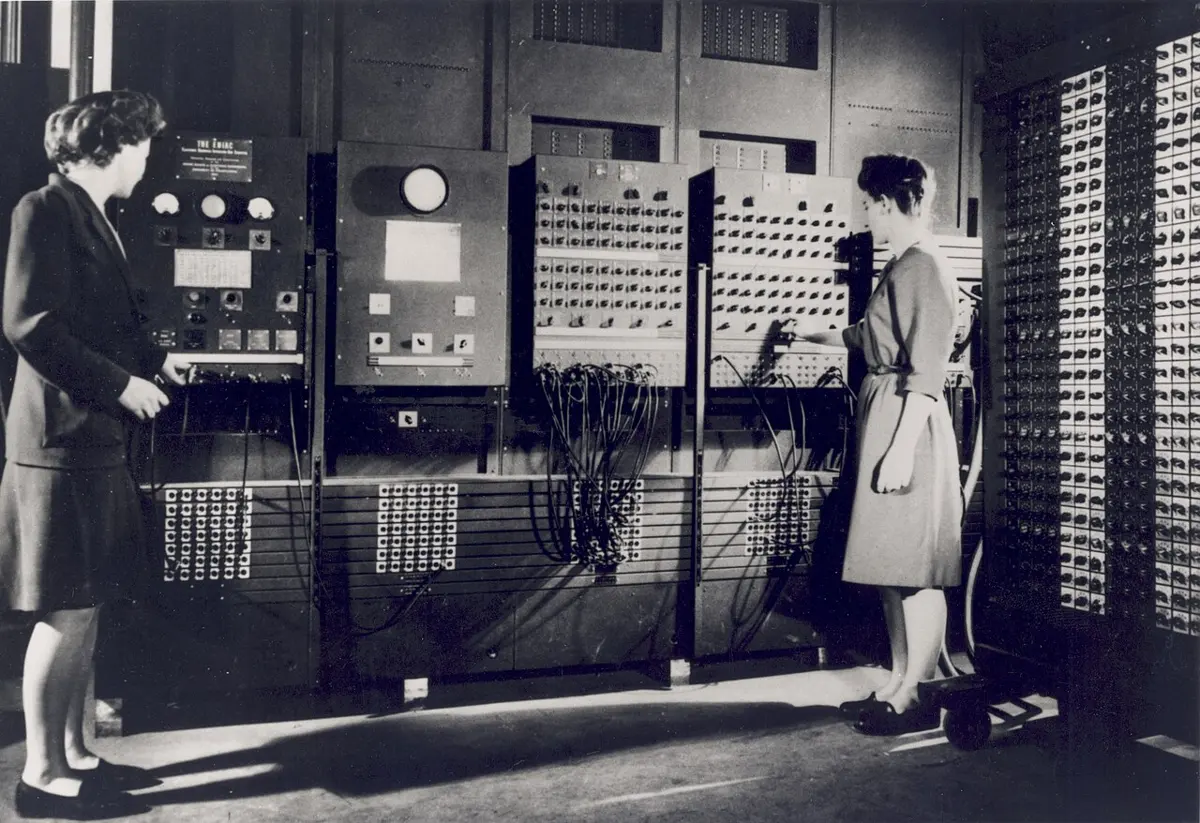
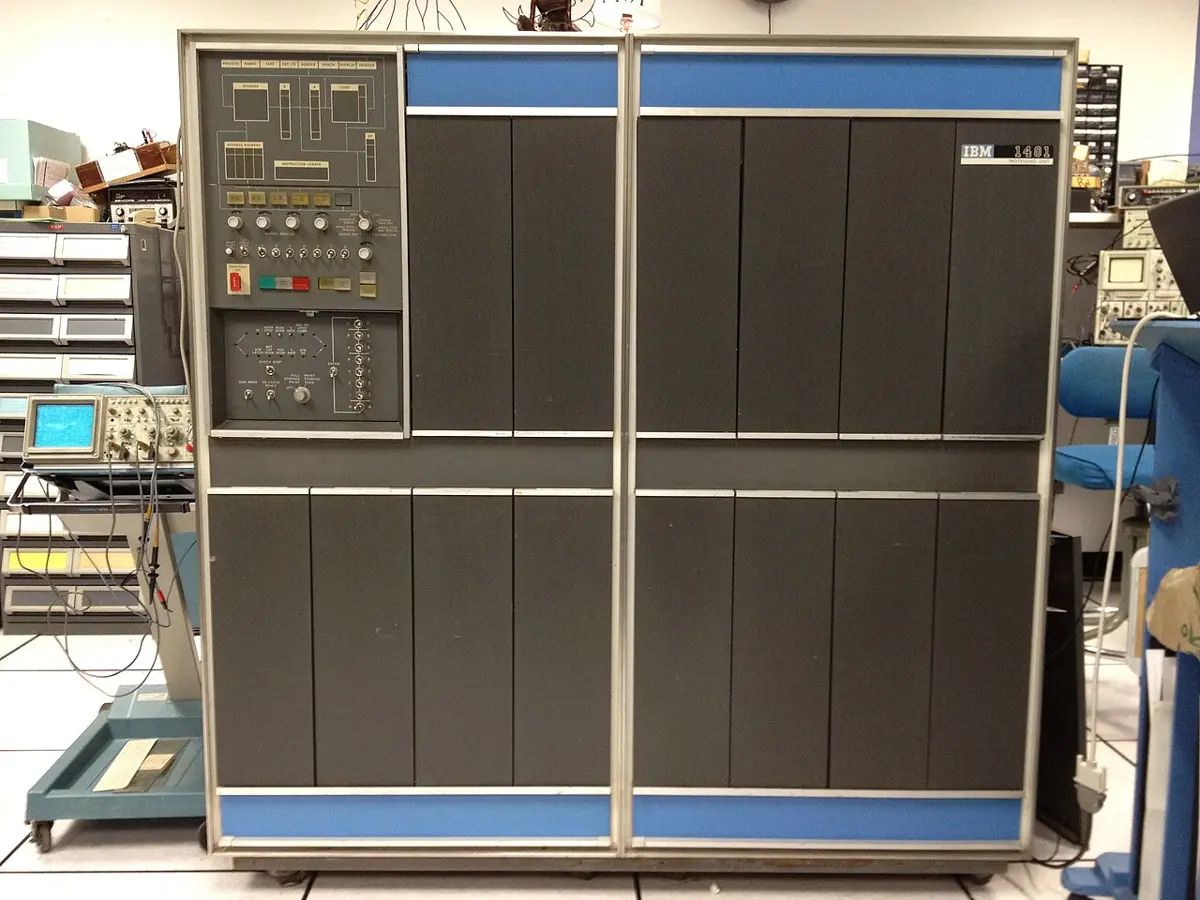
In the 1940s, during the Second World War, governments paid for the first electronic computers, which worked with electricity alone and had no gears at all. In Britain, Colossus (1944) helped break the enemy’s secret codes; it was kept secret for 30 years. In the United States, the Army paid the University of Pennsylvania to build ENIAC, finished in 1945, to work out tables that told gunners how to aim.
ENIAC filled a large room and weighed about 27 tonnes, about as much as five elephants. It used about 18,000 glass valves, which glowed like light bulbs and kept burning out. It could add 5,000 numbers a second, which seemed amazing then; a phone’s processor today does billions of steps a second.
Smaller, cheaper, everywhere
Then computers began to shrink. In 1947, scientists at Bell Labs in the United States made the first transistor, a tiny switch with no glass valve to burn out. In 1958 and 1959, Jack Kilby and Robert Noyce found ways to put many transistors and their wires onto one tiny piece of material: a chip. In 1969, a Japanese calculator company, Busicom, asked an American chip maker, Intel, for chips for its new calculators. Intel’s Ted Hoff, Stanley Mazor and Federico Faggin and Busicom’s Masatoshi Shima worked on it, and in 1971 they had the first microprocessor: a whole processor on one chip.
Cheap chips meant computers small enough to buy for a home. In the 1970s, people who loved electronics met in clubs to share the computers they built, and some of them started the companies that made the first home computers. By the 1990s, offices and schools had them. In 1989, Tim Berners-Lee invented the World Wide Web (Unit 8) at CERN, a physics laboratory near Geneva in Switzerland, and in 1993 CERN gave it to the world for free. From about 2007, phones with touchscreens and apps put a powerful computer in millions of pockets. Today a phone’s processor holds billions of transistors on a chip smaller than a fingernail.
| When | What changed | Where |
|---|---|---|
| thousands of years ago | counting boards | Mesopotamia, Greece, Rome, China and elsewhere |
| hundreds of years ago | the bead abacus (suanpan, then soroban) | China, then Japan |
| 1642 | a calculating machine with gears (Pascal) | France |
| 1804 | a loom that follows punched cards (Jacquard) | France |
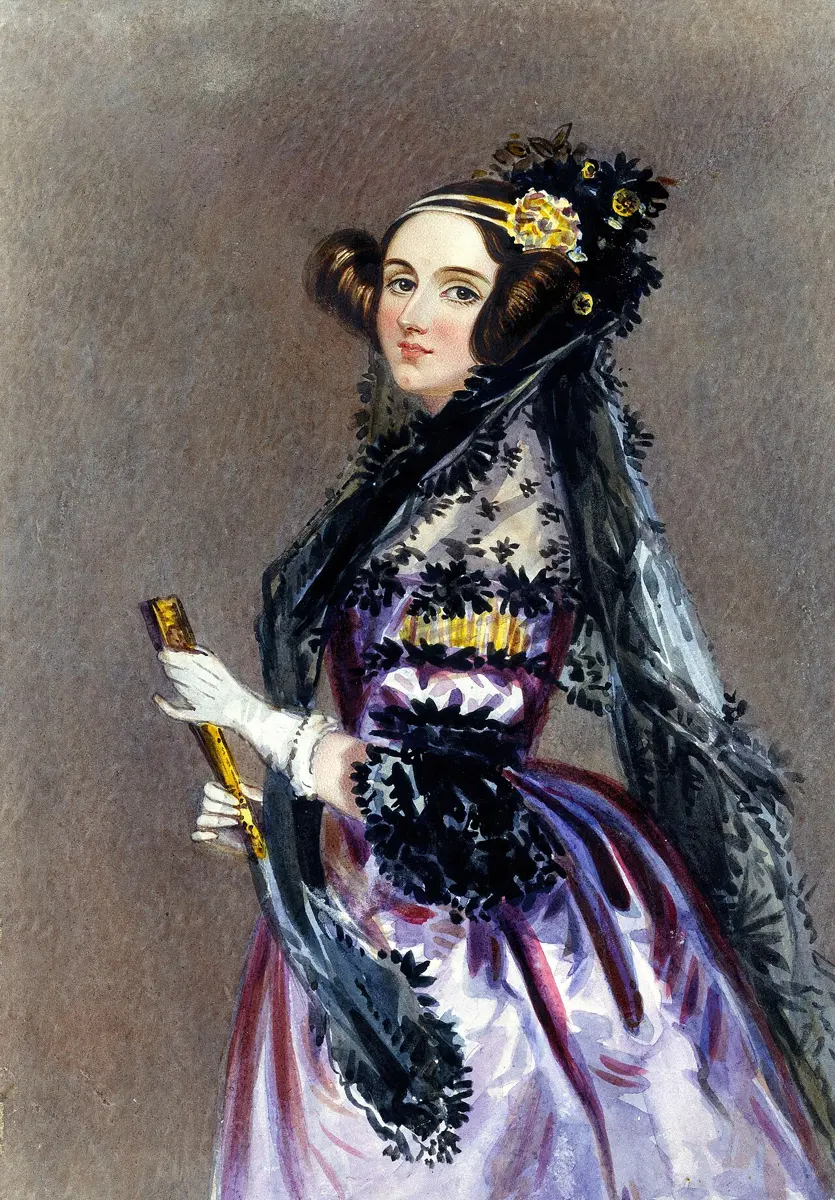
| 1830s–1843 | a machine designed to follow a program (Babbage); the first published program (Lovelace) | England |
| 1940s | the first electronic computers (Colossus, ENIAC) | Britain, the United States |
| 1947–1959 | the transistor and the chip | the United States |
| 1971 | the microprocessor (Busicom and Intel); Nepal’s first computer | Japan and the United States; Nepal |
| 1970s–1990s | computers at home, at school and at work | everywhere |
| 1989–1993 | the World Wide Web | Switzerland |
| from about 2007 | phones that are full computers | everywhere |
What was new about Jacquard’s loom, which later computers took up?
Pick an answer to see why.
Who shapes computing?
Look back over the story. Computers were not made by one inventor. Many kinds of people and groups played a part, and each could do something the others could not:
- One person can have a new idea and work it out: Pascal’s machine, Lovelace’s program, Berners-Lee’s web.
- Organizations, such as companies, universities and bodies like the United Nations, can pay large teams and build things in great numbers: Intel’s chips, the University of Pennsylvania’s ENIAC, UNDP’s training.
- Governments can pay for huge, costly projects and serve a whole country: the US Army’s ENIAC, Britain’s Colossus, Nepal’s census computer. They also make the rules for how computers may be used.
- Communities, people who join in because they care, not because they are paid, can share what they know and make things free for everyone: the clubs that built early home computers, the volunteers who write Wikipedia in Nepali, the thousands of people who write free software together, which anyone may use.
Volunteers in many countries, unpaid, write free programs together and let anyone use them. Who is shaping computing here?
Pick an answer to see why.
In short
Exercise
Which of these is the best description of a computer?
Pick an answer to see why.
Which of these is an output device?
Pick an answer to see why.
A friend says, “My phone’s battery is software, because the phone can’t work without it.” What is wrong?
Pick an answer to see why.
Which of these was made first?
Pick an answer to see why.
Why is an abacus not a computer?
Pick an answer to see why.
Define a computer. Name its four jobs, and explain each with an example from a mobile phone.
Answer
Sort these into input devices, output devices and storage: keyboard, printer, memory card, microphone, screen, camera, speaker, pen drive, mouse.
Answer
What is the difference between hardware and software? Give three examples of each.
Answer
Copy and complete the table for an ATM.
| Job | Parts of the ATM that do it |
|---|---|
| Input | |
| Processing | |
| Output | |
| Storage |
Answer
A plain rice cooker and a rice cooker with buttons and a display both cook rice. Which of them has a computer inside? How can you tell?
Answer
Name five machines in your home or town that have a computer inside, and give the input and output of each.
Answer
Describe how computers are used in three kinds of work in Nepal, and say what problem each solves.
Answer
Put these in the order they happened, and write one sentence about who made each: ENIAC; the bead abacus; the microprocessor; Pascal’s calculating machine; Ada Lovelace’s program; the World Wide Web.
Answer
Give one example each of an individual, an organization, a government and a community shaping computing. What could each do that the others could not?
Answer
The same phone can be a calculator, a torch, a map and a camera. Explain how, using the words hardware and software.
Answer
Quiz yourself: Computer systems, Grades 6–12 →
Practice every question in the book, and keep track of the ones you miss →