
Hold up your two hands and count to ten on your fingers. That is where our way of writing numbers comes from: ten fingers, ten digits, 0 to 9. A computer has no fingers. Deep inside, it has billions of tiny switches, and each switch can only be off or on. So a computer counts with just two digits, 0 and 1, and writes everything with them: the year 2082 BS is 100000100010 to a computer, and so is every photo, song and message on your phone.
This unit is about how numbers are written in different number systems: the decimal system you use every day, the binary system computers use, and the octal and hexadecimal systems programmers use as shorthand for binary. You will add and subtract in binary, and change a number from one system to another, by hand, the way the exam asks.
2.1 Concept of number system
Long before anyone wrote numbers down, people counted on their fingers, cut notches in sticks, piled up pebbles, and tied knots in ropes. Shepherds kept one pebble for each sheep; the Inca of South America kept the accounts of a whole empire on bundles of knotted strings called quipus. Over thousands of years people invented ways of writing numbers, and then machines to calculate with them: the abacus, mechanical calculators, and finally electronic computers.
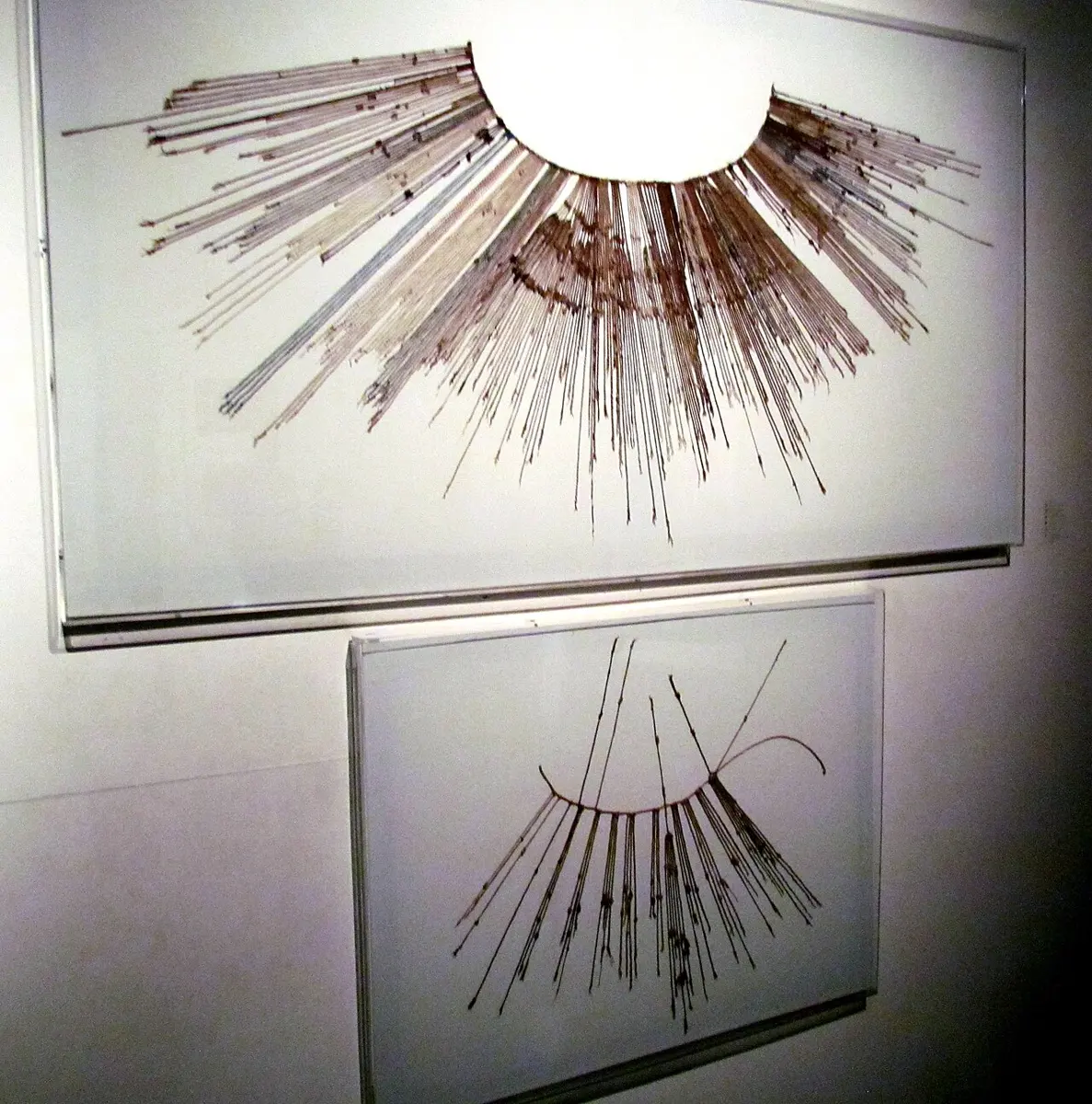
Today you meet numbers everywhere: a bus fare of Rs. 35, a mobile number, a 2 GB data pack, a mark of 87 out of 100. All of these are written in one number system.
A number system is a way of writing numbers: a set of symbols (digits) and rules for using them to show any number and to calculate with it. When we count things, we use the decimal number system, which has 10 symbols, 0 to 9. With those ten symbols we can write any number at all, however large, because the same digit means more or less depending on where it stands. It is easy to use and understand, so it is the number system of daily life everywhere in the world.
Digits, places and the base
Many number systems are in use, and they differ in their base. The base or radix of a number system is the total number of digits it uses. Decimal uses ten digits, so its base is 10.
In all four number systems of this unit, a digit’s position decides what it is worth (Roman numerals, still seen on clock faces, are not like this: X is ten wherever it stands). Positions are counted from the right, starting at 0. The digit in position 0 is worth itself; each place to the left is worth base times the place before it. So the place value of a position is the base raised to that position: base⁰ = 1, base¹, base², base³ and so on. This is why such a system is called a positional (place-value) number system.
The same digits mean different numbers in different bases, so when bases are mixed we write the base small after the number, in brackets: (1101)₂ is a binary number, (1101)₁₀ a decimal one. Look at both in Figure 2.2.
There are four number systems you need to know:
- the decimal number system (base 10)
- the binary number system (base 2)
- the octal number system (base 8)
- the hexadecimal number system (base 16)
Decimal number system
The decimal number system is the one we use in daily life. It has base 10, because it uses ten digits, 0 to 9. Each position stands for a power of 10: units (ones), tens, hundreds, thousands and so on. In 719, the 9 is in the units place, the 1 in the tens place and the 7 in the hundreds place:
Remember that any number to the power 0 is 1: 10⁰ = 1, 2⁰ = 1, 16⁰ = 1.
Binary number system
The binary number system uses only two digits, 0 and 1, so it is a base-2 number system. A binary digit is called a bit (short for binary digit), and 8 bits make a byte. For example, (110111)₂ is a binary number of six bits.
Binary is the number system of computers. A computer is built from electronic switches, and a switch has two states: off (0) or on (1). In the same way a magnetic spot on a hard disk points one of two ways, a pit on a CD is there or not, and a wire carries a low or a high voltage. Two states are easy to make and very hard to mix up, so computers store and process everything, numbers, letters, pictures and sound, as patterns of 0s and 1s.
In binary the places are powers of 2: from the right, 1, 2, 4, 8, 16, 32, 64, 128, each double the one before.
Octal number system
The octal number system is the base-8 number system. It uses eight digits, 0 to 7; there is no 8 or 9 in octal, just as decimal has no single digit for ten. Its place values are powers of 8: 1, 8, 64, 512… Examples of octal numbers: (207)₈, (5706)₈, (601022)₈.
Hexadecimal number system
The hexadecimal number system (often just hex) is the base-16 number system. It needs sixteen symbols, but we have only ten digits, so after 0 to 9 it uses the six letters A, B, C, D, E and F for the values 10 to 15. (“Hexa” means six and “decimal” ten: six plus ten.) Its place values are powers of 16: 1, 16, 256, 4096… Examples of hexadecimal numbers: (8F5)₁₆, (AC4)₁₆, (B52)₁₆, (ACD)₁₆.
| Hexadecimal | 0 | 1 | 2 | 3 | 4 | 5 | 6 | 7 | 8 | 9 | A | B | C | D | E | F |
|---|---|---|---|---|---|---|---|---|---|---|---|---|---|---|---|---|
| Decimal | 0 | 1 | 2 | 3 | 4 | 5 | 6 | 7 | 8 | 9 | 10 | 11 | 12 | 13 | 14 | 15 |
Number system chart
The chart puts the four systems side by side: each one’s base, and the digits it uses.
| Number system | Base | Symbols (digits) used |
|---|---|---|
| Binary | 2 | 0, 1 |
| Octal | 8 | 0, 1, 2, 3, 4, 5, 6, 7 |
| Decimal | 10 | 0, 1, 2, 3, 4, 5, 6, 7, 8, 9 |
| Hexadecimal | 16 | 0, 1, 2, 3, 4, 5, 6, 7, 8, 9, A, B, C, D, E, F |
Notice the pattern: the digits of base b run from 0 to b − 1. Binary’s biggest digit is 1, octal’s is 7, decimal’s 9 and hex’s F (15).
What is the base of the binary number system?
Pick an answer to see why.
Which of these is a correct octal number?
Pick an answer to see why.
Application of number system conversion
Changing a number from one number system to another, number system conversion, is used wherever people work with computers and digital devices:
- Computing: computers store and process everything in binary, so programmers convert between binary, decimal, octal and hexadecimal to understand what is stored.
- Digital electronics: digital logic design, the designing of circuits and chips, works in binary, and engineers write long patterns of bits in hexadecimal.
- Networking: every device on a network has an IP address. An IPv4 address such as 192.168.1.10 is four bytes written in dotted-decimal notation, each part 0 to 255; a newer IPv6 address is written in hexadecimal, like 2001:db8::8a2e:370. A network card’s MAC address is written in hex too.
- Web pages and graphics: colors are written in hex: in
#FF8800, red is FF (255), green 88 (136) and blue 00 (0), an orange. - Cryptography, graphics and signal processing use binary and hex to represent data compactly.
Anyone who works with digital information meets these number systems, so knowing how to convert between them is essential.
2.2 Binary calculation
Computers do all their arithmetic in binary. There are four main types of binary calculation:
- i.binary addition
- ii.binary subtraction
- iii.binary multiplication
- iv.binary division
The good news: they are done exactly like the same sums in decimal, in columns from the right. Only the tables are smaller, because there are only two digits.
Binary addition
Binary numbers are added the same way as decimal numbers. In decimal, 9 + 1 = 10: you write 0 and carry 1, because ten doesn’t fit in one digit. In binary the same thing happens much sooner: 1 + 1 = 2, and 2 doesn’t fit in one binary digit, so it is written 10 (one two and no ones): write 0, carry 1.
| A | B | A + B |
|---|---|---|
| 0 | 0 | 0 |
| 0 | 1 | 1 |
| 1 | 0 | 1 |
| 1 | 1 | 0, carry 1 (that is, 10) |
When a column also has a 1 carried into it, you may have 1 + 1 + 1 = 3, which is 11 in binary: write 1, carry 1.
Steps of binary addition:
- Write the numbers one under the other, lined up on the right, as you would in decimal.
- Start with the column on the right.
- Add the digits of that column (and any carry) by the rules above. Write the sum’s right digit under the column and carry 1 to the next column if there is one.
- Move one column to the left and add it the same way, with its carry.
- Repeat until every column is added. A carry out of the last column is written as a new digit on the left.
What is (111)₂ + (1)₂?
Pick an answer to see why.
Binary subtraction
Binary numbers are subtracted the same way as decimal numbers, in columns from the right. Three columns are easy. The fourth, 0 − 1, can’t be done as it stands, so you borrow 1 from the next column on the left.
| A | B | A − B |
|---|---|---|
| 0 | 0 | 0 |
| 1 | 0 | 1 |
| 1 | 1 | 0 |
| 0 | 1 | 1, borrowing 1 from the next column on the left |
Why is 0 − 1 equal to 1 after borrowing? In decimal, 1 borrowed from the tens is worth ten ones. In binary, 1 borrowed from the next column is worth two of this column, because each place is worth twice the one to its right. So the column becomes 2 (written 10), and 2 − 1 = 1. The column you borrowed from goes down by 1.
When the next column is 0, the borrow passes through it, as when you take 1 from 1000 in decimal (999 is left): every 0 on the way becomes 1. Try it here.
In binary subtraction, what is 0 − 1?
Pick an answer to see why.
Binary multiplication
Binary multiplication is the easiest of all, because the times table has only four lines:
| A | B | A × B |
|---|---|---|
| 0 | 0 | 0 |
| 0 | 1 | 0 |
| 1 | 0 | 0 |
| 1 | 1 | 1 |
Any binary digit multiplied by 0 gives 0, and multiplied by 1 gives itself. So long multiplication in binary is just copying: for each digit of the bottom number, from the right, write the top number (if the digit is 1) or a row of 0s (if it is 0), each row moved one place further left. Then add the rows.
Look at the rows: moving a binary number one place left, with a 0 on the right, doubles it, as putting a 0 after a decimal number multiplies it by ten. Processors multiply by 2, 4 or 8 this way, by shifting the bits, one of the fastest things they can do.
Binary division
Binary division is long division, as in decimal, and it is simpler: at each step the divisor goes into the part you are looking at either once (1) or not at all (0). If it goes, subtract it in binary and bring down the next digit.
What is the result of multiplying any binary digit by 0?
Pick an answer to see why.
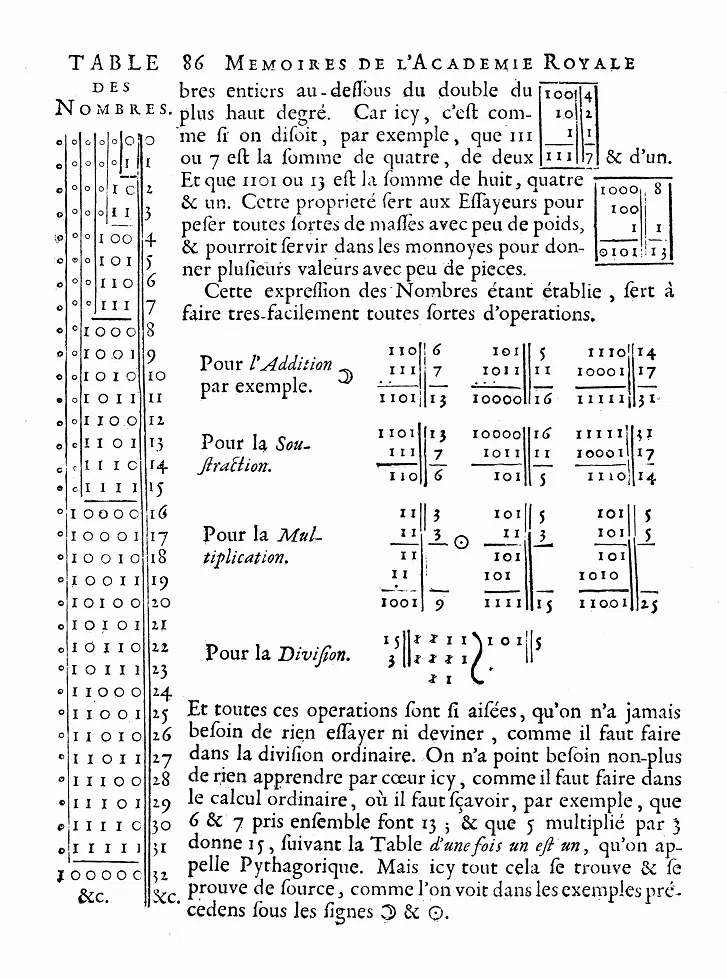
A real computer adds one more twist: it keeps each number in a fixed number of bits, so an answer can be too big to fit (overflow), and negative numbers need a way of being written. Both come in other grades.
2.3 Number conversion
People use the decimal number system; computers work in binary, and programmers write binary in octal or hexadecimal, which are shorter. Binary numbers are long and hard for us to read, and a computer can’t work in decimal directly, so we need methods to convert a number from one number system to another. Figure 2.4 shows which method to use for which.
Decimal to binary, octal and hexadecimal
All three use the same method: divide by the base again and again, and keep the remainders.
Decimal to binary
To convert a decimal number to binary:
- Divide the decimal number by 2 and write down the remainder.
- Divide the quotient by 2 again, and write down that remainder.
- Repeat until the quotient becomes 0.
- Write the remainders from the bottom to the top.
In exams this is written as a short ladder: the base on the left, each quotient under the number it came from, and its remainder beside it.
Decimal to octal
The same steps, dividing by 8: divide the decimal number by 8 and write down the remainder; divide the quotient by 8 again; repeat until the quotient becomes 0; write the remainders from bottom to top.
Decimal to hexadecimal
The same steps, dividing by 16. A remainder can now be anything from 0 to 15: write a remainder of 10 to 15 as its letter, A to F.
Binary, octal and hexadecimal to decimal
Going the other way, multiply and add: write each digit’s place value over it, multiply each digit by its place value, and add the products.
Binary to decimal
- Multiply each binary digit by its place value, the powers of two from the right: 2⁰, 2¹, 2², 2³, 2⁴ … (1, 2, 4, 8, 16 …).
- Add all the products of Step 1. The total is the decimal number.
Octal to decimal
- Multiply each octal digit by its place value, the powers of eight: 8⁰, 8¹, 8², 8³, 8⁴ … (1, 8, 64, 512, 4096 …).
- Add all the products. The total is the decimal number.
Hexadecimal to decimal
- Multiply each hexadecimal digit by its place value, the powers of sixteen: 16⁰, 16¹, 16², 16³, 16⁴ … (1, 16, 256, 4096, 65536 …). Use a letter’s value: A = 10 … F = 15.
- Add all the products. The total is the decimal number.
In changing (93)₁₀ to octal, 93 ÷ 8 = 11 remainder 5, 11 ÷ 8 = 1 remainder 3, and 1 ÷ 8 = 0 remainder 1. What is the answer?
Pick an answer to see why.
Decimal, octal, hexadecimal and binary from 0 to 15
Learn this table: the conversions between binary, octal and hexadecimal below are read straight from it.
| Decimal | Hexadecimal | Octal | Binary |
|---|---|---|---|
| 0 | 0 | 0 | 0 |
| 1 | 1 | 1 | 1 |
| 2 | 2 | 2 | 10 |
| 3 | 3 | 3 | 11 |
| 4 | 4 | 4 | 100 |
| 5 | 5 | 5 | 101 |
| 6 | 6 | 6 | 110 |
| 7 | 7 | 7 | 111 |
| 8 | 8 | 10 | 1000 |
| 9 | 9 | 11 | 1001 |
| 10 | A | 12 | 1010 |
| 11 | B | 13 | 1011 |
| 12 | C | 14 | 1100 |
| 13 | D | 15 | 1101 |
| 14 | E | 16 | 1110 |
| 15 | F | 17 | 1111 |
Notice: every hex digit fits in four bits (F is 1111), and every octal digit fits in three bits (7 is 111). That is not luck: 16 = 2⁴ and 8 = 2³.
Binary to hexadecimal and back
Because one hex digit is exactly four bits, you can change between binary and hexadecimal without going through decimal at all.
Binary to hexadecimal:
- Split the binary digits into groups of four, starting from the right. If the last group on the left is short, fill it with 0s in front (they change nothing).
- Write the hexadecimal digit for each group of four.
- Write the result with base 16.
Hexadecimal to binary:
- Write each hexadecimal digit as its group of four bits.
- Write the result with base 2 (0s at the very front may be dropped).
Binary to octal and back
The same shortcut works for octal with groups of three bits, because one octal digit is exactly three bits.
To go between octal and hexadecimal, pass through binary: octal to binary in threes, then binary to hex in fours.
How many binary digits does one hexadecimal digit stand for?
Pick an answer to see why.
Exercise
1. Choose the correct option
i. What is the result of the binary addition 1101 + 1011?
Pick an answer to see why.
ii. When adding two binary numbers, what is the carry in binary addition?
Pick an answer to see why.
iii. In binary multiplication, what is the result of multiplying any binary digit by 0?
Pick an answer to see why.
iv. What is the base of the octal number system?
Pick an answer to see why.
v. What is the binary equivalent of the octal number 64?
Pick an answer to see why.
vi. In the hexadecimal system, what does the symbol A represent?
Pick an answer to see why.
2. Answer these questions
What is a number system?
Answer
Define the base or radix of a number system.
Answer
List the different types of number systems.
Answer
What is the hexadecimal number system? Write the symbols used in it.
Answer
3. Calculate the following as indicated
Perform the following binary additions:
- i.(11110)₂ + (1001)₂
- ii.(1011)₂ + (1001)₂
- iii.(101011)₂ + (11011)₂
- iv.(1010)₂ + (110)₂
- v.(101001)₂ + (1110)₂
- vi.(100001)₂ + (100011)₂
- vii.(100111)₂ + (11010)₂
- viii.(110001)₂ + (100101)₂
Answer
Perform the following binary subtractions:
- i.(1100)₂ − (1001)₂
- ii.(1001)₂ − (110)₂
- iii.(11101)₂ − (1010)₂
- iv.(101100)₂ − (10011)₂
- v.(11111)₂ − (10110)₂
- vi.(110011)₂ − (10100)₂
- vii.(100100)₂ − (1110)₂
- viii.(1000001)₂ − (10101)₂
Answer
4. Convert the given numbers as indicated
Decimal to binary:
i. (56)₁₀ ii. (78)₁₀ iii. (123)₁₀ iv. (345)₁₀ v. (540)₁₀ vi. (572)₁₀ vii. (546)₁₀ viii. (1098)₁₀ ix. (2103)₁₀ x. (445)₁₀
Answer
Binary to decimal:
i. (1101)₂ ii. (1010)₂ iii. (10010)₂ iv. (10110)₂ v. (101001)₂ vi. (11100111)₂ vii. (111100)₂ viii. (10010011)₂ ix. (1011100)₂ x. (100110)₂
Answer
Decimal to octal:
i. (69)₁₀ ii. (216)₁₀ iii. (767)₁₀ iv. (79)₁₀ v. (443)₁₀ vi. (413)₁₀ vii. (765)₁₀ viii. (1334)₁₀ ix. (1825)₁₀ x. (2783)₁₀
Answer
Octal to decimal:
i. (124)₈ ii. (242)₈ iii. (333)₈ iv. (763)₈ v. (103)₈ vi. (451)₈ vii. (3401)₈ viii. (1045)₈ ix. (437)₈ x. (611)₈
The textbook prints ix. as (438)₈, but 8 is not an octal digit, so the book’s number doesn’t work; (437)₈ is used here.
Answer
Decimal to hexadecimal:
i. (55)₁₀ ii. (540)₁₀ iii. (225)₁₀ iv. (880)₁₀ v. (2046)₁₀ vi. (2024)₁₀ vii. (6678)₁₀
Answer
Hexadecimal to decimal:
i. (56)₁₆ ii. (67)₁₆ iii. (558)₁₆ iv. (B74)₁₆ v. (20D3)₁₆ vi. (DEF)₁₆ vii. (6E3)₁₆ viii. (63F)₁₆
Answer
Binary to hexadecimal:
i. (1000110)₂ ii. (11001)₂ iii. (1111000)₂ iv. (11110000111)₂ v. (101010110)₂ vi. (1110010110)₂ vii. (11011001)₂ viii. (1001100)₂
Answer
Hexadecimal to binary:
i. (D4)₁₆ ii. (643)₁₆ iii. (189)₁₆ iv. (2BF)₁₆ v. (A9F)₁₆ vi. (FACE)₁₆ vii. (FB4)₁₆ viii. (1B2)₁₆
Answer
Practice every question in the book, and keep track of the ones you miss →
A companion to your textbook, not a replacement for it: study from the book your school uses, and where the two differ, follow your teacher. Found a mistake? Please tell us.