
Anisha is in Bhaktapur. Her cousin Sujan is in Pokhara, about 150 kilometers away as the crow flies, a full day’s bus ride on the winding road. Anisha types “Namaste from Bhaktapur!” and taps Send. Before she can put her phone down, Sujan’s phone buzzes. If her other cousin in New York had been the one, it would have taken hardly any longer.
In Grade 6 you learned that the internet is a network of networks, that your phone joins it through a Wi-Fi router or a mobile tower, and that servers keep the websites you visit. In this unit you will open up the middle of that picture. You will see a message cut into small pieces and sent across a network, find out what an address and a router really do, follow the cables and radio waves that bring the internet into Nepal, and break links on purpose to see why the internet keeps working. Then the practical part: what eats up a data pack and how to make it last, sharing your phone’s data with a hotspot, and making a home Wi-Fi router safe.
A message in pieces: packets
Suppose a shop in Bhaktapur sends a big order of books to a school in Pokhara. It doesn’t wait for one huge truck. It packs the books in six boxes, numbers them 1 of 6, 2 of 6, and so on, and writes the school’s address on every box. The boxes may travel on different buses, by different roads, and arrive in any order. At the school, someone checks the numbers: if box 4 is missing, they ring the shop and ask for box 4 again.
The internet sends everything the same way. Your message, a photo, a voice note, a video: each is cut into small pieces called packets. Each packet carries two things:
- a header, the label: the address it is going to, the address it came from, and its number in the message;
- the data: one piece of the message itself.
When the packets arrive, the receiving phone puts them back in order by their numbers and joins the pieces up again. This is called reassembling the message.
What if a packet is lost on the way? The routers can’t help: they keep no copies, so a lost packet is simply gone. The two ends put it right. The receiving phone keeps telling the sender which numbers have arrived, and the sender sends again any piece that hasn’t been confirmed.
Why cut a message into pieces?
It seems like extra work. Why not send the whole message in one go? There are three good reasons.
- Sharing the line. A cable between two cities carries packets from millions of people at once, one after another, like vehicles taking turns on one road. If one person’s long video had to go in one piece, everyone else would wait behind it.
- Losing a little, not everything. If something goes wrong on the way, only one small packet is lost, and only that packet is sent again, not the whole video.
- Each piece can go its own way. If one road is busy or broken, the next packets can go by another. No one route has to work the whole time.
Why does every packet carry a number?
Pick an answer to see why.
A video call breaks for a moment and one packet is lost. What happens?
Pick an answer to see why.
Addresses
A box of books with no address can’t be delivered. A packet is the same. Every device on the internet has an address, so that packets can be sent to it.
These addresses are numbers, called IP addresses (IP stands for Internet Protocol, the rules that every device on the internet follows). The most common kind is four numbers with dots between them, like 203.0.113.25. Each of the four numbers is between 0 and 255. Why 255? Because each one is a byte, 8 bits (Unit 2), and 8 bits can count from 0 to 255. So the whole address is 4 bytes, 32 bits.
People find numbers hard to remember, so websites also have names, like moecdc.gov.np. Before your phone can send anything to a website, it looks up that name’s number, the way you look up a friend’s number in your phone’s contacts. (You will see how that lookup works in Grade 9.)
Addresses at home
Your home has many devices: phones, a laptop, maybe a TV. They don’t each get an address on the internet. The home’s Wi-Fi router gives each device a home address, used only inside the home, usually beginning 192.168. To the rest of the internet, the whole home has just one address: the router’s.
When your phone asks a website for a page, the router sends the request out with the home’s address on it, and it remembers which device asked. When the page comes back to the home’s address, the router hands it to the right device, like a hostel warden who takes in every parcel at the gate and knows whose room each one goes to.
What is an IP address?
Pick an answer to see why.
Three phones in one home are using the same Wi-Fi. How do they look to a website far away?
Pick an answer to see why.
Routers: passing packets along
How does a packet from Bhaktapur find its way to one phone in Pokhara, out of billions of devices? Nobody plans the whole route. Instead, at every step, a router decides only the next step.
A router is a device that joins networks together and passes packets between them. When a packet arrives, the router reads the address in its header, nothing else, and sends the packet out along the link that leads nearer to that address. The next router does the same, and the next, until the packet reaches the network its address belongs to.
It is like a parcel sent through the post. The post office in Bhaktapur doesn’t know the way to every house in Pokhara. It only knows that parcels for Pokhara go on the bus west. The office in Pokhara knows which part of the city, and the local postman knows the house. Each one needs to know only the next step.
How does a router know the next step? Each router keeps a list, its routing table, of which link leads towards which addresses. And routers keep talking to the routers next to them: “I can reach these addresses.” So when a new link opens or an old one breaks, the news spreads from router to router, and within seconds or minutes they all know the new ways.
A packet from your phone to a server in another country often passes through 10 to 20 routers, sometimes more. Each step from one router to the next is called a hop.
Who does which job
A network needs several kinds of devices, each with its own job. You have met most of them:
| Device | Its job |
|---|---|
| end devices: phones, computers, servers | send and receive messages; a server keeps websites and files and sends them to anyone who asks |
| router | reads each packet’s address and passes it on, one step nearer; joins networks |
| Wi-Fi (in the router, or a separate access point) | carries data by radio between devices and the router, over a few rooms |
| switch | joins many computers in one building by cable, as in a school’s computer lab |
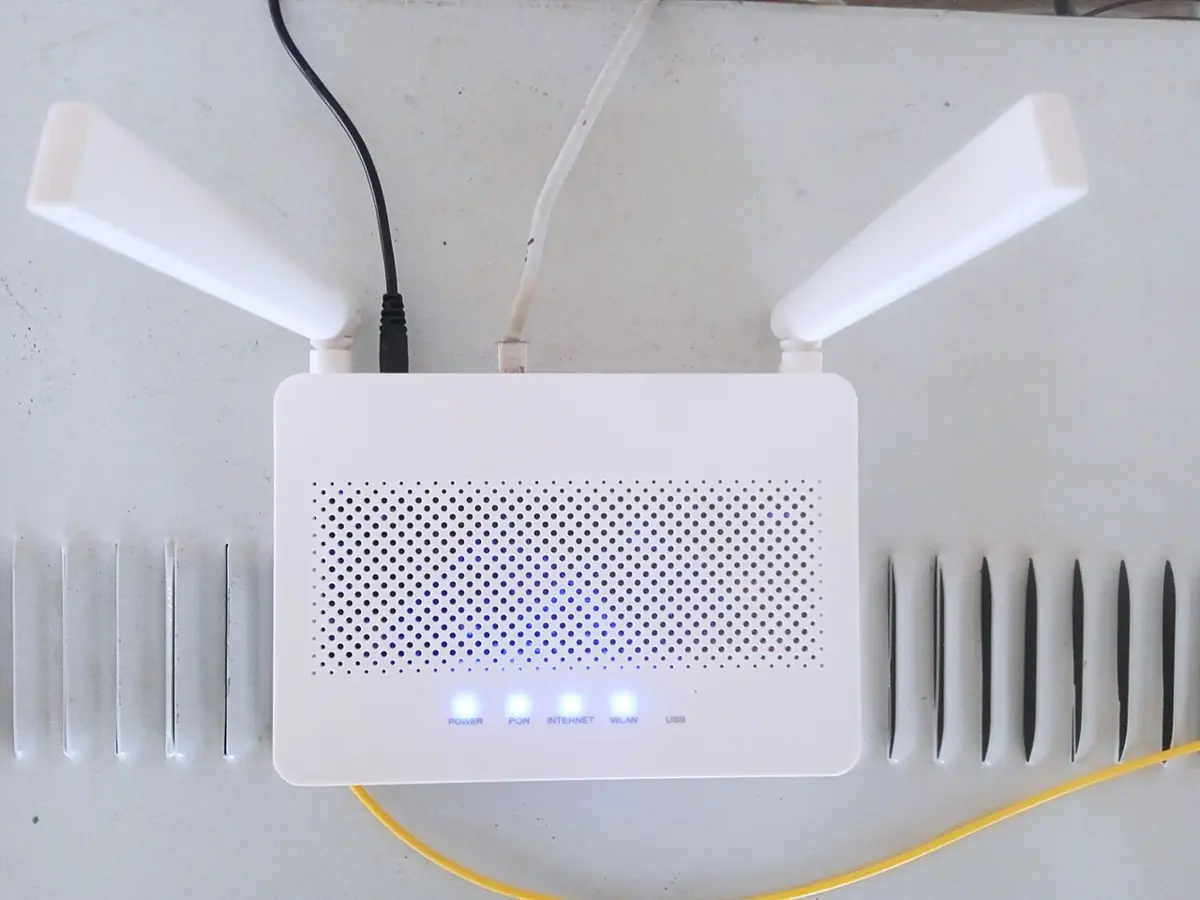
| fiber box (an ONT) | turns the electrical signals of a home or office into flashes of light in a fiber cable, and back |
| mobile tower | carries data by radio between phones and the phone company’s network, over a few kilometers |
| cables | copper cables carry electrical signals over short distances; optical fiber carries light for long ones |
How fast?
Signals in an optical fiber travel as light in glass, at about 200,000 kilometers per second (two-thirds of the speed of light in empty space).
Wi-Fi, mobile data and cables
Follow a message out of Anisha’s phone, all the way to the world.
The first step: radio
The first step is almost always by radio, invisible waves of the same family as light and the signals that FM radio stations send.
- Wi-Fi carries data by radio between a device and a Wi-Fi router. It reaches a few rooms, tens of meters. Brick and concrete walls, and floors, weaken it, so a router high up in the middle of a home reaches more of it than one in a corner cupboard.
- Mobile data carries data by radio between a phone and the nearest mobile tower, usually within a few kilometers. Each tower is joined to the phone company’s network by a fiber cable, or, in the hills, often by a radio link to another tower on the next ridge. Your SIM card tells the network which customer you are, so it knows whose data pack to count.
Cables in Nepal
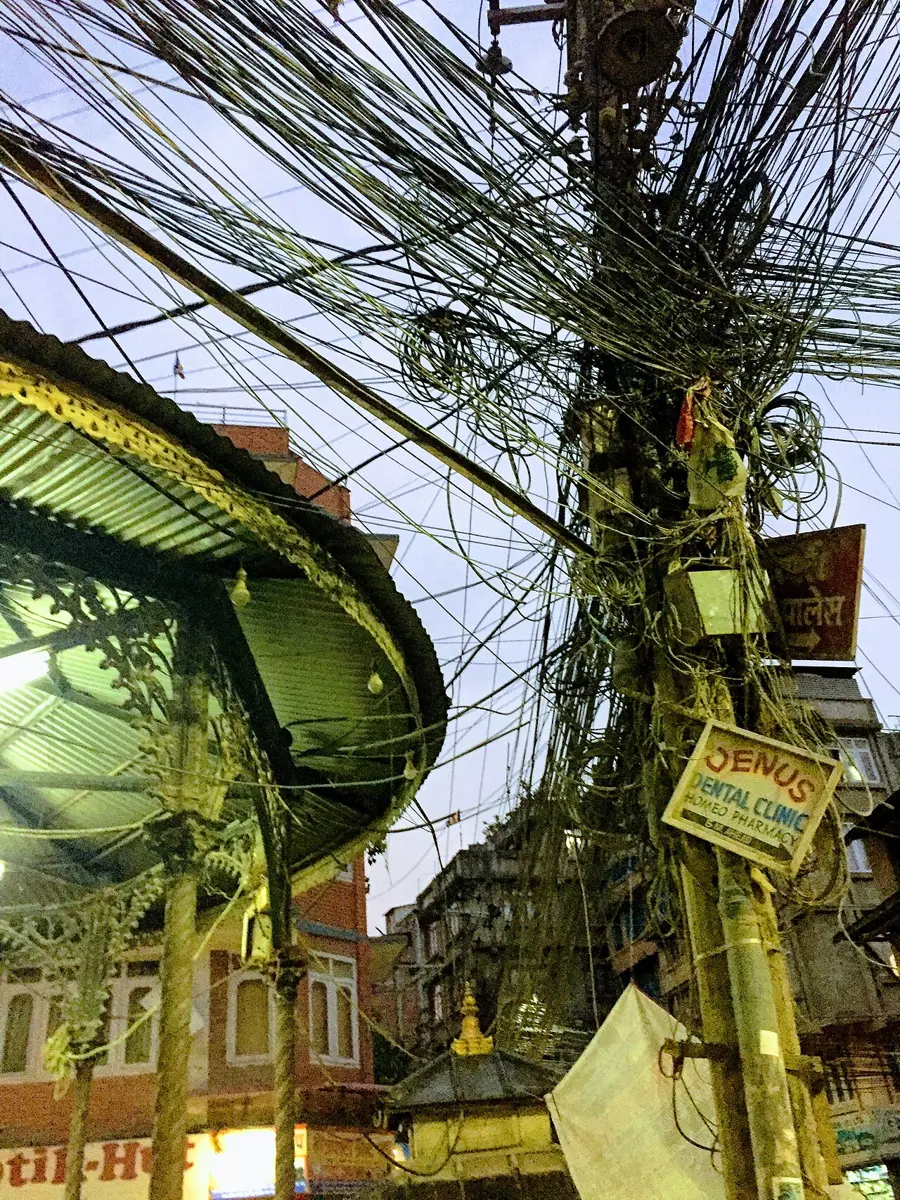
From the router or the tower, the message goes by cable. Most new home connections in Nepal are fiber to the home: a thin optical fiber cable runs from the internet company’s equipment, along the poles in the street, right into the house, to a fiber box. There the flashes of light become electrical signals for the router.
From the internet companies, bigger fiber cables run between cities, along the main roads. In the Kathmandu Valley the companies’ networks meet at an internet exchange, the Nepal Internet Exchange (npIX), where they pass each other’s packets directly. So when Anisha in Bhaktapur, with one company, sends a message to Sujan in Pokhara, with another, it can stay inside Nepal the whole way.
How the internet reaches Nepal
Most websites and apps are kept on servers in other countries. Nepal has no coast, so no cable from under the sea comes ashore here. Instead, fiber cables cross the border by land.
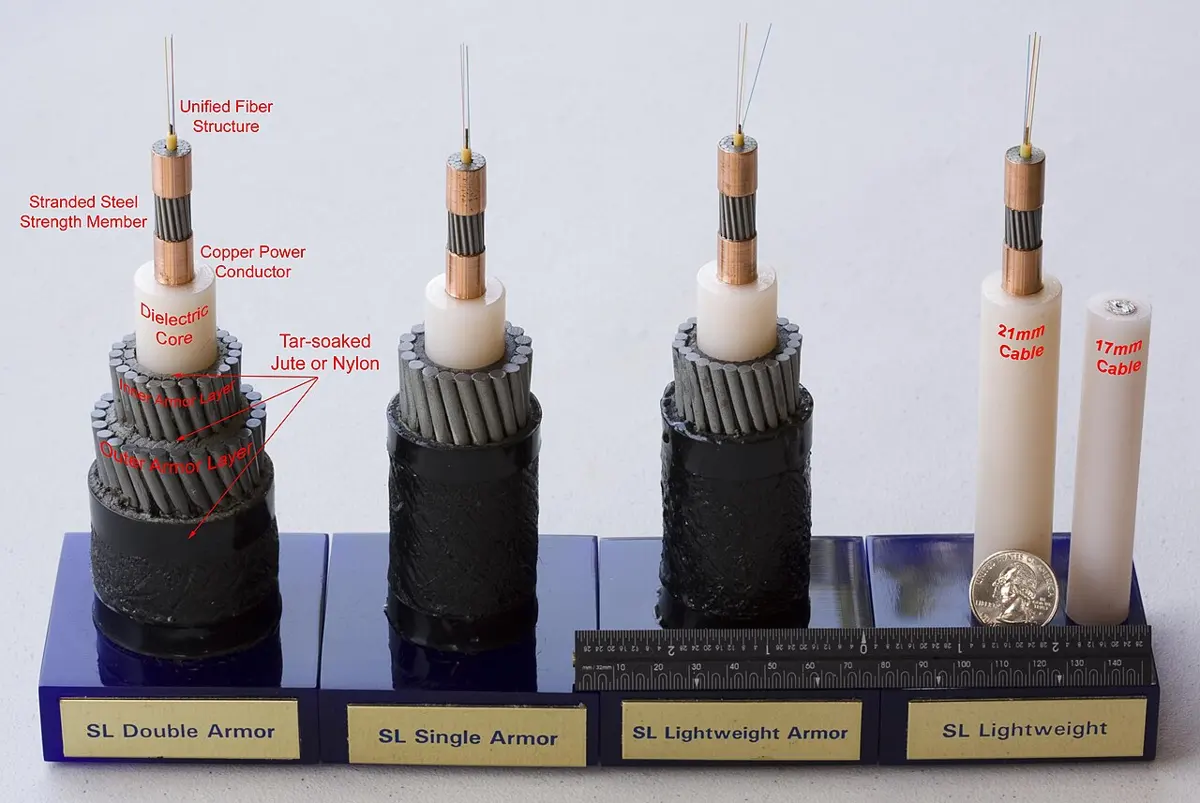
Across oceans, almost all the world’s internet travels in cables lying on the sea bed, thousands of kilometers long. A few satellites carry some too, especially to places no cable reaches, but cables carry far more, far more cheaply.
Your phone shows full Wi-Fi bars, but no website opens. What could be the reason?
Pick an answer to see why.
How does the internet reach Nepal from other countries?
Pick an answer to see why.
Why it keeps working
A tree falls on a line in Dhulikhel. A router in a Kathmandu data center breaks down. A landslide cuts a cable in the hills. Every day, links break somewhere, and almost nobody notices. Why?
Because the internet has no center. If every message went through one central place, that place breaking would stop everything. Instead, the internet is a mesh: each router is joined to several others, so between any two places there are usually many ways. When a link breaks:
- the packets that were on it at that moment are lost;
- the routers on each side notice, and tell their neighbors that this way is gone;
- the next packets go by another way;
- the two ends notice which numbers never arrived, and the sender sends those packets again.
This ability to keep working when parts fail is called resilience.
The weak points are at the edges
The middle of the internet is a mesh, but the edges are not. Your home has one fiber cable; your phone reaches one tower at a time; a small town may be joined to the rest by one cable along one road. A break there cuts off everyone behind it, however many ways the middle has. That is why internet companies join important places by two cables along different roads, and why Nepal’s second way to the world, over the mountains to China, mattered so much: when a country has only one way out, one cut can silence it.
Copies in many places
There is one more reason the internet holds up: the things people use most are kept in many places at once. A big website or video app keeps copies of its pages and popular videos on servers in many countries, some even inside internet companies’ own networks. So a popular video often comes from a copy close to you, and if a link far away breaks, or a server fails, the nearest copy still answers. It is quicker for you, too.
Why does the internet keep working when one link breaks?
Pick an answer to see why.
Which break would cut off a whole village from the internet, while the rest of Nepal carries on?
Pick an answer to see why.
Making a data pack last
A data pack is an amount of mobile data you pay for, such as 1 GB to use within 7 days. Every packet your phone sends or receives over mobile data counts against it, whether you are looking at the screen or not.
What uses the most? Anything with video, by far. Text is tiny: a chat message is a few thousand bytes. A photo sent in a chat app is about a fifth of a megabyte, because the app shrinks it first. Sound needs more, but a voice call is still small. Video is a moving picture, many pictures a second, and its data adds up fast. And the higher the quality (the sharper the picture), the more data each minute takes.
Where the data goes without you
Some data is used when you aren’t even holding the phone:
- App updates can be tens or hundreds of megabytes each.
- Backups of photos and videos to the internet, which many phones do by themselves.
- Autoplay: a video app starting the next video, or a feed playing videos as you scroll past them, even with the sound off.
- Apps running in the background, checking for news, adverts and messages.
Ways to save data
- Big things on Wi-Fi. Set app updates and photo backups to “Wi-Fi only”. Download videos, films and maps at home on Wi-Fi, to watch or use later.
- Lower the video quality. On a phone’s small screen, medium quality looks almost as good as high, at a quarter of the data or less.
- Switch off autoplay in video and social media apps.
- Turn on data saver (it may be called low data mode): the phone stops most apps using data in the background.
- A voice call instead of a video call, when the picture isn’t needed.
- Check the list of apps by data each month, and stop the ones that take more than they are worth.
Which of these would use the most data in an hour?
Pick an answer to see why.
Sharing a connection: the hotspot
Sujan needs to send his project from a laptop, but the laptop has no internet. His phone has mobile data. He can turn on the phone’s hotspot: the phone becomes a small Wi-Fi router, and shares its mobile data with the laptop, or any other device that joins, through Wi-Fi.
Things to know about a hotspot:
- Every device that joins uses your data pack. A laptop uses data faster than a phone: it updates programs, backs up files and loads full-size web pages. Watch the data left.
- Set a strong password for the hotspot, like a Wi-Fi password (below), so that strangers nearby can’t join and use up your pack.
- It uses the battery fast, and the phone may get warm. Keep the phone charging if you can.
- Switch it off when you have finished.
Your home Wi-Fi router
A home Wi-Fi router does several jobs in one box: it is a router (joining the home’s network to the internet company’s), a Wi-Fi radio, often the fiber box too, and it gives out home addresses. Anyone who knows its Wi-Fi password can join the home network: they use the connection, can slow it down, and may be able to see the other devices on it. Anyone who gets into its settings can change everything, even lock you out.
So a home router needs two different passwords:
- the Wi-Fi password, which people type to join the Wi-Fi;
- the admin password, which opens the router’s settings page. A new router comes with a simple one, often printed on its label and the same on thousands of routers. It must be changed.
Making it safe
Do this with an adult at home; the router belongs to the whole family, and a wrong setting can cut everyone off.
- Find the label on the bottom or back of the router. It gives the address of the settings page (a number such as 192.168.1.1) and the first admin password.
- Open the settings page. On a phone or laptop joined to the router’s Wi-Fi, type that address into the browser, and log in. (Some internet companies give an app to do this instead.) Change only the settings below: if something else is changed by mistake and the internet stops, the internet company can put it right.
- Change the admin password to a long one. Write it down and keep it at home.
- Choose the Wi-Fi name (also called the SSID). Don’t use your family’s name or house number: the name can be seen by everyone nearby.
- Set a strong Wi-Fi password: three or four random words, as you learned in Grade 6, at least 12 characters. Choose the strongest security the router offers. Every device then drops off the Wi-Fi, the one you are using too, and must join again with the new password, so have it written down first.
- Look at the list of connected devices. Do you know every one? If not, change the Wi-Fi password, and all of them must join again with the new one.
- Restart it now and then, and let it install updates, which fix weaknesses.
Why should the admin password that comes with a new router be changed?
Pick an answer to see why.
In short
Exercise
What is a packet?
Pick an answer to see why.
What does a router read in each packet it passes on?
Pick an answer to see why.
Which of these could be an IP address?
Pick an answer to see why.
A packet from Kathmandu to a server abroad passes through 15 routers. What is each step from one router to the next called?
Pick an answer to see why.
Why did a second link to the world, through China, make Nepal’s internet more resilient?
Pick an answer to see why.
Rita’s 2 GB pack runs out in three days, though she mostly just chats. Which is the most likely reason?
Pick an answer to see why.
Explain why a message is cut into packets before it is sent over the internet. Give three reasons.
Answer
Draw a packet and label its parts. Then explain how the receiver puts a message back together when its packets arrive in the order 3, 1, 4, 2.
Answer
What is the job of: i. a router, ii. a server, iii. a fiber box, iv. a mobile tower?
Answer
Your home has three phones and a laptop on one Wi-Fi. How many addresses does the home have on the internet? How does the router know which device each incoming page belongs to?
Answer
Light in optical fiber travels about 200,000 km a second. How long does it take to cross: i. a 30 km cable from Kathmandu to Dhulikhel and back? ii. a 9,000 km cable under the sea?
Answer
Describe how the internet reaches a phone in Pokhara from a server in another country.
Answer
“The internet has no center.” What does this mean, and why does it make the internet resilient? Where are its weak points?
Answer
Use the figures in this unit (video calls about 6 MB a minute; medium-quality video 12 MB a minute; high quality 50 MB a minute). Kabita has a 3 GB pack for 30 days. She makes a 15-minute video call every day. How much data is left each day for videos? How many minutes of medium-quality video is that? And of high quality?
Answer
Write five ways to make a mobile data pack last longer, and say why each one helps.
Answer
Your friend wants to turn on her phone’s hotspot so that three classmates can use the internet on their laptops. What should she do, and what should she watch out for?
Answer
List the steps to make a new home Wi-Fi router safe. Why must the admin password be changed even if the Wi-Fi password is strong?
Answer
On a stormy evening, the fiber cable to Bimal’s home is cut by a falling branch. Which of these still work, and which don’t? Explain. i. Bimal’s phone on Wi-Fi; ii. Bimal’s phone on mobile data; iii. the internet in the rest of his town; iv. a message from Bimal’s sister in Kathmandu to their cousin in Pokhara.
Answer
Quiz yourself: Networks and the internet, Grades 6–12 →
Practice every question in the book, and keep track of the ones you miss →