
Press Run under a program on this page, and a moment later its answer appears. In that moment a great deal happens. Your Python is read and turned into simpler instructions. A program inside the browser carries those out one by one. The operating system shares the processor between that program and a hundred others, and each tiny step ends as a pattern of on and off in transistors, billions of times a second.
In Grade 9 you built a processor from gates and stepped a model one through fetch, decode and execute. In this unit you go all the way down from your code to the circuits and back. You will write assembly language for a processor with registers, and turn it into the numbers the processor reads. You will make circuits smaller with Boolean algebra, see how the processor’s clock keeps it in step, and compare the different kinds of processor in a rice cooker, a phone, a laptop and a graphics card. You will see what a compiler and an interpreter really do, and read the instructions Python makes from your own functions. You will find where a program keeps its variables (the stack and the heap), how the operating system runs many programs and threads at once, and why a computer can’t add 0.1 and 0.2 exactly. Along the way you will find the limits every real machine has, and learn to work inside them.
A processor with registers
Grade 9’s model processor had one place to work, the accumulator (ACC). Every sum went through it, and every number had to be fetched from memory and stored back. Real processors have many such places. The processor in a phone has dozens of registers, each holding one number, and its arithmetic works only on them. Memory is reached by just two kinds of instruction: LOAD copies a number from memory into a register, and STORE copies a register back into memory. A processor built this way is called a load/store design. Most phones use one.
Our new model works the same way. It has:
- four registers, R0, R1, R2 and R3, each holding a whole number from −32,768 to 32,767 (16 bits, two’s complement, as in Grade 9);
- the program counter (PC), which holds the address of the next instruction, as before;
- a compare flag, which remembers the result of the last comparison: less, equal or greater;
- a memory of 32 words, at addresses 0 to 31. A word is the group of bits the processor reads or writes in one go; here a word is 16 bits.
These are its instructions. Rd and Rs stand for any of the four registers; #n is a number written into the instruction itself, from 0 to 255; a is an address, or a label that names one.
| Instruction | What it does |
|---|---|
| MOV Rd, #n | put the number n in Rd |
| LOAD Rd, a | copy the word at address a into Rd |
| STORE Rd, a | copy Rd into the word at address a |
| ADD Rd, Rs | Rd = Rd + Rs |
| ADD Rd, #n | Rd = Rd + n |
| SUB Rd, Rs | Rd = Rd − Rs |
| SUB Rd, #n | Rd = Rd − n |
| CMP Rd, Rs | compare Rd with Rs; the flag says less, equal or greater |
| CMP Rd, #n | compare Rd with n |
| B a | branch: take the next instruction from a |
| BEQ a | branch if the flag says equal |
| BGT a | branch if the flag says greater |
| BLT a | branch if the flag says less |
| OUT Rd | send Rd to the output |
| HALT | stop |
(Nine more come later in this unit: five for single bits, at the end of the next section, and CALL, RET, PUSH and POP, with the stack.) A branch is what Grade 9 called a jump: it puts a new address in the PC.
Labels instead of addresses
In Grade 9 you wrote JUMP 1 and had to count cells to know where 1 was. Add one instruction near the top, and every address after it moves: each jump must be fixed by hand. Assembly language lets you write a label instead. Write loop: in front of an instruction, and BGT loop means “branch to wherever that instruction ends up”. A program called the assembler, which turns assembly language into machine code, works out the address for you. A semicolon starts a comment, a note for people that the assembler ignores.
Here is Grade 9’s countdown, rewritten for our new processor:
MOV R0, #3 ; n = 3loop: OUT R0 ; show n SUB R0, #1 ; n = n - 1 CMP R0, #0 ; compare n with 0 BGT loop ; if n > 0, go round again HALTIn the countdown, which instruction decides whether the loop goes round again?
Pick an answer to see why.
Comparing and choosing
A choice works the same way. Compare two numbers, then branch past the instructions you want to skip. This program shows the larger of two exam marks, Mina’s and Bikash’s, kept in memory after the program as data. DATA 67 isn’t an instruction: it tells the assembler to put the number 67 in that word.
In Python, the whole program is:
mina = 67bikash = 72if mina > bikash: larger = minaelse: larger = bikashprint(larger)Output
72Every if you have ever written becomes a compare and a branch like this, and every loop becomes a compare and a branch back. A processor has no if, no while and no for; it has only branches.
Machine code: instructions as numbers
The processor can’t read words like ADD. As in Grade 9, every instruction is stored as a number, its machine code, and the widget shows that number beside each line, in hexadecimal (Grade 9 Unit 2). Each word is 16 bits, which is exactly four hex digits, and our processor uses them like this:
- the first hex digit is the opcode: which operation to do;
- the second is the register it works on (0 to 3);
- the last two are the operand: what it works with, an address, a number, or a second register.
| Instruction | Machine code | Instruction | Machine code | |
|---|---|---|---|---|
| HALT | 0000 | CMP Rd, Rs | 8d0s | |
| MOV Rd, #n | 1dnn | CMP Rd, #n | 9dnn | |
| LOAD Rd, a | 2daa | B a | A0aa | |
| STORE Rd, a | 3daa | BEQ a | B0aa | |
| ADD Rd, Rs | 4d0s | BGT a | C0aa | |
| ADD Rd, #n | 5dnn | BLT a | D0aa | |
| SUB Rd, Rs | 6d0s | OUT Rd | Fd03 | |
| SUB Rd, #n | 7dnn |
Look at ADD. Written in assembly, ADD R0, R1 and ADD R0, #1 look alike, but they are two different instructions with two different opcodes: one adds a register (opcode 4), the other adds a number held inside the instruction itself (opcode 5). A number written into the instruction like this is called an immediate value. The way an instruction says where to find what it works with is its addressing mode: a register, an immediate value, or an address in memory.
How the assembler does it
Look at the countdown again. When the assembler reaches BGT loop, it must know loop’s address. Here it does, because loop came earlier. But in the program for the larger mark, BGT show comes before the line labeled show. How can the assembler write the address of a line it hasn’t reached?
It reads the program twice. On the first pass it only counts: each line with an instruction or DATA takes one word, so it gives each line its address, and writes down every label with its address in a symbol table. On the second pass it turns each line into a word, looking up the labels in the table. That is why real assemblers are called two-pass assemblers. For the larger-mark program the symbol table is:
| Label | Address |
|---|---|
| show | 6 |
| mina | 8 |
| bikash | 9 |
Why can the same processor’s machine code not run on a processor of another kind, such as an Arm phone’s code on an ordinary laptop?
Pick an answer to see why.
Single bits: masks and shifts
Many homes in Nepal keep an inverter for load-shedding: a box with a battery that powers the lights when the mains goes off. Inside it a small processor watches everything and keeps what it knows in one number, its status register, where each bit is a yes or a no. Bits are numbered from the right, starting at 0:
| Bit | 7 to 4 | 3 | 2 | 1 | 0 |
|---|---|---|---|---|---|
| Means | not used | overload | battery low | charging | on battery |
So the status 0000 0101 says: running on the battery (bit 0 is 1), and the battery is low (bit 2 is 1). The program must look at one bit and ignore the rest. ADD and CMP can’t do that: they treat the whole word as one number. What it needs are Grade 7’s AND, OR and XOR, done on every pair of bits at once, bit 0 with bit 0, bit 1 with bit 1, and so on. Operations done bit by bit like this are called bitwise operations. Our processor has five more instructions for them:
| Instruction | Machine code | What it does |
|---|---|---|
| AND Rd, Rs | Fd1s | each bit of Rd = that bit of Rd AND that bit of Rs |
| OR Rd, Rs | Fd2s | each bit of Rd = that bit of Rd OR that bit of Rs |
| XOR Rd, Rs | Fd3s | each bit of Rd = that bit of Rd XOR that bit of Rs |
| LSL Rd, #n | Fd4n | shift Rd’s bits n places to the left; 0s come in on the right |
| LSR Rd, #n | Fd5n | shift Rd’s bits n places to the right; 0s come in on the left |
To test bit 2, AND the status with a mask: a number with a 1 only in the bits you want to look at. Wherever the mask has a 0, AND gives 0; wherever it has a 1, the status bit comes through unchanged.
| Bits | |
|---|---|
| status | 0000 0101 |
| mask for bit 2 | 0000 0100 |
| status AND mask | 0000 0100 |
The answer is not 0, so bit 2 is on: the battery is low. Had bit 2 been off, every bit of the answer would be 0.
A mask does four jobs, one for each thing a program wants to do to a bit:
| To | Do | Mask | Example on 0000 0101 |
|---|---|---|---|
| test a bit | AND | 1 in that bit, 0 elsewhere | AND 0000 0100 gives 0000 0100: not 0, so bit 2 is on |
| set a bit (make it 1) | OR | 1 in that bit, 0 elsewhere | OR 0000 1000 gives 0000 1101 |
| clear a bit (make it 0) | AND | 0 in that bit, 1 elsewhere | AND 1111 1110 gives 0000 0100 |
| flip (toggle) a bit | XOR | 1 in that bit, 0 elsewhere | XOR 0000 0010 gives 0000 0111 |
Each works because of a rule from Grade 7: x AND 1 is x, x AND 0 is 0; x OR 0 is x, x OR 1 is 1; x XOR 0 is x, x XOR 1 is NOT x. The mask’s 1s and 0s choose, bit by bit, which rule applies.
A shift moves every bit along. Shift 0000 0101 (5) one place left and you get 0000 1010 (10): every bit is worth twice as much, just as writing a 0 after a decimal number multiplies it by 10. A logical shift left by n multiplies by 2ⁿ, and a logical shift right by n divides by 2ⁿ, throwing away the remainder: 0000 0101 shifted right once is 0000 0010 (2). Bits pushed off the end are lost. Shifts also make masks: 1 shifted left 3 places is 0000 1000, the mask for bit 3.
Python has the same operations, written as symbols: & (AND), | (OR), ^ (XOR), ~ (NOT, every bit flipped), << and >> (shifts). 0b starts a number written in binary.
status = 0b00000101BATTERY_LOW = 0b00000100 # the mask for bit 2 print((status & BATTERY_LOW) != 0) # test bit 2status = status | 0b00001000 # set bit 3status = status & ~0b00000001 # clear bit 0status = status ^ 0b00000010 # flip bit 1print(format(status, "08b"), status)print(status >> 2, 1 << 3)Output
True00001110 143 8Which operation and mask switch bit 1 off and leave every other bit as it was?
Pick an answer to see why.
Fewer gates: Boolean algebra
Every instruction you have run so far, from ADD to XOR, is carried out by circuits of logic gates, like Grade 9’s adder. A processor is copied millions of times on its way into phones, and each of its circuits may be copied thousands of times inside one chip. So every gate saved matters: fewer gates take less space on the chip, use less power, and, with fewer gates in a row, give their answer sooner. This section is about making a circuit smaller without changing what it does.
Logic written as algebra
In Grade 7 you wrote rules in words: NOT (A AND B). Engineers write them more briefly, as Boolean algebra, named after George Boole, a self-taught English mathematician who wrote logic as algebra in his book The Laws of Thought (1854). In 1937 Claude Shannon, a student at MIT in the United States, showed in his master’s thesis that circuits of switches follow exactly Boole’s rules, so a circuit could be designed, and made simpler, on paper.
| In words (Grade 7) | In this book, AQA and Cambridge | OCR | |
|---|---|---|---|
| AND | A AND B | ||
| OR | A OR B | ||
| NOT | NOT A | ||
| XOR | A XOR B |
OCR’s exam papers use the symbols in the last column, and accept the other forms in answers.
NOT is done first, then AND, then OR, as in Grade 7, so means . A bar over a whole expression, , means NOT of all of it: work out what is under the bar first. The · for AND is often left out, as × is in maths: means .
The rules
These rules are true for every value of A, B and C. Each can be checked with a truth table of two or four rows; try one or two.
| Rule | For AND | For OR |
|---|---|---|
| Identity | ||
| Null | ||
| Idempotent (the same twice) | ||
| Complement (a thing and its opposite) | ||
| Double negation | ||
| Commutative (order doesn’t matter) | ||
| Associative (brackets don’t matter) | ||
| Distributive | ||
| Absorption | ||
| De Morgan |
Most look like ordinary algebra, with 1 and 0. A few don’t: in ordinary numbers a + a isn’t a, and a + bc isn’t (a + b)(a + c). Check absorption with a table: if A is 1, both and A are 1; if A is 0, is 0 too, so both are 0. De Morgan’s laws, which you met in Grade 7 in words, say how to take a bar off a whole expression: break the bar over each letter, and change the sign, AND to OR or OR to AND.
Simplifying a circuit
Many houses in Kathmandu fill a tank on the roof with a pump. Say a family wants it to run in these cases, where A means “the tank is low”, B “there is water in the supply pipe” and C “the manual switch is on”:
| A | B | C | Pump P |
|---|---|---|---|
| 0 | 0 | 0 | 0 |
| 0 | 0 | 1 | 1 |
| 0 | 1 | 0 | 0 |
| 0 | 1 | 1 | 1 |
| 1 | 0 | 0 | 0 |
| 1 | 0 | 1 | 1 |
| 1 | 1 | 0 | 1 |
| 1 | 1 | 1 | 1 |
Any truth table can be turned straight into an expression. Take each row where the output is 1, and write an AND of all the inputs, with a bar over those that are 0 in that row: the row 0 0 1 becomes , true in that row and no other. Then OR them together. An OR of ANDs like this is called a sum of products:
It is right, but as a circuit it needs five 3-input AND gates, a 5-input OR gate and NOT gates for the barred letters. The rules make it smaller.
Karnaugh maps
Algebra works, but you have to spot which rule to use next. A Karnaugh map (K-map) lets you see it. It is the truth table folded into a grid. For three inputs, the rows are A and the columns are B and C; for four inputs, the rows are A and B, the columns C and D. The columns are numbered in a special order, 00, 01, 11, 10, not 00, 01, 10, 11, so that any two cells side by side differ in only one input. (This order, where each number differs from the next in one bit, is a Gray code.) The left edge and the right edge are neighbors too, as are the top and bottom on a four-input map: roll the map into a tube, and they touch.
Two neighboring 1s differ in one input, so that input doesn’t matter for them, and drops out, just as made B drop out in the pump’s algebra. So you draw loops round the 1s, by these rules:
- a loop holds only 1s;
- it holds 1, 2, 4, 8 or 16 cells, in a rectangle (edges wrap round);
- make every loop as big as you can, and use as few loops as you can;
- loops may overlap, and every 1 must be in at least one loop.
Each loop is one AND term. Read it by asking which inputs stay the same everywhere in the loop: each one that stays 1 is written as itself, each one that stays 0 with a bar, and those that change are left out. A loop of 2 drops one input, a loop of 4 drops two, a loop of 8 drops three. Then OR the loops together.
Some maps in exams also have cells marked X, “don’t care”: rows that can never happen, such as a digit above 9 in a circuit for the digits 0 to 9. A loop may take an X in if that makes the loop bigger, or leave it out.
On a Karnaugh map, why are the columns in the order 00, 01, 11, 10?
Pick an answer to see why.
Which is the same as ?
Pick an answer to see why.
Memory that ticks: the D flip-flop
Grade 9 made a latch from two gates wired in a loop: it holds one bit for as long as the power is on. But a processor must keep many bits, and change them all together, once each step. Think of the PC. An adder works out PC + 1 from it, and the answer goes back into the PC. If the PC took in its new value the moment it appeared, the adder would at once see the new PC and make another, and the PC would race on, 1, 2, 3, 4 … as fast as the gates could change.
So a processor has a clock: a signal that goes 0, 1, 0, 1, over and over, billions of times a second (the gigahertz of Grade 7). Each 0 to 1 is a tick, and the moment it rises is the clock’s rising edge. The bits that must change in step are kept in D flip-flops (D for data). A D flip-flop has an input D and an output Q, and it copies D to Q only at the rising edge. The rest of the time Q holds its bit, whatever D does. Because it reacts to the edge and not to the level, it is called edge-triggered. (One can be built from two of Grade 9’s latches, one after the other.)
Put a row of D flip-flops side by side, all on the same clock, and you have a register: at each tick every bit takes in its new value at the same moment, then holds it steady until the next tick. Our model processor has 32 addresses, so its PC needs 5 bits: 5 flip-flops. Their D inputs are fed the next address, PC + 1 from an adder, or a branch’s target when a branch is taken. Between ticks the next address has time to settle at the D inputs; at the tick the PC takes it, all five bits at once.
The clock can only tick as fast as the slowest path of gates between one register and the next can settle. That is one more reason to simplify: a circuit with fewer gates in a row lets the clock tick faster.
A D flip-flop holds Q = 0. D changes to 1, then back to 0, and then the clock ticks. What is Q after the tick?
Pick an answer to see why.
Different processors for different jobs
A rice cooker, a phone, a laptop and the computers that train a chatbot all run machine code. But they don’t all use the same kind of processor, because they don’t have the same job. A rice cooker’s chip must cost very little; a phone’s must last all day on a battery; a laptop’s must run programs written decades ago; a graphics card must do the same sum on millions of numbers. Three choices in a processor’s design make the difference.
One memory or two: Von Neumann and Harvard
Our model processor keeps its program and its data in one memory, and reaches both along one path, as Grade 9’s did. That is the Von Neumann architecture. It is simple and flexible: memory can be shared out between program and data however each program needs, and a program is just data, so it can be loaded, saved and installed like any file. Its weakness is that path. To add two numbers from memory the processor must fetch the instruction, and then the numbers, one after another along the same bus; while it waits for one, it can’t fetch the other. This queue at the one path is called the Von Neumann bottleneck.
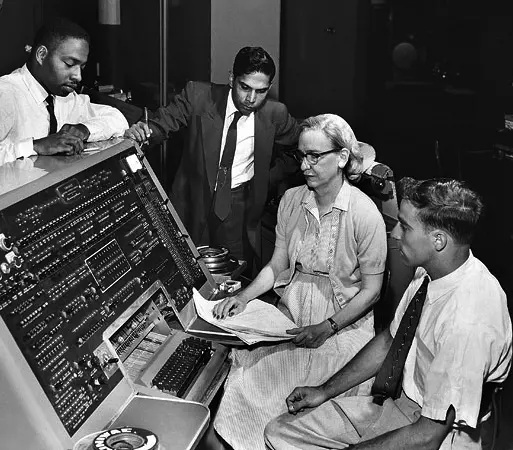
The Harvard architecture keeps instructions and data in two separate memories, each with its own path, so the processor can fetch its next instruction while it reads or writes a number. It takes its name from the Harvard Mark I, the computer Grace Hopper programmed in 1944 (her story comes later in this unit), which read its instructions from a punched paper tape and kept its numbers elsewhere.
| Von Neumann | Harvard | |
|---|---|---|
| memories | one, for instructions and data | two, one for each |
| paths (buses) | one, shared | two, used at the same time |
| speed | instruction and data take turns on the bus | both at once: faster for the same clock |
| flexibility | memory shared out as needed; programs load like data | each memory has a fixed size |
| found in | most general-purpose computers | small controllers, signal processors, and the caches inside every core |
Most real processors mix the two. A small controller, like the one in a rice cooker or Grade 8’s micro:bit, usually keeps its program in flash memory and its data in RAM, with a path to each: Harvard. A phone’s or a laptop’s processor has one main memory, Von Neumann’s way, but next to each core the cache (Grade 9) is split in two, one for instructions and one for data, so each core can fetch both in the same tick: Harvard on the inside.
Few simple instructions or many: RISC and CISC
Our model processor has a short list of instructions, each simple, each exactly one word long, and only LOAD and STORE reach memory. A design like that is called RISC, a reduced instruction set computer. The other way, CISC, a complex instruction set computer, offers many more instructions, some of which do several steps at once: one instruction might fetch a number from memory, add it to a register and write the answer back to memory.
| RISC | CISC | |
|---|---|---|
| instructions | fewer, each simple | more, some doing several steps |
| length | all the same (one word) | different lengths |
| reaching memory | only LOAD and STORE (load/store) | many instructions can use memory |
| per instruction | about one tick, easy to pipeline | some take many ticks |
| programs | more instructions for the same job | fewer, shorter programs |
| the chip | simpler decoding, fewer transistors, less power | more complex decoding |
| work for the compiler | more: it must build big steps from small ones | less |
CISC came first. In the 1960s and 1970s memory was costly and many programs were written in assembly by hand, so a processor that could do much in one instruction saved memory and the programmer’s time. By 1980 compilers wrote most programs, and researchers found that compilers hardly used the complex instructions. Make every instruction simple, they argued, and the processor could be smaller and faster, and pipelining (Grade 9) would work smoothly, since every instruction takes the same steps. David Patterson’s team at the University of California, Berkeley, named this RISC in 1980, and John Hennessy’s at Stanford built one too; the two shared the Turing Award for it in 2017. (At IBM, John Cocke had built one even earlier.)
Today the line is blurred. The processors in almost every phone are RISC designs, chosen because simple decoding takes fewer transistors and less power, so the battery lasts longer. Most laptops and desktops still use a CISC instruction set, kept since 1978 so that old programs still run; but inside, such a processor first breaks each complex instruction into simple steps, called micro-operations, and then runs those like a RISC.
One step, many numbers: SIMD and GPUs
This part is for reading on your own: read it through, since the networks of Unit 8 are trained on the processors it describes.
An ordinary instruction does one thing to one piece of data: ADD R0, R1 adds one pair of numbers. In 1966 Michael Flynn sorted computers by how many streams of instructions and of data they work on at once, and his names are still used:
| One stream of data | Many streams of data | |
|---|---|---|
| One stream of instructions | SISD: one instruction, one piece of data at a time (our model processor) | SIMD: one instruction done to many numbers at once |
| Many streams of instructions | MISD: several instructions on the same data (rare in practice) | MIMD: several cores, each running its own program on its own data (every phone with several cores) |
SIMD (single instruction, multiple data) is the one that matters most now. Picture a teacher marking 40 answer sheets with one key. Marking each sheet question by question, one after another, is SISD. Laying all 40 sheets side by side and ticking question 1 on every sheet at once, then question 2 on every sheet, would be SIMD: the same step, done to many pieces of data together. Most cores in phones and laptops have some SIMD instructions that add or multiply, say, 8 pairs of numbers in one go, for pictures, sound and video.
A graphics processor (GPU) takes the idea as far as it will go. Grade 7 called it thousands of small, simple cores. They work in groups, and every core in a group carries out the same instruction at the same moment, each on its own numbers: one instruction might work out the color of 32 pixels at once. Each core is simpler and slower than a CPU core, with no cleverness for programs full of choices; but there are so many that, for work made of the same step on millions of numbers, a GPU finishes long before a CPU.
Training the neural networks of Unit 8 of this book is exactly such work. A network is layers of neurons, and each neuron multiplies every input by its weight and adds them up. For the digit network of Unit 8, one digit going through the hidden layer takes 196 × 32 = 6,272 multiplications, and a batch of 10 digits 62,720, and none of them needs the answer of another: they can all be done at the same time. Training repeats this, forwards and then backwards to correct the weights, for every batch, again and again. A CPU, even with several cores and SIMD, does perhaps a hundred or so multiplications in each tick; a large GPU does tens of thousands. Language models (Grade 10) have billions of weights instead of Unit 8’s 6,634, and are trained only because thousands of GPUs work together on them for weeks.
Why does a phone’s processor usually use a RISC instruction set?
Pick an answer to see why.
Training a neural network is mostly the same multiply-and-add done to millions of weights, each independent of the others. Which kind of processing suits it best?
Pick an answer to see why.
Compilers and interpreters
You don’t write programs in assembly language, and almost nobody does now. Programs are written in high-level languages like Python, and translated. In Grade 9 you met the two ways: a compiler translates the whole program into machine code before it runs; an interpreter carries out a program as it goes. Now you can see what each one really does.
What a compiler does
A compiler is a program that reads a program. Say it reads this line of a C program:
total = price * quantity + 10;It works in stages, much as you would read a sentence in a new language:
- Reading the words (lexical analysis). It splits the text into tokens, the program’s words and symbols:
total,=,price,*,quantity,+,10,;. Spaces and comments are dropped here. - Finding the structure (parsing). It works out how the tokens fit together, by the language’s grammar, into a tree: the sum of (price × quantity) and 10, stored in total. Multiplication binds tighter than addition, so the tree has the multiplication inside the sum. A missing bracket is found at this stage: a syntax error.
- Checking the meaning. Is every name defined? Does
pricehold a number, so that it can be multiplied? Mistakes found here stop the compiling too. - Making the code (code generation). It walks the tree and writes machine instructions for each part: load price, load quantity, multiply, add 10, store in total.
- Improving the code (optimization). It looks for ways to make the code faster or smaller: keeping a value in a register instead of storing and loading it again, working out
60 * 60once while compiling instead of every time the program runs, taking out code that can never run.
The result is a file of machine code for one kind of processor, often called an executable. On Windows it might be total.exe. It can be run again and again without the compiler, and without the program’s text: you can give it to people without giving away your code.
What an interpreter does
An interpreter doesn’t make a file of machine code. It is a program, itself already in machine code, that reads your program and carries out each step as it comes to it. In fact, an interpreter is a fetch–decode–execute loop written in software: it fetches your program’s next instruction, decodes it (what is this? an addition? a call?), and executes it by running its own machine code for that kind of instruction, then fetches the next.
| Compiler | Interpreter | |
|---|---|---|
| When it translates | the whole program, once, before it runs | each step, every time it runs |
| What you run | the machine code it made | your program, through the interpreter |
| Speed of the program | fast: the processor runs it directly | slower: every step goes through the interpreter’s loop |
| Errors | many found before the program runs at all | found only when that line is reached |
| To run it elsewhere | compile again for each kind of processor | needs only an interpreter for that computer |
| Changing and trying again | compile again first | run again at once |
How Python runs your program
The usual Python does both. When you run a program, Python first compiles it, not into machine code but into bytecode: simple instructions for a processor that doesn’t exist as hardware, a made-up machine. Then its virtual machine (VM), a program written in the language C and compiled into machine code, interprets the bytecode, one instruction at a time. Python keeps the bytecode of modules you import in .pyc files in a folder called __pycache__, so it needn’t compile them again next time unless they have changed.
Why bytecode, and not machine code? Bytecode is the same on every computer, so a .pyc file made on a laptop works on a phone with Python; only the virtual machine has to be compiled for each kind of processor. Java, C# and JavaScript run on virtual machines too.
Reading Python’s bytecode
Python lets you see the bytecode of any function, with the dis module (short for disassembler). Run this:
import dis def total(price, quantity): t = price * quantity return t + 10 dis.dis(total)Output
3 RESUME 0 4 LOAD_FAST_BORROW_LOAD_FAST_BORROW 1 (price, quantity) BINARY_OP 5 (*) STORE_FAST 2 (t) 5 LOAD_FAST_BORROW 2 (t) LOAD_SMALL_INT 10 BINARY_OP 0 (+) RETURN_VALUEThe number on the left is the line of your program each group of instructions came from. Each line after it is one bytecode instruction, its name and its operand. The names are long, but you can read them:
- RESUME marks the start of the function; it does nothing you need to think about.
- LOAD_FAST puts a local variable’s value on top of a stack of values. (BORROW is a speed trick in recent versions of Python; read it as plain LOAD_FAST. LOAD_FAST_BORROW_LOAD_FAST_BORROW is two of them joined into one instruction, loading price and then quantity.)
- BINARY_OP takes the top two values off the stack, does the operation (5 means multiply, 0 means add), and puts the answer back on the stack.
- STORE_FAST takes the top value off the stack and keeps it in a local variable, t.
- LOAD_SMALL_INT puts a small whole number, 10, on the stack.
- RETURN_VALUE gives back the value on top of the stack.
So Python’s virtual machine has no registers. It works on a stack of values: it loads values onto the top of the stack, an operation takes them off and puts its answer back, and STORE takes the answer away. A machine built this way is called a stack machine. Our model processor is a register machine. Both can run any program.
Now the countdown, in Python and in bytecode:
import dis def countdown(n): while n > 0: print(n) n = n - 1 dis.dis(countdown)Output
3 RESUME 0 4 L1: LOAD_FAST_BORROW 0 (n) LOAD_SMALL_INT 0 COMPARE_OP 148 (bool(>)) POP_JUMP_IF_FALSE 23 (to L2) NOT_TAKEN 5 LOAD_GLOBAL 1 (print + NULL) LOAD_FAST_BORROW 0 (n) CALL 1 POP_TOP 6 LOAD_FAST_BORROW 0 (n) LOAD_SMALL_INT 1 BINARY_OP 10 (-) STORE_FAST 0 (n) JUMP_BACKWARD 29 (to L1) 4 L2: LOAD_CONST 1 (None) RETURN_VALUEPut it beside our assembly countdown, and it is the same plan: a compare (COMPARE_OP), a branch that leaves the loop when the answer is no (POP_JUMP_IF_FALSE, to L2), the body, and a branch back to the top (JUMP_BACKWARD). L1 and L2 are labels, just like loop: in ours. Python’s compiler chose to branch when the condition is false, out of the loop. (The two jumps’ operands, 23 and 29, count how far to jump, not where to; dis works out the label for you. NOT_TAKEN does nothing at all: it only helps Python notice which way branches usually go.)
The bytecode is stored as numbers too, as bytes. Every function keeps its bytecode in __code__.co_code:
def total(price, quantity): t = price * quantity return t + 10 print(list(total.__code__.co_code))Output
[128, 0, 87, 1, 44, 5, 0, 0, 0, 0, 0, 0, 0, 0, 0, 0, 112, 2, 86, 2, 94, 10, 44, 0, 0, 0, 0, 0, 0, 0, 0, 0, 0, 0, 35, 0]Each instruction is an opcode byte followed by its operand byte, just as each of our words is an opcode and an operand. (The runs of zeros are spare room some instructions keep beside them, which the virtual machine uses as it runs to remember things that make the next run faster.)
Why interpreted programs are slower
Every bytecode instruction costs the virtual machine dozens of its own machine instructions: fetch the bytecode, decode it, check what kind of values are on the stack (a number? text? a list?), then do the work. A compiled program from a language like C knows the kinds of its values before it runs, and the processor does each step directly. So a loop of simple arithmetic in Python is often ten times slower than the same loop compiled from C, or more.
That is why Python programs that must be fast hand their heavy work to code compiled from C: when you use sum(), or a library such as pandas (Grade 10), the loop runs in compiled code, not in bytecode. Try it:
import time numbers = list(range(1_000_000)) start = time.perf_counter()total = 0for n in numbers: total = total + nloop_time = time.perf_counter() - start start = time.perf_counter()total2 = sum(numbers)sum_time = time.perf_counter() - start print(total == total2)print("loop:", round(loop_time * 1000), "ms")print("sum():", round(sum_time * 1000), "ms")The times depend on the computer, so yours will differ, but sum() is usually several times faster than the loop. Both add up the same million numbers; the difference is only how many steps go through the interpreter.
Another way to speed up an interpreter is to compile while running. A just-in-time compiler (JIT) watches which parts of a program run most often, and compiles those parts into machine code while the program runs. The web browser you are reading this in does this for JavaScript.
What does Python’s virtual machine do?
Pick an answer to see why.
A team’s program must run as fast as possible, and they will never share its code. Which suits them best?
Pick an answer to see why.
The stack and the heap
When a program runs, the operating system gives it a piece of memory of its own. The program keeps different things in different parts of it.
A program’s memory
Figure 4.4 shows the usual layout, for a program compiled to machine code:
- Code: the program’s machine code, at the lowest addresses. It doesn’t change while the program runs.
- Global data: variables that last as long as the program, such as its settings.
- The heap: room for things the program makes while it runs and keeps as long as it needs them: a list, a long piece of text, an object. The program asks for a piece when it needs one, and gives it back when it is done.
- The stack: the record of the function calls not yet finished, one frame for each, at the top of memory.
The stack and the heap grow towards each other, into the free space between them, so either can grow as far as needed until they meet.
Here is a short program to picture it with. main makes a list of three prices and calls total, which adds them up. It is written in Python, but Figure 4.4 shows it as it would be laid out if it were compiled to machine code, as C is; Python’s own way comes at the end of this section.
def total(prices): s = 0 for p in prices: s = s + p return s def main(): basket = [120, 45, 60] print(total(basket)) main()Output
225Calls and returns on the stack
You met frames in Grade 10, as boxes of names: each call gets a box of its own, put on top of the call stack, and taken away when the call returns. Now you can see the stack in the machine. It is a part of memory, and a register, the stack pointer (SP), holds the address of its top. On our model, the stack starts empty at the top of memory, with SP = 32, and grows down. Four more instructions use it:
| Instruction | Machine code | What it does |
|---|---|---|
| PUSH Rd | Fd01 | take 1 from SP, then copy Rd into the word at SP |
| POP Rd | Fd02 | copy the word at SP into Rd, then add 1 to SP |
| CALL a | E0aa | push the return address (the address after the CALL), then branch to a |
| RET | F000 | pop the address on top of the stack into the PC |
A function in machine code is just some instructions with a label, ending in RET. The CALL leaves a note on the stack, “come back to here”, and RET reads it. Because the note is on a stack, the same function can be called from many places, and each RET goes back to its own caller. A function that calls another function simply leaves a second note on top of the first.
This program has two functions. double doubles R0. quad calls double twice, so it multiplies R0 by 4. The main program calls quad twice, from two places.
In a real program each frame holds more than a return address. A function saves the registers it is going to use (PUSH) and puts them back before it returns (POP), so it doesn’t spoil its caller’s work, and its local variables are kept in its frame too. When the function returns, the whole frame is taken off by moving SP back up: nothing has to be wiped, so making and removing a frame takes almost no time. That is why local variables vanish when a function returns: their frame is gone, and the next call will use the same memory for its own frame.
When the stack runs out
What happens if functions keep calling and never return? Each call adds a frame, and the stack grows until it reaches the memory below it.
Python has the same limit, made safer. It counts how deep its calls go, and stops a program that goes deeper than a set limit (1,000 calls, unless the program changes it) with a RecursionError, before the real stack runs out. You meet this error with recursion in Unit 2 of this book: a missing base case is a function that calls itself for ever, like again.
Python’s stack and heap
Python works in the same way, in its own terms. Each call gets a frame on a stack, which the virtual machine keeps for itself, holding the call’s local variables. But a variable in a frame never holds a list, a string or even a number itself. Every value in Python is an object on the heap, and a variable holds only a reference to it: in effect, its address. Grade 10 showed what this means: two names can refer to the same list.
basket = [120, 45, 60]prices = basket # no new list: prices refers to the same oneprices.append(30)print(basket)print(prices is basket)Output
[120, 45, 60, 30]Trueis asks whether two names refer to the same object on the heap, not whether two values are equal.
When is an object on the heap given back? Python counts how many references there are to each object. When the count falls to zero, as when a function returns and its frame’s names are gone, nothing can reach the object any more, and Python frees its memory at once. Now and then it also searches for groups of objects that refer only to each other, which counting alone can never free. Giving back memory that nothing can reach any more is called garbage collection.
In C, a program frees heap memory itself, by calling a function named free. Forget to free memory you no longer need, and the program grows and grows: a memory leak. Free it and then use it again, and the program reads memory that may now belong to something else. Mistakes like these are among the most common causes of crashes and security holes in software (Unit 7 of this book), which is why many newer languages manage memory for the programmer, as Python does.
Why does a local variable of a function disappear when the function returns?
Pick an answer to see why.
a = [1, 2], then b = a, then b.append(3). What is a now?
Pick an answer to see why.
The operating system at work
Grades 7 and 9 listed what the operating system does: it runs programs, manages memory, keeps files and works the devices. Now that you have seen registers, the PC and the stack, you can see how it does the hardest of these: running many programs on a few cores, keeping their memory apart, and dealing with devices that need attention at any moment. Remember why it can: the kernel, the heart of the operating system, runs in kernel mode with every instruction allowed, while apps run in user mode and must ask it for anything that touches the hardware, with a system call (Grade 9).
Processes and their states
A program that is running is a process. One program can be several processes: open two windows of a browser and there may be many. For each process the operating system keeps a record, the process control block, with everything it needs to stop the process and start it again later as if nothing had happened: its number (the process ID), its state, its saved registers, including its PC and SP, where its memory is, and which files it has open.
A process is always in one of a few states:
- admitted
- the scheduler picks it
- its time slice is over
- asks for a device (a system call)
- the device is done (an interrupt)
- it exits
- Ready: it could run, and is waiting for its turn on a core.
- Running: a core is carrying out its instructions now. One core runs one process at a time.
- Waiting (or blocked): it has asked for something slow, such as a file from storage, a key press, or data from the network, and can’t go on until it arrives.
Most processes spend most of their time waiting. A chat app waits for a message; a music player waits until the sound card has played what it was given. That is what lets a phone run a hundred processes on a few cores.
Taking turns
The part of the kernel that chooses which ready process runs next is the scheduler. In the simplest way, round robin, the ready processes stand in a queue, like customers at a bank counter: the first one gets a turn of a fixed length, a time slice, then goes to the back of the queue, and the next one runs.
How does the kernel get the processor back when a turn is over, if a process is busy in its own loop? A timer in the hardware sends an interrupt when the time slice ends. The processor stops the process and jumps into the kernel, which saves the process’s PC, registers and SP into its process control block and runs the scheduler. The scheduler picks the next process and loads its saved registers back into the processor, PC and all. That process carries on exactly where it stopped, as if it had never been away. Swapping one process for another like this is a context switch.
Real schedulers do more than take turns. They give a higher priority to processes that work with you, the app on the screen and the music, over those that can wait, such as a backup; a process that has just been woken by a key press or a network packet often runs at once. On a phone with several cores, the scheduler fills them all, and also chooses between big, fast cores and small ones that save the battery.
Choosing who goes next
Round robin is one rule for choosing the next process; there are others. A rule may be preemptive: it can stop a running process to give the core to another, as round robin does when a time slice ends. Or non-preemptive: once a process has the core, it keeps it until it finishes or has to wait. Four rules are compared in every course on operating systems:
- First come, first served (FCFS): processes run in the order they became ready, each until it finishes, like a queue at a counter. Non-preemptive.
- Shortest job first (SJF): when the core is free, the ready process that needs the least time runs, until it finishes. Non-preemptive. (A real scheduler can’t know how long a process will take; it guesses from how long its last turns were.)
- Shortest remaining time (SRT): like SJF, but preemptive. When a new process arrives needing less time than the running one has left, it takes the core at once.
- Round robin (RR): each in turn for one time slice, as above. Preemptive.
To compare them, count each process’s waiting time: how long it was ready but not running. It is its finishing time, minus when it arrived, minus the time it needed. The time from arriving to finishing is its turnaround time.
A process that could run but is passed over again and again, for ever, is said to starve. Under SJF and SRT a long process starves whenever short ones keep arriving. The usual cure is aging: the longer a process waits, the higher its priority grows, until it must be chosen. Real schedulers combine these ideas. Many use multilevel feedback queues: several queues of different priority, each served round robin; a process that uses its whole slice moves down to a lower queue (it is probably a long job), one that gives up the core early to wait for a device stays high (it is probably working with a person), and one that has waited too long moves up.
| Rule | Preemptive? | Average wait | Can a process starve? |
|---|---|---|---|
| FCFS | no | often high: short jobs wait behind long ones | no |
| SJF | no | low | yes, a long one |
| SRT | yes | lowest | yes, a long one |
| Round robin | yes | in between, often high | no: every process gets a turn |
Short processes keep arriving all day. Under which rule may a long process never run at all?
Pick an answer to see why.
Memory for each process
Each process sees its memory as if it began at address 0 and had the computer to itself, as Grade 9 said. The addresses a process uses are virtual addresses; the hardware translates each one into a physical address, a real place in RAM, using a table the kernel keeps for that process, its page table. Memory is handed out in pages, usually of 4,096 bytes (4 KB). A virtual address is split into its page number and its place in the page (the offset); the page table says where in RAM that page really is.
The page table does more than translate. It marks each page as readable, writable or runnable, and lists only the process’s own pages. If a process uses an address not in its table, or writes to a page it may only read (its own code, say), the hardware stops it and calls the kernel, which usually ends the process. On some systems this is the famous error segmentation fault. It is how a buggy program crashes alone, without harming the others or the operating system. And since a process can’t even name another process’s memory, it can’t read your banking app’s data. The same tables let the kernel move pages not used for a while out to storage when RAM is full, the virtual memory of Grade 9.
This paragraph and the table after it are for reading on your own. Pages are not the only way to divide memory. Segmentation divides a process’s memory by its parts instead: a segment for the code, one for the global data, one for the stack, each as long as that part needs, each with its own permissions. A segment matches the program’s own parts, but because segments come in every size, memory ends up with gaps between them as programs start and end, gaps too small to use. Pages are all one size, so any free page fits anywhere. Most systems today divide memory into pages; the name of the error, segmentation fault, is left over from computers that used segments.
| Paging | Segmentation | |
|---|---|---|
| pieces | all the same size (often 4 KB) | each as big as the part it holds |
| divided by | the hardware, without regard to what is in them | the program’s own parts: code, data, stack |
| gaps | none between pages (only the unused end of a process’s last page) | odd-sized gaps between segments |
Virtual memory has a limit too. If the processes in use need much more memory than there is RAM, the kernel must keep moving pages out to storage and bringing others back, and storage is thousands of times slower than RAM. When it has to do this almost every step, the computer spends nearly all its time moving pages and hardly runs programs at all: it is thrashing. A computer that suddenly crawls with too many apps open is often thrashing; closing some apps, or more RAM, cures it.
Devices: interrupts and drivers
A processor is far faster than any device. A person types a few keys a second; in that time a core carries out billions of instructions. How should it find out that a key was pressed?
It could keep asking: “a key yet? a key yet?” Checking a device again and again like this is called polling, and it wastes the processor. Think of cooking dal in a pressure cooker: you could lift the lid every minute to see if it is done, or you could get on with other work and wait for the whistle. The whistle is an interrupt: the device sends a signal when it needs attention, and the processor stops what it is doing to deal with it.
Here is a key press on a laptop, from the key to your program:
- You press a key. The keyboard’s small controller sends an interrupt.
- The processor finishes its current instruction, saves its PC and registers, switches to kernel mode, and runs the kernel’s code for that interrupt.
- That code belongs to the keyboard’s driver, the part of the operating system that knows how to talk to this particular keyboard. It reads which key it was from the keyboard’s controller.
- The kernel puts the key in the queue of the app on the screen, and marks that app, which was waiting for a key, as ready.
- The interrupted process gets its registers back and carries on. Soon the scheduler gives the app its turn, and its program reads the key.
Drivers are why one operating system can work thousands of kinds of printers, cameras and keyboards: each maker writes, or follows a standard for, a driver that speaks to its device, and every app uses the same system calls. When your program calls print(), Python makes a system call asking the kernel to write some text; the kernel passes it on, through the right driver, to a screen, a file or a terminal.
Why is an interrupt better than polling for a keyboard?
Pick an answer to see why.
Threads
A video app plays a video while it downloads the next part, and keeps its buttons working all the while. One process can do several things at once by running several threads. A thread is one line of execution inside a process: its own PC, its own registers and its own stack, so it can be in its own function at its own step. But all the threads of a process share one memory: the same code, the same global variables, the same heap. On a phone with several cores, a process’s threads can run at the same moment on different cores; on one core, the scheduler gives them turns.
| Processes | Threads of one process | |
|---|---|---|
| memory | each has its own, kept apart | shared: one heap, one set of globals |
| stack, PC, registers | each has its own | each has its own |
| one crashes | the others carry on | the whole process goes down |
| sharing data | must ask the kernel to pass it | just use the same variables (careful!) |
| starting one | slower: new memory, new page table | quicker |
Sharing memory makes threads fast, and also dangerous. A bus company’s app is booking seats with two threads, one for each customer. One seat is left. Each thread runs the same few instructions: read the seats left into a register, check it isn’t 0, take 1 away, and write it back.
When the result of a program depends on the order the scheduler happens to pick for two threads’ steps, it has a race condition. It is one of the hardest bugs to find: the program works perfectly almost every time, and fails only when one thread is interrupted at exactly the wrong instruction, perhaps once in a million runs, perhaps only on the busiest day of the year.
The cure is to make the steps that read and write the shared data into a critical section that only one thread may be in at a time, guarded by a lock (also called a mutex, from “mutual exclusion”). A thread takes the lock before it enters, and lets go of it after. In Python:
import threading seats = 1lock = threading.Lock() def book(name): global seats with lock: # only one thread at a time in here if seats > 0: seats = seats - 1 print(name, "gets a ticket") else: print(name, "is told: sold out") a = threading.Thread(target=book, args=("Sita",))b = threading.Thread(target=book, args=("Ramesh",))a.start(); b.start()a.join(); b.join()(The Python on this page runs inside your browser, which can’t start threads for it, so this program has no Run button. On a computer with Python, it runs.) Locks have a danger of their own: two threads that each hold one lock and wait for the other’s wait for ever, a deadlock.
Two threads of one program both add 1 to a shared counter, by LOAD, ADD and STORE. The counter starts at 5. Which ending is possible if no lock is used?
Pick an answer to see why.
What do threads of the same process share?
Pick an answer to see why.
Numbers with fractions
Every number so far has been whole. But a program must keep prices in rupees and paisa, the temperature in Jumla, the speed of a bus, the pixel a drawing passes through. How can bits hold 3.75?
Fractions in binary
In decimal, the places after the point are worth tenths, hundredths, thousandths. In binary they are worth halves, quarters, eighths: each place is worth half the one before it.
| Place | 2 | 1 | . | ½ | ¼ | ⅛ | 1/16 |
|---|---|---|---|---|---|---|---|
| Worth | 2 | 1 | 0.5 | 0.25 | 0.125 | 0.0625 |
So 11.11 in binary is 2 + 1 + 0.5 + 0.25 = 3.75.
A fraction comes out exact in binary only if it is a sum of halves, quarters, eighths and so on: 0.5, 0.75 and 0.625 do; 0.1, 0.2 and 0.3 don’t.
Floating point
Scientists write very big and very small numbers in standard form: the speed of light is 3 × 10⁸ m/s, the size of a bacterium about 2 × 10⁻⁶ m. Only a few digits, and a power of ten that says where the point goes. A computer does the same in binary. A floating-point number is kept in three parts:
- a sign bit: 0 for positive, 1 for negative;
- an exponent: the power of 2, which says where the binary point goes (it “floats”);
- a mantissa (also called the significand): the digits themselves.
Any binary number except 0 can be written with a single 1 before the point: 101.1 = 1.011 × 2². Moving the point until there is one 1 before it is called normalizing. Since that first bit is always 1, it needn’t be stored: only the bits after the point are kept, and the 1 is understood (the hidden bit). To store negative exponents without a sign bit of their own, the exponent is stored with a fixed number added to it, its bias.
Here is a small format of 8 bits, built the same way as real floating point: 1 sign bit, 4 exponent bits with a bias of 7, and 3 mantissa bits.
Real floating point
The rest of this section is for reading on your own: read it through, and run each program as you go.
Real computers use the same plan with more bits, by a standard first agreed in 1985, IEEE 754, so that every computer gets the same answers. Its main sizes:
| Sign | Exponent | Mantissa | About how many digits | Largest about | |
|---|---|---|---|---|---|
| single (32 bits) | 1 | 8 | 23 | 7 | 3.4 × 10³⁸ |
| double (64 bits) | 1 | 11 | 52 | 15 to 17 | 1.8 × 10³⁰⁸ |
A Python float is a double. Unlike our small format, the real ones keep the largest exponent for two special values: infinity (inf), for an answer too big to hold, and NaN (“not a number”), for an answer that has no value, such as infinity minus infinity.
Why 0.1 + 0.2 isn’t 0.3
Now you can explain a famous surprise:
print(0.1 + 0.2)print(0.1 + 0.2 == 0.3)Output
0.30000000000000004FalseNeither 0.1 nor 0.2 can be held exactly in binary, so each is kept as the nearest double. Python’s decimal module can show the exact value of a float, every digit:
from decimal import Decimalprint(Decimal(0.1))print(Decimal(0.2))print(Decimal(0.1 + 0.2))print(Decimal(0.3))Output
0.10000000000000000555111512312578270211815834045410156250.2000000000000000111022302462515654042363166809082031250.30000000000000004440892098500626161694526672363281250.299999999999999988897769753748434595763683319091796875The stored 0.1 and 0.2 are both a tiny bit too big. Their sum is rounded to the nearest double, and that happens to be the double just above the one nearest to 0.3. Two different doubles, so == says False. Python prints a float with the fewest digits that still pick out that exact double: for the sum, that takes 17 digits.
Comparing floats safely
So never test floats with ==. Here is a loop that adds 0.1 ten times:
x = 0.0for i in range(10): x = x + 0.1print(x)print(x == 1.0)Output
0.9999999999999999FalseA program that waited with while x != 1.0: would never stop. Three good habits:
- Compare with a tolerance: ask whether two floats are close enough.
math.isclose(a, b)does it for you. - Round only to show: keep full precision while calculating, and round when you print, with
round(x, 2)or an f-string such asf"{x:.2f}". - Count money in whole numbers: keep paisa, not rupees, as an
int, and turn it into rupees only to show it. Whole numbers are always exact.
import math x = 0.0for i in range(10): x = x + 0.1print(math.isclose(x, 1.0))print(f"{x:.2f}") # money: keep paisa as whole numbersprice = 1999 # Rs. 19.99, in paisatotal = price * 3print(f"Rs. {total // 100}.{total % 100:02d}")Output
True1.00Rs. 59.97Which of these can a binary float hold exactly?
Pick an answer to see why.
A program keeps the balance of a savings account as a float in rupees, and adds thousands of small deposits. What is the best fix?
Pick an answer to see why.
Where every machine runs out
You have now seen most of the limits a real computer has, and every one comes from the same fact: a computer keeps everything in a fixed number of bits, and does a fixed number of steps a second. Knowing where the edges are is part of being a programmer.
Whole numbers overflow. A register of 16 bits holds −32,768 to 32,767; one more wraps round to −32,768, as the model processor showed. Python hides this, because its int joins as many pieces as it needs, but most other languages, and libraries such as NumPy that keep numbers in fixed-size pieces for speed, don’t.
Floats round, and have edges. A double keeps about 16 significant digits, so beyond 2⁵³ (about 9 × 10¹⁵) it can’t even hold every whole number; and past about 1.8 × 10³⁰⁸ it gives up and says infinity.
Memory runs out. The stack has its size (Python’s limit of 1,000 calls stops a program first), and the heap can only grow as far as RAM and the operating system allow; a program that keeps everything it ever makes will one day be stopped, or slow the whole computer as the kernel moves pages out to storage, until it thrashes.
Time runs out. A program that is correct can still be too slow: Grade 9 counted how the steps of an algorithm grow with the data, and some jobs need more steps than any computer can do.
The exercise has programs that show each of these edges for you to run and explain.
Project: a program’s journey, and the machine’s edges
In short
Exercise
In a load/store processor, what must happen before two numbers in memory can be added?
Pick an answer to see why.
In our processor’s machine code, what is 7201?
Pick an answer to see why.
R0 holds 5 (0000 0101). What does it hold after LSL R0, #3?
Pick an answer to see why.
What is the Von Neumann bottleneck?
Pick an answer to see why.
Which stage of a compiler finds that a closing bracket is missing?
Pick an answer to see why.
What does the stack pointer hold?
Pick an answer to see why.
A process asks to read a file from storage. Which state does it go into until the data arrives?
Pick an answer to see why.
In the 8-bit format of this unit (1 sign, 4 exponent bits with bias 7, 3 mantissa bits), what is 0 1000 100?
Pick an answer to see why.
Python prints inf for 1e308 * 10. What does that mean?
Pick an answer to see why.
Write a program in our assembly language that shows the numbers from 1 to 5. Then write its machine code, in hex, beside each line.
Hint
Answer
Disassemble this machine code, explain what the program does, and say what it shows.
| Address | Word |
|---|---|
| 0 | 2006 |
| 1 | 2107 |
| 2 | 6001 |
| 3 | F003 |
| 4 | 0000 |
| 5 | 0000 |
| 6 | 0050 |
| 7 | 001E |
Answer
Explain why an assembler needs two passes. Use the program for the larger of two marks as your example.
Answer
The inverter of this unit (bit 0 on battery, bit 1 charging, bit 2 battery low, bit 3 overload) has the status 0000 1010.
- a.What does the status say?
- b.For each job, give the operation and the mask, and the status it gives: test whether there is an overload; clear the charging bit; flip bit 0.
- c.Write two instructions in our assembly language that set the battery-low bit of the status in R0, and their machine code.
- d.What is 0000 1010 after a logical shift left of 2 places, and after a logical shift right of 1 place? Give each in binary and in decimal.
Answer
Simplify each expression with the rules of Boolean algebra, naming each rule you use. Check one answer with a truth table.
- a.
- b.
- c.
Answer
Three judges at a school science fair each press a button (A, B, C) for “yes”. A light Q comes on when at least two of them say yes.
- a.Write the truth table and the sum-of-products expression straight from it.
- b.Draw the Karnaugh map and loop it. Write the simplest expression, and say how many gates it needs.
- c.A four-input circuit has the output 1 in rows 1, 3, 5, 7, 12 and 13 of its truth table (inputs A, B, C, D, A the most significant). Find its simplest expression with a Karnaugh map. (Put this map into the four-input widget with Change 1s to check.)
Answer
- a.Explain how a D flip-flop keeps one bit from one tick of the clock to the next.
- b.A D flip-flop starts with Q = 0. Here is what happens, in order: D becomes 1; tick; D becomes 0; D becomes 1; tick; D becomes 0; tick. Write Q after each step.
- c.Why is the program counter made of flip-flops on a clock, and not of latches that take in a new value as soon as it arrives?
Answer
- a.Give two differences between the Von Neumann and Harvard architectures, and say where each is used.
- b.Give three differences between RISC and CISC processors. Which kind is our model processor, and why?
- c.Why do phones use RISC processors, and why do many laptops still use CISC?
Answer
Explain why a GPU trains a neural network much faster than a CPU. Use the words SIMD and core, and Unit 8’s network as an example. Then name one kind of program a CPU runs better, and say why.
Answer
Write three differences between a compiler and an interpreter. Which does Python use, and how?
Answer
Here is the bytecode of a function. Write the Python function it came from, and explain each instruction.
1 RESUME 0 2 LOAD_FAST_BORROW 0 (r) LOAD_FAST_BORROW 0 (r) BINARY_OP 5 (*) LOAD_SMALL_INT 3 BINARY_OP 5 (*) RETURN_VALUEAnswer
Draw the memory of a running program and label its four parts. Say what is kept in each, and which two grow while it runs.
Answer
In the program with quad and double, write the contents of the stack, from the top, at the moment double runs for the second time inside the first call of quad. Why must return addresses be kept on a stack, and not in one fixed place?
Answer
Name the three main states of a process and say what moves a process from each to another. Why is a process that waits for the network not given time slices?
Answer
Four processes reach one core: P1 arrives at 0 ms and needs 5 ms, P2 arrives at 1 and needs 3, P3 at 2 needs 8, P4 at 3 needs 2. For each of first come first served, shortest job first, and round robin with a time slice of 2 ms (a process whose slice ends goes to the back of the queue, behind any that arrived during its slice):
- a.draw a chart of which process runs when;
- b.work out each process’s waiting time and the average waiting time.
- c.Which method gives the shortest average wait here? Which method could let a process starve, and how can a scheduler prevent it?
Answer
A process has pages of 4,096 bytes. Its page table says page 0 is in frame 9 and page 1 in frame 2. Find the physical address for virtual address 5,000. What happens if the process uses virtual address 20,000, and why is that a good thing?
Answer
- a.Give two differences between paging and segmentation.
- b.What is thrashing? Why does it happen, and what are two ways to stop it?
Answer
Two threads of a canteen’s app each add one sale to a shared counter, sales = sales + 1, which is three instructions: LOAD, ADD, STORE. sales starts at 20. Show one order of the six instructions that ends with sales = 21, and explain how a lock prevents it.
Answer
Store 0.75 and 9 in the 8-bit floating-point format of this unit. Then explain why 0.2 can’t be stored exactly in it, or in any binary floating-point format.
Answer
A student writes:
total = 0.0while total != 3.0: total = total + 0.3print("done")What happens when it runs? Explain why, and correct it in two different ways.
Answer
Each program below was run, and its output is under it. Run them yourself, then explain what each shows about the limits of a machine.
import numpy as np counts = np.array([32767], dtype=np.int16)print(counts + 1)print(2 ** 15, 2 ** 100)Output
[-32768]32768 1267650600228229401496703205376import sysprint(2.0 ** 53)print(2.0 ** 53 + 1)print(sys.float_info.max)print(1e308 * 10)Output
9007199254740992.09007199254740992.01.7976931348623157e+308infprint(float(10 ** 400))Error message
Traceback (most recent call last): File "main.py", line 1, in <module> print(float(10 ** 400)) ~~~~~^^^^^^^^^^^OverflowError: int too large to convert to floatAnswer
Show one limit of a real or simulated computer from this unit: say what you did, what happened, and its cause. Then say how a programmer can work within it.
Answer
Quiz yourself: Computer systems, Grades 6–12 →
Practice every question in the book, and keep track of the ones you miss →