
Most of the computers in the world don’t look like computers. One sits on a pole beside a river in the hills, measuring the water every few minutes. One is buried in a greenhouse in Kavre, feeling how damp the soil is. Thousands more stand in long rows in huge buildings far away, keeping your photos, your messages and your school’s results. Dozens more circle about 20,000 km above you, and your phone listens to them to find where you are.
In this unit you will meet these hidden computers and see how they work together: sensors that measure the world, the Internet of Things that connects them, the cloud where their data goes, the tricks that keep big systems running when parts break, and the satellites behind every map app’s blue dot. Then you will count what all this costs the planet, in electricity and in e-waste, and work out what to do with an old phone in Nepal. You will also see what a device can and can’t do, by trying one on the page and logging a real sensor yourself.
Sensors: computers that feel the world
In Grade 6 you met the sensor under a rice cooker’s pot, and in Grade 7 the sensors in your phone Grade 7: Sensors in your pocket. In Grade 8 you programmed a board with sensors for light, temperature and movement. Now look more closely at what a sensor really gives a computer.
A sensor is a device that measures something in the world, such as temperature, light, moisture, movement or the height of water, and turns it into an electrical signal. A computer can’t use the signal as it is. A part called an analog-to-digital converter (ADC) measures the signal many times a second and turns each measurement into a whole number, as a microphone’s sound was turned into numbers in Grade 7. So what the program finally sees is a number, such as 612, and the program’s job is to know what 612 means: 22.5 °C, say, or “the soil is fairly dry”.
Every sensor has limits, and a good designer knows them before trusting its numbers:
- Range: the smallest and largest values it can measure. A thermometer for a room may stop at 50 °C; inside an oven it is useless.
- Resolution: the smallest change it can show. An ADC that gives numbers from 0 to 1023 (10 bits) splits its range into 1,024 steps; a change smaller than one step doesn’t show at all.
- Accuracy: how close its number is to the truth. A cheap temperature sensor may be half a degree out, or more; a soil sensor’s reading changes with the kind of soil.
- Sampling rate: how often it is read. A sensor read once an hour can’t tell you what happened in between.
The output side has its own word. An actuator is an output device that acts on the world: a motor, a pump, a valve, a siren, a lock. A sensor lets a computer feel; an actuator lets it act.
A temperature sensor’s ADC gives whole numbers from 0 to 1023 for temperatures from 0 °C to 100 °C. What is the smallest change in temperature it can show?
Pick an answer to see why.
Which of these is an actuator?
Pick an answer to see why.
The Internet of Things
In 1982, students in the computer science department of Carnegie Mellon University, in the United States, connected their department’s drinks machine to the network so that they could check from their desks whether it had cold drinks before walking down to it. It was a joke, but it was also one of the first things, not computers, on a network. In 1999, Kevin Ashton, a British engineer working on tags that let a company follow its goods, gave the idea a name in a talk: the Internet of Things.
Today the Internet of Things (IoT) means everyday things, such as pumps, meters, cameras, fridges, cars and weather stations, that have sensors or actuators and a small computer, and are connected to the internet so they can send data and be controlled from far away. Each of these things is called an IoT device.
Every IoT system has the same four parts. Follow them in Figure 5.1, for a greenhouse growing tomatoes:
- Sense. Sensors measure the soil’s moisture and the air’s temperature.
- Connect. The device, a small computer with a radio and a battery, sends the readings through a network: mobile data, Wi-Fi, or a radio made for long distances on little power.
- Process. Somewhere, a program decides what the readings mean: in the device itself, or on servers in the cloud (later in this unit).
- Act. An actuator does something (the pump switches on), or a person is told (an alert on the farmer’s phone).
You met a system like this in Grade 7: the river stations of Nepal’s flood warnings Grade 7: A flood forecaster. Stations on the rivers measure the water and the rain and send their readings over the mobile network; when a river passes its warning level, a text message goes to the phones of people living downstream.
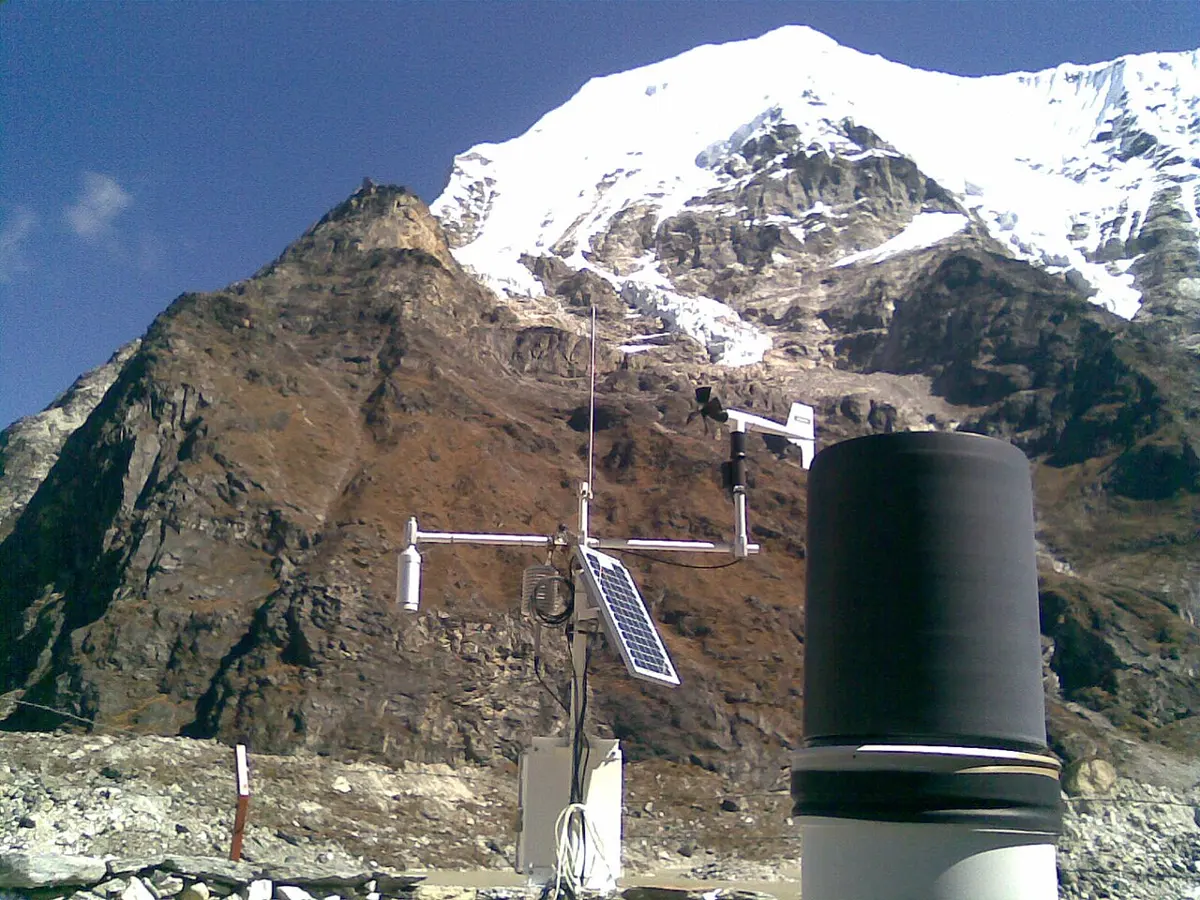
Some more IoT systems, and what each senses and does:
| Where | Senses | Then |
|---|---|---|
| a dairy’s milk chiller | the milk’s temperature | warns the owner by text if it gets too warm |
| a vaccine fridge at a health post | the temperature, day and night | records it, so a health worker knows the vaccines stayed safe |
| a home’s electricity meter | the electricity used | sends the reading to the electricity company, so nobody has to come and read it |
| a city street | dust and smoke in the air | puts the air quality on a website and a map, hour by hour |
| a bus | its position (GPS) | shows passengers on an app where the bus is now |
| a field | soil moisture, rain | switches a pump on and off, and charts the season |
Decide in the device, or in the cloud?
Where should the decision “switch the pump on” be made? In the cloud, a program can see every sensor in every greenhouse, keep years of readings and change its rules easily. In the device, the decision doesn’t need the network at all. And a device that runs on a battery has to choose how often to wake up and take a reading: every reading costs energy.
This widget shows a limitation of every device: it knows only what it measured, when it measured it. It also shows a rule of good design: anything that must keep working, such as watering, safety or a warning siren, should not depend on a network that can fail. Real flood warning systems, such as the one built below Tsho Rolpa, have sirens in the villages downstream as well as sending messages, so people are warned even if they have no phone.
A greenhouse’s pump is switched on by a program on a server in another city. What is the biggest risk of that design?
Pick an answer to see why.
Things that can be attacked
An IoT device is a computer on the internet, so it can be attacked like one, and it is often worse protected: it is cheap, it has no screen to warn anyone, it often comes with a password everybody knows, and nobody updates it.
Logging a sensor and charting it
A sensor’s readings become useful once they are kept and looked at. Keeping readings, each with its time, is called logging, and the file of readings is a data log. Here is one day’s log from the made-up greenhouse’s sensor, one reading an hour: the hour, the temperature in °C and the soil’s moisture in %. A device writes such a file as a CSV, one line per reading.
greenhouse.csv
hour,temperature,moisture0,17.9,40.91,16.0,40.82,14.0,40.63,13.2,40.54,12.5,40.45,11.8,40.26,13.0,40.17,15.4,39.98,18.5,39.49,23.1,38.510,27.6,37.611,31.0,36.612,34.4,35.413,36.1,34.215,-127.0,31.816,34.8,30.617,32.9,29.918,31.5,29.819,29.6,29.620,26.8,29.521,24.8,29.322,22.5,29.223,19.6,29.1Look closely, and the log shows two of a device’s limits. The reading for 14:00 is missing: the network dropped it. And at 15:00 the temperature is −127 °C, which can’t be true in a greenhouse in Kavre. Some temperature sensors report exactly −127 when a wire comes loose: a number that means “no reading”. A program must never trust a sensor blindly. With pandas (Unit 4) we find the problems, drop the impossible reading, and chart the rest:
import pandas as pdimport matplotlib.pyplot as plt log = pd.read_csv("greenhouse.csv")print(len(log), "readings") missing = sorted(set(range(24)) - set(log["hour"]))print("Missing hours:", missing) impossible = log[(log["temperature"] < -20) | (log["temperature"] > 60)]print("Impossible readings at hours:", list(impossible["hour"]))log = log.drop(impossible.index) hot = log[log["temperature"] > 30]print("Above 30 °C from", hot["hour"].min(), "to", hot["hour"].max(), "o'clock")print("Hottest:", log["temperature"].max(), "°C at", log.loc[log["temperature"].idxmax(), "hour"], "o'clock") fig, (top, bottom) = plt.subplots(2, 1, sharex=True, figsize=(7, 5))top.plot(log["hour"], log["temperature"], marker="o", color="tab:red")top.set_ylabel("temperature (°C)")bottom.plot(log["hour"], log["moisture"], marker="o")bottom.axhline(30, linestyle="--", color="gray")bottom.set_ylabel("soil moisture (%)")bottom.set_xlabel("hour of the day")plt.show()Output
23 readingsMissing hours: [14]Impossible readings at hours: [15]Above 30 °C from 11 to 18 o'clockHottest: 36.1 °C at 13 o'clockLine 7 finds the missing hours by taking the hours that are there away from all 24. Line 10 picks out any temperature outside what a greenhouse could ever reach, and line 12 drops those rows. (Why not drop just −127? Because a different fault could give a different impossible number: checking the range catches them all.) The charts show the day: the greenhouse heats up fast after sunrise, and the soil dries most in the hottest hours, dropping just below the dashed 30% line at 17:00: from then on, the pump is needed.
Your phone is a sensor kit
You don’t need to buy a sensor to log one: a phone has an accelerometer, a light sensor, a magnetometer and more (Grade 7), and free apps record them, chart them on the phone and export the readings as a CSV file.
The cloud
On the day the SEE results come out, hundreds of thousands of students and parents try to open the same few websites in the same hour. For the rest of the year, far fewer people visit. If the exam board bought enough computers for that one hour, they would sit almost idle the other 8,759 hours of the year. If it bought too few, the sites would crash on the day that matters most.
The cloud is the answer to problems like this. In Grade 8 you met the cloud as “someone else’s computers”, reached over the internet Grade 8: The cloud and sync. More exactly: cloud computing is renting computing, such as storage, processing power and ready-made programs, from a company’s data centers over the internet, paying for what you use. The company buys and looks after the buildings, the computers, the electricity, the cooling and the security; you rent as much as you need, and change it in minutes. A results website can rent 50 servers for results day and 2 for the rest of the year. Growing or shrinking a system to fit the work is called scaling.
What you rent comes in three main kinds. Think of a place to stay in Pokhara:
| Kind | What you rent | You still look after | Like renting… | Example |
|---|---|---|---|---|
| Infrastructure as a service (IaaS) | computers (often virtual machines: one real computer shared as several) with storage and a network | the operating system, the programs, the data | an empty flat: you bring the furniture and do the cooking | a company rents servers to run its own booking program |
| Platform as a service (PaaS) | a ready place to run your program, its database and more | your program and its data | a furnished flat: you only bring your clothes | a student’s web app put online by uploading its code |
| Software as a service (SaaS) | a finished program, used in a browser or an app | only your data and settings | a hotel room: everything is done for you | web email, online documents, a school’s online results |
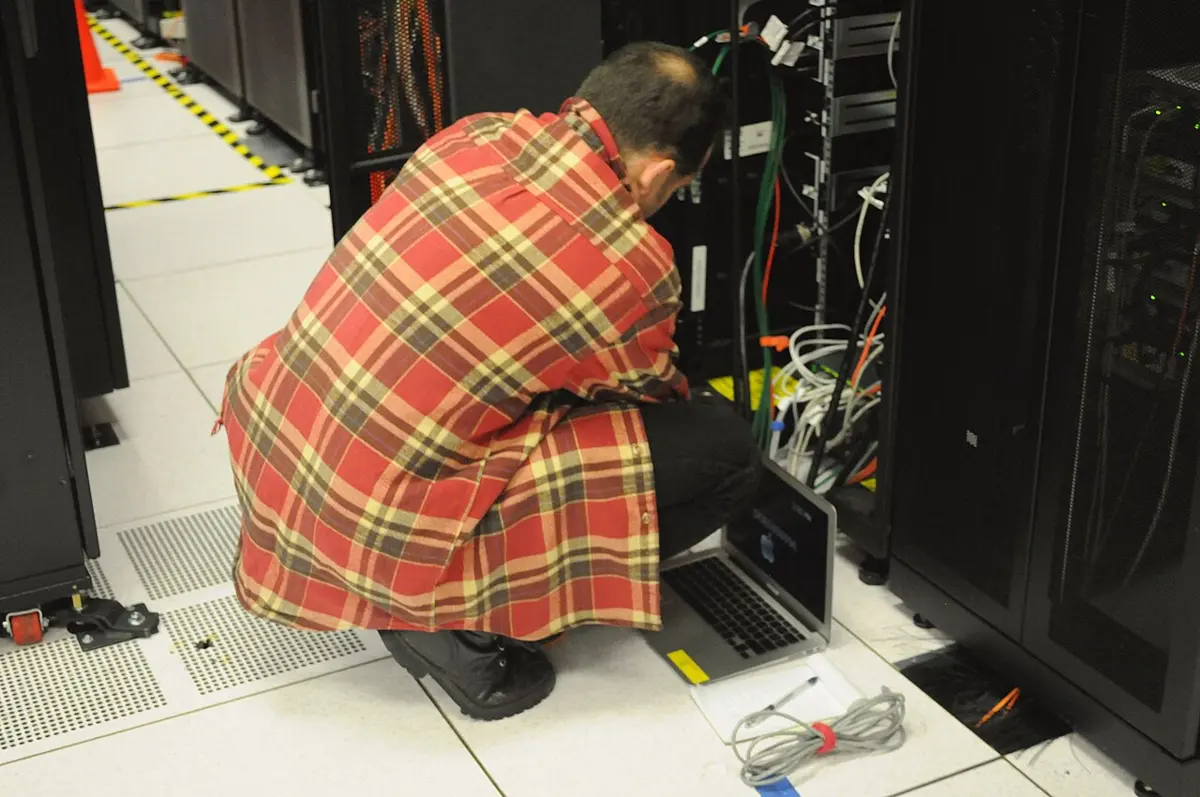
A large data center holds tens of thousands of servers. It is fed by the electricity grid, with rooms of batteries (a giant UPS) to carry it through a power cut until its diesel generators start, a few seconds later; it has cooling that runs day and night, because almost all the electricity the computers use comes out as heat; and it has several fiber-optic cables to the internet, by different routes, so one cut cable doesn’t cut it off.
How far away is the cloud?
Cloud companies build data centers in many parts of the world, and you can choose where your data and programs run. The choice matters, because signals take time to travel. In a fiber-optic cable, light travels about 200,000 km a second, two-thirds as fast as in space.
The time a message takes to arrive is called latency. No amount of money can make it shorter than the distance allows: the only cure is to bring the computer closer.
The cloud has costs as well as benefits. It needs the internet. Its bills grow with use, and moving away from one company to another can be hard. Your data sits on someone else’s computers, under their rules and their country’s laws. And when one cloud company has a problem, thousands of services that rent from it can fail at the same moment.
A school wants its results site to cope with one very busy day a year. Why does renting from the cloud suit it?
Pick an answer to see why.
Rashmi uses an online word processor in her browser; her school only types its documents into it. Which kind of cloud service is it?
Pick an answer to see why.
Why can’t a faster computer make a server in another continent respond as quickly as one in the same country?
Pick an answer to see why.
How big systems stay up
A mobile wallet, a bank, a search engine: millions of people expect them to work every minute of every day. Yet everything inside them breaks sometimes. Disks wear out, power fails, a cable is cut by a landslide (as you saw in Grade 7), a building floods, a person types the wrong command, an update has a bug. In a data center with tens of thousands of servers, some server is broken every day. So big systems are not built never to fail; they are built to keep working while parts of them fail.
No single point of failure
A part whose failure stops the whole system is called a single point of failure. A shop with one card machine has one; a website on one server has one. The cure is redundancy: having more than one of everything that matters, so another takes over when one breaks.
- More than one server. A load balancer stands in front of several servers doing the same job and passes each request to one of them, sharing out the work. It asks each server every few seconds “are you working?” (a health check), and stops sending requests to one that doesn’t answer. Switching to a working copy when one fails is called failover.
- More than one copy of the data. The database is copied, change by change, to other servers, in other buildings. This is called replication. If one copy is lost, another has everything.
- More than one of the things around them: two power supplies in each server, the grid and batteries and generators, several cables to the internet by different routes.
Copies that fail together
Copies help only if they don’t all fail at the same time. Two servers side by side in one building are both lost when that building loses its power or its internet, or floods. So cloud companies offer zones (separate buildings, each with its own power, cooling and network, a few kilometers apart) and regions (groups of zones in different cities), and a careful company keeps its copies in more than one.
The numbers in the widget can be worked out. If each copy is down on a day with chance p, and the copies fail independently (one’s failure doesn’t make the others’ more likely), the chance that all n are down is p × p × … = pⁿ:
p = 0.04 # the chance that one copy is down on a day: its server or its buildingfor copies in [1, 2, 3]: all_down = p ** copies word = "copy" if copies == 1 else "copies" print(copies, word + ":", round(all_down * 365, 3), "days a year with all down")Output
1 copy: 14.6 days a year with all down2 copies: 0.584 days a year with all down3 copies: 0.023 days a year with all downEach copy multiplies the downtime by 0.04: two copies make it 25 times smaller, three 625 times. But only if the copies are independent. In one building they share the building’s 1% chance, and no number of copies inside it can bring the service’s downtime below about 1% of days.
Counting the nines
How reliable a service is, is measured by its availability: the share of the time it works. Companies promise it in “nines”: 99.9% (“three nines”), 99.99% (“four nines”). The difference sounds tiny, but count the time it leaves for being down:
hours_in_year = 365 * 24for up in [99, 99.9, 99.99, 99.999]: down_hours = hours_in_year * (100 - up) / 100 print(f"{up}% up: down {down_hours:.2f} hours = {down_hours * 60:.0f} minutes a year")Output
99% up: down 87.60 hours = 5256 minutes a year99.9% up: down 8.76 hours = 526 minutes a year99.99% up: down 0.88 hours = 53 minutes a year99.999% up: down 0.09 hours = 5 minutes a year99% sounds good, but it is three and a half days a year without the service. Each extra nine is ten times less downtime, and costs far more to build: more copies, in more places, with more people watching them day and night.
When something does fail, a well-built service keeps as much as it can working, a little worse instead of not at all: a wallet app whose statements are slow still lets you pay; a news site that can’t show comments still shows the news. This is called graceful degradation. And a good service tells its users honestly what is wrong, on a status page, instead of leaving them guessing.
A website runs on three servers in one building, behind a load balancer. Which event would still take it down?
Pick an answer to see why.
A service is up 99.9% of the time. About how long is it down in a year?
Pick an answer to see why.
How GPS finds you
You book a ride, and the rider comes straight to your gate. You open a map on a trek, with no mobile signal, and the blue dot is still on the path. Your phone has worked out where it is, to within a few meters, from signals sent by satellites 20,000 km away.
Satellites that tell the time
The Global Positioning System (GPS), run by the United States, is a group of at least 24 satellites (the Today box below says how many now), each going round the Earth twice a day, about 20,200 km up. They are spread out so that from anywhere on Earth at least four are above the horizon at any moment. Other countries run systems of their own that work the same way; together they are called satellite navigation, or GNSS (global navigation satellite systems).
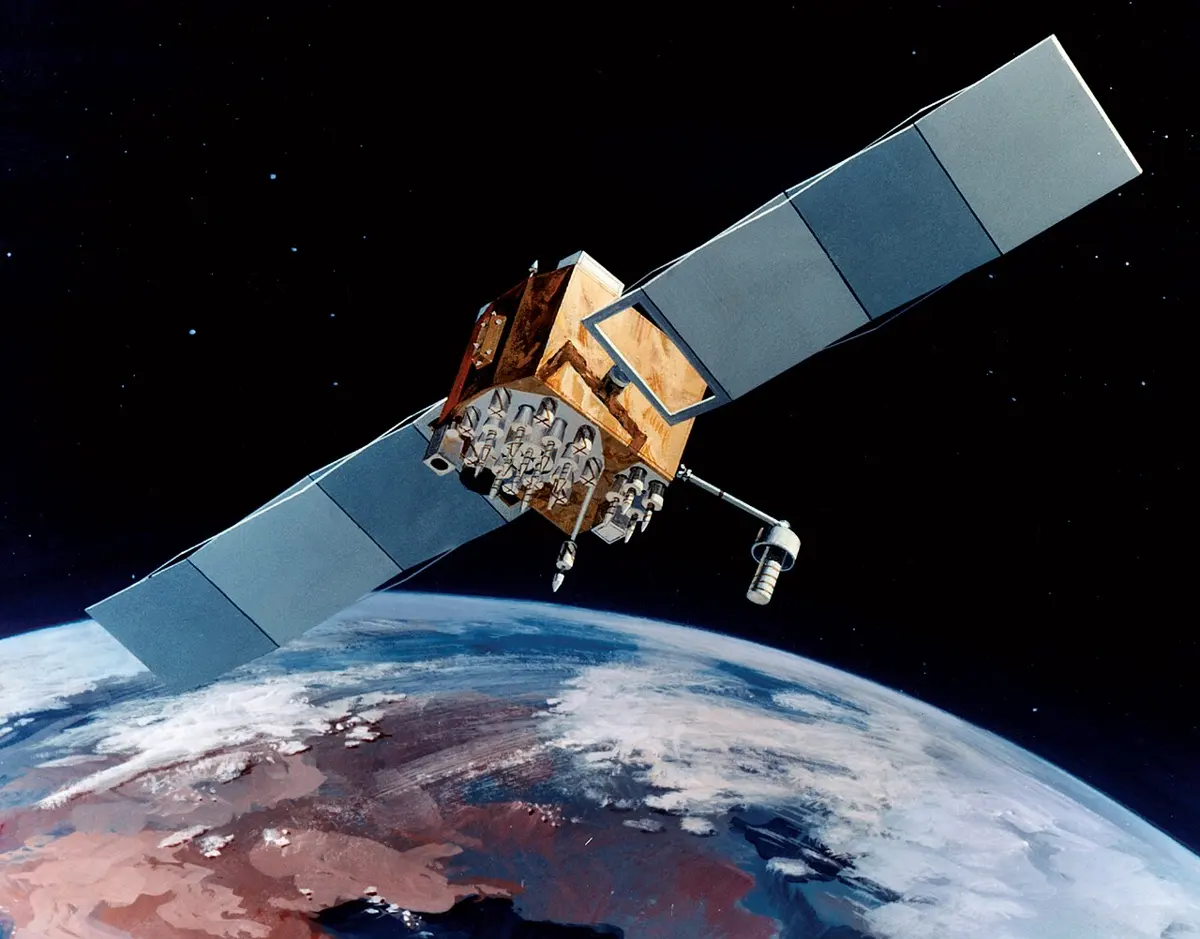
Each satellite carries atomic clocks, accurate to a few billionths of a second, and sends out a radio signal, again and again, that says two things: where it is at that moment, and the exact time the signal left.
A phone’s GPS receiver only listens; it sends nothing to the satellites. It notes when each signal arrives, and works out how long it took to come. Radio waves travel at the speed of light, about 300,000 km a second, so
Circles that cross
One distance doesn’t say where you are, only how far you are from that satellite: you are somewhere on a sphere round it, of that size. Two spheres cross in a circle. A third sphere cuts that circle at two points, and one of them is usually far out in space or deep in the Earth, so it can be ruled out. So three distances give a position. Finding a position from distances like this is called trilateration.
It is easier to see on a flat map, with circles instead of spheres. Try it below.
There is a catch, and the widget shows it. To measure the travel time, a phone would need a clock as good as the satellites’ atomic clocks, and a phone’s cheap quartz clock can be wrong by far more than a microsecond. The receiver solves this cleverly. A wrong clock makes every distance wrong by the same amount, so it adds one more unknown, the clock’s error, and listens to one more satellite. In space there are four unknowns (three for the position, one for the clock) and so four satellites are needed. The receiver tries clock errors until all four spheres meet at one point, and finds where it is and the exact time together. That is why a phone’s clock is always right after it has found its place.
What spoils the position
Under open sky, a phone usually finds itself to within a few meters. It does worse:
- Among tall buildings, in narrow lanes and deep valleys, where walls and hills hide much of the sky, so fewer satellites can be heard, all from one side.
- Where signals bounce off buildings and rock faces before arriving: the bounced signal has come a longer way, so its distance is too long.
- Indoors and under thick trees, where the signals are very weak.
- When the air changes: signals slow down a little in the upper atmosphere, by an amount that changes through the day. Receivers correct most of it.
Phones also cheat a little, to be fast and to work indoors. With mobile data, they download where the satellites are, so they don’t have to wait to hear it from the satellites themselves (this is assisted GPS). Indoors, they guess their place from the Wi-Fi networks and mobile towers around them, whose places are known. And the compass and accelerometer tell which way the phone faces and moves between fixes.
From a position to a dot on a map
A satellite receiver gives only numbers: a latitude (how far north or south of the equator, in degrees) and a longitude (how far east or west of the line through Greenwich, in London). Nyatapola, in Bhaktapur, is at about 27.6714° N, 85.4292° E. To show you on a map, the app has to turn those two numbers into a place on its picture.
A map app’s map is made of square pictures, called tiles, and the app knows the latitude and longitude of each tile’s edges. For a small map, the place of a point is in proportion: a point halfway between the left edge’s longitude and the right edge’s is halfway across the picture.
# A map picture of Bhaktapur's squares, 800 × 600 pixels, and the# latitudes and longitudes of its edgeswidth, height = 800, 600north, south = 27.6740, 27.6690west, east = 85.4250, 85.4330 def to_pixel(lat, lon): """Where a latitude and longitude fall on the picture, in pixels from its top-left corner.""" x = (lon - west) / (east - west) * width y = (north - lat) / (north - south) * height # y counts down from the top return round(x), round(y) print("Nyatapola:", to_pixel(27.6714, 85.4292))print("The map's center:", to_pixel(27.6715, 85.4290))Output
Nyatapola: (420, 312)The map's center: (400, 300)The y line takes the latitude away from north, not south, because a picture’s pixels are counted down from its top, while latitude grows upward. For a whole country or the world, the app can’t use a plain proportion: the round Earth has to be stretched onto a flat picture, by a formula called a map projection (most map apps use one called Web Mercator), but the idea is the same.
The app then draws the blue dot at that pixel, with a pale circle round it. The circle is the app’s honest guess of its accuracy: you are probably somewhere inside it. In a narrow lane it grows; on an open hilltop it shrinks to almost nothing. Finding the route to where you want to go is the graph search of Unit 2 Grade 10: How a map app finds a route.
A phone’s GPS receiver hears a satellite’s signal 0.08 s after it was sent. About how far away is the satellite? (Speed of light: 300,000 km/s.)
Pick an answer to see why.
Why does a phone need signals from four satellites, not three, to find its place?
Pick an answer to see why.
The energy computing uses
A phone feels light and clean. But every message you send, every video you watch and every question you ask a chatbot uses electricity, in three places: in your phone, in the networks that carry the data (towers, routers, cables), and in the data centers that store and work on it. And before any of that, making the phone itself used a great deal of energy and material.
Data centers
Almost all the electricity a server uses ends up as heat, and the heat must be taken away, or the server overheats. So a data center uses electricity twice: once for its computers, and again for cooling them (and for its lights, its batteries and the losses in its wiring). How well it does this is measured by its power usage effectiveness (PUE):
A PUE of 1.0 would mean every bit of electricity goes to computing. Older data centers often had a PUE of 2 or more: as much again for cooling as for the computers. The best new ones come close to 1. Cool air and cold water from outside, instead of air conditioning, help most.
Data centers use water too. Many cool their air by letting water evaporate, as sweat cools your skin, and a large one can use millions of liters a day, sometimes in dry places where farms and towns need the same water.
Your phone’s biggest cost comes before you buy it
Charging a phone uses little electricity, about as much in a year as a ceiling fan uses in a week. The big cost is making it: digging metals from mines and refining them, making its chips in factories that need great amounts of energy and very pure water, and shipping it round the world. For most phones, more of their lifetime’s greenhouse gases come from being made than from all the charging they will ever get.
So the best thing you can do for the planet with a phone is not to switch it off at night; it is to use it for longer. A phone kept for five years instead of two cuts the making per year of use by more than half.
A data center’s computers use 10 MW, and the whole building uses 15 MW. What is its PUE?
Pick an answer to see why.
Which choice cuts a phone’s total harm to the climate the most?
Pick an answer to see why.
Who is affected, and why
Every computing system touches people far beyond those who use it. To understand its effects, ask of each part: who gains, who pays, and why them? Often the people who pay are not the people who gain, and they have little say.
| Part of the system | Who gains | Who pays | Why them |
|---|---|---|---|
| a big new data center | its users everywhere, the company, the town (taxes, some jobs) | its neighbors, if electricity and water grow short or dear; everyone, if its electricity comes from coal | the data center goes where land, power and water are cheap; its users live anywhere |
| mines for a phone’s metals (cobalt, lithium, gold, tin) | phone makers and buyers | miners, among them children in some mines, and people whose rivers and land are polluted | the metals lie in a few places, often poor ones, with weak protection for workers |
| e-waste dumped or burned | whoever got rid of it cheaply | the people, often children, who burn it for its metals, breathing the smoke; their soil and water | waste moves to wherever handling it costs least |
| the climate, warmed by all this electricity | people everywhere, through computing’s benefits | the people least able to adapt | a warming climate harms most where people depend on the land and the weather |
Nepal sits in the last row. It adds very little to the gases that warm the planet, yet its glaciers are melting and its glacial lakes are growing. Tsho Rolpa, whose warning station you saw earlier, grew as its glacier melted back, and that is why its flood warnings are needed at all.
Why are the people harmed by a computing system often not the ones who gain from it?
Pick an answer to see why.
E-waste: what to do with an old phone in Nepal
E-waste (electronic waste) is anything with a plug, a battery or a circuit board that someone has thrown away: phones, chargers, cables, computers, TVs, batteries. In Grade 7 you saw how fast the world’s e-waste grows Grade 7: The mobile phone in Nepal. Here is why it matters, and what you can do.
An old phone holds both treasure and poison. Its circuit boards hold copper, gold and silver, and its battery lithium and cobalt, all worth recovering, so that fewer mines are dug. Electronics can also hold poisons, such as lead in older solder and mercury in older screens, and a lithium battery can catch fire if it is crushed or punctured. Recycled properly, in a factory with the right machines, the metals come back and the poisons are kept safe. Dumped in a river or a rubbish heap, the poisons seep into soil and water. Burned in the open to get at the copper, as happens where e-waste is handled cheaply, it fills the air with poisonous smoke.
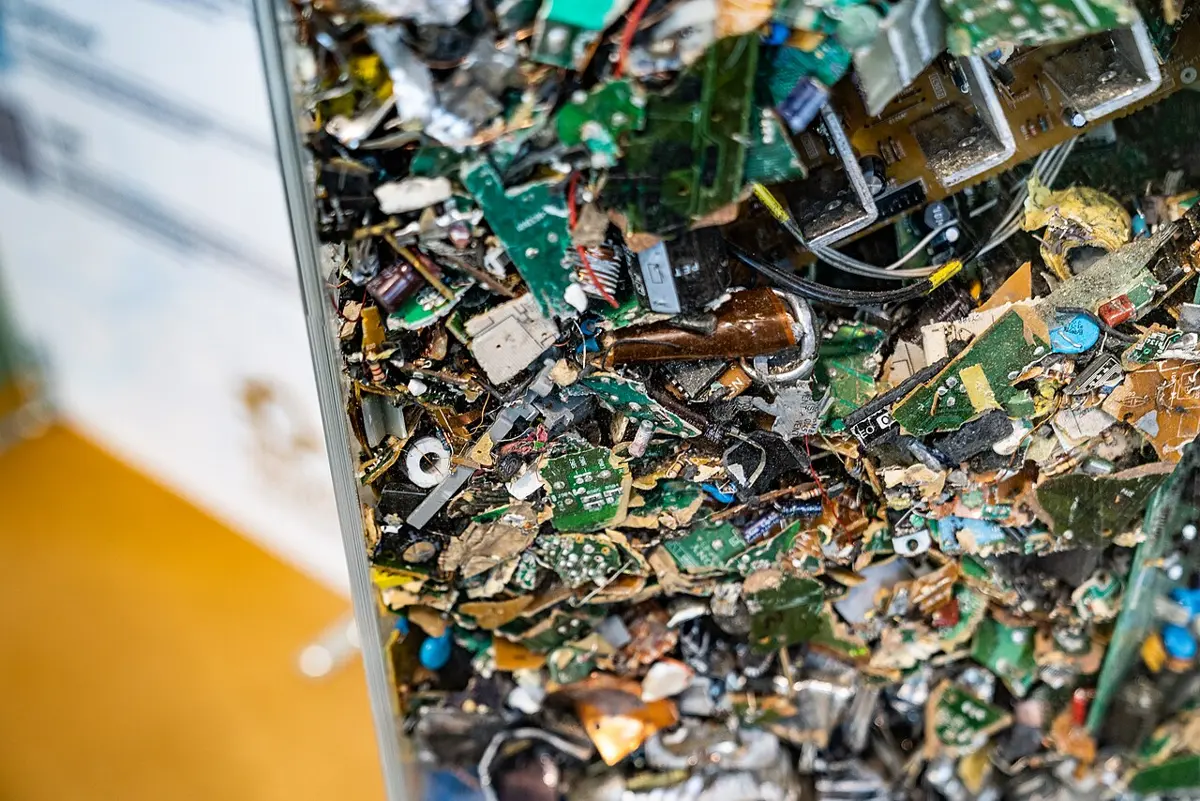
So, in order, from best to worst:
- Keep using it. A worn-out battery can be replaced and a cracked screen mended at a repair shop, for much less than a new phone. Every extra year a phone is used is a phone not made.
- Pass it on. A working phone you no longer need can be someone else’s first phone, a grandparent’s phone for calls, or sold. First:
- back up your photos, contacts and messages;
- sign out of every account, especially your Google account or Apple ID, and your wallet and banking apps: a phone reset while still signed in stays locked to your account, and the next owner can’t use it;
- take out the SIM card and any memory card;
- reset it to factory settings, which wipes it. A modern phone keeps its data scrambled (encrypted), so after a reset the old data can’t be read back.
- Give it for proper recycling. A phone, charger or battery that can’t be used or mended goes to an e-waste collector that passes it to a proper recycler, never into the household rubbish, never into a river, and never into a fire.
- Never burn it, and never give it to someone who will burn it.
In many countries, the law makes the companies that sell electronics responsible for collecting them back at the end of their lives, paid for by a small part of each sale. This is called extended producer responsibility.
Before selling her old phone, Pema backs up her photos and resets it to factory settings. What has she forgotten that could stop the buyer from using it?
Pick an answer to see why.
Project: log a sensor, and judge the device
In short
Exercise
Which of these is a limit of a sensor called its sampling rate?
Pick an answer to see why.
In an IoT system, what does an actuator do?
Pick an answer to see why.
A company keeps two copies of its database, replicated within seconds, in two cities. A worker deletes all the customers’ records by mistake. What saves the data?
Pick an answer to see why.
Which kind of cloud service is a company renting when it gets bare virtual machines and installs its own operating system and programs on them?
Pick an answer to see why.
A GPS receiver’s clock is wrong by 2 microseconds. By how much is each distance it works out wrong?
Pick an answer to see why.
What is the best first thing to do with a working phone whose battery runs out by lunchtime?
Pick an answer to see why.
Explain these words, with an example of each: sensor, actuator, Internet of Things, data log.
Answer
Name the four limits of a sensor, and say what each means for a thermometer that sends a reading every 10 minutes from a milk chiller.
Answer
Draw the four parts of an IoT system for a vaccine fridge at a rural health post that should warn a health worker if it gets too warm. Say what happens at each part, and one thing that should still work when the mobile network is down.
Answer
What is a single point of failure? Find two in this design, and say how to remove each: a mobile wallet runs on one server, with its database on one disk, in one building in Kathmandu.
Answer
A service promises 99.95% availability. How many hours a year may it be down? Show your working.
Answer
Explain how a phone finds its position from GPS satellites. Include why the speed of light matters and why four satellites are needed.
Answer
Give three reasons why a phone’s position may be poor in a narrow lane in Asan, and one way the phone still works out roughly where it is.
Answer
A map picture is 1,000 pixels wide and 800 high; its west edge is at longitude 85.30° E and its east edge at 85.35° E, its north edge at latitude 27.72° N and its south edge at 27.68° N. At which pixel does the point 27.70° N, 85.31° E fall?
Answer
A data center’s computers use 50 MW and its PUE is 1.4.
- a.How much electricity does the whole data center use?
- b.How much in a year, in GWh?
- c.Give two ways it could lower its PUE.
Answer
Your cousin wants to sell his old phone. Write the steps he should follow, in order, and say why each matters.
Answer
A city plans a huge data center by a river in a dry region, run on electricity from coal. Investigate it the way this unit did: who gains, who pays, and why them? Suggest one change.
Answer
Suppose the SEE results website crashes on results day. As the exam board’s adviser, explain what you would change, using the ideas of this unit.
Answer
Quiz yourself: Computer systems, Grades 6–12 →
Practice every question in the book, and keep track of the ones you miss →