
In Unit 3 you wrote algorithms for people: how to make chiya, how to walk from the school gate to Nyatapola. A person can guess what you meant when a step is missing. A computer can’t. It does exactly what it is told, in exactly the order it is told, and nothing else.
In this unit you will give a computer its first instructions. You won’t type any words. You will snap blocks together, like the pieces of a toy, and a little turtle on the screen will follow them and draw. By the end you will draw squares, stars and a flower, steer the turtle with the arrow keys, and find and fix mistakes in programs. That is real programming.
What is a program?
A program, as you saw in Units 1 and 3, is an algorithm written so that a computer can carry it out. Writing programs is called programming, and a person who writes them is a programmer.
Every app on a phone is a program. So is the game you play, the calculator, and the little computer inside a washing machine that decides how long to spin. Someone wrote each one, step by step.
A computer can’t understand Nepali or English the way you do. Our languages are full of words that mean two things, and sentences a listener has to guess at. So programs are written in a programming language: a language with a small set of exact instructions, each with only one meaning.
There are two kinds of programming language:
- In a block-based language you build a program by dragging blocks and snapping them together. Each block is one instruction. You can’t misspell a block, and blocks that don’t fit together won’t snap, so it is a good way to start.
- In a text-based language you type the instructions. Python, which you will learn later, is one. Professional programmers mostly use text, but the ideas are the same: a block program and a typed program can say exactly the same thing.
Why can’t we just write a program in everyday English?
Pick an answer to see why.
Meet the turtle
Our programs control a turtle that lives on a white page called the stage. When the turtle moves, it drags a pen behind it and leaves a line. It understands just a few blocks:
- move 100 steps: walk forward 100 steps in the direction it is facing. One step is very small: the gray dots on the stage are 50 steps apart.
- turn right 90 degrees (or left): turn on the spot. It doesn’t move and doesn’t draw; it only changes the way it faces. A whole turn, all the way round, is 360 degrees (360°), so 90° is a quarter turn, like turning from facing the blackboard to facing the window.
Every program starts with a when block, the one with the rounded top: when ▶ Run is pressed. The blocks snapped underneath it run one after another, from top to bottom, when you press Run. Blocks lying loose, not joined under a when block, don’t run at all.
The turtle runs only one block: turn right 90 degrees. What appears on the stage?
Pick an answer to see why.
Sequence: one step after another
Just like the steps of an algorithm in Unit 3, the blocks in a program run in sequence: one at a time, in order, from the top down. The computer never skips ahead and never changes the order, even when the order is silly.
So the order matters. Move 100, turn right 90 and turn right 90, move 100 are the same two blocks, but they draw different things: the first draws a line to the right, the second a line downwards.
Loops: doing it again
Look at the square program again. It is the same two blocks, four times over. Writing the same thing again and again is boring, and it is easy to make a mistake in one copy. Programmers have a better way: a loop, a block that runs the blocks inside it again and again.
Our loop block is repeat 4 times. It has a mouth, and the blocks you put in its mouth run 4 times. Then the program carries on with whatever is under the loop.
So the whole square becomes:
when ▶ Run is pressedrepeat 4 times move 100 steps turn right 90 degreesThree blocks instead of eight. And if you want bigger sides, you change one number instead of four.
In repeat 4 times: move 100 steps, turn right 90 degrees, how many times does the turtle move?
Pick an answer to see why.
How far to turn?
A square was easy, because you know a square’s corners are right angles, 90°. Now try a triangle with three equal sides. Each corner of that triangle is 60°. So surely the turtle should turn 60°?
Why 120° and not 60°? Because the turtle turns from the way it was going, not from the side it has just drawn. Walking along one side, it would go straight on (the dashed lines in Figure 4.1). To head along the next side it must turn a long way: 120°, leaving a 60° corner behind it.
Here is the secret: walking all the way round any shape and ending up facing the way you started, you turn once all the way round, 360°. Try it yourself: walk round a table in the classroom, back to where you began. Your body turns one whole turn.
So for a shape with equal sides and equal corners, every turn is the same, and
| Shape | Sides | Turn at each corner |
|---|---|---|
| triangle | 3 | 360° ÷ 3 = 120° |
| square | 4 | 360° ÷ 4 = 90° |
| pentagon | 5 | 360° ÷ 5 = 72° |
| hexagon | 6 | 360° ÷ 6 = 60° |
| octagon | 8 | 360° ÷ 8 = 45° |
Loops inside loops
A loop can hold any blocks, even another loop. A loop inside a loop is called a nested loop.
Put the square program inside another loop, and add one more turn after it, still inside the big loop:
when ▶ Run is pressedrepeat 12 times repeat 4 times move 70 steps turn right 90 degrees turn right 30 degreesThe inside loop draws a square. Then the turtle turns a little, 30°, and the outside loop draws the next square, turned 30° from the first. Twelve squares later, 12 × 30° = 360°: the turtle has turned all the way round, and the squares make a flower.
The inside blocks run a lot: 12 × 4 = 48 moves from a single move block. Nested loops are how a short program can draw something very detailed.
A program is repeat 5 times: repeat 3 times: move 50 steps. How many times does the turtle move?
Pick an answer to see why.
Pen up, pen down
The turtle draws because its pen touches the page. Two blocks control the pen:
- pen up: lift the pen. The turtle still moves, but it leaves no line.
- pen down: put the pen back on the page, so moves draw again.
With them, the turtle can move to a new place without leaving a trail, or draw a dashed line.
Events: when something happens
So far, programs ran when you pressed Run. But programs can also wait for something to happen and then react. Something that happens, like a key being pressed, a screen being tapped, or a timer running out, is called an event.
A when block says which event starts its blocks. When ▶ Run is pressed is one event. When the up arrow key is pressed is another. A program can have many when blocks, each with its own blocks under it, each waiting for its own event.
Almost everything you use reacts to events. A phone waits for a tap on an icon; then it opens the app. A game waits for a button; then the player jumps. A lift in a shopping mall in Kathmandu waits for someone to press a floor number. Inside each is a program with blocks just like “when this happens, do these steps”.
Which of these is an event?
Pick an answer to see why.
Bugs and debugging
A mistake in a program is called a bug, just as a mistake in an algorithm was in Unit 3, and finding and fixing bugs is debugging. Every programmer writes bugs, all the time, even the best in the world. What makes a good programmer is not writing no bugs; it is being good at finding them.
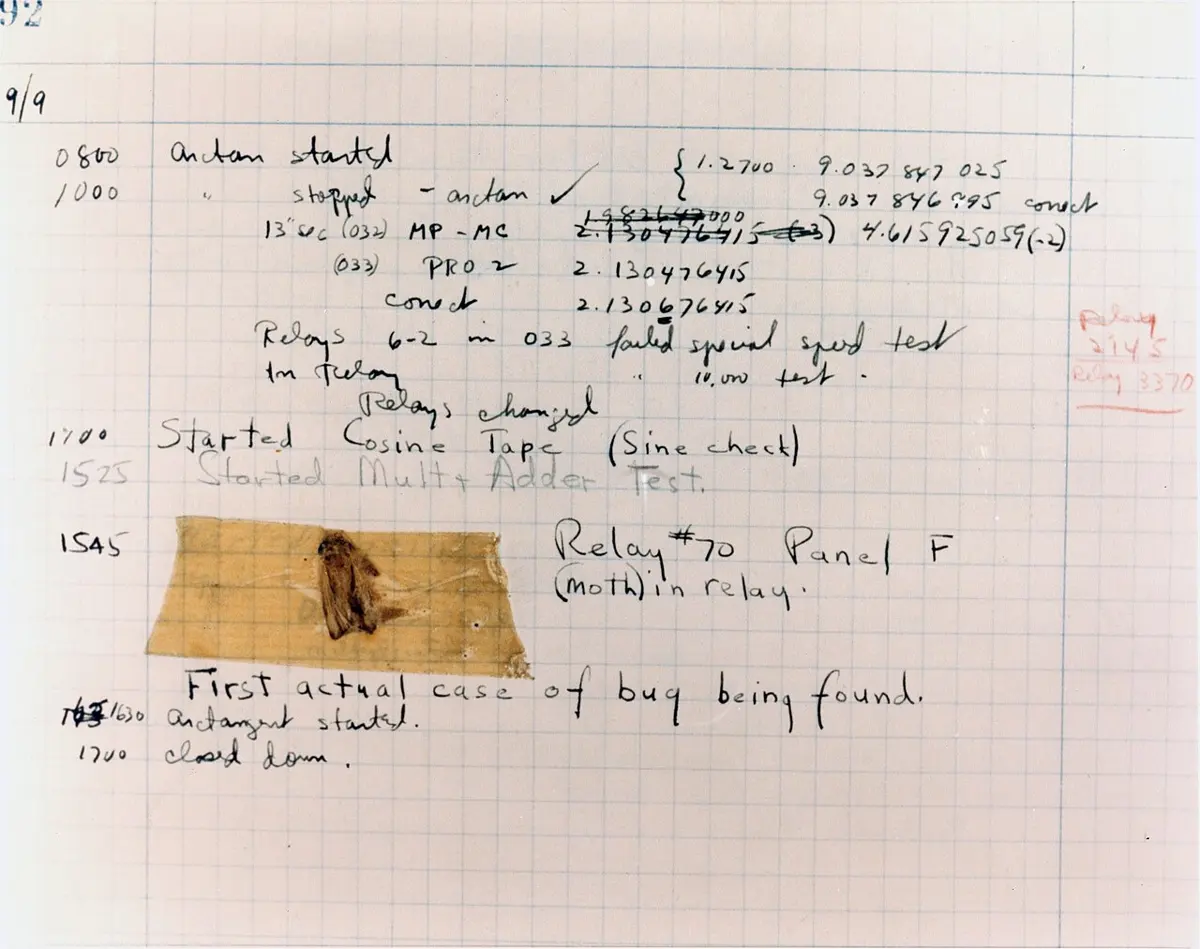
A good way to debug:
- Predict. Before running, say what you expect the program to do.
- Run and compare. Where does what happened first go differently from what you expected? That is where to look.
- Change one thing. Fix the block you think is wrong, and run again. If you change many things at once, you won’t know which one fixed it, or which one broke something else.
- Go slowly. Watch which block is lit while the turtle draws. When the line goes the wrong way, the lit block is the one that did it.
Plan before you build
For a bigger drawing, don’t start dragging blocks straight away. First break the job into smaller parts, each one easy to program. This is called decomposition.
Take a house: a square with a triangle on top. That is two small jobs, and you know how to do both:
- Draw a square: repeat 4 times, move 100, turn right 90.
- Get the turtle ready for the roof. After the square it is back at the top-left corner, facing right.
- Draw the triangle above the square’s top side, with sides of 100: turn so it faces up and to the right, then repeat 3 times, move 100, turn right 120.
The turtle’s story
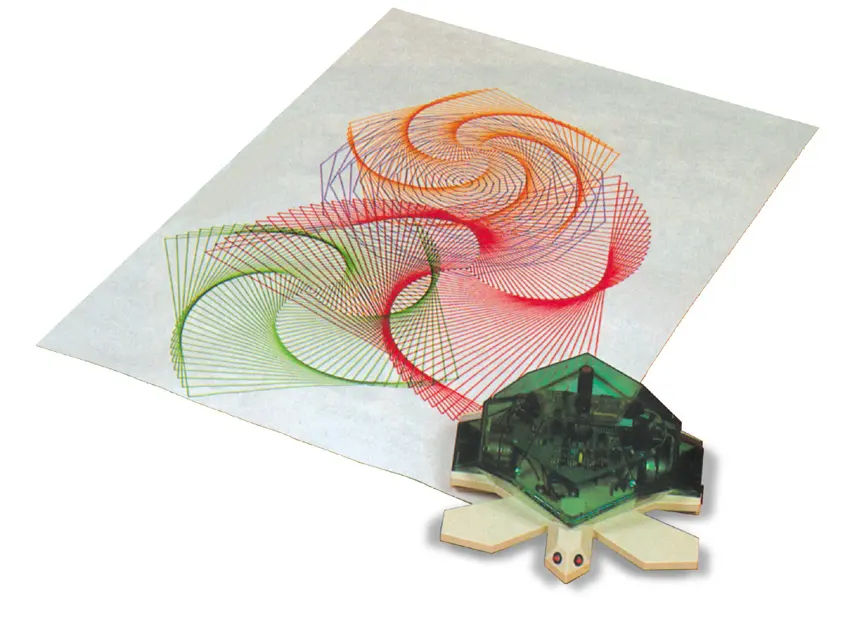
In short
Exercise
What is a program?
Pick an answer to see why.
The turtle faces right. It runs turn left 90 degrees and then move 50 steps. Which way does it draw its line?
Pick an answer to see why.
Which program draws a square?
Pick an answer to see why.
How far must the turtle turn at each corner to draw a regular pentagon (5 equal sides)?
Pick an answer to see why.
A friend changes all of a program’s numbers at once to fix a bug. What is the problem with that?
Pick an answer to see why.
Explain the meaning of these words, with an example of each: program, sequence, loop, event, bug.
Answer
What is the difference between a block-based and a text-based programming language? Give one example of each.
Answer
Write the blocks to draw a square with sides of 60 steps (i) without a loop, and (ii) with a loop. Which is better, and why?
Answer
Copy and complete the table for regular shapes drawn by the turtle.
| Shape | Number of sides | Turn at each corner |
|---|---|---|
| triangle | 3 | |
| 90° | ||
| hexagon | ||
| 10 |
Answer
Draw on paper what this program makes, and say where the turtle ends up. The turtle starts facing right.
repeat 3 times: move 50 steps, turn left 90 degrees, move 50 steps, turn right 90 degrees
Hint
Answer
A student wants a triangle with equal sides, and writes repeat 3 times: move 100 steps, turn right 60 degrees. What will the turtle draw? Find the bug and fix it.
Answer
How many lines does this program draw? repeat 8 times: repeat 4 times: move 40 steps, turn right 90 degrees; turn right 45 degrees. What does the drawing look like?
Answer
Name three events that the programs in a mobile phone react to.
Answer
What is debugging? Write the four steps of a good way to debug a program.
Answer
What is decomposition? Show how you would break the job “draw a flag of two triangles, one above the other, on a pole” into smaller parts.
Answer
Quiz yourself: Algorithms and programming, Grades 6–12 →
Practice every question in the book, and keep track of the ones you miss →