
This is the last unit of the course, and the biggest piece of work in it. In a team, over a term, you will build a real product for a real person: someone outside your class who has a problem now, who will use what you make after you have gone. You will agree the problem with them, plan the work, build it and release it in stages, change it because of what they do with it, judge it honestly, write it up for its users and for whoever looks after it next, and present it.
You already have every skill this needs. Grade 10 gave you requirements, roles and a plan Grade 10: A Project in a Team; Grade 11 gave you interviews, user stories, paper prototypes and a second version Grade 11: Building an App People Use; Unit 3 gave you git, tests that run themselves, code review and a Gantt chart Grade 12: Software Engineering. This unit doesn’t teach them again. It is about doing all of them together, on something big enough to need them, and about the new problems a bigger project brings: choosing it well, cutting it to fit the time, releasing it safely, saying no to the wrong changes, and leaving it in good hands.
You will follow four Grade 12 students at a school in Banepa, Asmita, Bishal, Dolma and Prakash, through one capstone from the first idea to the presentation. They, their user and their numbers are made up; the problem and the methods are real.
Choosing a project
The most important decision of the capstone is made in its first week: what to build. A good choice makes everything after it easier. A poor one can’t be rescued by hard work, because the team will spend the term on something nobody uses, or something it can’t finish.
Five tests of a good capstone
Weigh every idea against five tests:
- A real user, who will meet you often. One person or one small group, named, who has the problem now and will give you an hour every week or two: to be watched at work, to try each version, to tell you what is wrong. “Students” or “farmers” is not a user. “Sarita didi, who runs the health post near our school” is.
- A real problem, not a solution. Start from something they struggle with today, seen with your own eyes (Grade 11’s interviews), not from an app you would like to build. If the problem goes away with a notebook and a pen, it doesn’t need software.
- Substantial. Big enough to need a team and the course: data that is stored and kept safe, more than one kind of user or screen, rules worth testing, something that can go wrong. A one-page calculator is a Grade 8 project.
- Finishable in a term. Small enough that its essential part works, is tested and is in the user’s hands before the end, with time left over. Most capstones fail by being too big, not too small.
- Safe, legal and kind. No data the team can’t protect (health records, people’s money, children’s photos), nothing the law doesn’t allow a group of students to run (payments, ride-hailing), nothing that copies a big company’s service, and a plan for who looks after it when you leave.
Checking whether a project can be done, with the time, skills, money and permissions you have, before starting it is called a feasibility study. For a capstone it is a short page, but it is the page that saves the term.
Which of these is a user, in the sense a capstone needs?
Pick an answer to see why.
Worked examples: four ideas, weighed
Asmita’s team brought four ideas to their first meeting. Here is how they weighed them, with their teacher.
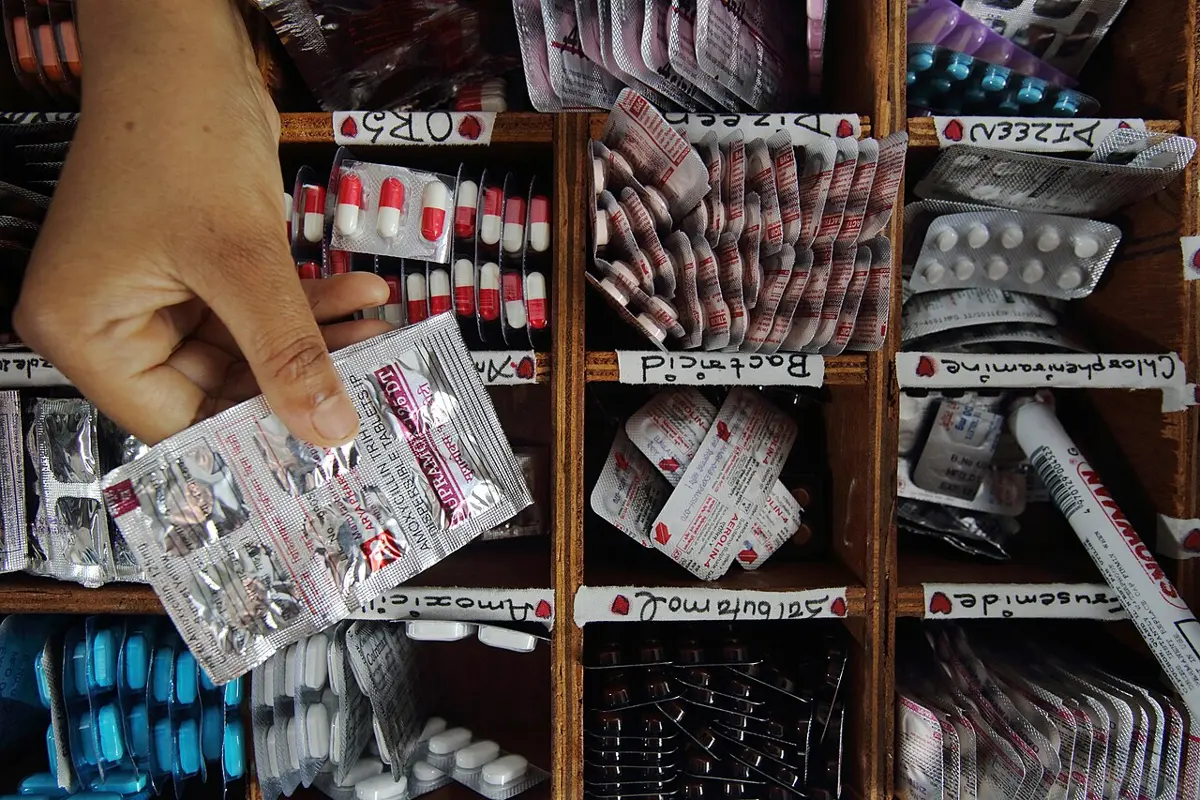
A team wants to build “an app to help Nepal’s tourists”. What is the best first step?
Pick an answer to see why.
The specification
Once the team and the user agree what the problem is, the team writes it down as a specification: the document that says what the product must do, how well, for whom, and how everyone will know whether it succeeded. It is Grade 10’s requirements and Grade 11’s user stories, gathered in one place and agreed with the user. A capstone’s specification has six parts:
- The problem and the user, in a paragraph, in words the user would recognize.
- Who uses it, where and on what: the staff, their phones and the health post’s one old laptop, the power cuts, the patchy mobile data, the language they work in.
- What it must do: the user stories with their acceptance criteria (Grade 11), numbered.
- How well: the quality requirements (Grade 10’s non-functional requirements): speed on their devices, accessibility, security, privacy, working through a power cut.
- What it won’t do: the cuts, written down.
- The success criteria: how, at the end, everyone will know whether it worked.
Success criteria you can measure
A success criterion is a statement of what the finished product will achieve, written so that at the end it can be checked: a number, a test or a task, with who, what and how much. “The app is easy to use” can’t be checked; “Bimala records a day’s medicines given out in under 5 minutes, without help, on her own phone” can. Grade 11 set usability targets before testing; the success criteria are the targets for the whole product, set before building.
The health post team’s criteria, after two drafts:
| No. | Success criterion | How it will be checked |
|---|---|---|
| C1 | Bimala records a day’s medicines given out in under 5 minutes, without help, on her own phone. | Timed at the acceptance test. |
| C2 | A warning comes at least 30 days before any medicine runs out at the last 90 days’ rate, and whenever one has run out. | Automated tests with made-up stock figures. |
| C3 | Run beside the paper register, the app’s balance agrees with the register for every medicine. | Compared each Friday of the beta. |
| C4 | Every screen opens within 3 seconds on the oldest staff phone, over mobile data. | Timed on that phone. |
| C5 | Every button and box is read out by its name by a screen reader, and every screen works with the text twice as big. | Checked with the phone’s screen reader and text size. |
| C6 | Only staff accounts can see the stock; no password is stored or logged in plain text; the release review finds no open flaw. | The review checklist and the code. |
| C7 | A day’s records can be restored from a backup kept away from the health post, in under 15 minutes. | A timed test restore. |
| C8 | The staff give it a System Usability Scale score of 68 or more after two weeks of use. | The questionnaire (Grade 11). |
Notice that C3 measures what the user cares about (the right numbers), not what the team built, and that C7 is about the day something goes wrong, which every product meets in the end.
Must, should, could, won’t
Everything in the specification is wanted by someone, but it can’t all be built in a term. So the team and the user sort it, together, with four words:
- Must have: without it the product fails. The health post can’t use a stock app that can’t record medicines going out.
- Should have: important, and planned, but the product still works without it for now.
- Could have: nice to have, if time is left.
- Won’t have (this time): agreed to be left out of this project. Written down, so nobody expects it.
This is called MoSCoW prioritization, from the first letters (the two O’s are added to make a word). It was set out by Dai Clegg in 1994, for projects with a fixed end date, which is exactly a capstone. Its rule is simple: plan the musts first, with time to spare; the shoulds and coulds are what you cut when work runs late.
The health post’s list:
| Must have | Should have | Could have | Won’t have (this time) |
|---|---|---|---|
| Record medicines received, with batch and expiry date | Warn three months before a batch expires | Text-message alerts to the in-charge | Patients’ names or phone numbers |
| Record each day’s medicines given out | Screens in Nepali and English | Charts of each medicine’s use over the year | Ordering from suppliers |
| A balance and a run-out warning for each medicine | The monthly stock report the in-charge writes | More than one health post | |
| Staff logins and a daily backup | Works on a phone while the Wi-Fi is down, and catches up later | Money or prices |
Two weeks before the end, a team is behind. Which should it cut?
Pick an answer to see why.
Agreeing it with the user
Read the specification through with the user, line by line, in their language. Change what they correct. Then both sides sign and date it. A signature doesn’t make it fixed for ever (things will be learned that change it), but it makes any change a decision, taken together, with a reason written down, instead of something that drifted.
The won’t list protects the user as much as the team. Sarita didi agreed, in writing, that the app would never hold patients’ names. Months later, when someone asked for exactly that (below), the answer was already agreed.
Designing with the people who will use it
The capstone’s product must be designed around its users: human-centered design, whose six principles you met in Grade 9 Grade 9: Designing for people and used in Grades 10 and 11. At Grade 12 the question is how far you take them. Three habits make the difference between a product that is tried and one that is used.
Go where the work is done. Asmita’s team spent two mornings at the health post before drawing a screen. They saw what no interview had told them: Bimala gives out medicines standing at a counter, with patients waiting, a strip of tablets in one hand. So the main screen had to work with one thumb, in a few taps, and saving had to be instant; a typed form with eight boxes would never be used in that queue. The team also saw that the power went off twice in one morning, and that the health post’s laptop was shared with two other jobs.
Design for the hardest user, not the easiest. If it works for the staff member with reading glasses, the oldest phone and the least confidence with English, it works for everyone; the reverse is never true. The team tested each version with the slowest phone at the health post, at twice the text size, in Nepali.
Write your values down as requirements. A team’s values (privacy, everyone can use it, honest, it keeps working when things go wrong) are easy to agree with and easy to forget under pressure. Written as testable requirements (C5, C6, C7 above), they get checked at every release like everything else. A design that respects people is not an extra; it is in the specification.
Planning the term
Roles in a capstone team
Everyone in a capstone team writes code, tests and reviews (Grade 10’s rule: everyone builds). On top of that, each member owns one part of the project, so that nothing important belongs to nobody:
- User lead (Asmita): arranges each meeting with the user, takes the notes, keeps the specification and the backlog up to date, and speaks for the user in the team.
- Quality lead (Dolma): looks after the tests and the automatic checks, runs the accessibility and security reviews before each release.
- Release lead (Prakash): looks after the repository and the releases, the backups and the server or device the product runs on, and the user and developer documentation.
- Plan keeper (Bishal): keeps the Gantt chart and the issues honest, runs the short weekly meeting, and says early when the plan is slipping.
An owner doesn’t do all of their part alone; they make sure it is done. Rotate who reviews whose code, so that every part is known by at least two people.
Estimating, and the time to spare
How much can a team build in a term? Work it out:
- Four members, each with about 5 hours a week for the project (the class periods and some time at home): about 20 team-hours a week.
- A 12-week term, less a week of exams: 11 working weeks, so about 220 team-hours in all.
- Some of that is work every project has, whatever it builds: the specification, setting up and the first version, testing with users at every release, documents, the presentation. The team put that at about 100 hours.
That leaves about 120 hours for the features. Each feature is broken into tasks small enough to estimate (a few hours to two days each) and the estimates added up. A sum of hours is a little hopeful, as if the work could be shared out perfectly, which the critical path (Unit 3) says it never quite can. So the plan keeps time to spare.
Risks
A risk is something that hasn’t gone wrong yet but could, and would hurt the project if it did. A team writes its risks down at the start in a risk register: each risk, how likely it is, how bad it would be, and what the team will do about it now. Looking at it each week takes a minute.
| Risk | Likely? | How bad? | What we do about it now |
|---|---|---|---|
| The user can’t meet us for weeks (illness, an immunization campaign). | medium | high | Agree a second contact (Bimala); keep a list of questions that can be asked by phone. |
| A member is ill or leaves. | medium | high | Two people know every part (rotating reviews); everything in the repository, nothing only on one laptop. |
| The health post’s laptop dies. | medium | high | Backups away from the laptop (C7); the install guide tried on a second computer, so the app can be moved in an afternoon. |
| The power or the Wi-Fi at the health post fails often. | high | high | The app runs on the health post’s laptop, so it needs no internet; the laptop’s battery covers short power cuts. Working on a phone with the Wi-Fi down is a should. |
| Exams take more time than planned. | high | medium | No project work planned in exam week; musts finished before it. |
| We can’t get the monthly report’s format right. | medium | low | It is a should: ask for a filled copy in week 2. |
The last column is what makes it useful. A risk with nothing done about it is only a worry.
The plan as a Gantt chart
The team drew the plan as a Gantt chart (Unit 3), in sprints of two weeks (Unit 3’s agile method), each ending in a release the user tries. The user’s part has rows of its own: if the plan has no time for the user to try each version, the product will be designed by the team’s guesses.
Reading Figure 9.2: the specification is agreed by the end of week 2, before any feature is built. Week 3 gives version 0.1, which only the team uses. The in-charge tries 0.2 in week 6, while sprint 2 goes on. During the exam week, when the team does nothing, the health post runs 0.3 beside its paper register, and keeps running it as the team works on sprint 3. Version 1.0 comes at the end of week 10, leaving a week to evaluate, document and hand over, and a week for the presentation. Nothing important is planned for the last days: that is the time to spare.
Why does the team’s plan put its user tests in rows of their own?
Pick an answer to see why.
The workflow, from day one
Set up the workflow of Unit 3 in the first week, before anyone writes a feature: one repository, shared online, with the README, the specification, a LICENSE and a test that runs. Then every piece of work goes the same way.
Issues, branches and pull requests
Every task, bug and request is written as an issue: a numbered item in the project’s tracker, with what is wanted, who owns it, and how anyone will know it is done. Issues are the backlog, written down where everyone can see it. A good one:
Issue 14
Run-out warning (story S4, must have) As Bimala, I want to see which medicines will run out within30 days, so that the in-charge can order them in time. Done when:- the home screen lists every medicine with 30 days or fewer left at the last 90 days' rate, soonest first- a medicine with none left is always on the list- tests cover normal, boundary (exactly 30 days) and erroneous (negative) figures- checked with the screen reader and at twice the text size Owner: Dolma. Reviewer: Prakash. Sprint 2.Then Unit 3’s workflow: a branch for the issue, and a pull request that names it (“Closes #14”), so the issue closes itself when the work is merged. What a capstone adds is a setting: the main branch is protected, so that the service refuses any change to it that hasn’t passed the automatic tests and a teammate’s review, even from the owner of the repository. “main always works” is then a rule the computer keeps, not a promise.
Done means done
Grade 10’s team agreed what “done” means before a card could move to Done Grade 10: The task board. A capstone writes it down as a definition of done, the list every piece of work must pass before it counts as finished, and checks it on every pull request:
- It does what the issue asks, for every case named in “Done when”.
- It has tests, and every test passes in the automatic checks.
- A teammate has reviewed it with the checklist, and every comment is answered.
- It works on the oldest staff phone, in Nepali and English, with a screen reader and at twice the text size.
- The user documentation is changed if what the user sees changed.
- Any library, borrowed code or AI help is recorded in the credits.
Ten features each 90% done are a product that can’t be released; seven features done and three not started are a release.
Building and releasing in stages
The walking skeleton
The first thing a team builds is not the first feature. It is the thinnest possible version of the whole product that runs, end to end, where it will really be used: one screen, one record saved and read back, one test run automatically, put on the health post’s laptop and opened on Bimala’s phone. Alistair Cockburn, who writes about how teams build software, gave it its name, and describes it in his book Crystal Clear (2004): a walking skeleton, a tiny version of the system that does one small thing all the way through, joining its main parts together. The features are then the flesh, added to bones that already walk.
Why first? Because the hardest surprises of a project are where its parts meet: the phone can’t reach the laptop over the health post’s Wi-Fi, the server can’t start after a power cut, the Nepali text comes out as boxes on the old phone. A walking skeleton meets all of them in week 3, when there is time to deal with them, instead of in week 10.
Asmita’s team’s skeleton could record one medicine and show how many days it would last. Here is that part of their code, with its tests (the tiny test runner is Unit 3’s). Run it.
def days_left(balance, given_last_90_days): """How many days a medicine will last at the last 90 days' rate, or None if none was given out (there is no rate to go by).""" if balance < 0 or given_last_90_days < 0: raise ValueError("stock figures can't be negative") if given_last_90_days == 0: return None per_day = given_last_90_days / 90 return balance / per_day def needs_warning(balance, given_last_90_days, days=30): """True if the medicine will run out within `days` days.""" left = days_left(balance, given_last_90_days) return left is not None and left <= days # Tests, from success criterion C2def test_normal(): assert days_left(450, 900) == 45 # 10 a day assert needs_warning(450, 900) is False def test_boundary(): assert needs_warning(300, 900) is True # exactly 30 days assert needs_warning(310, 900) is False # 31 days def test_empty_shelf(): assert needs_warning(0, 0) is True, "an empty shelf gave no warning" def test_erroneous(): try: days_left(-5, 900) except ValueError: return assert False, "a negative balance was accepted" passed = failed = 0for name, test in list(globals().items()): if name.startswith("test_"): try: test() print("PASS", name) passed += 1 except AssertionError as problem: print("FAIL", name, problem) failed += 1print(passed, "passed,", failed, "failed")Output
PASS test_normalPASS test_boundaryFAIL test_empty_shelf an empty shelf gave no warningPASS test_erroneous3 passed, 1 failedThe failing test came from criterion C2’s last words, “and whenever one has run out”. The code was written from the first half of the sentence only. And the case isn’t rare: when a medicine runs out, nobody can be given any, so the amount given out falls to zero, and the warning switches itself off at exactly the moment it matters most. Dolma found it by writing the test from the criterion, not from the code.
Release numbers
Every release gets a number, so that everyone knows which version they have, and a bug report can say which one it was found in. Much software numbers its versions the way semantic versioning sets out, written by Tom Preston-Werner, one of GitHub’s founders: three numbers, major.minor.patch, like 1.4.2.
- The patch number goes up for a release that only fixes bugs: 1.4.2 to 1.4.3.
- The minor number goes up when something new is added and everything that worked before still works the same way: 1.4.3 to 1.5.0.
- The major number goes up for a change that breaks what worked before (a file in a new format older versions can’t read, a screen that works differently): 1.5.0 to 2.0.0.
- Versions starting 0. are for the first building, when anything may change. 1.0.0 is the first version its users can rely on.
Before 1.0, test releases are often named for who tries them. An alpha release is tried by a few users who know it is unfinished (Sarita didi, in week 6); a beta release is used for real work by its users, still with a safety net (the paper register, in weeks 8 to 10). Each release has its release notes for the users (Grade 11): what is new for them, in their words, and what to watch out for.
Version 1.4.2 of the stock app is released. The next release fixes a bug in the expiry warning and changes nothing else. What is its number?
Pick an answer to see why.
Releasing safely
A release is a moment when things can go badly wrong for the people who rely on the product. Before each one, the release lead goes through a short release checklist:
- Every test passes, and the definition of done holds for everything in the release.
- The release review finds no open security or privacy flaw (below).
- A backup has been taken, and the team knows how to go back to the last version if this one fails: keep the old version ready to put back, which is called a rollback.
- The release notes are written, and the users know it is coming.
- Someone from the team is reachable for the first days.
And choose how it reaches the users. Unit 3’s four ways of changing over all apply. The health post team ran the new app in parallel with the paper register through the beta, the safest way when a mistake is costly; only when the app had agreed with the register for weeks (C3) did the in-charge stop keeping both.
Changing it because of what you learn
From the first alpha onwards, the team learns things it couldn’t have known: what users do, what they say, what the tests find, what the measurements show. A good team changes the product because of them; a careless one changes it because of whoever spoke last.
Feedback, test results and values
The changes come from four places, and each is written as an issue with its evidence:
- What users do: watched in tests and in real use. The strongest evidence. (Bimala skipped the expiry date when the medicine’s box was hard to read.)
- What users say: requests and complaints. Listen to the problem behind each request; the request itself is often one solution among several.
- What the tests and checks find: failing tests, bugs found in use, the accessibility and security reviews.
- What the numbers show: the times, the SUS scores, how often each screen is used.
Then the team decides each one, as Grade 11’s team decided version 2: by how badly it hurts and how many it hurts, by what it costs, and by the product’s values. At Grade 12 the values carry more weight, because the product is really in use: some requests would make it worse for someone, however reasonable they sound.
Saying no well
Saying no to a user is part of the job, done well. When Sarita didi asked for patients’ names and phone numbers, “so we can call them back for follow-ups”, the team didn’t just refuse. Asmita explained, in Nepali, that health records needed protection the team couldn’t promise, that it was on the won’t list they had all signed, and asked what problem the follow-up calls were solving. The answer (patients forgetting to come back for the second half of a course of medicine) is a real problem, worth a project of its own, done properly, by people who can protect the data. The team wrote it in the handover notes as a suggestion for the future.
A good no has four parts: the reason, said plainly; the agreement it rests on, if there is one; a question about the problem behind the request; and, where there is one, another way to meet the need.
A user asks the team to remove the “Are you sure?” step when deleting a record, because it is slow. Testing showed that two people had deleted records by mistake. What is the best response?
Pick an answer to see why.
Evaluating the finished product
At the end, the team judges the product against what it promised, with evidence: the evaluation. Grade 11 checked a version against its specification Grade 11: Checking it against its specification. A capstone’s evaluation goes three steps further: every success criterion, the product’s effects over weeks of real use, and whether it can be looked after by someone else.
Against the success criteria
Each criterion gets its evidence and an honest verdict: met, partly met or not met. Here is part of the health post team’s:
| No. | Evidence | Verdict |
|---|---|---|
| C1 | Bimala recorded a day’s medicines in 3 min 40 s, 4 min 10 s and 2 min 55 s on three days, without help. | met |
| C2 | All 23 tests of the warnings pass, including an empty shelf and exactly 30 days. | met |
| C3 | The balances agreed on the Fridays of weeks 9 and 10. In week 8, the beta’s first, two differed: one was a typing slip, one a bug in correcting an entry, fixed in 0.3.1. | met from the second week |
| C4 | 1.8 s to 2.6 s on the oldest phone, except the monthly report: 41 s on the laptop. | partly met |
| C5 | Every screen read correctly by the screen reader; the stock table needed side-scrolling at twice the text size. | partly met |
| C8 | SUS from the four staff after two weeks: 72.5, 80, 67.5 and 85; median 76.25. | met |
“Partly met” is a good answer when it is true (Grade 10’s honest evaluation), and it says where to work next. An evaluation in which every criterion is met is usually one where the criteria were too easy, or the evidence wasn’t looked at.
Accessibility, security, and effects on its users
Three more questions, beyond the criteria:
- Accessibility: Grade 11’s checks against WCAG, done again on the final version, with a person who uses a screen reader if you can find one.
- Security and privacy: a review of the code before release, as a careful outsider would read it, looking for the flaws Grade 11 taught you to find. Try the team’s review below.
- Effects on its users, intended and unintended (Grade 10’s consequence scan, now with evidence from real use). After a month, the health post had caught two medicines before they ran out; Bimala spent less time searching notebooks. But one effect wasn’t planned: the in-charge started checking the app’s balance against the shelf each evening, which took her twenty minutes. Was that good (fewer losses) or a new burden? The team asked her, rather than deciding for her: she chose to check once a week.
In the three weeks of parallel running, the app’s balance differed from the register for two medicines in the first week. What should the evaluation say?
Pick an answer to see why.
Documentation and credit
A product nobody else can use, run or change ends the day its team leaves school. The capstone’s documents are written for two readers who weren’t in the team.
For the users
The user guide says how to do each job the product is for, in the users’ language and words, with a picture of each screen: how to record medicines received, how to correct a mistake, what each warning means, what to do when something goes wrong, and whom to call. Keep it short; test it by giving it to someone who hasn’t used the product and watching them follow it. A one-page card on the wall beside the counter, in Nepali, is used more than a twenty-page guide in a folder.
For the next developer
Someday someone else will change this product: a younger student, a volunteer, a professional the health post pays. Unit 3’s README tells them how to run it and run its tests. A capstone adds:
- An overview of how it is built: one page and one drawing of the parts (the phone’s page, the server on the laptop, the database, the backup) and what each does.
- How to install it, back it up and restore it, step by step, tried by someone who didn’t write it.
- The decisions, with their reasons: a short decision record for each choice that shaped the product, written when it is made. A decision record has the date, the decision, the options there were, why this one, and what it costs. Without them, the next developer sees only the result, and may undo a choice made for a reason they can’t see.
- Known problems and the issues still open.
docs/decisions/003-no-patient-data.md
3. The app holds no patient data Date: Bhadra 22, 2083. Decided by: the team and the in-charge. The decision: the app records medicines (received, given out eachday, in stock), never patients. No names, phone numbers or illnesses. Options we had: (a) patient records with each medicine given out;(b) daily totals only. Why (b): a daily total is all the stock warnings need. Patientrecords are health information, which needs protection we can'tpromise (encryption, access logs, consent, the Privacy Act, 2075),and the health post already keeps them in its register. What it costs: the app can't say which patient got which batch.If a batch is recalled, the register must be searched by hand.Credit for everything you used
The capstone’s credits list everything the team didn’t make itself: each library with its version and license (and a check that the licenses allow how you use them, Unit 3), every borrowed piece of code with where it came from, every icon, font, photo and data set with its license, and the people who helped. And the AI help: in this course, AI-written code is checked, tested and credited like anyone’s (Unit 3). Keep an AI use log from the first week, a line each time:
CREDITS.md (part)
## LibrariesFlask 3.1 (BSD-3-Clause): the web server.nepali-datetime (MIT): Bikram Sambat dates. ## AI helpBhadra 30, Prakash: asked a chatbot to explain the error"database is locked". It suggested closing each connection afteruse; we did, and wrote a test that opens two at once.Asoj 6, Dolma: asked a chatbot for a first draft of the Nepaliuser guide. Rewritten by Asmita and checked by Bimala; about athird of the chatbot's wording was kept. ## PeopleSarita didi (the in-charge), Bimala and the health post's staff,our users, who gave us their time every second Friday.Our computer teacher, who reviewed the specification.An honest AI log protects the team: it shows exactly what each member did, and what they checked. A presentation that claims as its own what a tool or another person made is the dishonesty Grade 8 warned you about.
Handing over, so it lasts
Most school projects are forgotten the week after they are marked. A capstone that a real user relies on needs a plan for the day the team leaves: who will look after it (a teacher, a younger class, someone the user knows), who holds the passwords and accounts (handed over in person, never in the repository), what it costs to keep running (a domain name, hosting, nothing at all if it runs on the user’s own laptop), and until when the team will answer questions. Grade 10’s handover note is the start; the decision records and the install guide are what let someone else really take over.
What is the main purpose of a decision record?
Pick an answer to see why.
Presenting it
The capstone ends with a presentation to the class, the teacher, and if you can, the user: about fifteen minutes and questions after. Grade 10 gave you the parts Grade 10: Presenting and handing over. At Grade 12, a good presentation goes like this:
- The user and the problem, in a minute, in the user’s words. A photo of the place (with permission) or a short quote does more than a slide of text.
- The product working, live, doing the user’s real job, with a recorded video ready in case the projector, the power or the Wi-Fi fails.
- The evidence: the success criteria table, the honest verdicts, and one measurement that changed the design.
- The hardest decision the team made, told properly (below).
- Who did what, from each member in their own words.
- What’s next: the evaluation’s open problems, and who will look after it.
The hardest decision
Every capstone has a moment when the team had to choose between two things it wanted, and couldn’t have both. Telling it shows more about what you learned than any feature. Tell it in four steps: the choice (what you had to decide, and why it was hard), the options (two or three, each with what it would give and cost), what you chose, and why (with the evidence), and what it cost, and whether you would choose the same again.
The health post team chose their week 7. After the alpha, the staff had asked first for the phones to keep working while the Wi-Fi was down, so the team had started on it; it was half built, and the beta was due. They could finish it and release the beta two weeks late, losing a fortnight of real use, or release the beta on time without it, asking the health post to record on the phones only when the Wi-Fi was working. They chose the beta on time: the weeks beside the paper register (C3) were the evidence they needed most, and the paper register covered the hours without Wi-Fi. It cost them the should they most wanted to finish; by the end of week 10 it worked only for recording medicines given out, not received. Asked whether they would choose the same again, Dolma said yes, but that they should have built offline working into the walking skeleton, where it would have been cheap.
Who did what
Each member says what they owned and did, and one thing they learned. The repository is the evidence: the issues each closed, the reviews each wrote, the commits. In git, git shortlog -s -n counts the commits by each author, but a count of commits measures typing, not contribution; the user lead may have the fewest commits and have done the work that mattered most. Show what each person did, not who typed most.
Each member also writes a short reflection, alone, in their own words: what went well, what didn’t, what they would do differently, and what they learned about working in a team. In this course the capstone is marked by your teacher, not in the written paper: the checkpoints your teacher signs as you reach them (the signed specification, a demonstration midway, the release), the product and its tests, and a viva. In the viva your teacher points at a part of your own work, asks what it does and why, and asks you to change something small on the spot. It is half of the capstone’s marks, so know every part you put your name to, including what AI helped with. Your capstone is also the first thing to put in your portfolio (Unit 8, Technology, Policy and You).
In the presentation, which is the strongest way to show who did what?
Pick an answer to see why.
Project: your capstone
In a team of three or four, over a term (about 20 class periods, and your own time each week), build a product for a real user, with the workflow of Unit 3 and this unit. At least one member needs a computer with Python and git, at school or at home; the others can review, test, write the documents and work with the user from a phone.
This is where the course ends. In Grade 6 you made a turtle draw a square for no one but yourself; your capstone is software someone else relies on, built the way professionals build it. The languages and apps you used will change. Finding a real person’s problem, building in small tested steps, checking honestly and leaving good notes will not. From here, your own plan for learning goes on (Learning on your own, Unit 8).
In short
Exercise
What is a feasibility study?
Pick an answer to see why.
Which success criterion can be measured?
Pick an answer to see why.
In MoSCoW prioritization, what does W stand for?
Pick an answer to see why.
What is a walking skeleton?
Pick an answer to see why.
A release adds a new “charts” screen, and everything else works exactly as before. The last version was 1.5.3. The new one is…
Pick an answer to see why.
Which is an entry in a risk register, rather than an issue?
Pick an answer to see why.
A test you wrote from a success criterion fails, though the code does what you meant it to. What does this most likely show?
Pick an answer to see why.
Explain the five tests of a good capstone. For each, give an example of an idea that fails it.
Answer
A team proposes: “An app for Nepal’s farmers that shows the weather, market prices, crop diseases and government schemes, in every language of Nepal.” Use the five tests to cut it down to a capstone a team could finish in a term. Say what you would keep, what you would cut, and why.
Answer
Rewrite each vague criterion as a measurable success criterion for a library’s book-lending app: (i) The app is quick. (ii) Everyone can use it. (iii) No books are lost track of.
Answer
A team of three has 4 hours each a week for 10 weeks, and estimates 45 hours for the work every project needs. Their musts add up to 50 hours and their shoulds to 40. (i) How many team-hours do they have? (ii) Can they plan all the musts and shoulds? (iii) If every task takes a quarter longer than estimated, what can they safely plan? Show your working.
Answer
What is a definition of done? Write one for a team building a school’s fee-receipt program, with at least five points.
Answer
Explain semantic versioning. A stock app is at version 0.9.4. Give its next version number after each of these, in order: (i) a bug fix; (ii) the first version the health post can rely on; (iii) a new monthly report screen; (iv) a change to the backup file’s format that older versions can’t read.
Answer
Why should a team build a walking skeleton before its first feature? Give two problems it could find early, in a project for a health post.
Answer
The in-charge of the health post asks the team to add patients’ names and phone numbers to the app, to call them about follow-ups. Write what the team should say, and explain why, using the parts of a good no.
Answer
What is a decision record? Write one for this decision: a team chose to run its school library app on the library’s own computer instead of on a server on the internet.
Answer
Write the evaluation of these three success criteria from a team’s data, with a verdict for each, and say what the team should do next.
C1: The canteen owner records an order in under 20 seconds. Measured: 12 s, 15 s, 31 s, 14 s, 16 s (the 31 s order had six items).
C2: Every screen opens within 3 seconds on the owner’s phone. Measured: all under 2 s, except the day’s total: 7 s.
C3: The owner gives the app a SUS score of 68 or more. Measured: 75.
Answer
A team wants to show who did what in their presentation using git shortlog -s -n, which shows Bishal with 212 commits and Asmita with 18. Explain what is wrong with this as evidence, and how they should show each member’s contribution.
Answer
Look back at the HealthCare.gov story. Name three things in its launch that this unit’s workflow would have done differently, and say how each would have helped.
Answer
Think about a capstone you could build for someone you know: a shop, a club, a school office, a cooperative, a family member’s work. Write: the user, the problem you would go and watch, three musts and two won’ts, two measurable success criteria, and the biggest risk with what you would do about it.
Answer
Quiz yourself: Creating, Grades 6–12 →
Practice every question in the book, and keep track of the ones you miss →