
At three o’clock the exam results come out. In the next minute, hundreds of thousands of students, and their parents, aunts and friends, type in a symbol number and press Enter, all at once. On the day salaries are paid, half the country opens its bank app before breakfast. In the week before Dashain, everyone sends money home through a mobile wallet. A site that answers a few hundred people a day with no trouble can freeze, show an error, or simply never load when the whole country arrives together.
In Grade 10 you saw how a service survives a broken server: copies, a load balancer, failover. In Grade 11 you built a small web app, one client and one server. This unit is about the giants in between: services with millions of users. How do thousands of computers work as if they were one, and how is data too big for one computer split among them? How does a payment from one wallet to another happen completely or not at all, even when something fails half-way? How do copies of the same data, in different cities, stay the same, and what happens when they can’t talk to each other? Why does a video made abroad reach your phone from a computer inside Nepal? What happens when a big service goes down, and who pays for the electricity and water all this uses? You will run a results day yourself, make a failed transfer safe in a real database, sell the last bus seat twice and then stop it happening, make the choice every bank and social app must make, and read a real report of a real outage.
Many computers working as one
A tea shop with one cook can serve a few dozen customers an hour. When more come, the owner has two choices. She can buy a bigger stove and a faster kettle, so the one cook works faster. Or she can hire more cooks, each with a stove of their own.
Computers face the same choice. Scaling up (vertical scaling) means a bigger computer: more processor cores, more memory, faster disks. It is simple, because the program doesn’t change. But the biggest computer you can buy is only so big, it costs far more than several ordinary ones, and it is still one machine: if it breaks, everything stops. Scaling out (horizontal scaling) means more computers of the ordinary kind, sharing the work. There is no limit except money, and losing one of many hurts little. Every service with millions of users scales out. The hard part, and most of this unit, is making many computers behave like one.
Servers that remember nothing
In Grade 11 you saw that HTTP remembers nothing between requests: a cookie carries a session’s id, and the server looks it up. That habit becomes essential at scale. If the server that handled your sign-in kept your session in its own memory, every later request from you would have to reach that same server, and if it broke, you would be signed out.
So the program on the app servers, the computers that run the service’s own code, is written to keep nothing about a user between requests. Everything that must last (sessions, balances, posts) lives in a shared database or store that every app server can reach. A server that keeps nothing of its own between requests is called stateless. Any stateless server can answer any request, so they can be added when the service is busy, removed when it is quiet, and replaced when they break, without anybody noticing.
Sharing out the requests
In front of the app servers stands a load balancer, which you met in Grade 10: it passes each request to one of the servers, and stops sending to any server that fails its health check. How does it choose?
- Round robin: the first request to server 1, the next to server 2, and so on round again, like a teacher handing out papers along the rows. Simple and fair when every request is about the same size.
- Fewest busy: send each request to the server with the fewest requests in progress. Better when some requests take much longer than others (a statement for a whole year beside a quick balance check), because a server stuck on a long one isn’t given more.
- The same key to the same place: send everything for one user, or one account, to one server, by working out a number from the key, as a hash table does (Grade 11). Useful when a server keeps something in memory for that key, as the caches later in this unit do.
The load balancer itself must not be a single point of failure, so there are always at least two, each able to take over from the other, and the service’s name in DNS gives the addresses of more than one.
Figure 4.1 puts these parts together. You will meet each of the others in this unit.
A shopping site keeps each signed-in customer’s cart in the memory of the app server that first served them. What goes wrong at scale?
Pick an answer to see why.
Some requests to a bank’s app take 20 times longer than others (a year’s statement beside a balance check). Which way of sharing them out suits it best?
Pick an answer to see why.
Why waiting grows suddenly
Think again of the cook. If customers came exactly one every two minutes, and each tea took exactly one minute, nobody would ever wait: the cook would be busy half the time. But customers don’t come neatly. Sometimes three arrive together, and the third waits while the first two are served. The busier the cook is on average, the more often customers arrive while she is still working, and the longer the line that builds.
The surprise is how fast it grows. Take the simplest model: one server, requests that arrive at random moments, and service times that vary at random too, short ones common and long ones rare (queueing theory calls this model M/M/1). Its average time per request, waiting plus being served, is
where “how busy” is the share of the time it is working, its utilization: 0.5 when it is busy half the time. Real servers don’t follow this model exactly (if every request took exactly the same time, the waiting would be about half as long), but the shape is the same for almost every queue: slow growth at first, then very fast near full. Run the numbers for a server that needs 0.1 s for a request:
service = 0.1 # seconds a server needs for one requestfor busy in [0.5, 0.7, 0.8, 0.9, 0.95, 0.99]: time = service / (1 - busy) print(f"{busy:.0%} busy: about {time:.2f} s per request")Output
50% busy: about 0.20 s per request70% busy: about 0.33 s per request80% busy: about 0.50 s per request90% busy: about 1.00 s per request95% busy: about 2.00 s per request99% busy: about 10.00 s per requestFrom 50% to 80% busy, the time goes up a little. From 90% to 99%, it goes up ten times, though the work grew by only a tenth. Near full, a small rise in visitors makes a huge rise in waiting. And past 100%, when requests arrive faster than they can be served, the line grows without end: every second adds more people than it serves, until they give up. That is why services are run well below full, often at half or two-thirds of what they can do, keeping the rest for the busiest minutes.
The study of waiting lines like these is called queueing theory. It began with Agner Krarup Erlang, a mathematician at the telephone company in Copenhagen, Denmark, who published his first paper on telephone calls as a matter of chance in 1909, and in 1917 a formula for how many lines an exchange needs so that callers rarely hear “all lines are busy”.
The widget shows two lessons every big service learns. First, find the bottleneck before adding anything: more of what isn’t full is money wasted. Second, the fastest request is one that doesn’t have to be worked out again, which is what a cache does (later in this unit).
Planning for the busy day
Cloud servers can be rented by the minute, and a service can add servers automatically when they get busy and remove them when they are quiet. This is autoscaling. But a new server takes a minute or more to start, and the results-day jump happens in seconds. So for a peak you know is coming (results day, salary day, the week before Dashain, a big cricket match), services add servers before it, from what they saw the year before, and test that the whole system copes, by sending it made-up traffic of the expected size: a load test.
When even that isn’t enough, a well-built service would rather serve some people well than everyone badly. It can shed load: answer the requests it can, and turn the rest away at once with a polite “Too busy, please try in a minute” (HTTP’s status 503 Service Unavailable), instead of letting everyone wait until they give up. Or it puts visitors in a waiting room, a page that lets them in a few at a time and tells them their place in the line. Slow jobs that needn’t finish before the answer, like sending an SMS receipt or making a PDF, go into a queue (Grade 11’s data structure, on its own servers) and are done by worker programs as fast as they can, so a burst of them waits in the queue instead of slowing every request.
A server takes 0.2 s for a request and is 90% busy. Using the rule above, about how long does a request take, waiting included?
Pick an answer to see why.
A results site has 10 web servers, all 40% busy, and a database that is 100% busy. Visitors are waiting. What should be done first?
Pick an answer to see why.
Splitting the data
A bank with ten million accounts can have a hundred stateless app servers, but they all read and write the same balances. One database computer, however big, can only answer so many requests a second, and only hold so much. So the data itself is split.
When data is big
Data that is too much for the usual tools, one database on one computer, is called big data. It is usually described by three Vs:
- Volume: there is too much of it for one computer to store or search: every payment of millions of customers for years, every video ever uploaded.
- Velocity: it arrives fast, and never stops arriving: thousands of payments a second on salary day, every tap in an app, a reading from every weather station every minute.
- Variety: it comes in many shapes, not only neat rows: messages, photos, voice notes, locations, and products whose details differ from one to the next (a phone has a screen size, a sari a fabric).
The analyst Doug Laney, at the research company META Group, named the three Vs in 2001.
The tables you met in Grade 10 and designed in Grade 11, a relational database, are the best tool for data with a fixed shape that must stay exactly right, like balances. But a join between tables on different computers is slow, and a fixed shape fits variety badly. So big services also keep data in stores that aren’t tables, built from the start to be split across many computers: NoSQL stores (“not only SQL”), which Grade 10 named. There are four main kinds.
| Kind | What it keeps | Good for |
|---|---|---|
| key–value | a value found by its key, like a Python dictionary spread over many computers | anything always looked up by one key: sessions, carts, caches |
| document | each record as a whole document (like JSON), with its own fields | data whose shape varies: products, profiles, posts |
| wide-column | rows found by a key, each with many columns, kept sorted and spread across computers | huge numbers of writes in time order: messages, sensor readings, activity logs |
| graph | things, and the links between them | questions about connections: friends of friends, routes, rings of accounts passing money round |
To be split easily, many NoSQL stores give up some of what a relational database promises: joins, or a change to several records that happens completely or not at all. For likes and logs that is a fair trade. For balances and seats it isn’t, as the section on transactions shows.
A shop app keeps products of very different kinds (phones, saris, rice), each with its own details. Which kind of store suits the product list best?
Pick an answer to see why.
Shards
Split the accounts into groups, and give each group its own database computer. Each part is called a shard (or partition), and splitting the data this way is sharding. Every request must find the right shard, so the rule that decides where an account lives is worked out from its key, just as a hash table in Grade 11 worked out a bucket from a key. With 4 shards, a simple rule is: shard = account number mod 4. Account 1007 is in shard 3 (1007 = 4 × 251 + 3).
This works until the bank needs a fifth shard. Then the rule becomes mod 5, and account 1007 now belongs in shard 2. How many accounts must be moved?
moved = 0for account in range(1, 100_001): if account % 4 != account % 5: moved += 1print(moved, "of 100,000 accounts move to a different shard")Output
80000 of 100,000 accounts move to a different shardFour in five. Moving 8 million accounts’ data while customers are using it would take days and risk mistakes. A cleverer rule moves only the accounts the new shard needs. Put the shards at points round a circle (a ring), worked out from their names with a hash; work out a point for each account the same way; and give each account to the next shard round the ring from its point. Each of a new shard’s points takes over only the stretch of ring just before it, from the shard whose point came next; every other account stays where it was. To share the ring evenly, each shard is placed at many points, say 100. This is consistent hashing.
import hashlibfrom bisect import bisect_left def point(name): # a place on a ring of a million points, from the name's SHA-256 hash return int(hashlib.sha256(name.encode()).hexdigest(), 16) % 1_000_000 def make_ring(shards): # each shard at 100 points round the ring return sorted((point(f"{s}#{k}"), s) for s in shards for k in range(100)) def shard_for(account, ring): places = [p for p, s in ring] i = bisect_left(places, point(str(account))) return ring[i % len(ring)][1] # past the last point: round to the first four = make_ring(["A", "B", "C", "D"])five = make_ring(["A", "B", "C", "D", "E"])moved = 0for account in range(1, 10_001): if shard_for(account, four) != shard_for(account, five): moved += 1print(moved, "of 10,000 accounts move")Output
1876 of 10,000 accounts moveAbout one in five, the share the new shard should hold, instead of four in five. Run it with a sixth shard, or with 10 points per shard instead of 100, and see what changes.
One more problem comes with splitting: a key that everyone wants at once, a hot key. If a famous singer posts, millions of likes land on one post, in one shard, while the others sit quiet. Services spot hot keys and spread them, for example by counting the likes in several places and adding the counts up.
Waiting for the slowest
Splitting has a hidden cost. A page that shows your friends’ latest posts may need data from 100 shards, and it can’t be shown until the slowest of them answers. Suppose each server is usually quick, but one request in 100 is slow (it was busy, or tidying its memory). For one server, that is 1% of requests. For a request that needs 100 servers:
slow = 0.01 # one request in 100 is slow on any one serverfor servers in [1, 10, 100, 1000]: all_fast = (1 - slow) ** servers print(f"needs {servers} servers: slow {1 - all_fast:.0%} of the time")Output
needs 1 servers: slow 1% of the timeneeds 10 servers: slow 10% of the timeneeds 100 servers: slow 63% of the timeneeds 1000 servers: slow 100% of the time(For 1,000 servers it is 99.996%, which the program rounds to 100%.) A rare delay on each server becomes the normal case for the whole request. The slow few, the tail of the times, decide how fast the service feels. Jeff Dean and Luiz André Barroso described this, with these numbers, in their 2013 article “The Tail at Scale”, about Google’s systems. One of their cures is simple: if an answer is late, ask a copy of the same shard as well, and use whichever answer comes first.
A database is split into 4 shards by account number mod 4. Which shard holds account 2026?
Pick an answer to see why.
Why does a request that needs answers from 100 servers so often feel slow, though each server is slow only once in 100 times?
Pick an answer to see why.
Transactions: all or nothing
Sita sends Rs. 500 from her mobile wallet to her brother Hari. To the wallet company’s database, that is two changes: take 500 from Sita’s balance, and add 500 to Hari’s. What if something goes wrong between the two: the server crashes, the power fails, or the second change is refused? Then Sita has lost Rs. 500 that Hari never got. Try it.
The cure is to tell the database that the two changes belong together. A transaction is a group of changes that the database treats as one: either all of them happen, or none of them do. In SQL:
- BEGIN starts a transaction.
- COMMIT ends it and keeps every change made since BEGIN.
- ROLLBACK ends it and undoes every change made since BEGIN, as if it had never started.
A wallet’s program sends BEGIN, then the two UPDATEs; if both succeed it sends COMMIT, and if anything fails it sends ROLLBACK. If the server crashes before COMMIT, the database rolls the transaction back by itself when it restarts.
Four promises: ACID
A database that supports transactions keeps four promises, known by their first letters as ACID:
- Atomicity: a transaction happens completely or not at all. Sita’s Rs. 500 leaves her wallet only if it reaches Hari’s.
- Consistency: a transaction takes the database from one correct state to another, in which every rule still holds. A transfer that would leave a wallet below Rs. 0 or above Rs. 50,000 is refused, never half kept.
- Isolation: transactions running at the same time don’t see each other’s half-done work; at the strictest setting, the result is as if they had run one after the other. Nobody checking balances ever sees the moment when the 500 has left Sita and not yet reached Hari.
- Durability: once COMMIT has succeeded, the change survives a crash or a power cut, because the database has written it to disk before saying “done”. When the app says “Sent”, the money stays sent, even if the server restarts a second later.
Two clerks, one seat
Isolation is the hardest of the four promises to keep. Tonight’s bus from Kathmandu to Pokhara has one seat left, A7. Clerk 1, at the counter, is selling it to Gita; at the same moment clerk 2, an agent selling online, is selling it to Bishal. Each clerk’s program reads the seat’s record, and if it is free, writes the passenger’s name into it and prints a ticket. Suppose their steps happen in this order:
| Step | Clerk 1 (for Gita) | Clerk 2 (for Bishal) | Record A7 says |
|---|---|---|---|
| 1 | reads A7: free | free | |
| 2 | reads A7: free | free | |
| 3 | writes A7 = Gita | Gita | |
| 4 | writes A7 = Bishal | Bishal | |
| 5 | prints Gita’s ticket | prints Bishal’s ticket | Bishal |
Clerk 2’s write wiped out clerk 1’s. Gita has a ticket, but the database has no record of her booking: two people will arrive for seat A7. This is a lost update: two transactions read the same record, each changes it from what it read, and the later write overwrites the earlier one. You met the same problem with two people saving one file in Grade 10, and with two threads in Grade 11: each step was right; their order was wrong.
The cure is record locking. A transaction that means to change a record first locks it. Another transaction that wants the same record must wait until the first ends, with COMMIT or ROLLBACK, which lets the lock go. Then clerk 2 reads A7 only after Gita’s name is in it, and says “sold out”. Only the one record is locked, so clerks selling other seats, or other buses, don’t wait at all. In SQL, many databases lock the rows a SELECT reads when it ends with FOR UPDATE:
BEGIN;SELECT passenger FROM seats WHERE seat = 'A7' FOR UPDATE;UPDATE seats SET passenger = 'Gita' WHERE seat = 'A7';COMMIT;(SQLite, the small database in the playgrounds, has no FOR UPDATE: while a transaction writes, it locks the whole database, not one record. That is simple and safe, but it lets only one transaction write at a time, too slow for a booking system with thousands of clerks.)
Locks have a price. A transaction waiting for a lock does nothing, so a transaction holds its locks as briefly as it can. And two transactions can each hold a lock the other is waiting for: clerk 1 has locked seat A7 and waits for A8, while clerk 2 has locked A8 and waits for A7. Neither can ever go on. This is a deadlock, and databases watch for it: they roll one of the two transactions back, so the other can finish, and the program tries the rolled-back one again.
All of this happens inside one database, on one computer. A big service keeps each shard as several copies in different places, and every committed change must reach all of them. That is the next problem.
A wallet app shows “Sent”, and a second later the server loses power. When it restarts, the payment is still there. Which ACID property is that?
Pick an answer to see why.
Two clerks each read that a bus seat is free, then each write their own passenger into it. What prevents the second clerk’s write from wiping out the first?
Pick an answer to see why.
Copies and consistency
Each shard is kept as several copies, in different zones (Grade 10), so that losing a disk, a server or a building loses no data. Keeping copies is easy while nothing changes. The hard part is changes: every committed payment, post or booked seat must reach every copy.
A leader and its followers
The usual way is to make one copy the leader: every change goes to it, in order. The other copies are followers: the leader sends them each change, and they apply the changes in the same order, so they end up the same. Reads can go to any copy, which shares out the reading too.
When should the leader say “done” to the customer?
- After the followers have the change too (synchronous replication). Safe: if the leader’s building burns down a second later, a follower has the payment. But every change waits for the slowest follower to answer, perhaps in another city.
- At once, sending the change on just after (asynchronous replication). Fast. But if the leader is lost in that moment, the last changes are lost with it. And a follower may be a little behind: replication lag.
Lag shows up in strange ways. You post a photo, the app shows it, you pull to refresh, and it is gone. Your post went to the leader; the refresh read from a follower that hadn’t got it yet. A few seconds later it is back. Services fix this particular trap by sending a user’s reads to the leader for a short while after they change something, so you always see your own changes (read your own writes).
When copies can’t talk
Now the hard case. A wallet keeps three copies, in Kathmandu, Pokhara and Biratnagar. An excavator cuts the fiber, and Biratnagar can’t reach the other two. This, a network that splits into parts that can’t reach each other, is called a network partition. A customer in Biratnagar pays a shop Rs. 700. What should the Biratnagar copy do?
- Refuse, until it can talk to the others: “Please try again later.” It can’t know whether, at this moment, the same wallet is paying someone in Kathmandu. Refusing keeps every copy the same and correct, but the service is unavailable in Biratnagar.
- Accept, and tell the others later. The service stays available, but the copies now disagree, and two payments that each looked fine may together spend money that was never there.
There is no third choice. In 2000 the computer scientist Eric Brewer put it as a rule now known as the CAP theorem: when a network partition happens, a system of copies must give up either consistency (every copy giving the same, latest answer) or availability (every copy answering). In 2002, Seth Gilbert and Nancy Lynch, at MIT, proved it.
So which choice is right depends on the data, and on what a wrong answer would cost:
| Data | When copies can’t talk | Why |
|---|---|---|
| a wallet’s or bank account’s balance | refuse (stay consistent) | two payments could spend the same money twice |
| a bus seat or a flight seat | refuse | the same seat would be sold twice |
| exam results, once published | answer (from any copy) | they don’t change, so every copy is right |
| likes or views on a post | answer, add up later | a count a little behind harms nobody, and the counts merge cleanly |
| chat messages | answer, deliver later | a message arriving a minute late is better than a chat app that stops |
Copies that are allowed to disagree for a while, and come to agree once the changes have reached them all, are called eventually consistent.

During a network partition, a ticket booking system lets both sides keep selling seats. What can go wrong?
Pick an answer to see why.
You post a comment, refresh, and it has disappeared; a minute later it is back. What is the most likely cause?
Pick an answer to see why.
Caches and copies close to you
Caches
A cook who makes the same masala tea all morning doesn’t grind fresh spices for every cup: she grinds a jar in the morning and uses it all day. A cache is the same idea for answers: keep a copy of an answer that was hard to get, close by, and use the copy the next time. When the answer is in the cache it is a hit; when it isn’t, a miss, and the answer is fetched from the real place and kept for next time. The share of requests that are hits is the hit ratio.
You have met caches already: your browser’s, and the memory cache inside the processor. A big service has them at every level. And every cache has the same weakness: its copy can be out of date, or stale. So each copy is kept only for a set time, its time to live, after which it is fetched again, or the cache is told to throw it away when the real data changes. What may be cached depends, again, on the data:
- a news page, the results form, a list of schools, a video: the same for everyone and rarely changed. Cache it.
- a published exam result: never changes. Cache it, for as long as you like.
- your balance, a seat’s availability: must be exactly right at this moment. Never answer it from a cache.
Content delivery networks
For a video company, putting caches close to viewers is so useful that it builds a whole network of them: edge servers in hundreds of places round the world, in data centers near big cities, at internet exchanges, and inside internet companies’ own networks. A network like this is a content delivery network (CDN).
How does your phone reach the nearest one rather than a faraway one? Two ways, both built on the internet’s own protocols from Grade 9. The CDN’s DNS servers can see roughly where a question comes from, and answer with the address of an edge server nearby. Or the same address is announced by BGP from many places at once (anycast), and the internet’s routers, each choosing the shortest route as usual, carry every packet to whichever is nearest.
This is the internet working as a network of networks. Nepal’s internet companies are separate networks; they meet at npIX, and they buy transit from bigger networks across the border. A video company that wants Nepal’s viewers to get its videos quickly, and an internet company that wants to carry less over its expensive links abroad, both gain when the video company’s cache servers sit inside the Nepali network. The internet company gives them space and power; the video company gives the servers. Nobody in charge of the whole internet arranges it: each network agrees what suits it, as the network of networks always has.
The internet beneath a big service
A request to a big service crosses three very different kinds of network. First the public internet: your internet company, perhaps npIX, transit networks, each run by a different owner and joined by BGP, as in Grade 9 and Grade 11. Then, as soon as it reaches the service’s edge, the company’s own backbone: private fiber between its data centers, often across continents, which it alone owns or rents. Last, the network inside one data center, joining tens of thousands of servers.
| The public internet | A company’s backbone | Inside a data center | |
|---|---|---|---|
| Owners | tens of thousands of separate networks | one company | one company |
| Who decides the routes | each network for itself, sharing routes by BGP, by its own business rules | the company’s own programs, for the whole network at once | the company’s own programs |
| Capacity | whatever each owner buys; busy links slow everyone’s packets | planned for the company’s own traffic | built so any server can reach any other at full speed |
| Paths | whichever routes the networks offer each other | chosen to balance the load across links | many equal paths between any two servers |
| When something fails | each network routes round it by itself | the company moves traffic to other links | traffic shifts to the other paths at once |
| Who can join | anyone who pays an internet company | only the company’s data centers | only the company’s servers |
Inside a data center, servers sit in racks; each rack’s switch is linked to every one of a row of bigger switches above, so between any two racks there are many paths of the same length, and the network spreads each conversation over them. Losing one switch removes one path of many. Engineers call this design leaf and spine (the rack switches are the leaves). The same lessons as the whole internet, but under one owner, who can plan everything.
This is why a big service feels fast from anywhere: it meets you at the edge, as close to you as it can, carries your request across its own planned network, and sends back only what the slow, shared public internet must carry.
Why is a popular video from a company abroad often delivered from a server inside Nepal?
Pick an answer to see why.
Which of these should never be answered from a cache?
Pick an answer to see why.
When a big service goes down
Big services are built to keep working while parts fail (Grade 10), so when one goes down for everyone, the cause is rarely one broken part. It is almost always a failure that spread.
How one failure spreads
- Overload passed along. Three servers share the work, each 70% busy. One fails; the other two now get 105% each. They slow down, time out, fail their health checks, and are taken out too. A failure that topples the next part, and the next, is a cascading failure.
- Tries again. When a request fails, apps try again, and so do users, pressing the button over and over. A service that is struggling then gets two, three, ten times its normal requests, just when it can least cope. Worse, an overloaded server wastes work on requests whose users have already given up, so it gets less done the more it is sent.
- One change everywhere. A setting, a file, an update or a command that reaches every server at once breaks every server at once: no copy is left working. (Grade 10’s Facebook outage of 2021 was one: a single command cut every link of the company’s backbone at once.)
- Hidden dependencies. A service that “has nothing to do with” a failed one turns out to need it: to sign users in, to look up an address, to check a license. When it fails, they fail together.
A system that stays broken after its cause is gone, held down by its own reaction, is one of the hardest failures to fix: restarting the database changes nothing, because the storm of tries again knocks it straight back down. Engineers must first cut the load (shed requests, block tries again), and only then let users back in slowly.
Defenses
- Timeouts. Never wait for ever: if an answer hasn’t come in a set time, stop waiting and free the resources.
- Tries again with waiting longer. Wait before trying again, double the wait each time (exponential backoff), give up after a few tries, and choose each wait at random up to its limit (jitter), so millions of apps don’t all try again in the same second. Ethernet used this rule in the 1970s, for computers sharing one cable.
import randomrandom.seed(7)for attempt in range(1, 5): longest = 2 ** attempt wait = random.uniform(0, longest) print(f"try again no. {attempt}: wait up to {longest} s, this time {wait:.1f} s")Output
try again no. 1: wait up to 2 s, this time 0.6 stry again no. 2: wait up to 4 s, this time 0.6 stry again no. 3: wait up to 8 s, this time 5.2 stry again no. 4: wait up to 16 s, this time 1.2 s- Circuit breakers. Like the switch in a house that cuts the power when a wire overheats: a program counts its failed calls to another service, and after too many, stops calling it for a while and answers “not available” at once, giving the other service room to recover.
- Shedding load and limits. Turn away what can’t be served, at once, and limit how many requests one user or one app may send a second (a rate limit).
- Small blast radius. Change a few servers first (a staged rollout, Grade 10), split users into separate cells that share nothing, so a fault in one cell reaches only its users, and keep a way to undo every change.
Reading an outage report
When a big service fails, the best companies publish what happened, why, and what they changed, in a postmortem (or post-event summary). Good ones are blameless: they ask how the system let a person’s mistake or a hidden bug do so much harm, not who to punish, because people who fear blame hide mistakes, and hidden mistakes happen again. Reading them is one of the best ways to learn how big systems really fail.
Here is one, summarized from the report Amazon Web Services (AWS) published about its largest region, in Northern Virginia, in the United States.
Notice the pattern: a rare timing bug, in a part built to be redundant (three enactors), set off failures in parts that seemed unrelated, and the recovery itself overloaded the system. Almost every big outage report reads like this.
Who is affected
When a service most people never think about fails, the harm spreads far beyond its own users, to everyone who depends on someone who depends on it. Asking who is affected, and why them shows how much a society now leans on a few systems.
Why can apps that try a failed request again at once keep a service down even after the fault is fixed?
Pick an answer to see why.
Data centers: electricity, water and who pays
In Grade 10 you met a data center’s power usage effectiveness (PUE): the electricity of the whole building divided by the electricity of its computers. A big service’s computers run day and night, so their electricity adds up fast. Now add the other thing many data centers use in great amounts: water.
Water
Most data centers are cooled by air that carries the servers’ heat to cooling units outside. Many of those units cool themselves by evaporating water, as sweat cools your skin; the water that evaporates is gone. How much a data center uses this way is measured by its water usage effectiveness (WUE): the liters of water it uses for each kilowatt-hour of electricity its computers use. A WUE of 1.8 L/kWh means 1.8 liters for every kWh the computers use.
There is also water you don’t see: power stations use water too, most of all those burning coal and gas, whose steam must be cooled, and hydropower loses water by evaporation from its reservoirs. So a data center also uses water wherever its electricity is made.
Cooling with less water is possible: dry coolers that use only air, or water kept in a closed loop. But dry cooling needs more electricity for fans and chillers, especially in hot places. A data center can trade water for electricity, or electricity for water; where it is built decides which is scarcer.
it_power_kw = 20_000 # the computers use 20 MWpue = 1.3wue = 1.8 # liters used on site per kWh the computers usehours = 365 * 24 it_kwh = it_power_kw * hoursprint("electricity:", round(it_kwh * pue / 1_000_000), "GWh a year")liters = it_kwh * wueprint("water:", round(liters / 1_000_000), "million liters a year")print("basic water for", round(liters / (100 * 365)), "people")Output
electricity: 228 GWh a yearwater: 315 million liters a yearbasic water for 8640 people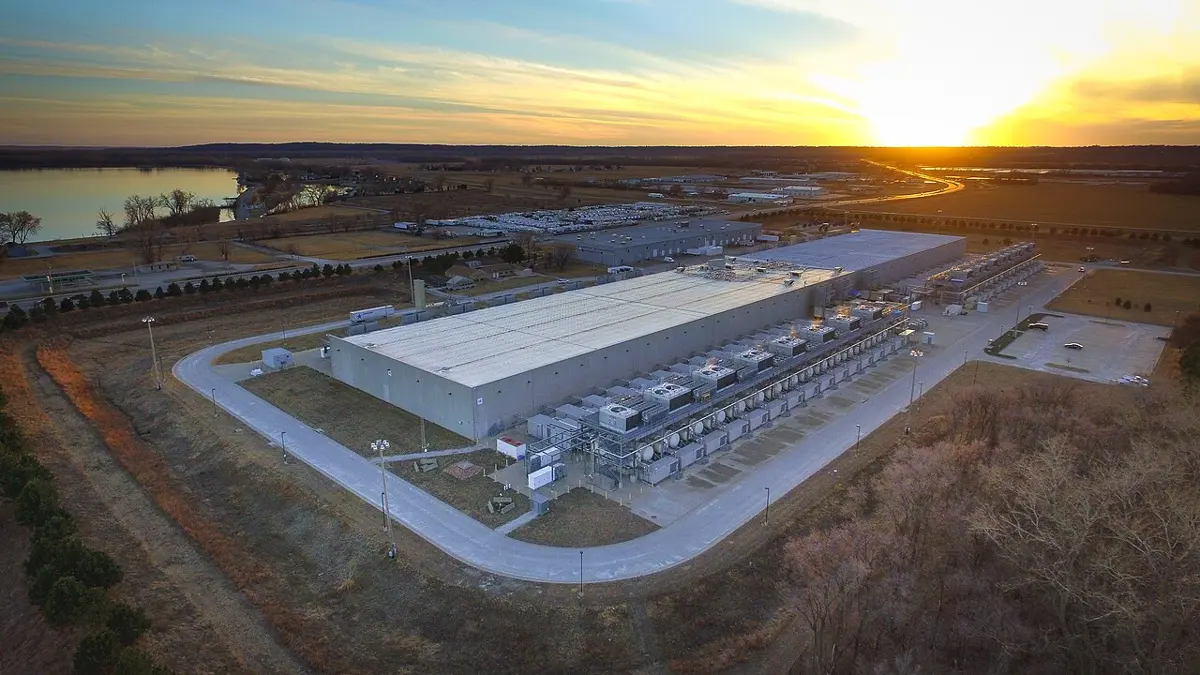
Who pays, and why them
The people who use a data center may live anywhere in the world; the people who live next to it share its electricity grid and its water. Investigating its effects means asking the same questions about each group, and finding evidence for each answer, not guesses:
- Who gains? The company, its users, the town (taxes, some jobs, often fewer than hoped), the electricity company (a big, steady customer).
- Who pays? Neighbors, if water or electricity gets scarce or dearer; farmers who share the same rivers or wells; everyone, through the climate, if the electricity comes from coal.
- Why them? Data centers are built where land, electricity and water are cheap. The costs fall on people who live there, who rarely have a say.
- What are the facts? How many megawatts, how much water, from where, in which months? Is the electricity clean? Does the company publish the numbers, or keep them secret, as many long did?
- What could be fairer? Cooling that uses little water where water is scarce; running flexible work (training AI, backups) when clean electricity is plentiful; reusing the heat to warm nearby homes, as some data centers in Europe do; publishing the numbers.
Grade 10 asked whether Nepal should build data centers. With what you now know, the question becomes sharper: a data center in Nepal could use clean hydropower in the monsoon, but in the dry winter, when rivers fall, it would compete with homes and industries for scarce electricity, and its cooling would need water from the same falling rivers. Every serious proposal must answer the five questions above with numbers.
A data center’s computers use 10,000 kWh in an hour, and its WUE is 1.5 L/kWh. How much water does it use on site in that hour?
Pick an answer to see why.
Project: a service at scale, investigated
Choose one service that many people in Nepal depend on: a mobile wallet, a bank’s app, the exam results site, a ride app, a video app, a government service such as passports.
- Its parts. Draw it as Figure 4.1 does: what probably runs on your phone, at the edge, on app servers, in a database. Use traceroute (on a computer) to find whether its answers come from Nepal or abroad, and say what your evidence is.
- Its busiest moments. When is its peak (a festival, results day, the start of the month), and how much bigger is it than an ordinary hour? If you can’t find a figure, say how you would estimate it.
- Its data. Name one change it makes that must be a transaction, and why. For two kinds of data it keeps, say whether copies should refuse or answer when they can’t talk, and why.
- A failure. Find a real outage of it or of a similar service (news reports, its status page, its own report). Summarize it under the five headings of the activity above.
- Who is affected. Answer the five questions of the last section for its data centers, or for its outages.
- Your recommendation. One change that would make it more reliable or fairer, who would have to make it, and what it would cost them.
Present it on two pages, or as five slides, with every figure’s source.
In short
Exercise
What does it mean for an app server to be stateless?
Pick an answer to see why.
A server takes 0.05 s for a request. At what utilization does a request take 0.5 s on average, by the rule in this unit?
Pick an answer to see why.
In a network partition, which kind of data is it safest to keep answering on both sides and merge later?
Pick an answer to see why.
Which defense stops millions of apps from all trying again at the same moment after a failure?
Pick an answer to see why.
A system needs a majority of its copies to agree before a change counts. How many copies can fail if it keeps 5, and still work?
Pick an answer to see why.
A transfer has taken money from one wallet, and the step that adds it to the other wallet fails. What should the program send to the database?
Pick an answer to see why.
Which ACID property means that two transactions running at the same time don’t see each other’s half-done changes?
Pick an answer to see why.
Explain the difference between scaling up and scaling out, and give one advantage of each. Why does every service with millions of users scale out?
Answer
An exam board’s results site was slow on results day last year. Its web servers were 30% busy and its database 100% busy. The board plans to double the web servers. Will that help? What would you advise, and why?
Answer
A food delivery company in Kathmandu stores: each customer’s cart while they order; a list of dishes whose details differ from restaurant to restaurant; every rider’s location, sent every few seconds; and which customers order from the same restaurants as which others. a. Explain the three Vs of big data, using this company’s data. b. For each of the four kinds of data, say which kind of NoSQL store suits it, and why.
Answer
a. What is a transaction? b. Explain what BEGIN, COMMIT and ROLLBACK do, using a transfer of Rs. 1,000 from Ram’s wallet to Sushma’s. c. The server fails after Ram’s balance has gone down but before Sushma’s has gone up. What happens to the money, with and without a transaction, and which ACID property is this?
Answer
Two clerks book the last seat on the same bus at the same moment. a. Using a table of their steps, show how one booking can be lost. What is this problem called? b. Explain how record locking prevents it. c. Describe one problem locking can cause, and how databases deal with it.
Answer
A wallet’s data is kept in three copies. Using a bank balance and the number of likes on a post as examples, explain the choice a system of copies must make when a link between them fails.
Answer
What is a cache? Explain hit, miss and time to live, and say why a balance is never answered from a cache but a published exam result can be.
Answer
Explain why a video uploaded by a company in the United States may reach a phone in Pokhara from a server inside Nepal. Use the words content delivery network, cache and network of networks.
Answer
Compare the public internet with the network inside one company’s data center. Give at least three differences.
Answer
A service answers 2,000 requests a second and usually gets 1,400. Its database stops for 20 seconds. Explain how the apps’ tries again could keep it down after the database is fixed, and describe two defenses.
Answer
Summarize the AWS outage of October 2025 under these headings: what users saw, the cause, how it spread, what was changed.
Answer
A data center’s computers use 30 MW. Its PUE is 1.2 and its WUE is 1.5 L/kWh. Estimate its electricity in GWh a year, and the water it uses on site in million liters a year. Upper Tamakoshi produces about 2,281 GWh a year: what share of that is this data center’s electricity?
Answer
Nepal’s government put many of its systems in one data center, the GIDC. Using the attack of January 2023 as an example, explain who was affected and why. What do the ideas of this unit suggest the government should do?
Answer
A company proposes a data center in a dry district where farmers already share a river. Using the questions of this unit, write a short paragraph explaining who would gain, who might pay, and what evidence you would want before deciding.
Answer
Quiz yourself: Networks and the internet, Grades 6–12 →
Practice every question in the book, and keep track of the ones you miss →